
The V3.0.0.14.H.R, I think this is the last one ?
Hi @xaviercunego ,
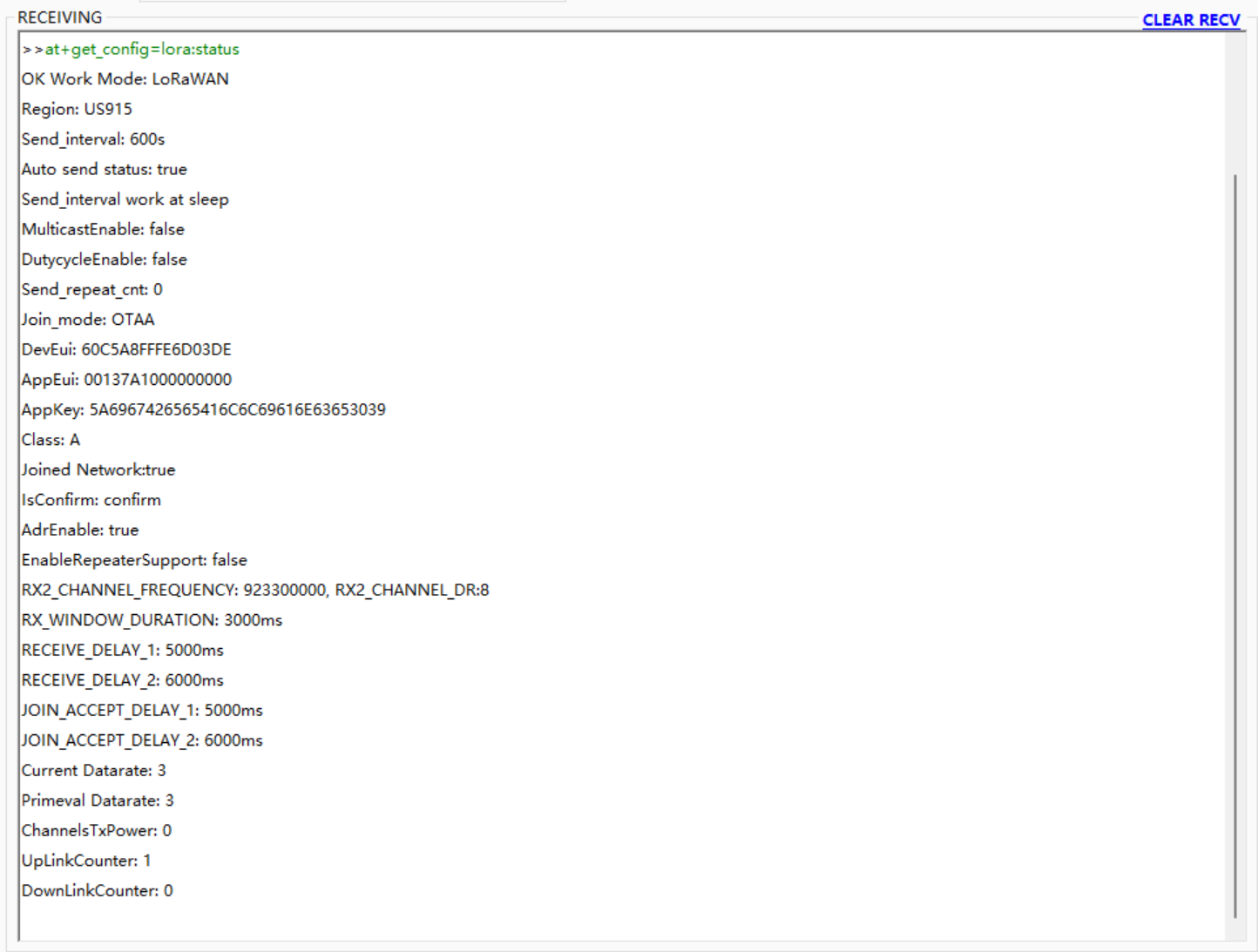
Yes, you are using the latest FW. I am not sure why you don’t a reply when at+get_config=lora:status is set. I tried it and it works.
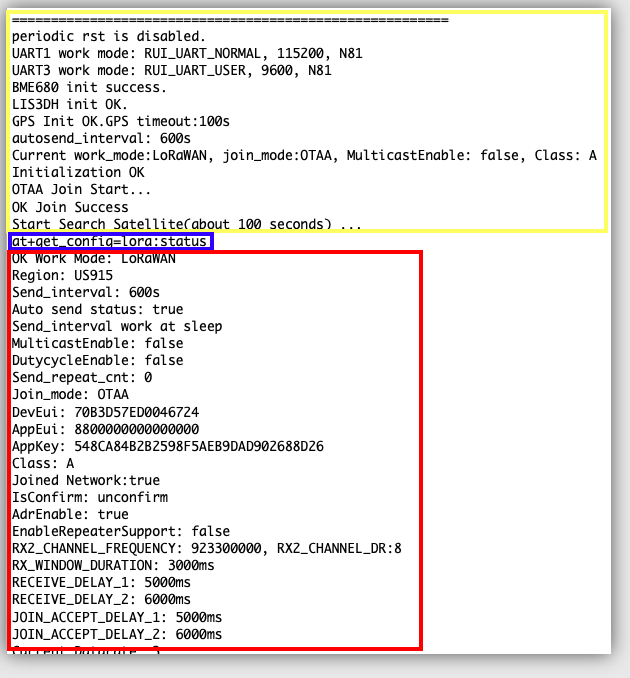
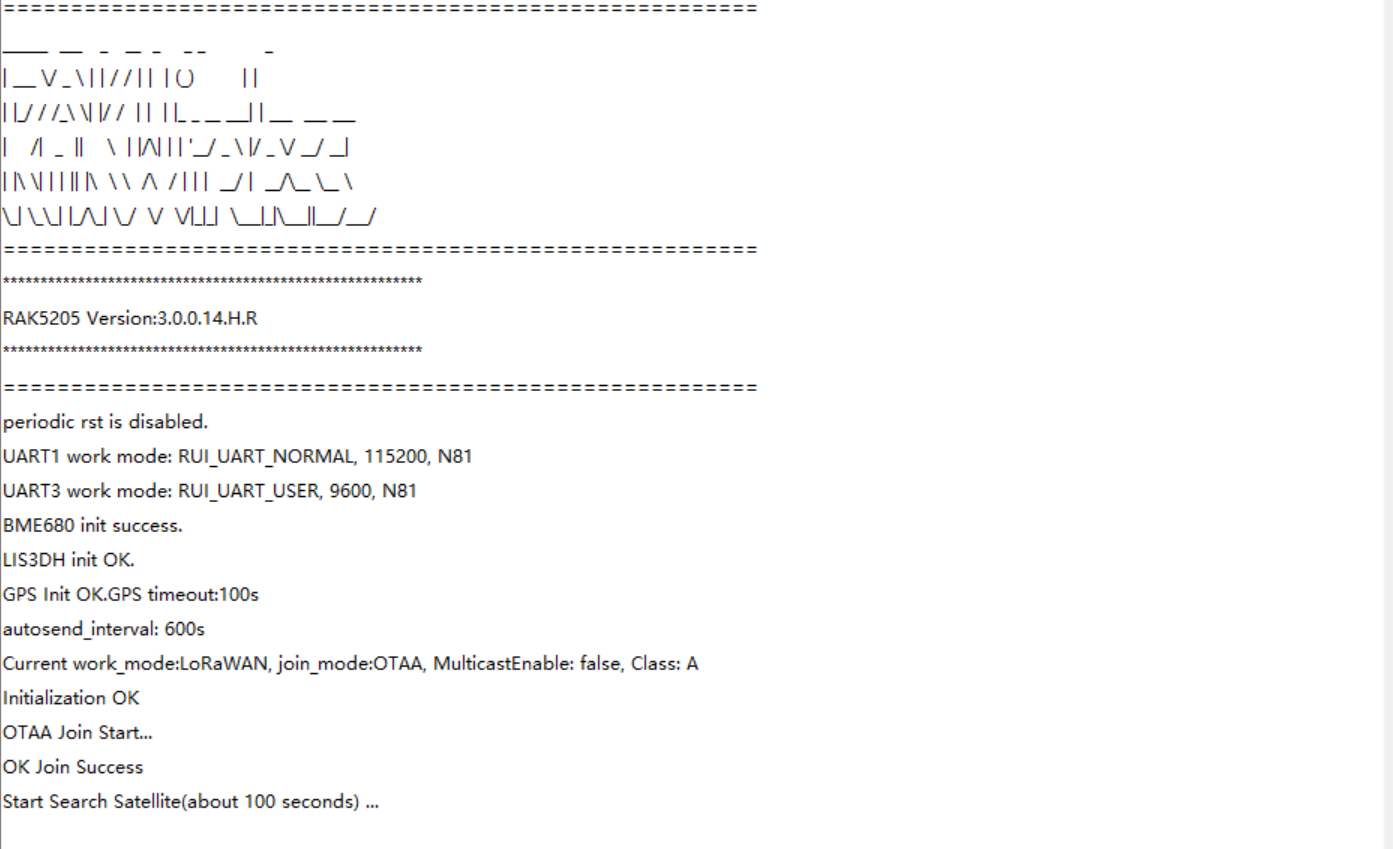
I am also wondering why your device restarts. The serial output in yellow box only shows if your device restarts.
Hi @carlrowan,
I am going to install again the firmware and test the code tuesday, I’ll keep you informed.
Thank your for the help again !
Hi @carlrowan ! 
I installed the firmware again and I have the same problem… Do you have any other idea about the issue ?.. I screenshot the serial to show you that I have the right firmware version and that the device is still in automatic sendind data…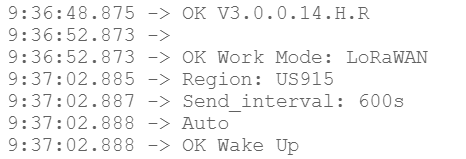
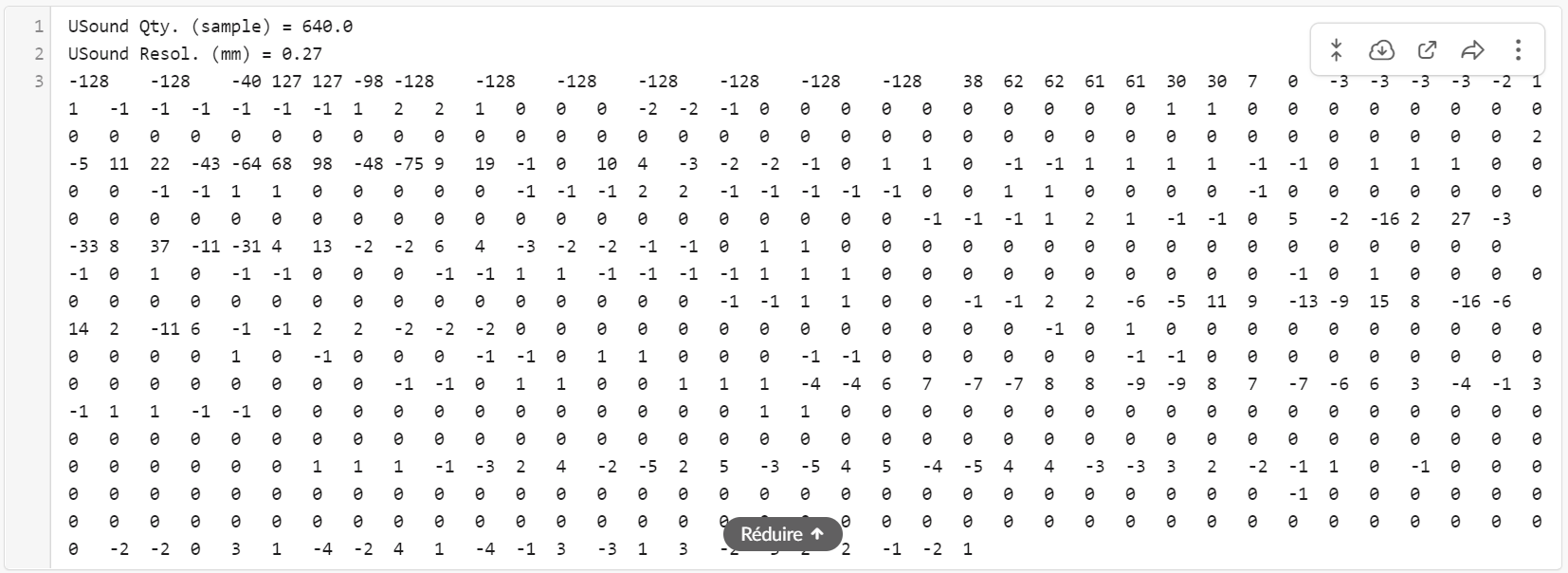
Furthermore, I have an other question for you… In my project I have to transmitt some data from an ultrasound probe and I don’t know if my LoRa device can do the job while respecting the 30s per day ratio. This is the example of what I have to send, I would like to fragment it in order to send few packages and then group all the data with my application. Do you think it is feasible ?
Oh. Hmm. Just to clarify, when you send at+get_config=lora:status command, you don’t see any reply in whatever scenario like not joining yet, joining, joined or failure to join?
Can you try this:
- Connect to PC.
- Open serial terminal.
- Input
at+set_config=device:restart - Input
at+get_config=lora:status
What is the reply or what will happen in your case?
Regarding the long payload, I see 640 samples. Are you planning to send all those? Like in what interval? At first impression, I am afraid LoRaWAN might not be the perfect technology for it. But if you will just need to send that burst of data once a day, could be possible.
LoRa can do it but our concern will be the dutycycle or dwell time limitation.
Here is the reply I have on my serial when I write your 2 instructions :

Yes the purpose is to send all this data each day. At this moment I don’t have any space constraints, I mean the gateway and the device are in the same room.
Edit : After I retry it on the RAK serial tool this time I have a longer reply :
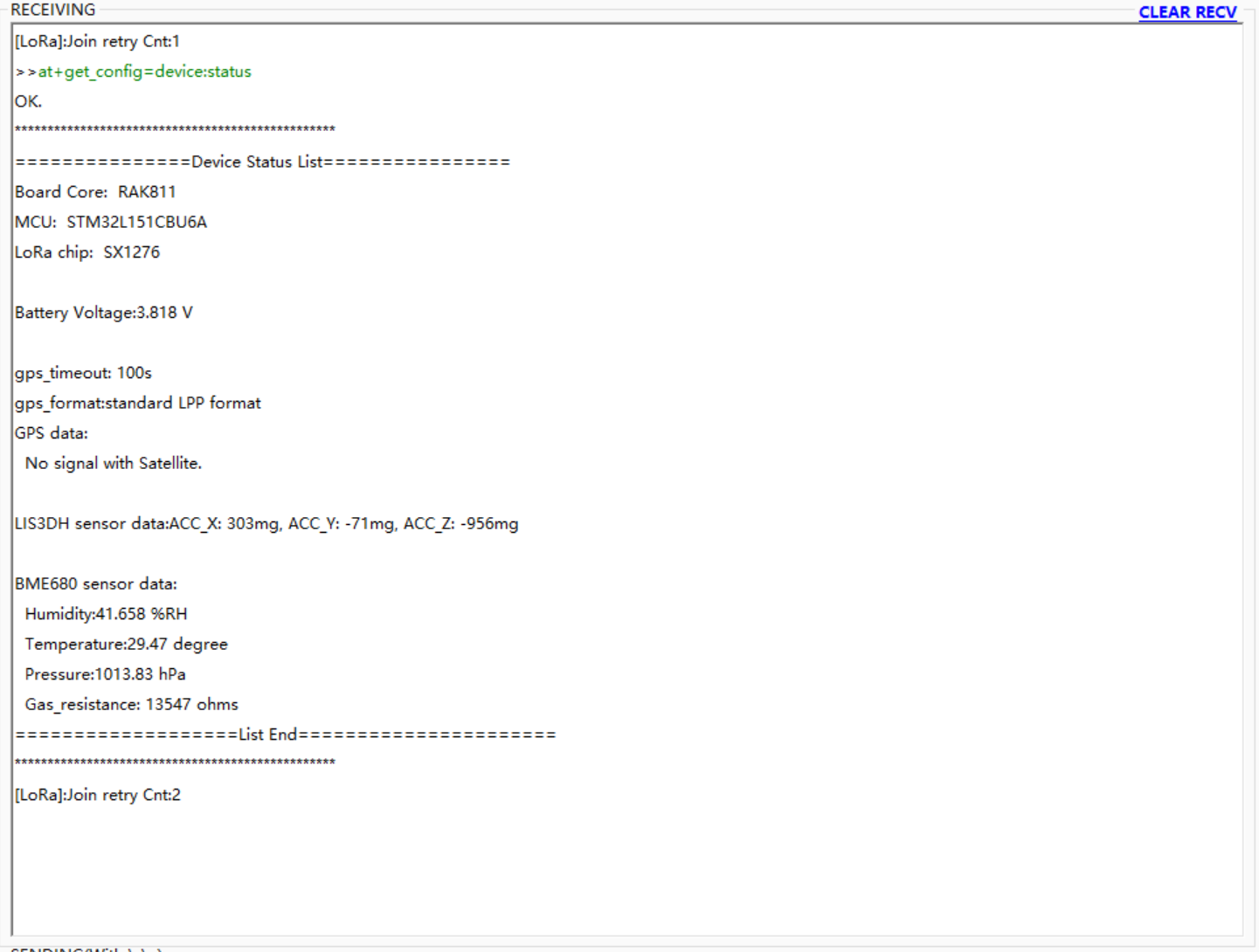
Also then I asked him to stop autosend : 
But when I restart the device always the same problem… :
@xaviercunego , sorry i posted a wrong command in my last reply. it should be at+get_config=lora:status
Can you please try again?
Opps. I am correct you are the one sending wrong command 
I am not sure what that means.
But for us to know if LoRaWAN fits on your payload, we need to know how many bytes it is and if you can have a constant datarate since the air-time of your LoRaWAN signal also dependes on the spreading factor. If you can’t ensure a fix datarate, then we have to assume SF12 in the calculation. This means, the closer you are on the gateway, much better. But not too close. Please at least have a wall separation 
I think I can have max 1 kilobyte So if we assume I can provide a fix datarate do you think it’s possible ?
Are you sure at+set_config=lora:send_interval:0:0 is the only right command to disable auto send ?
Hmm. At 1000bytes, we can send it every hour with around 42 bytes size. That should still be allowable at SF7. But we need to consider packet loss specially if your gateway still uses the legacy packet forwarder(UDP) and not the lora basic station (TCP). UDP will introduce losses. If we send the data twice to compensate data loss, then we need to transmit 42bytes every 30minutes. I am not really familiar with the dwell time calculation in US915 but you can easily check that over the internet. But 42bytes every 30minutes might be possible at SF7.
Yes. That is the only command you need. But you need to check on the lora:status if it really take effect. Else, input it again.
Thank you for all your support, you help me so much to understand how the LoRa device is working!
I’m pretty sure my gateway is working on TCP so I saw that I can choose almost any datarate I want but what is the advantage to take a slower datarate like SF9 instead of SF7 ? The consumption ? The range ?
Yes that’s I did but it’s still don’t work…so mysterious I don’t get it… I have a RAK811 Trackerboard too, maybe I will try on this one…
Slower data range will let you reach higher distance but higher air-time. High air-time means it will take awhile before you can transmit again to follow the US915 dwell time restriction.
What do you mean that doesn’t work? I saw that the lora:status already sent you the proper reply.
Ok I got it !
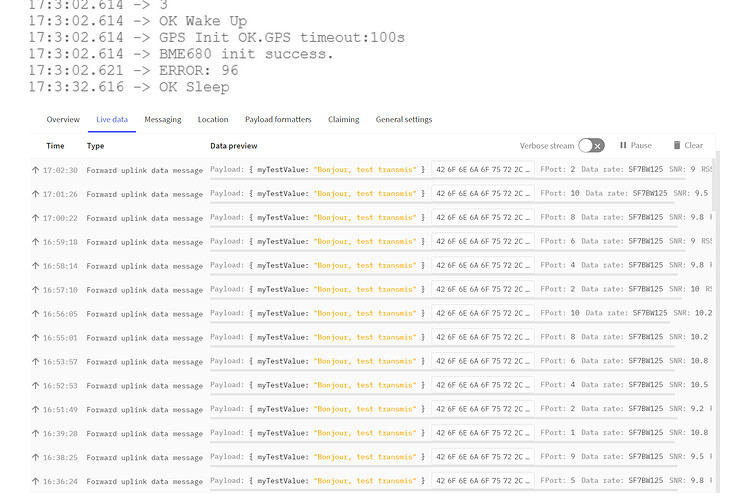
I have finally succeed to disable the autosend, but it doesn’t solve my initial problem and the error 96…
Do you see this live data even if you have error 96? Btw, I also see you have a confirmed message. Do you really need that?
Also, can you run this command and send me the reply?
at+get_config=lora:channel
Hi @carlrowan, I hope you’re going well !
No I don’t receive the message when the error 96 appear.
Maybe not but I disabled it and it changed nothing.
Here is the reply to the command :

Hmm. Can you confirm that you can do the steps here up to sending LoRaWAN uplinks? But of course, using US915.
I gave up the configuration with the serial port, now I am going to try to directly modify the firmware with the RUI V2.0. I didn’t find a lot of ressources and documentation on the code of each module, do you know if there is explanation somewhere on it ? Or people who have created projects by this way ?
Hi @xaviercunego ,
I am not sure if doing RUI V2.0 will solve your issues. But if you want to proceed, here’s the sample project for RAK5205.
All collection of examples for RUI V2 is here.