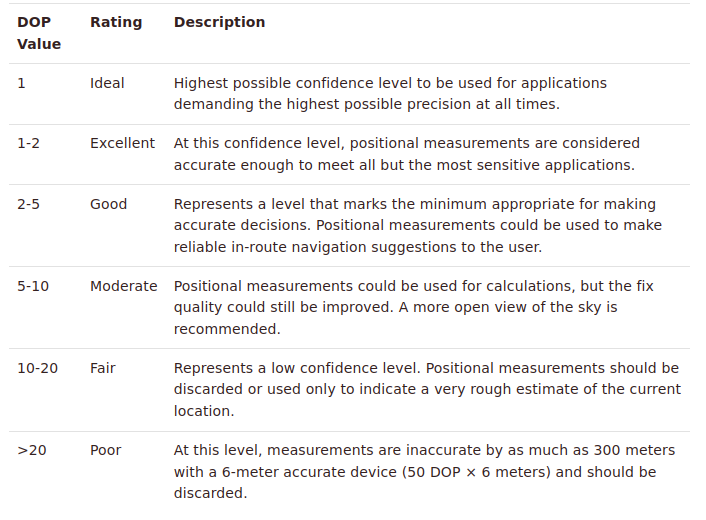
You need to check for smaller hdop values
==> What is DOP, PDOP, HDOP, VDOP and where can I find this information? - marXact Knowledge Base

You need to check for smaller hdop values
==> What is DOP, PDOP, HDOP, VDOP and where can I find this information? - marXact Knowledge Base
So, the ublox data sheet says that the value should be divided by 100, so when i have it at 300, then it’s 3.00.
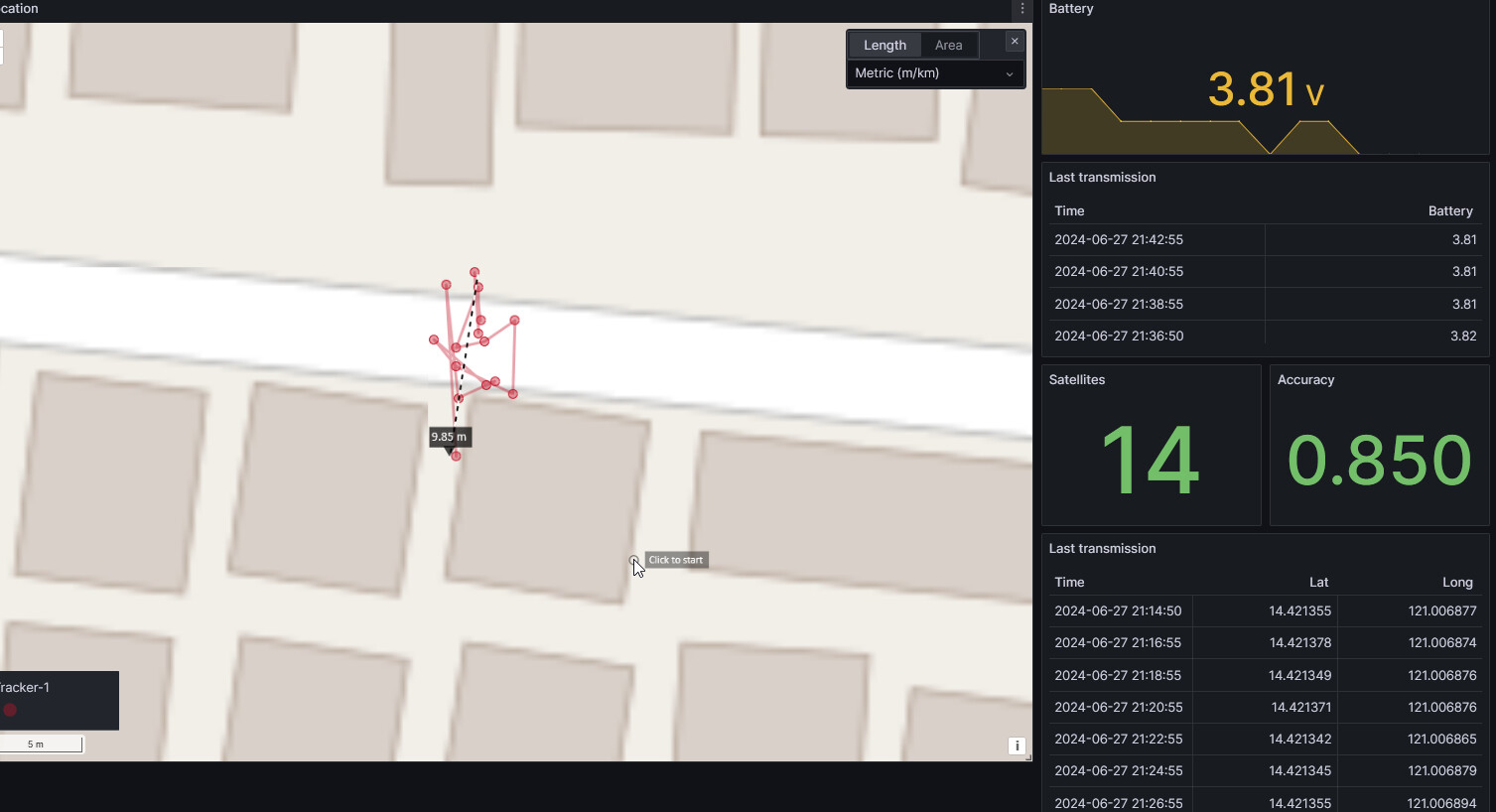
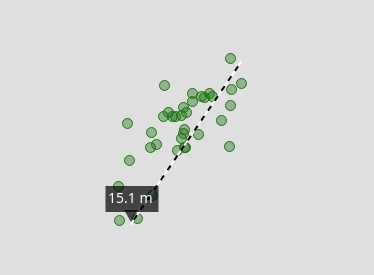
I asked somewhere else (more GPS related channel) and they said it might be reflections of the GPS signal of buildings and so on. So, i moved the tracker out to a more open space and the dots on my map are now much more consolidated.
So, this was in the end a reception issue. Makes me wonder how important placement of the antenna is in the enclosure that I have.
Nothing wrong with the RAK12500 though! All works as expected!
I’m sorry to arrive late to the party on this.
I also have the RAK12500 and use the PVT message to deliver position at 1Hz. From a warm start I usually get within 10 metre of ground truth within the first 10 seconds, and that’s indoors under a metal roof. It’s a very impressive bit of kit.
I have replaced the standard GPS antenna with this one. It’s a bit expensive, but it physically suits the rest of what I’m doing. I suspect that the antenna might be a contributing factor.
Due to another project, I played more with the RAK12500.
Using the Sparfun GNSS I2C library, I enabled all possible satellite systems:
			my_gnss.enableGNSS(true, SFE_UBLOX_GNSS_ID_GPS);
			my_gnss.enableGNSS(true, SFE_UBLOX_GNSS_ID_SBAS);
			my_gnss.enableGNSS(true, SFE_UBLOX_GNSS_ID_GALILEO);
			my_gnss.enableGNSS(true, SFE_UBLOX_GNSS_ID_BEIDOU);
			my_gnss.enableGNSS(true, SFE_UBLOX_GNSS_ID_IMES);
			my_gnss.enableGNSS(true, SFE_UBLOX_GNSS_ID_QZSS);
			my_gnss.enableGNSS(true, SFE_UBLOX_GNSS_ID_GLONASS);
Thanks!
Would you mind sharing more code?
I currently use IO2 to turn ‘off’ the GPS when my device is asleep. Is that what you’re also doing?
btw - i’ve also started trying some of the powersave modes. the 1hz aggressive profile is quite good. It depends on how often you need a fix of course, but it’s a good consideration if you need fixes quite often. My ‘fix time’ has gone to 1s or less because it just keeps track as it goes along.
When you mention GNSS I2C, do you mean this library? GitHub - sparkfun/SparkFun_I2C_GPS_Arduino_Library: Library for reading and controlling MT3333 and MT3339 based GPS modules over I2C.
I’ve been doing loads of testing here as well, my conclusion at the moment is that with GNSSFixOk and HDOP checks, you get good accuracy. But i’ve also noticed that heat simply makes it less accurate.
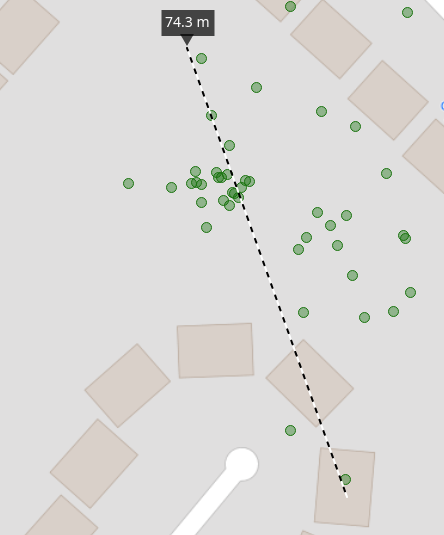
I have great grouping in the morning/evening when it’s cooler, but now (here in the UK) with the sun during the afternoon, it simply becomes quite bad.
Morning:
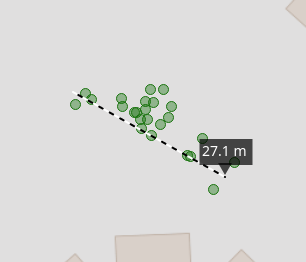
Afternoon sun:
Last 2 hours (17h->19h):
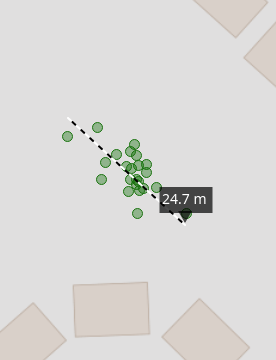
I’ve seen this now a few days in a row.
My device is in an enclosure and in the full sun with a little solar panel, so it does get quite warm, but i was surprised to see this effect 
Different library ==> SparkFun_u-blox_GNSS_Arduino_Library
The code I am using is based on RUI3, so it will need some changes to work on the Arduino BSP.
gnss.cpp (8.5 KB)
For reduction of power consumption, I power up the device, then check every 2.5 seconds for the status from the GNSS chip, inbetween the MCU sleeps.
Setup of the used satellites ==> line 76
Check if number of satellites has increased ==> line 196
Check if accuracy requirements are fullfilled and number of satellites didn’t increase for 4 times ==> line 206
I will publish the whole project once I am finished with it.
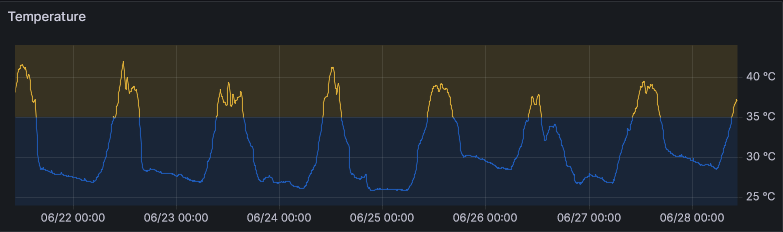
Regarding the temperature, I don’t see much influence, but that might be because of my location.
Measured temperature on my outdoor air quality sensor, directly exposed to tropical sun:
Thanks!
I think my code is roughly the same already. I’m using the same library and also using I2C. I do a g_GNSS.factoryReset(); in setup() because i’ve seen some values remain. You might have set a setting somewhere that we don’t have, like the dynamic model. I’ve got dynamic model on pedestrian.
I do not check nr of satelites, but just the HDOP value which i can configure.I’ve not even tried it below 2.5 but can do that.
You do use setMeasurementRate() which i have not played with, so will try that as well
As for the temperature, i need to figure that out. So i’ll take a hairdriver to the device to see if that makes a difference. If it is really the heat, then is it the antenna or the pcb that’s causing issues with heat. Need to figure that out
What GNSS antenna did you get with the RAK12500?
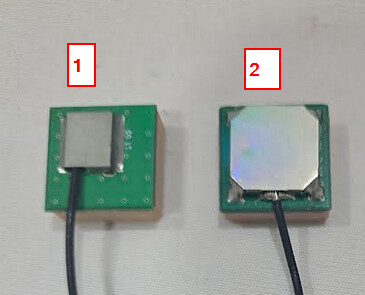
(1) is the older one, its sensitivity is lower, takes longer to get a fix
(2) is the latest one, higher sensitivity, faster location fix. But it is very sensitive to surrounding RF noise. You might check how the cable is routed inside the enclosure and avoid areas like DC/DC converter on the Base Board and the Core module (RF and BLE).
I’ve done a few orders, so i have both!
Is there a specsheet for these antenna’s? I’ve been wondering what the difference was between them.
Your timing couldn’t be better. I’ve just put together a tracker with nr 2 and not getting a fix at all. I came to the conclusion that it must be antenna related and have just routed the cable slightly different.
Will experiment a bit and also see if this makes a difference on accuracy.
I’m wondering @beegee
Does the LoRa Antenna of the RAK4630 also suffer from interference when it’s close?
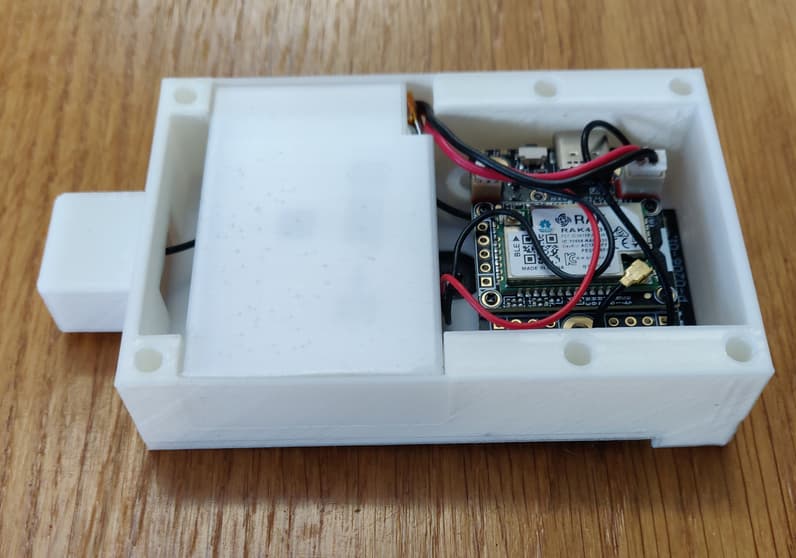
I’ve got the GPS antenna right next to the PCB and i’ve now routed the cable differently and i do get fixes. Obviously this means the cable/antenna should be further away, but if i change that then the PCB goes closer to the lora antenna.
Wondering if due to the different frequency the LoRa antenna is less effected?
We didn’t see any problems with the LoRa signals, only the GNSS cable shows some problems.
I don’t have (can’t find) the data sheet for the old GNSS antenna. I attached the datasheet for the latest antenna version.
2701C008_15x15x6.9mm GNSS Active Antenna Spec_20220216.pdf (384.2 KB)
Thanks
This is all great info. You’ve solved one of my problems here
Hey @beegee
Out of curiousity… what makes this new antenna so much more sensative then the old one? And is there a way to check for this with software?
I’m building an enclosure, and of course i want to do that best as possible. At the moment i’ve already adjusted by making the GPS antenna further away from the PCB. When i didn’t have that, i could re-route the cable and it helped, but how do i know that my old design is better than my new design?
I never compared the two antennas directly and the datasheet of the old one is not really good.
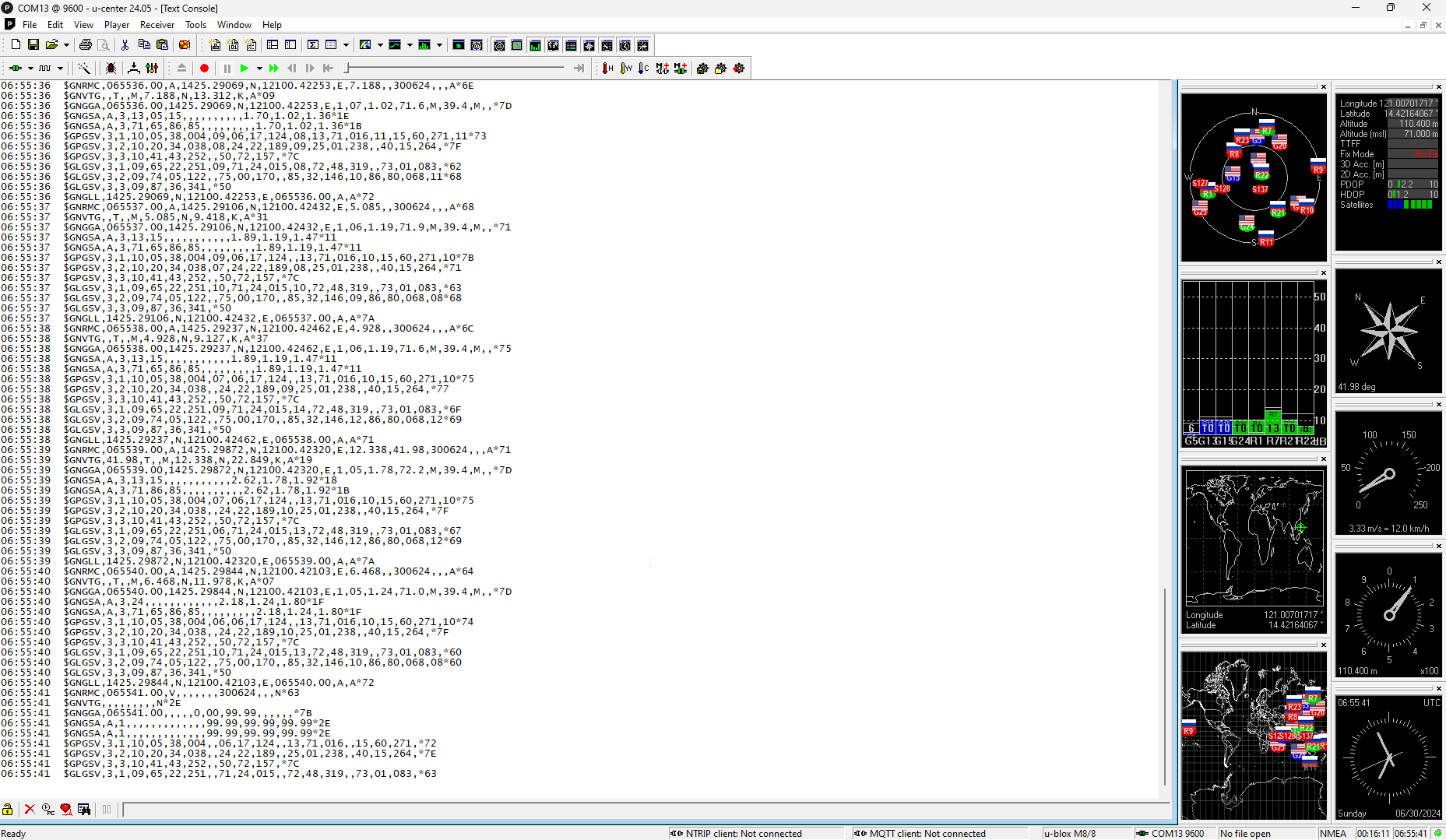
In the R&D team they made some tests with an application from u-blox. I just tried it, it seems to give really good information about the performance of the antenna/u-blox chip.
It reads data from a serial port, so you have to forward the data from the RAK12500 to the USB of the Base Board.
Download from u-center
Good morning,
Maybe I can contribute for the conversation.
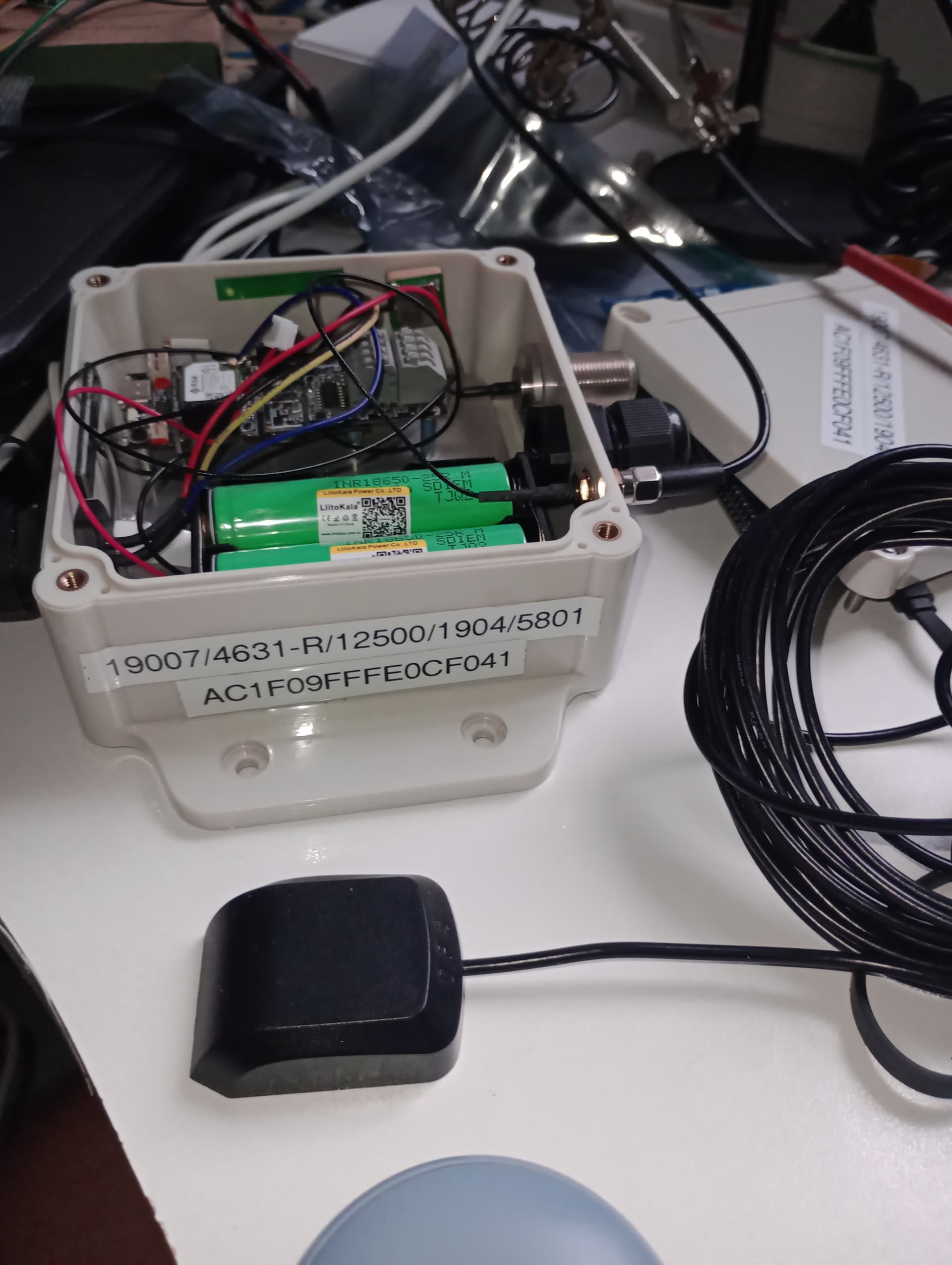
The coverage become much better after when I connect a outdoor antenna (photo below):
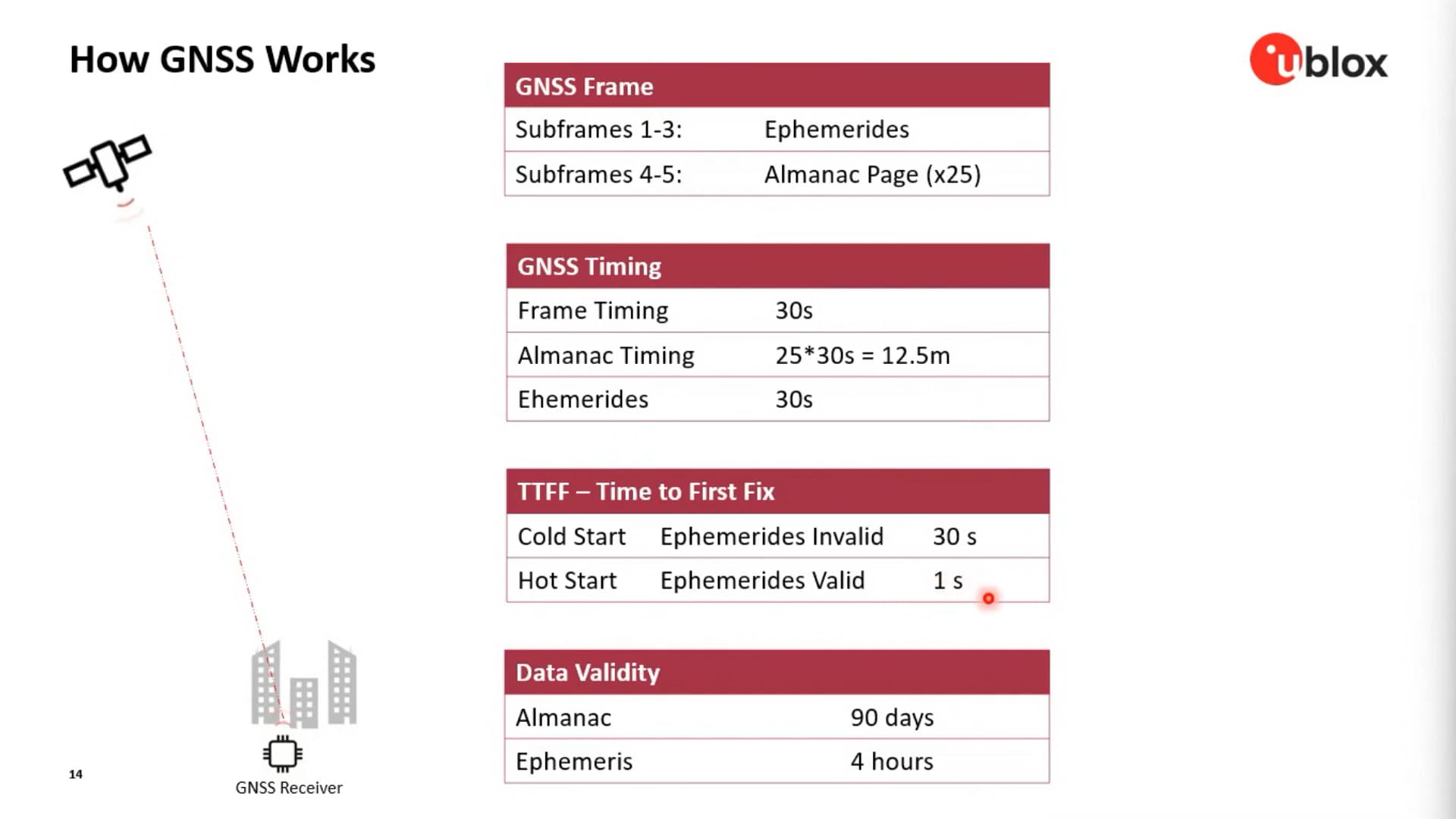
In a u-blox presentation that I saw here in Brazil, I got some important numbers (screenshot below), and they are related with how is the start process: cold, warm or hot, and the time to be ready is directly related: “Precise Positioning” (it is in Portuguese, but the slides are in English)
For example:
I hope it helps
Thanks!
I know that the antenna is important. However, i also need the enclosure to be rather small. The 16x16mm that the current block is, is acceptable. I can deal with some other sizes, but nothing as big as what has been suggested so far
Using the powersave mode, instead of on/off probably does work better for me as it’s less of a cold start. It does however take more battery life. So it’s a balance!
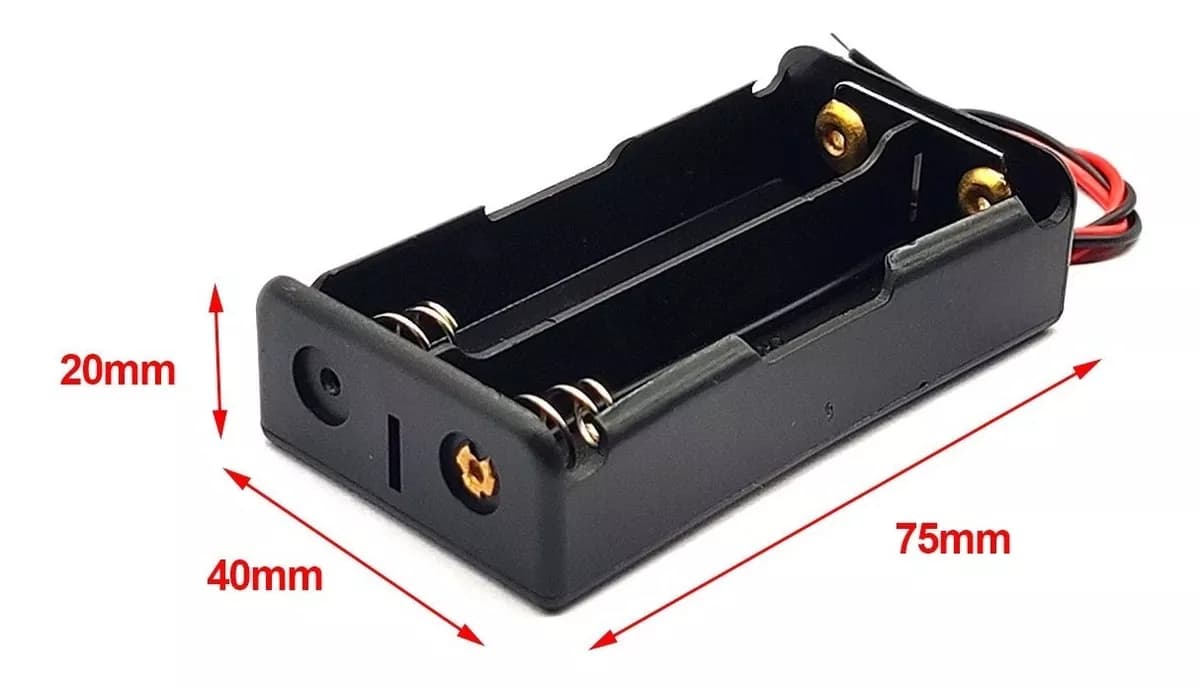
Can i ask - are those 18650’s in parallel? And how is that going with the RAK baseboard?
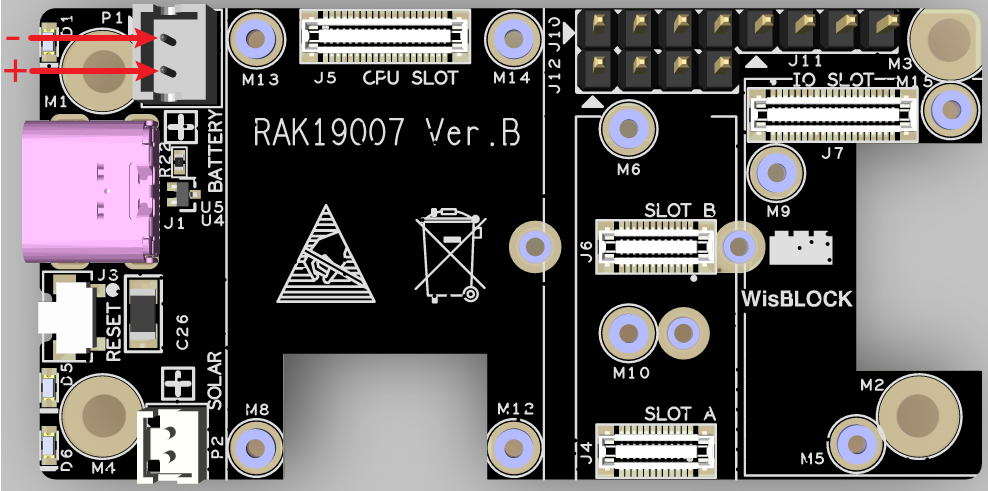
It is not complicated. In the photo below you will see a 18650 case for 2 batteries in parallel. You will need only to connect the case (red/black wires in a jst connector) in the base board
[Product configuration]
(RAK19007 Quick Start Guide | RAKwireless Documentation Center)
Sorry to ask, but would the R&D team be able to do some heat testing?
I just spend about 45 min in the garden with hairdryer warming up the antenna and PCB.
I did this in two stages. So only warming up the antenna, and then only warming up the PCB.
In both cases the accuracy went down.
Of course, my test is not perfect, and a hairdryer is of course a massive source of interference (i’ve run out of time to let the hairdryer run without heat and see if that also caused issues). And of course in both cases the coax cable heats up.
In any case, i’d really like to understand what temperature does on this setup.