Thanks - do you have the hex file just as a zip and not a rar… I can’t decode rar on macOS without installing extra stuff. I appreciate the help, but it baffles me why you’re sending me Windows-based utilities when clearly this issue is about macOS.
I’m reasonably confident that this not a macOS issue. I used screen for many types of device and all is well. I’ve now even tried a separate serial port program with no luck. There were no problems programming via AT commands with the older version of the firmware.
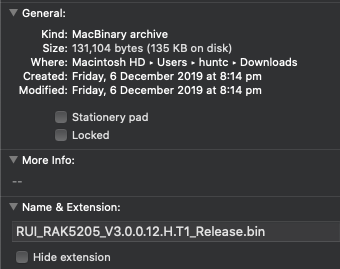
Shouldn’t I be able to flash RUI_RAK5205_V3.0.0.12.H.T1_Release.bin directly via STM32CubeProgrammer? This looks to me as though it’ll contain the bootloader given that it is about 128KiB in size… I’m trying this, but without success so far.
For macOS, I am using coolterm. I like it because of the auto-record with .txt output.
Sadly, v3.0.0.12 is only the application code. You need upload first the bootloader hex file then use the LoRa button tool to upload the application fw.
OK, so the application binary should start at 0x8003000 and be of 116KiB in length, according to your documentation. However, the app binary you have supplied is way larger:
In fact, it is exactly 128KiB, which is the total size of the flash. Hence my impression that this binary contains the bootloader.
I see your concern. However, we cannot exactly correlate the .hex size to the actual ROM usage. Because it is not the actual size uploaded to it. Hex files are in ASCII format. In theory, you’ll get twice the size of the actual ROM usage because each byte will be represented by 2 ASCII in the hex file.
Actually, if you open the FW V3.0.0.14 you’ll see that the size of the .hex file is 310 kilobytes. Way bigger because it has the bootloader code in it.
I was discussing the bin file, not the hex file. The bin file is a raw image of bytes, right? The RUI_RAK5205_V3.0.0.12.H.T1_Release.bin is 128KiB in size, hence my assertion that it must contain the bootloader as the flash itself is 128KiB in size.
The V3.0.0.12 has no bootloader. It uses a different bootloader FW as I mentioned above. The bigger size is created because of some padding data. That size is fine
Thanks for the reply. Sorry to keep pursuing this, but I need to get the device back to V3.0.0.12. “.14” isn’t working for me. I don’t have a Windows machine; just Unix. There must be a way… I’m able to flash and interact with many types of microcontrollers and, honestly, I can’t believe I’m having so much difficulty with this one. Anything you can do to help further is greatly appreciated.
Sadly, there is no work around on the old RAK LoRa Button tool since it only runs in Windows. The new RAK DFU Tool solves that issue so it runs now on different OS platform. But the FW was changed too to include the bootloader and application FW in one .hex file. The V3.0.0.12 bin file can only be uploaded via the RAK LoRA Button tool.
That’s sad and it breaks my heart to hear that. I wish I can help you further with the situation
It is really a shame that old tool only works in windows. I am still hoping that you can consider to use our products with the improvements we are doing.
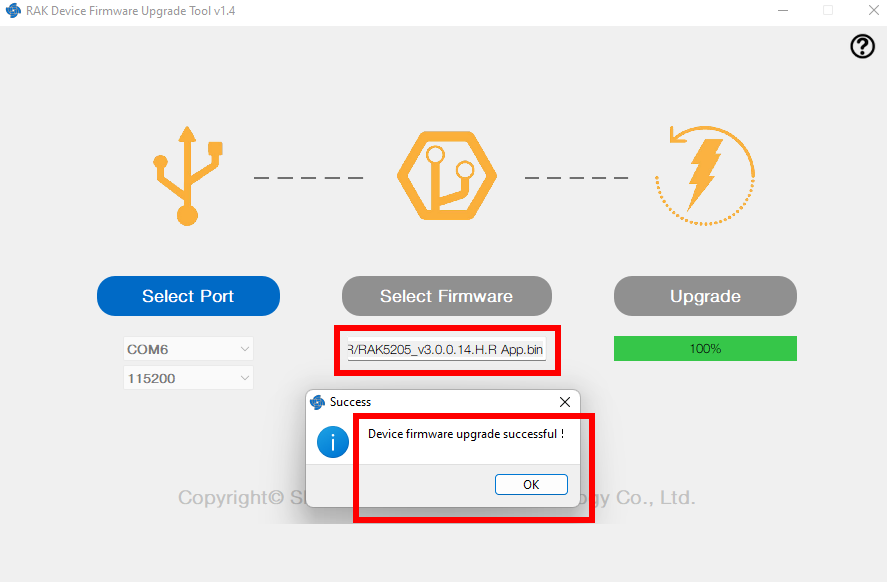
I have a RAK7205 (EU868) with solar panel. I can see that the board inside is WisTrio-Lora, RAK5205, VER C; and the LoRa Module is RAK811-H. I tried to upgrade the firmware from https://downloads.rakwireless.com/LoRa/RAK7205-Tracker/Firmware/, using the firmware update tool on a Mac (RAK DFU Tool v1.4).
I must have done something wrong because now the RAK7205 is not sending data anymore to the TTN. Can someone guide me with the procedure to restore my RAK7205? That would be very much appreciated.
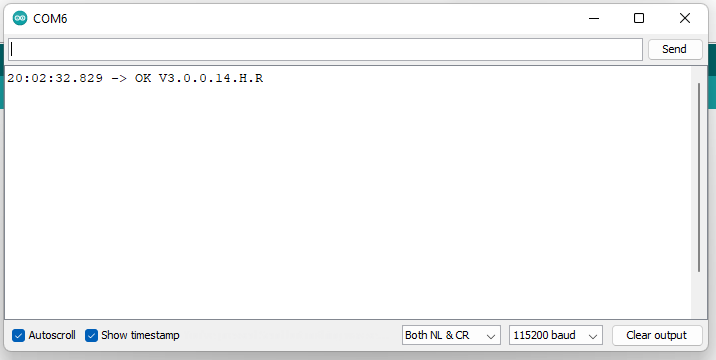
Hi, the RAK7205 was registered on TTN and was working fine. After the upgrade, I am not even able to send any AT command. I can open the port using the RAK serial port tool, but I don’t receive any output on the AT commands. For example at+version does not print anything although I am connected through the serial (COM1 - 115200)