Hi @Alangward https://www.mouser.pl/new/nordic-semiconductor/nordic-power-profiler-kit-2/
Same as Zenek, I am using the Noridc PPK2 power profiler and the DUT are RAK5005-O + RAK4631 and no other modules connected.
Hi,
Thanks both. I’ve ordered one. I wish I’d thought about this earlier
Alan
Hi,
Well my PPK2 arrived yesterday and I’m now trying to figure how to connect it to me 19007 base board. I’m worried I might damage something.
I assume that I need to connect Vin and GND to a battery and then connect Vout and Gnd to the battery connector on the base board?
I had thought that the PPK2 would provide the power, but that doesn’t appear to be the case.
Thanks
Alan
Hi Alan,
please check this Get your Power Profiler Kit II up and running - YouTube
It can work also as power source (in this case use VOUT and GND).
I have the Vout and GND connected to the battery connector of the Base Board and leave the Vin open:
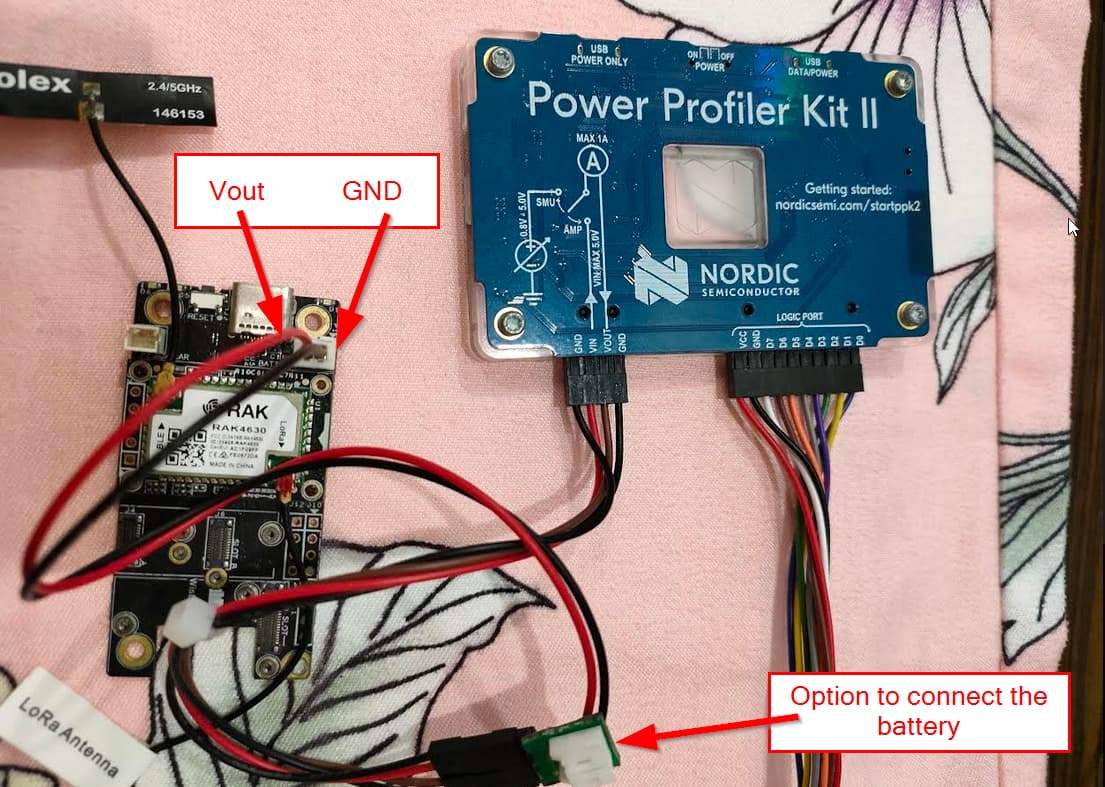
In the app, I select “Source meter” set the voltage, then “Enable recording” and final “Enable Power Output”

And then I get the consumed current
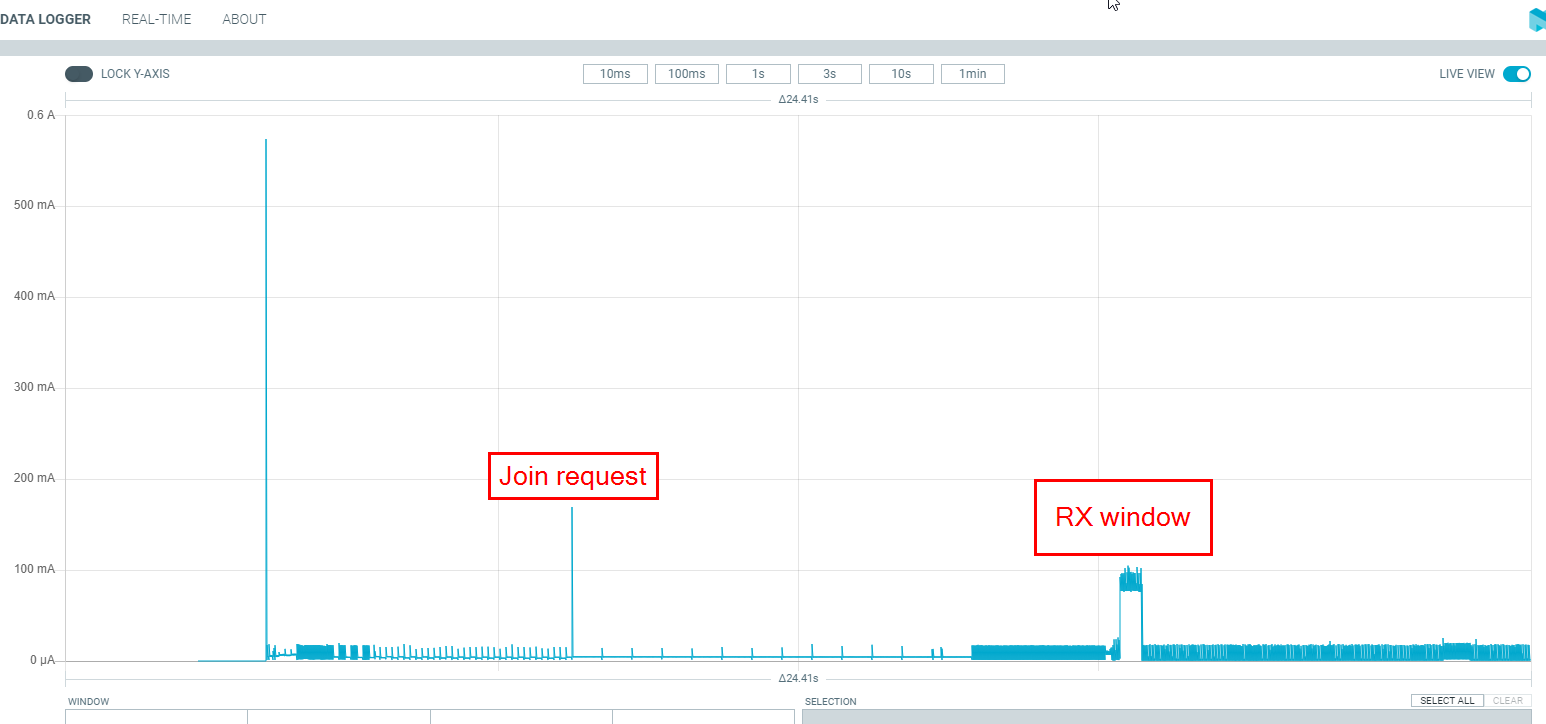
For what it is worth, that is exactly how I use my PPK2 as well - connect power through the battery connector, and use source meter as type in the app.
Thanks for the helpful replies. I think I must have missed one of the steps. Also I need to solder a battery connector onto the PPK2 output wire - a job for tomorrow
Thanks again
I’ve found that I can just shove the tinned leads from the battery connector wiring into the dupont connector of the PPK2 and it works fine. Saves me from wasting/dedicating a battery connector cable that way.
To avoid problems with loose connections and soldering directly to the PPK2 wires, I made a simple adapter:
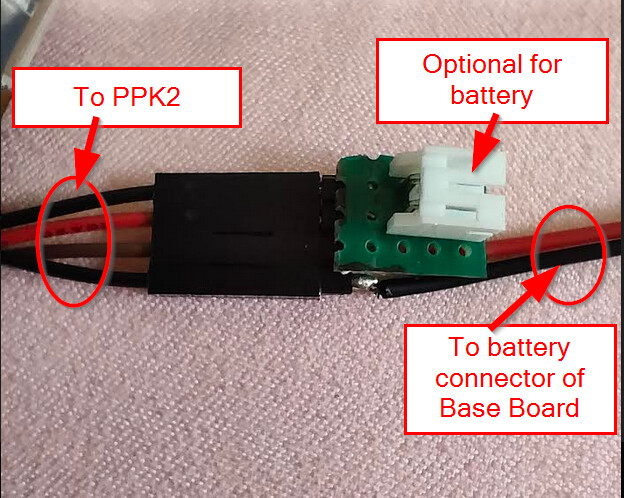
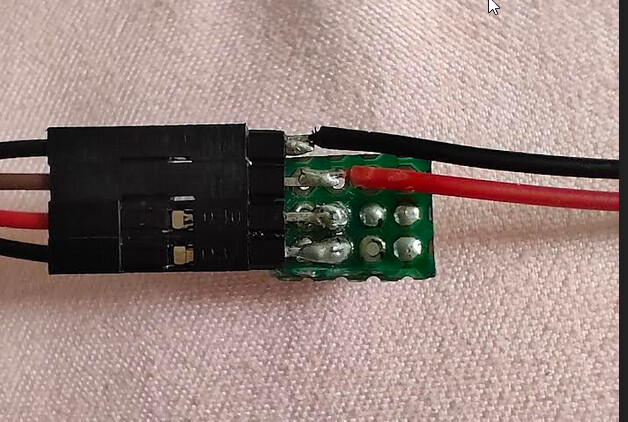
1 Like
Dear Beegee,
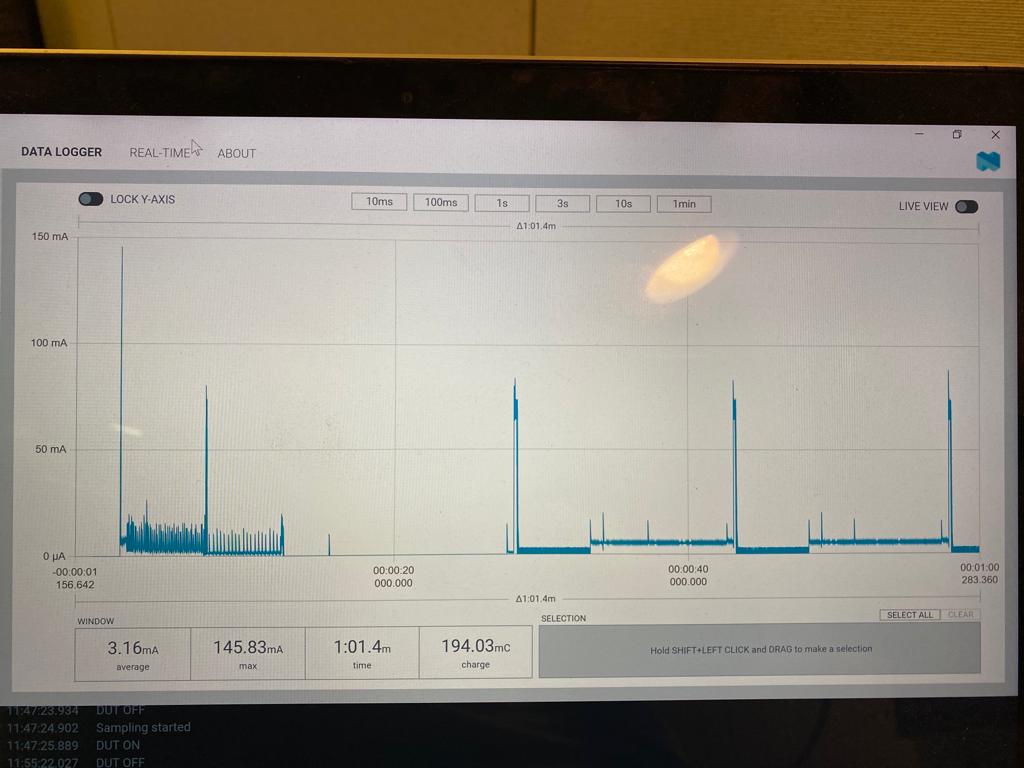
I am testing the deep sleep feature of RAK4631 and observed that after joining it goes to deep sleep as shown by you. However, after RAK4631 is waken up by the timer to transmit a packet it never goes back to deep sleep. How do I put it to deep sleep again?
I am using the code provided by RAK and have set #define SLEEP_TIME 15000.
Regards,
Bodhibrata Mukhopadhyay
Hi @bodhibrata
Which code are you using?
If you are using RUI3, can you give me the RUI3 version with “AT+VER=?”
Dear @beegee,
I am using RAK4631 Arduino version and in LoRaWan setup. I need to put the radio and controller in standby and sleep mode respectively. I want RAK4631 to be in deep-sleep until it receives a packet from TTNv3, after that it needs to do some operation. After the operation is complete i need to put it back to deep sleep.
Regards
Bodhibrata Mukhopadhyay
What LoRaWAN class are you using?
In Class A the transceiver is set to sleep after TC/RX cycle is finished. But in Class C the transceiver stays in RX mode.
This is handled inside the LoRaWAN library.
I am using LoraWan class C …. However the radio is not going to standby mode as RAK4631 is consuming almost 5 mA current constantly.
Even I checked for LoraWAN Class A … it is not going to sleep mode as shown in fig above.
However in my case I need LoraWAN classC.
What code are you using?
In Class C the transceiver stays in RX mode all the time, the LoRa transceiver never goes into sleep or standby mode. This is because the transceiver has to listen all the time if a packet from the LoRaWAN server arrives.
In Class A I get a sleep current of below 300uA (depending on the base board I use)
In Class C I get a current of 5mA between the transmissions with the nRF52 “sleeping”
Dear @beegee
I am using the code “LoRaWAN_OTAA_TTN_push” given by the RAK WISBLOCK example.
In Class C: Can I put the radio on standby mode to reduce power? I checked the file “sx126x.cpp”, there is an option SX126xSetStandby(STDBY_RC);. When I execute it after reception of a pkt the node current is ~660 uA. However, it fails to receive any further packets.
In Class A: I too get a sleep current of below 300uA after it joins the Gateway. However, the node never goes back to sleep after the first transmission. The correct is ~5mA.
Can you give me a link to that specific example? I do not know an example named LoRaWAN_OTAA_TTN_push.
Most of our examples are kept simple and do not fully support low power
If you put the radio into standby mode, you are breaking the Class C requirements. You would miss downlink messages from the LoRaWAN server. That makes Class C useless.
It would be the same as a Class A device, only the LoRaWAN server doesn’t know that it can send downlinks only after an uplink from the device.
1 Like
Did you change anything in that code?
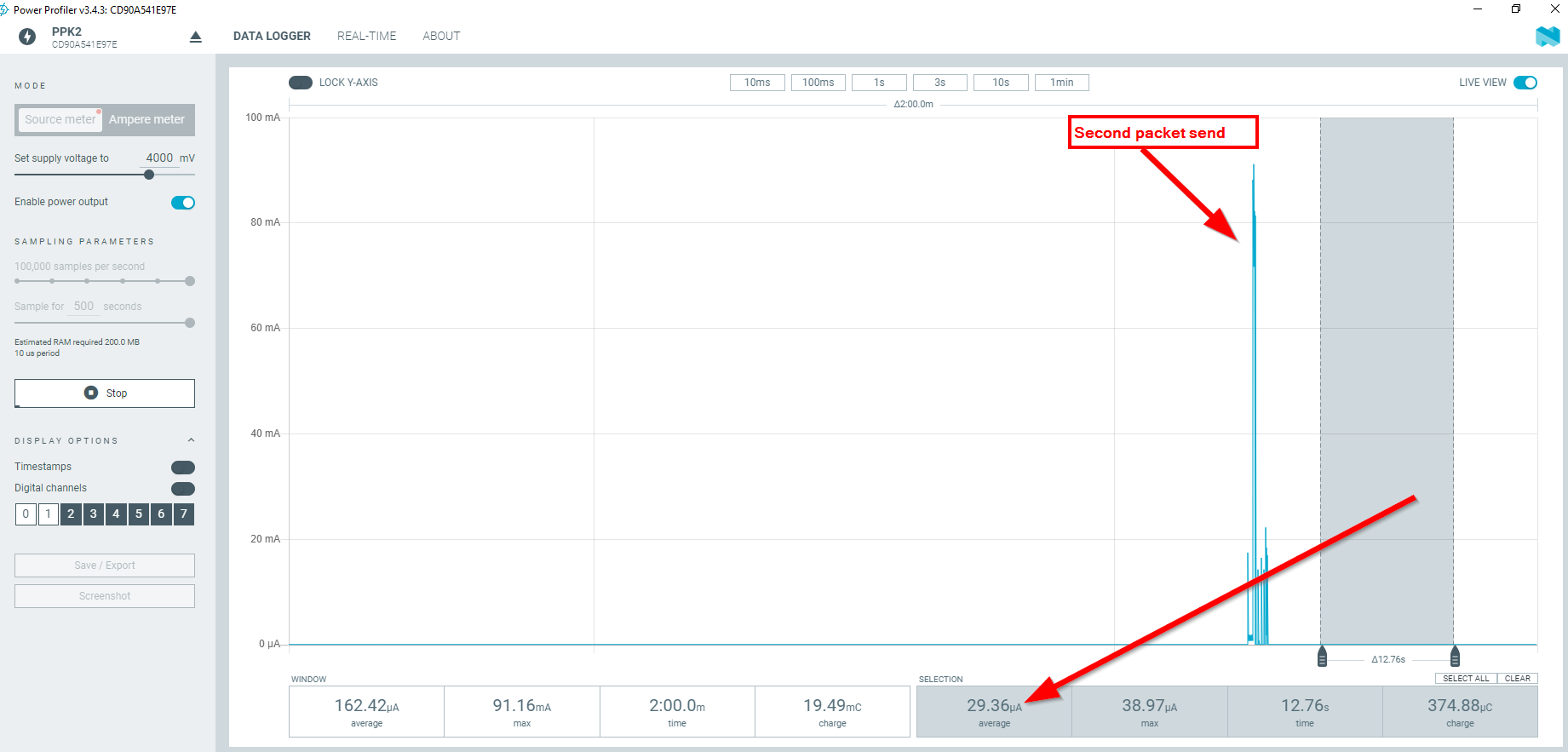
Running that example (I wrote it) in Class A, I get a 30uA sleep current after every packet sending.
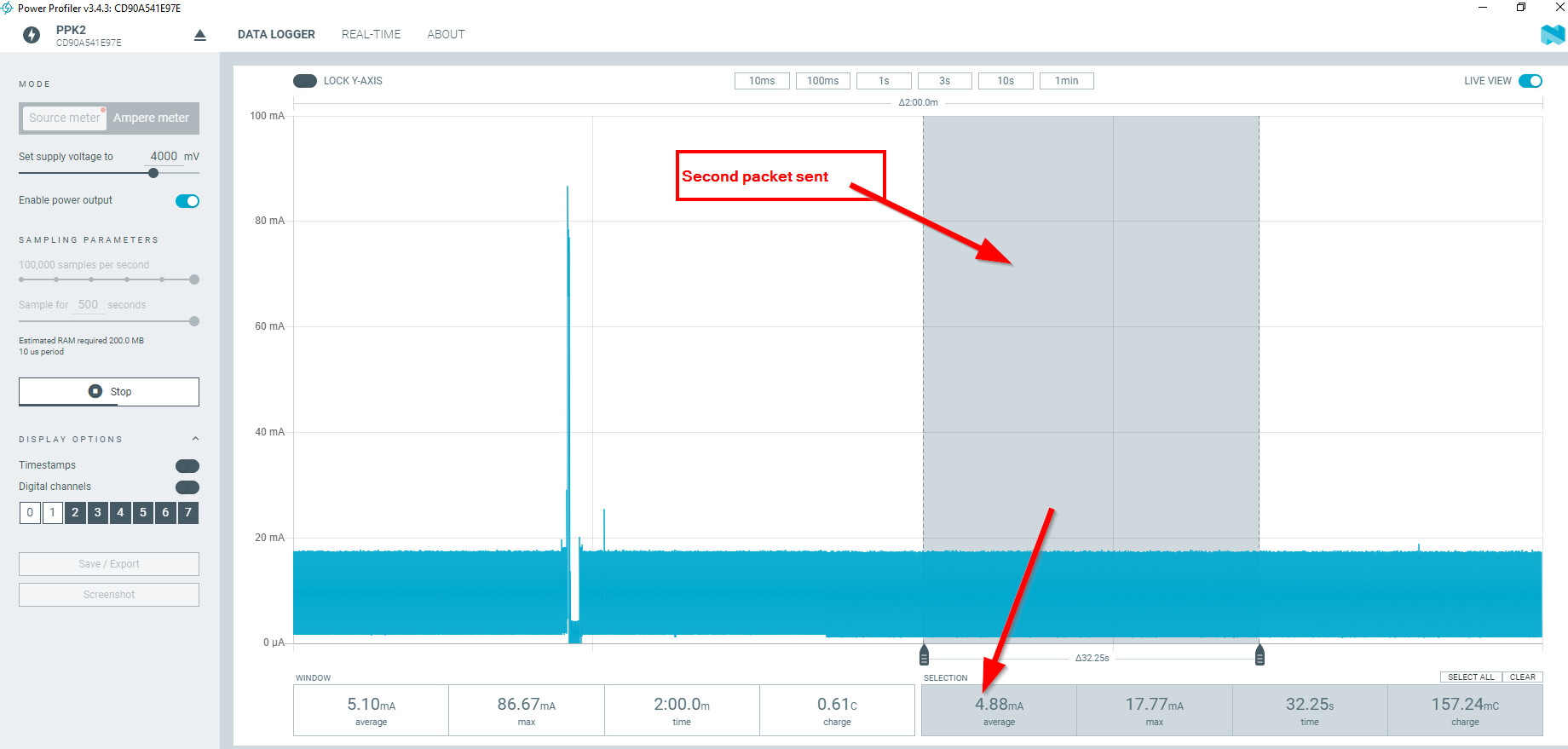
Changing the example to Class C, I get a 4.88mA current after every packet sent.
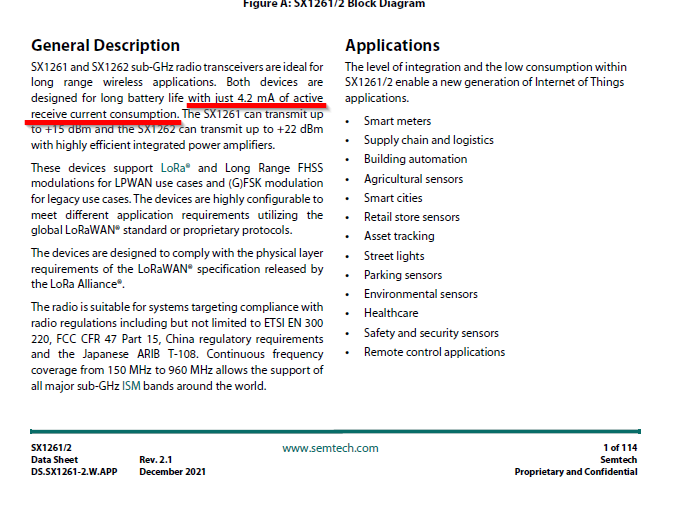
That is consistent with the datasheet of the SX1262, which states 4.2mA RX current
1 Like