RAK831 Pilot gateway to listen and receive data packets from Pycom Lopy4 Node

Hi @Sonam,

You can use our compiled image for RAK831 pilot gateway directly:
https://downloads.rakwireless.com/en/LoRa/RAK831-Pilot-Gateway/Firmware/
according to its document:
https://downloads.rakwireless.com/en/LoRa/RAK831-Pilot-Gateway/Application%20Notes/

In this image, there is a built-in loraserver like TTN, and you can see all packets which RAK831 receive in the web page of the built-in loraserver.

@Hobo @Fomi
Thank you for the prompt response and help. Actually I used the OS version RAK2245&RAK831_based_on_Raspbian_OS_V2.8R_20190509.img.

Actually I was of the view that we have to develop the program (Python) in Gateway to listen and receive the data packets sent from the node (Lopy4 Pycom in my case).

I followed the manual Get Start with RAK2245 & RAK831
RPi LoRa Gateway but somehow got stucked with the Lora Server and TTN etc.

In fact my project is to first set up a LoRa network between the Gateway and Lopy4 node (we are using about 4 different nodes) where the Gateway should receive data in bytes from nodes and in later part receive sensor data from node. I am bit confused about Built in Lora Server, Independent LoRa Server and TTN. Is the built in LoRa server sufficient for my task?

Moreover, do we have to install the library? $ sudo ./install.sh

Apology for my confusion…Sorry

Thank you

Yes, @Sonam, i think the built-in loraserver is very useful for your task.
BTW, the built-in loraserver has been integrated in the firmware image, you can use it according to the section 6 of this document:
https://downloads.rakwireless.com/en/LoRa/RAK831-Pilot-Gateway/Application%20Notes/

Thank you. Will try that… Thanks

Hi @Hobo @Fomi
I installed the RAK831 Gateway as per the manual and the built in loRa server is installed.

I used the micropython code for the Lopy4 node mentioned below:

main.py – put your code here!

from network import LoRa
import socket
import binascii
import struct
import time

LORA_FREQUENCY = 915000000
LORA_NODE_DR = 5

initialize LoRa in LORAWAN mode.

Please pick the region that matches where you are using the device:

Asia = LoRa.AS923

Australia = LoRa.AU915

Europe = LoRa.EU868

United States = LoRa.US915

lora = LoRa(mode=LoRa.LORAWAN, region=LoRa.AU915)

create an ABP authentication params

dev_addr = struct.unpack(">l", binascii.unhexlify(‘2601147D’))[0]
nwk_swkey = binascii.unhexlify(‘3C74F4F40CAEA021303BC24284FCF3AF’)
app_swkey = binascii.unhexlify(‘0FFA7072CC6FF69A102A0F39BEB0880F’)

remove all the non-default channels

for i in range(0, 72):
lora.remove_channel(i)

set the 3 default channels to the same frequency

lora.add_channel(0, frequency=LORA_FREQUENCY, dr_min=0, dr_max=5)
lora.add_channel(1, frequency=LORA_FREQUENCY, dr_min=0, dr_max=5)
lora.add_channel(2, frequency=LORA_FREQUENCY, dr_min=0, dr_max=5)

join a network using ABP (Activation By Personalization)

lora.join(activation=LoRa.ABP, auth=(dev_addr, nwk_swkey, app_swkey))

create a LoRa socket

s = socket.socket(socket.AF_LORA, socket.SOCK_RAW)

set the LoRaWAN data rate

s.setsockopt(socket.SOL_LORA, socket.SO_DR, LORA_NODE_DR)

make the socket non-blocking

s.setblocking(False)

for i in range (200):
pkt = b’PKT #’ + bytes([i])
print(‘Sending:’, pkt)
s.send(pkt)
time.sleep(4)
rx, port = s.recvfrom(256)
if rx:
print(‘Received: {}, on port: {}’.format(rx, port))
time.sleep(6)

The above code is obtained from the Github. The node seems to send the packet but I don’t receive anything in the gateway. Your help would be appreciated. Or if you can guide me a simple code to run at the node to see if I can receive the packet in LoRa built-in server.

Sorry as I am very new to the subject.

Thank you
Hi @Sonam,

How do you know the Node is sending the code and the Gateway ins not receiving it. Show me the gateway logs, the node serial output, etc.
Furthermore, why is this done ?

set the 3 default channels to the same frequency

lora.add_channel(0, frequency=LORA_FREQUENCY, dr_min=0, dr_max=5)
lora.add_channel(1, frequency=LORA_FREQUENCY, dr_min=0, dr_max=5)
lora.add_channel(2, frequency=LORA_FREQUENCY, dr_min=0, dr_max=5)

Seems you are setting the node to operate at the same frequency at the 3 default channels, this is to my knowledge not a good practice.

Regards
Vladislav

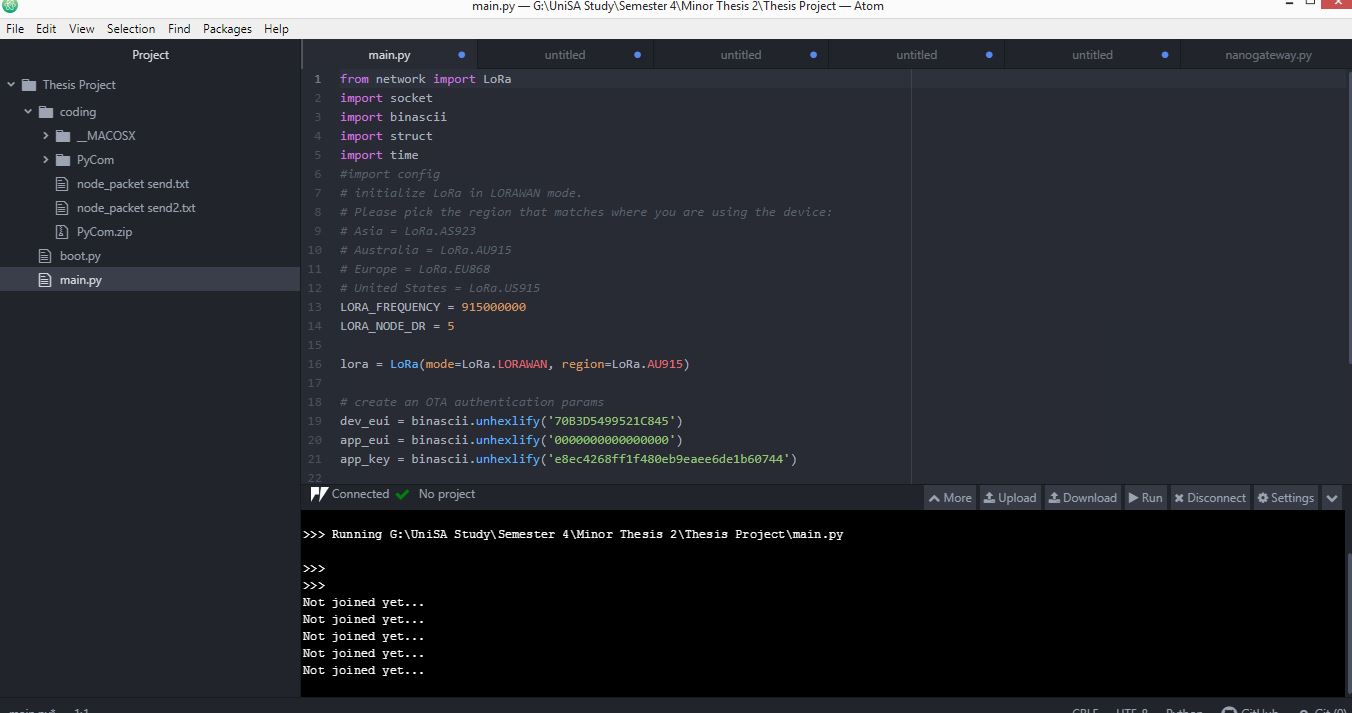
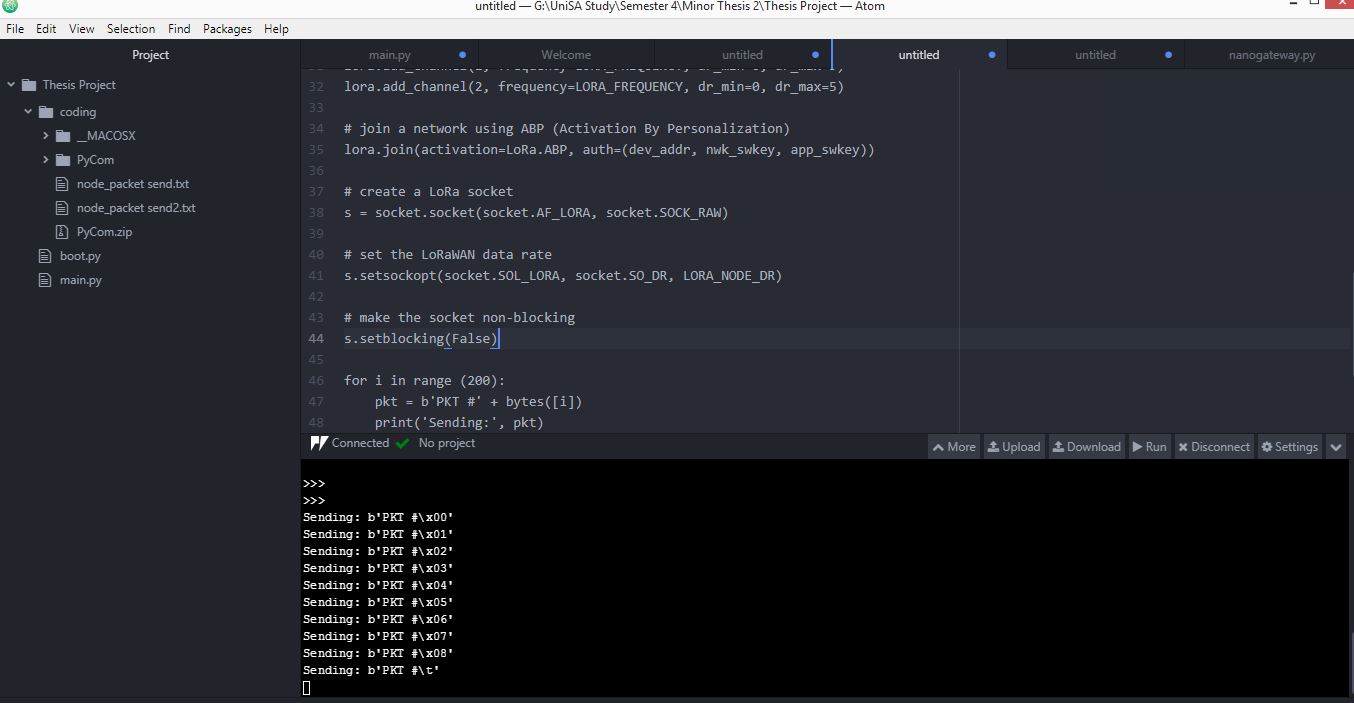
As shown in the screenshot below where the node output shows sending packets, I thought the node is sending some data.

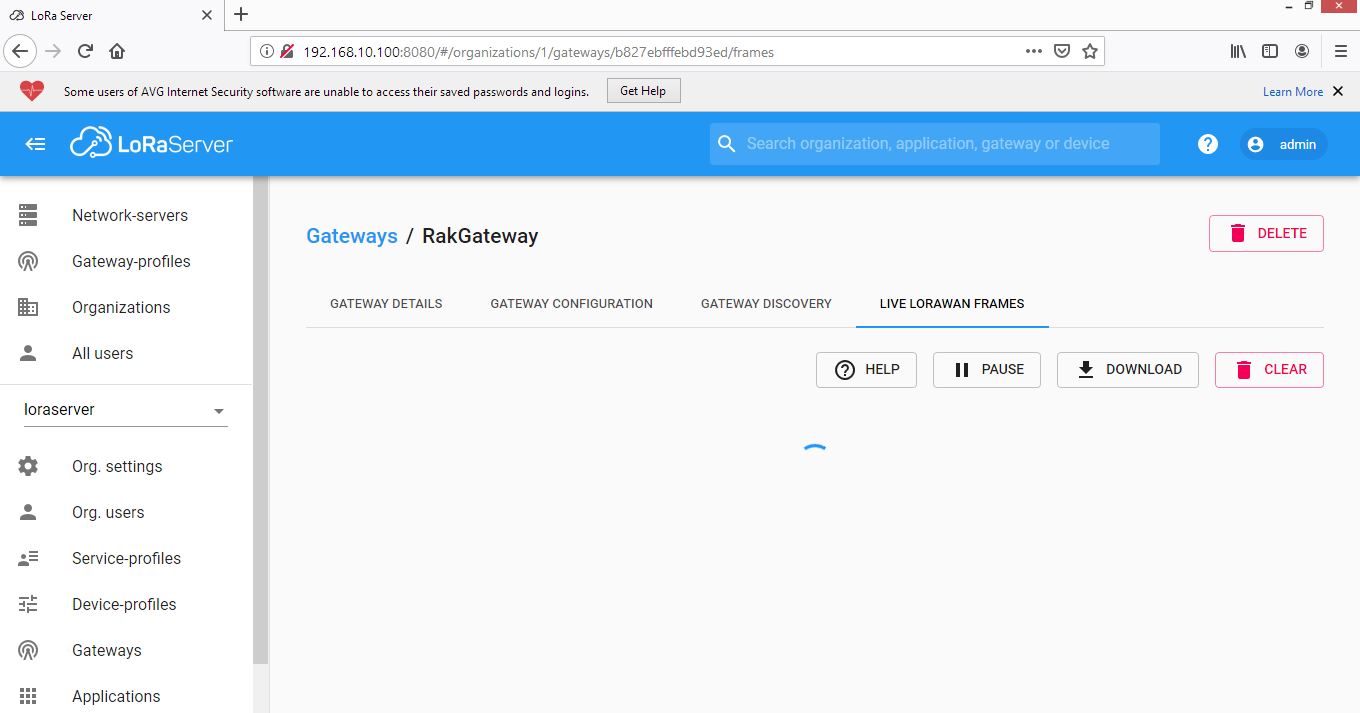
And at the Lora Gateway page (attached), I could not see anything and thought the Gateway is not receiving any packets.

My mistake with the program, we don’t need more than one channel in one frequency. We can assign only one channel.

Meanwhile, I also have a question. Do we have to do some configuration in the Lora built-in server page? I obtained the built-in server page by entering the IP address:8080 and then logged in but did not do any changes.

Thank you

Hi @Sonam,

You need to configure your devices(Gateway, node), profiles, applications, etc.
This might be a good start to read through to gain a bit more understanding?
https://www.loraserver.io/lora-app-server/overview/

Regards
Vladislav

@Hobo @Fomi

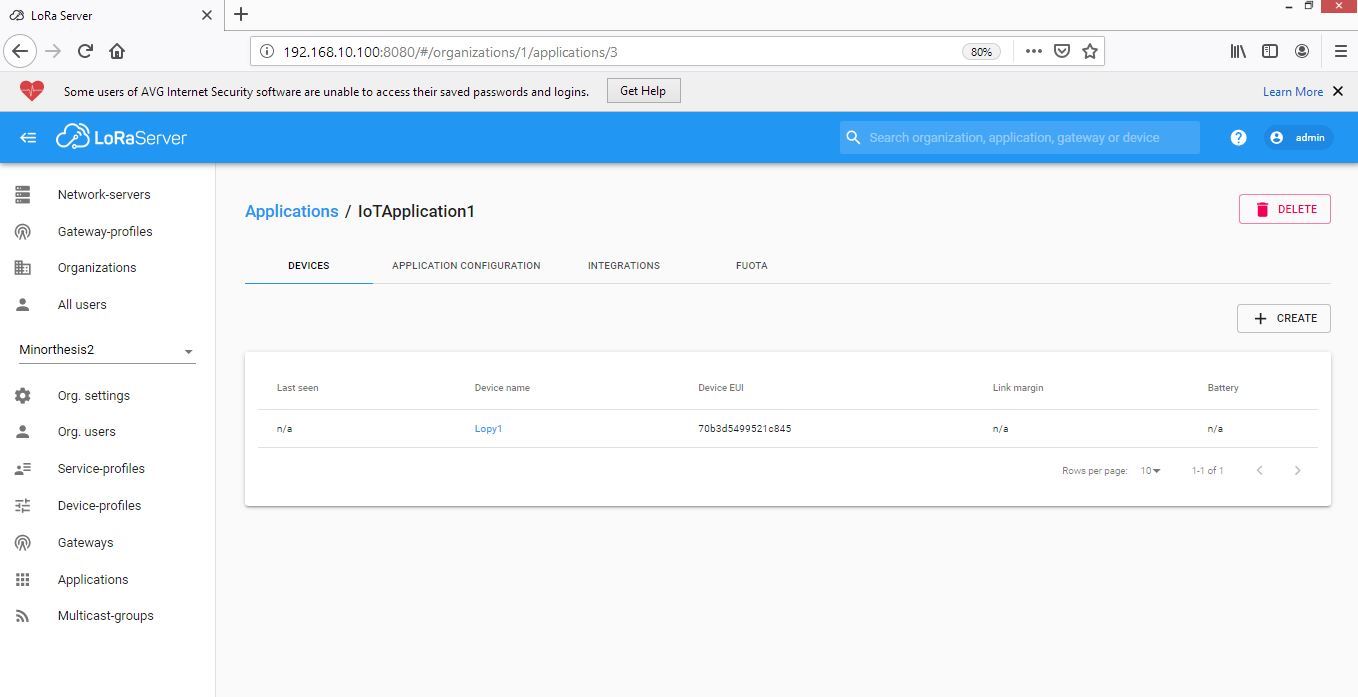
Thanks for the advice. Anyway, I tried to configure the Lora built-in server and I can see the Gateway status as shown “a few seconds ago” but when it comes to the device, it shows as “n/a” in the status of a device profile (attached the screenshot below).
I also tried to send the join program from the node but it shows “not joined yet”.

Can you please advise?

Thank you


Hi @Sonam,

Are you sure the Dev EUI, App, EUI, and App Key are the same in the node code and in the LoRa Application Server. Furthermore what join methot did you choose in the node profile, which one is used in the node code ?

Regards
Vladislav

@Hobo

Yes. I did check. But one thing, when I configure, I did not find any slot where I can generate or get the App EUI.

The join method is OTAA.

I could get the Gateway EUI, Device EUI, and App Key and all are correct in the server as well as the node program. I also referred to the video link https://www.youtube.com/watch?v=np4rIQ_teR4

Thank you

Hi @Sonam
What min and max DR you set in LoRaServer device profile tab?
Please set them to min DR 2 and max DR 6. And change the Py code to LORA_NODE_ DR = 3
And try again.

Regards
Todor Velev

@velev @Hobo @Fomi

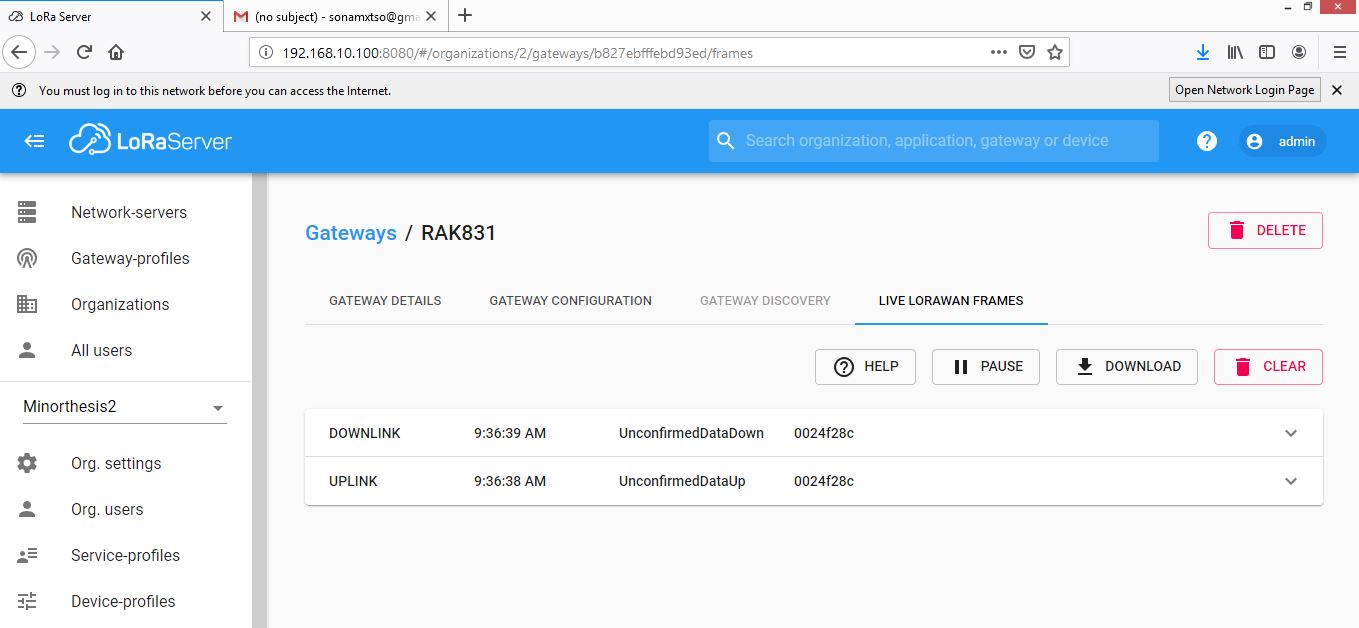
Somehow now I could connect my 3 number of Lopy4 node to the RAK831 Pilot Gateway. I configured the Lora built-in server and I used the join method as ABP. I still could not join through OTAA. Through the ABP I can also see the downlink and uplink data in the Live Lorawan Frame.

I now have to also try and see whether I can send some data from the RAK831 Gateway to my nodes. Any guidance on how should I do that? Do I have to write the codes in the Gateway? Please help me.

Thank you

Hi @Sonam,

You needn’t to write code in the gateway for sending data from gateway to node.
Actually, you just need to send data from built-in loraserver web page.:slight_smile:

Thank you. :slightly_smiling_face:

I still lack the understanding and I have to read more. :slightly_smiling_face:

Actually, I now intend to control the nodes through my built-in server. For instance, the node will not be required to send the temperature data or any scaler data periodically where the node can go in sleep mode and save the battery consumption. The built-in server will control the node and awake the node to send the scaler data whenever I need. So, I feel we may have to program server. Or do we have to write codes at the Lora-server-side?

Thank you

Thank you

Hi @Sonam,

I don’t think that you need to write codes in loraserver side, actually, loraserver can send any downlink data including control commands, but if you want to control LoRa nodes from loraserver side, you should write codes in LoRa node side, especially awake LoRa node because when it sleeps, it doesn’t connect with your loraserver.

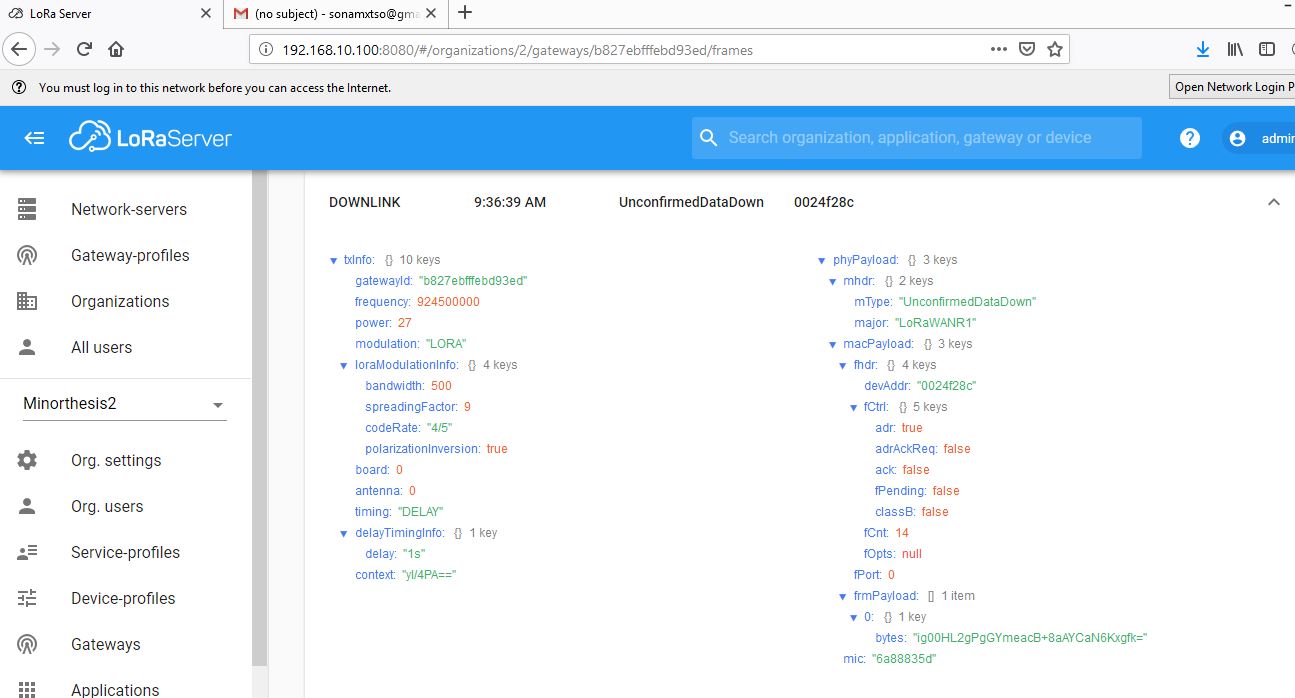
Hi. Sorry for again returning into the same task. I have recently started to get the problem while decoding the data received in the Lora Built in Server.

Actually I am sending the ‘Hello World’ message from my Lora node and the Lora Built-in Server Application shows that I am receiving the message. However, when I decode the bytes (using the base64 decode) that I received in the Lora Built-in Server, it does not give me “Hello World” each time I send the data from the Lora node.

My code in the LoRa node is mentioned below:
from network import LoRa
import socket
import binascii
import struct

LORA_FREQUENCY = 915000000
LORA_NODE_DR = 3
lora = LoRa(mode=LoRa.LORAWAN, region=LoRa.AU915)
dev_addr = struct.unpack(">l", binascii.unhexlify(‘0024f28c’))[0]
nwk_swkey = binascii.unhexlify(‘fce40d8e91545d50e2f914022f66a0cb’)
app_swkey = binascii.unhexlify(‘c003d97951bf56d7e1ec8d8f0f9d2cee’)

lora.join(activation=LoRa.ABP, auth=(dev_addr, nwk_swkey, app_swkey))
s = socket.socket(socket.AF_LORA, socket.SOCK_RAW)
s.setsockopt(socket.SOL_LORA, socket.SO_DR, LORA_NODE_DR)
s.setblocking(False)
s.send(‘Hello World’)

The screenshot of the data obtained in the Lora Built-in Server is also attached;

Would appreciate if you help me to advise on the solution.

Thank you
Sonam


@Sonam

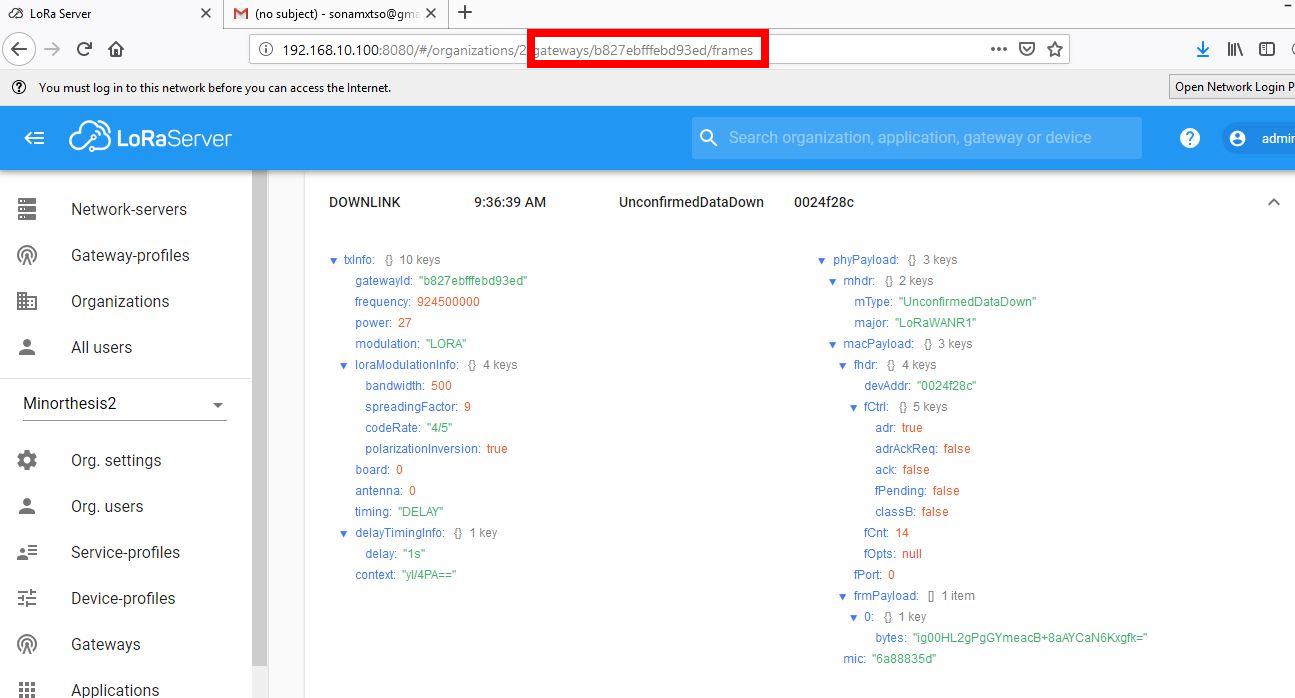
You should not view the information on the gateway page because the information on the gateway page is encrypted.

You should view the information on the node’s page. The information on the node page is only base64 encrypted.

Thank you @ZhuQI Got it.

Meanwhile, rather than to copy the base64 encrypted message from the node page and paste it in the base64 converter, any advice if we can directly program within the built-in server to extract the original message? And also any advice on how we can control the node from the server to send the data whenever we want? Your help would be much helpful.

Thank you

@Sonam
In rakwireless, no impossible.
1.To get web data through the server, we can use mqtt.
Ssh login to the gateway, use the following command.
mosquitto_sub -t ‘application/#’ -v


The “data” part is the data sent by the node, but it still needs base64 decoding.
You can also use the mqtt subscription to get node data in your code.In python you can use the “paho.mqtt.client” library.

2.Loraserver sends data to the node, you can refer to the following document: