I am having the exact same error (send error 87) with my 5205 and the 3.0.11H firmware. Since I can’t configure the LoRa packets, I am not sure how the packet can be too long.
Going to go back to 3.0.10H and to see if that works…
I am having the exact same error (send error 87) with my 5205 and the 3.0.11H firmware. Since I can’t configure the LoRa packets, I am not sure how the packet can be too long.
Going to go back to 3.0.10H and to see if that works…
Just to confirm, the 3.0.10H version works fine. I wasn’t able to get the firmware to update w/o reinstalling the bootloader, but that is a different issue.
Looking forward to 3.0.12H… -

When you send this command, this is what you get.You’d better check if the last command was sent successfully.
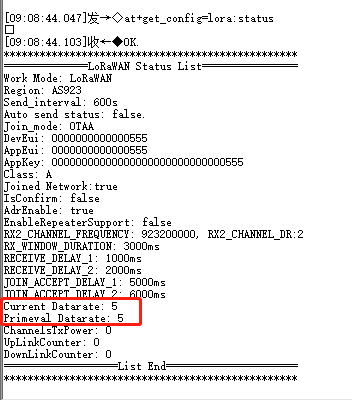
Made sure to get the command to ‘stick’ this time, but still getting the error
==============LoRaWAN Status List================
Work Mode: LoRaWAN
Region: AS923
Send_interval: 1800s
Auto send status: true.
Send_interval work at sleep
Join_mode: OTAA
DevEui: 60C5A8FFFE766634
AppEui: 60C5A8FFFE766634
AppKey: 58EE8DEB338A7D8F047802F0039E8588
Class: A
Joined Network:true
IsConfirm: false
AdrEnable: true
EnableRepeaterSupport: false
RX2_CHANNEL_FREQUENCY: 923200000, RX2_CHANNEL_DR:2
RX_WINDOW_DURATION: 3000ms
RECEIVE_DELAY_1: 1000ms
RECEIVE_DELAY_2: 2000ms
JOIN_ACCEPT_DELAY_1: 5000ms
JOIN_ACCEPT_DELAY_2: 6000ms
Current Datarate: 5
Primeval Datarate: 5
ChannelsTxPower: 0
UpLinkCounter: 0
DownLinkCounter: 0
===================List End======================
OTAA:
DevEui:60C5A8FFFE766634
AppEui:60C5A8FFFE766634
AppKey:58EE8DEB338A7D8F047802F0039E8588
OTAA Join Start…
OK
[LoRa]:Join retry Cnt:1
[LoRa]:Join retry Cnt:2
[LoRa]:Join retry Cnt:3
[LoRa]:Join retry Cnt:4
[LoRa]:Joined Successed!
Battery Voltage = 3.548 V
BME680 sensor data:
Humidity:44.217 %RH
Temperature:20.32 degree
Pressure:992.41 hPa
Gas_resistance: 17506 ohms
[LoRa]: send error 87
Go to Sleep.
Can you tell me which gateway server you are using?
I am using LoraServer
Which model of gateway is used?
RAK7258 Micro and RAK833/Raspberry Pi
After you issue these commands, you need to restart the device to rejoin.
ok will do. I notice that the nodes that have the error have very poor rssi even though they are only a few meters away from the gateway!
still has error even after restart. If 3.0.0.10 works I think I will revert back to that version
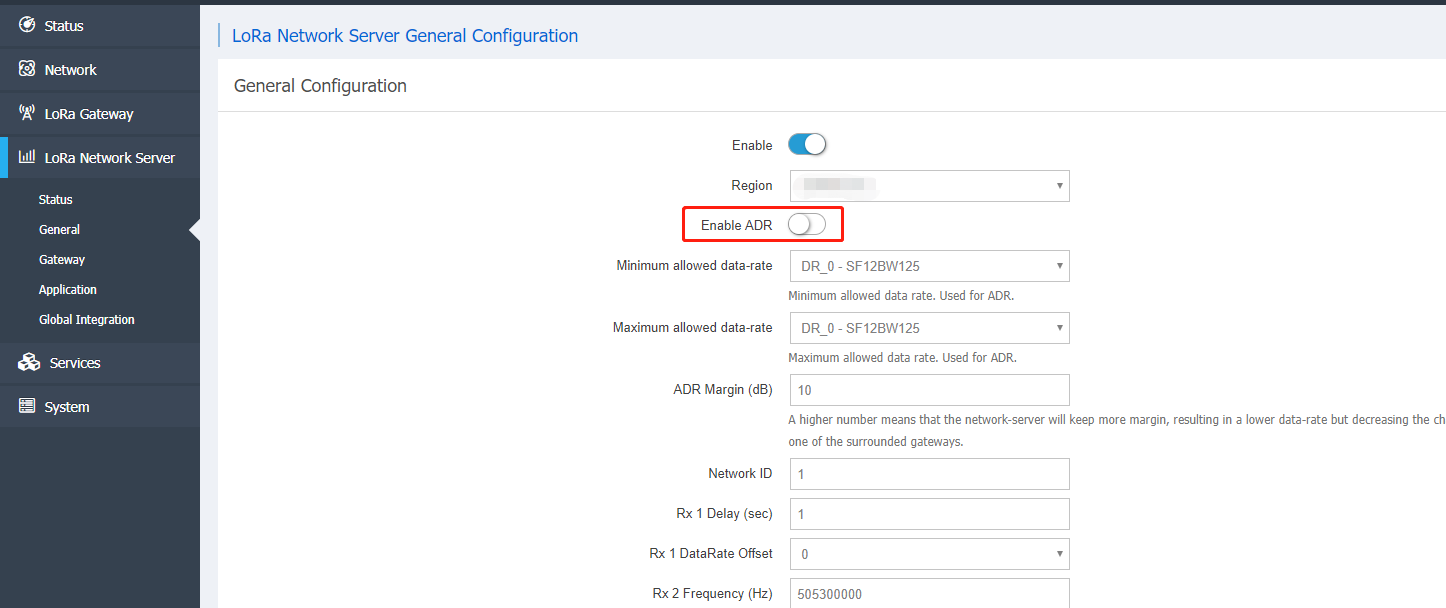
Commercial gateway, you need to close this ADR send, you try again. And we need to make sure that dr=5.
Note sure what you mean by ‘Commercial gateway’.
Have closed the ADR and tried a rejoin. Still get same result
Correction - it does work. I was using a different node and once set the dr to 5 it worked ok
Tried another two nodes and they both work as well - yahoo, great job.
Can you outline what the problem was and the solution?
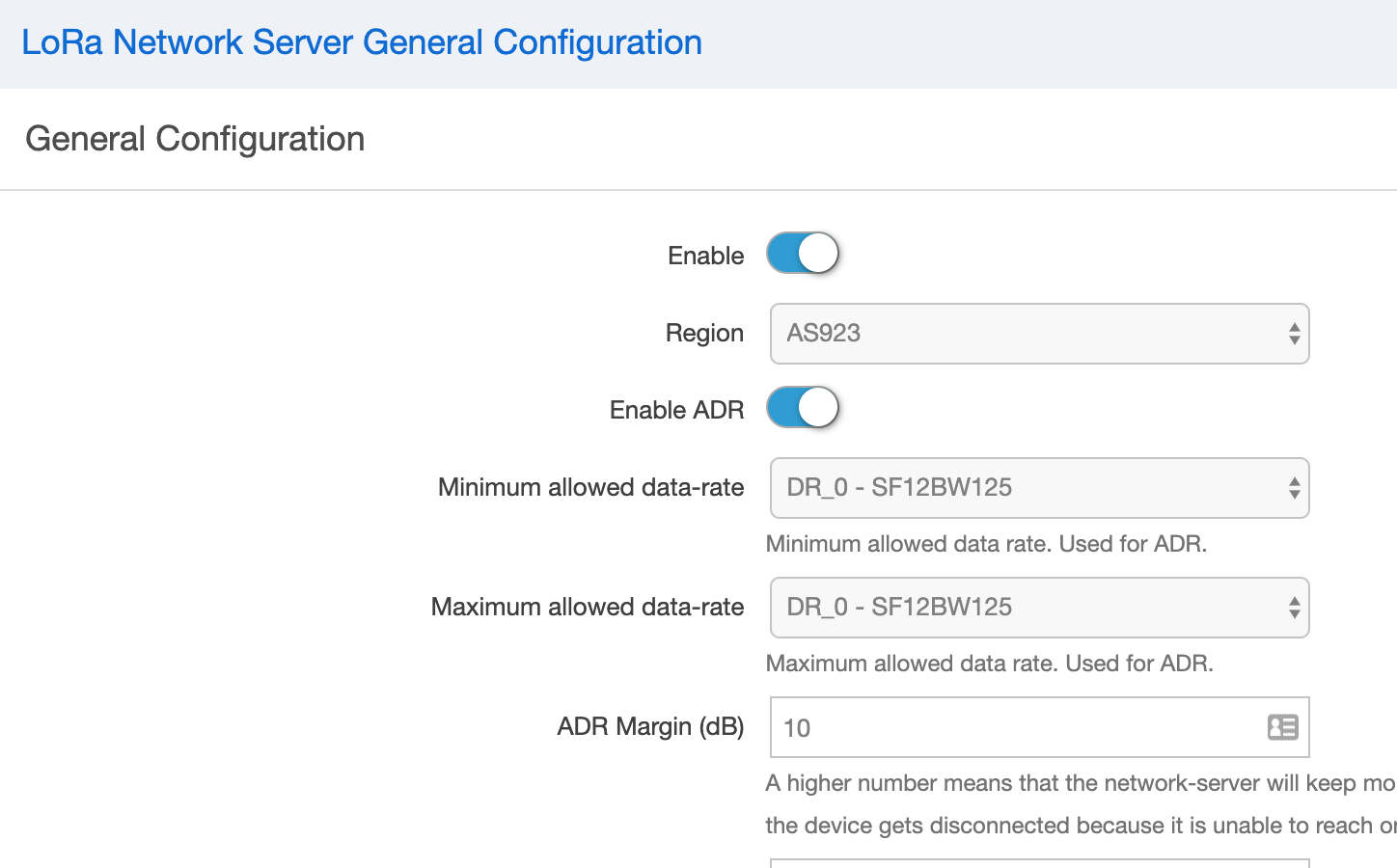
Are the versions of all three nodes the same? In the picture you sent just now, adr is on, you need to close it and then operate.
Yes, all versions are the same.
Regarding the ADR, better if we use the terms Enable and Disable otherwise gets confusing.
The ADR was disabled by default and in that state got the error message. When I enabled ADR the error message ceased and the data was sent. However I can now either enable or disable the ADR and the node still sends data ok, so I am not sure what is happening.
So to summarise: I undated the firmware on four nodes and they all worked ok. I then took two of the nodes out into the field to install along with a gateway. They were working for about 12 hours then they stopped operating. When I hooked up the four nodes to the Serial Port Tool they all reported ‘send error 87’. Then I changed the DR to 5 on all the nodes but still got the same error. Finally on the gateway I changed the switch to Enabled ADR and they started working ok again. Can now either Enable or Disable the ADR on the gateway and they still work.
When you allow enable adr, you can send the data if it is successful, you can check if your Dr =2, or it may be that his Dr Did not fall down when you sent it, resulting in the success.