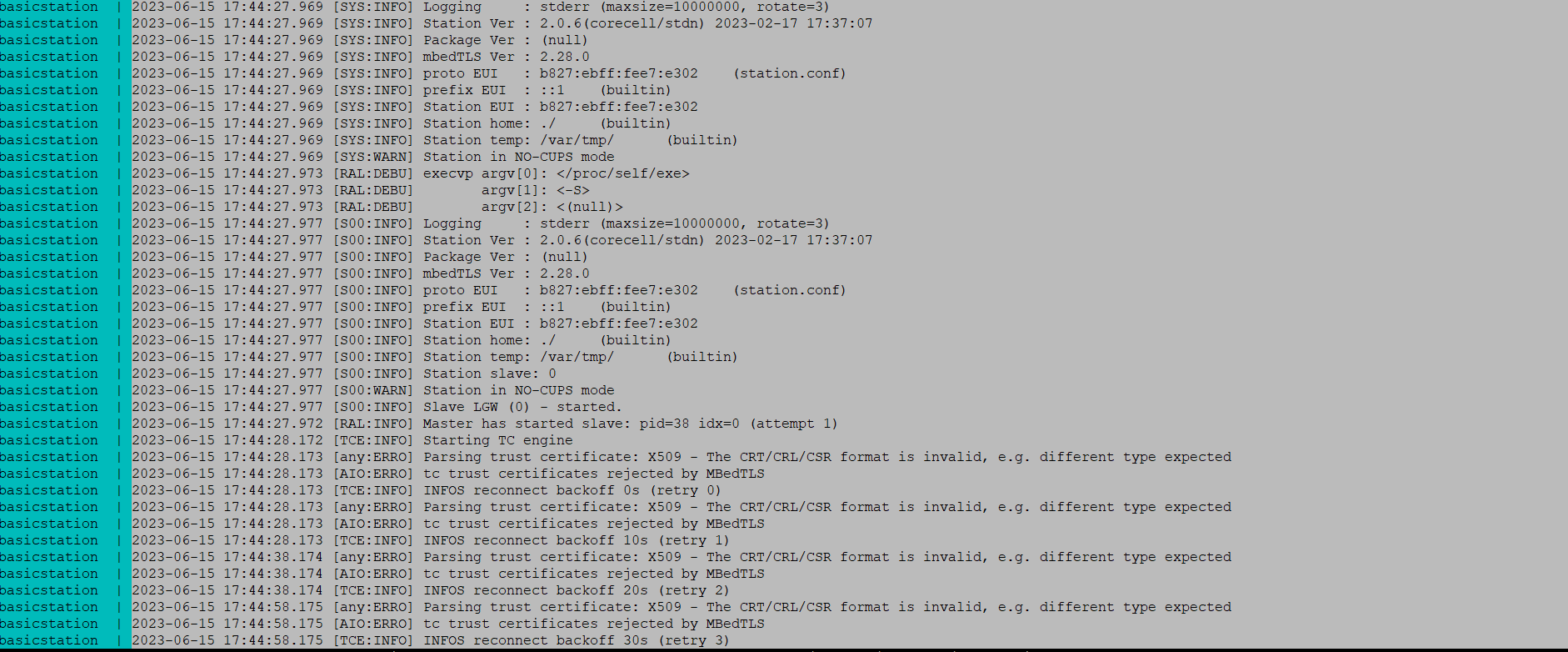
With Balena it works perfectly. But I want to install things stack withou balena, So i referred the doucment [Configuration | The Things Stack for LoRaWAN], I successfully connected with the IP address of my raspberry-pi. But the problem is, When, I enter the user name and password, It is reloading the same page, neither it is showing wrong credentials nor I can open the console. I can see the client error in linux terminal, below I am attaching the photo of the same. Can you please help me with this?
Yes, there are some extra few steps to make it work. That’s why I put together a new docker image as a wrap up for the TTS official image that includes configuration and certificate auto-generation. You can find it here: GitHub - xoseperez/the-things-stack-docker: The Things Stack LoRaWAN Network Server (Open Source Edition) on a Raspberry Pi using docker . It is the same image that uses the balena project you tested before. In the end, Balena is a device and fleet manager that runs services as docker containers. You can still run them without Balena…
Make sure, again, to define the TTS_DOMAIN variable to the right IP.
@pjariwala On a separate note, try this on a new SD card with fresh RPi OS.
Aim: To have your own Gateway Packet Forwarder, Chirpstack LoRa Network Server (LNS) and Application Server including MQTT broker , data storage native on Raspberry Pi+RAK5146 HAT.
Execute “gateway-config” on the commandline and select Chirpstack instead of TTN and also select 127.0.0.1 as LNS Server. (i.e. 127.0.0.1 on global.conf)
Add your devices on the application server RPI-IPADDRESS:8080, Join mode ABP or OTAA. Add decode codec suitable for the devices you are using. Make sure you are getting packets on the Device Data tab.
Configure Node-RED MQTT node to spit out human readable/JSON format of incoming DATA component. Configure Node-RED file nodes to store data locally. Rakstar Enjoy …
In this way you need not go out of Raspberry Pi (to external LoRaWAN Servers for example). All the tasks that you mentioned such as receiving LoRaWAN packets in the concentrator, forwarding it to localhost (127.0.0.1) LNS, decoding DATA packets on Node-RED using local MQTT broker, storing data in csv files locally using Node-RED file nodes can be done on the Raspberri Pi itself.
Thanks to RAKwireless, Chirstack (Brocaar), Node-RED( Nick O’Leary), The Things Network, Mobilefish, Steve Cope, Anh Quan Tong and many more YouTubers for their contribution on the LoRa and LoRaWAN platform and IoT.
I tried your version also, but the same error is coming which I mentioned before, this time I had define TTS_DOmain to Rspberry pi IP address. In addition to this, one more error is coming, which I have attached below in the picture. Can you, please help me?
I have one question, So, first I have to send the lora packets to the Chirpstack public server and, then I have to install Node-Red, into the Raspberry pi and then I will send data to infulx Db and store it in Raspberry pi, Is it like that, or I am understanding it in a wrong way?
Sorry, for one more doubt, How can I use Infux Db, because, In Node-Red, I have created a flow, where I used MQTT IN Node and Now I want to store data in Influx Db, but when I am writing the command it showin error. So, how can I use that?
The easiest way is to use the influxdb node for Node-RED: node-red-contrib-influxdb (node) - Node-RED. You have a few examples on how to use it in the node documentation from within Node-RED
I am trying to install influx db and node-red on raspberry-pi [Because I don’t want to use the from balena], but when I start the node-red it showing error that, node-red is already running. I had commented all the lines of influx db and node-red, in docker-compose.yml, but then also it is showing me error. So, How can, I stope both influx db and node red completely, which is there in your docker.
Can you please help me with this?
Well, this goes beyond the scope of what we do at RAK
First you should find out the running instance, if it’s a docker container it will show up with docker ps -a, then you can kill it and remove it. You can also remove it if you brought it up with docker-compose by typing docker compose down while at the folder with the docker-compose.yml file.
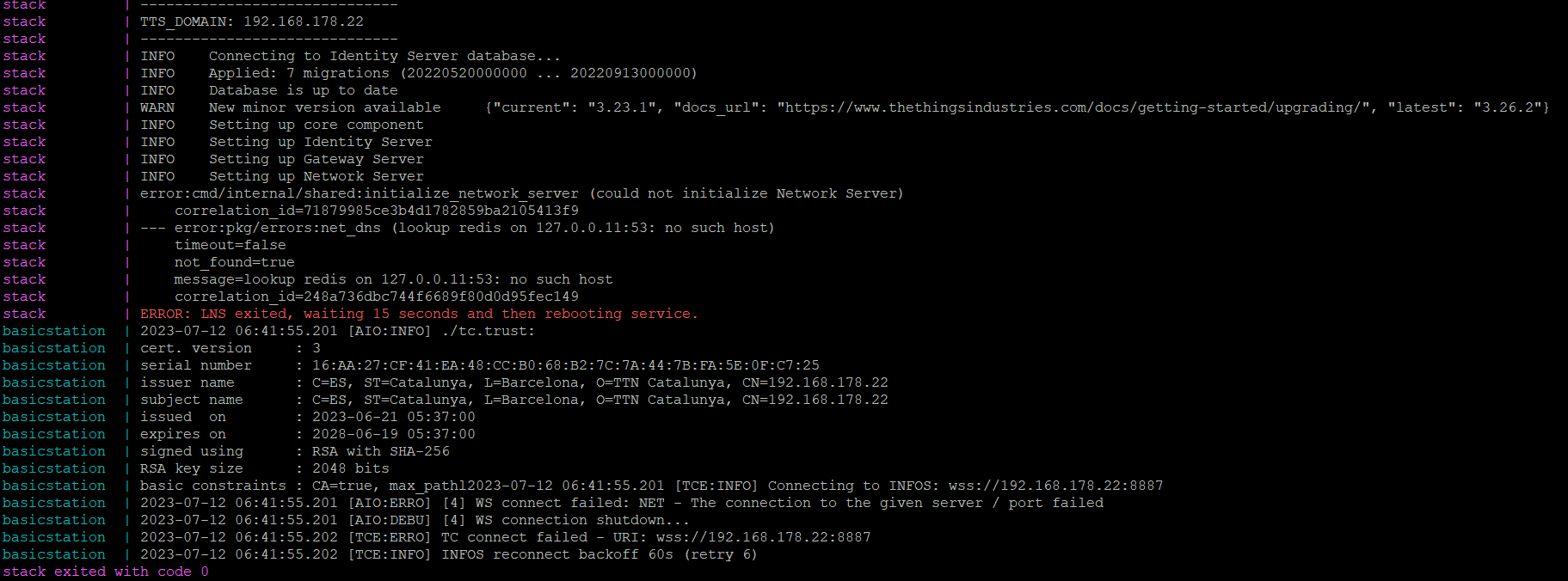
As you guided for downloading Things Stack Locally in Raspberry pi. It was working properly. But, Suddelny Now Gateway is not connecting. Below, I am attaching the error, Can you please help me this?
Maybe the gateway changed the IP?
It’s recommended to have a fixed IP or, even better, a fixed server name (i.e. lns.myhome.com). The certificates in the TTS service are bundled with the domain name (TTS_DOMAIN variable).

 …
…