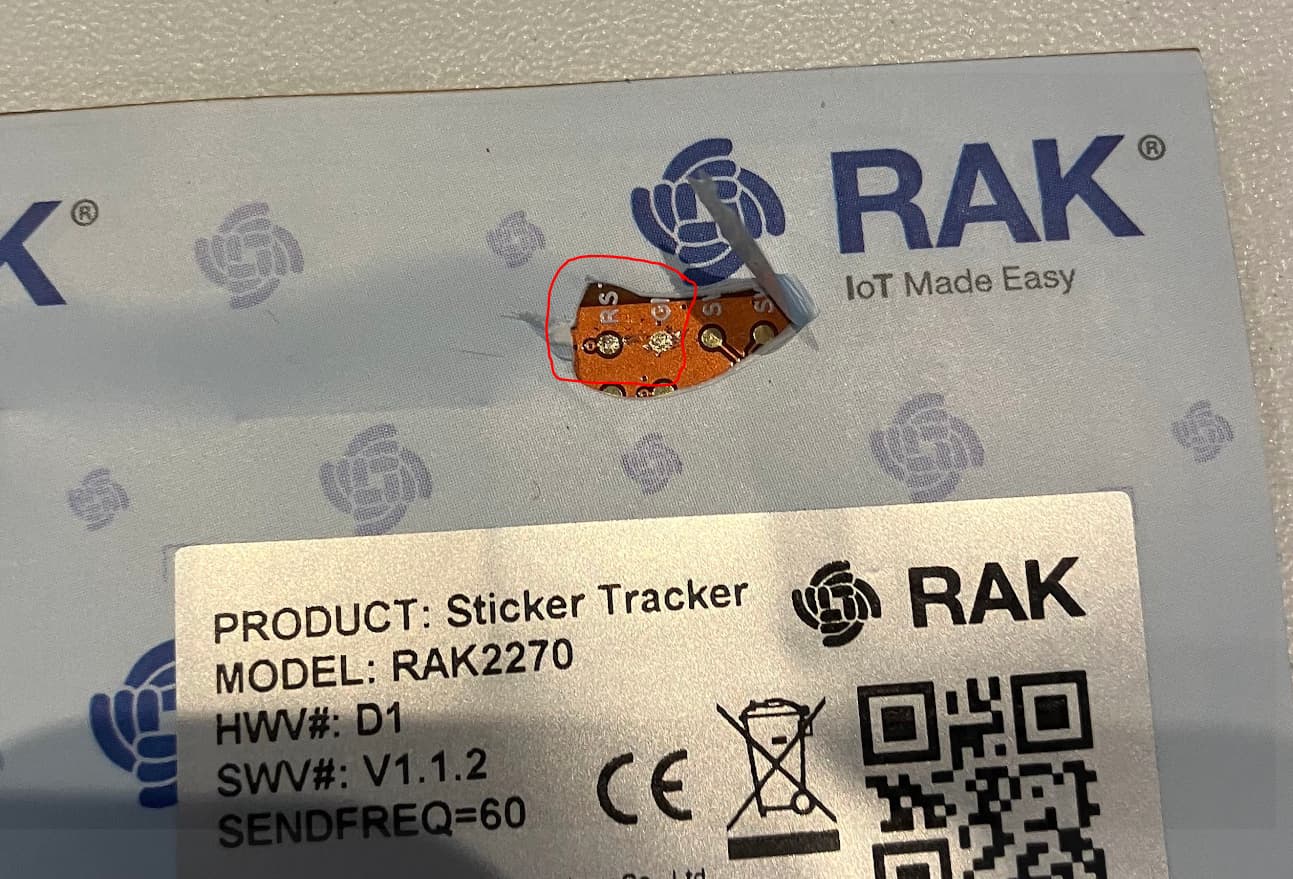
Is there a way to reset the RAK2270 Full Sticker Trackers? I don’t mean the development boards but the full tracker that is sealed in it’s wrapper.
Background. I have 3 trackers that just stopped working Feb 2nd, 2024. I thought they had all strangely used up their battery but I have now just checked one and it is at full 3.0 V battery. (I used a hair dryer to remove the outer covering) I would like to reset the board. I don’t really want to short the battery, but could un-solder one battery lead and then solder it up again. Anyone have any suggestions. I know the boards try to connect on powerup, so a reset does kind of make sense.
If no one has any suggestions I will completely remove the cover and use my RAKDAP1 to connect and then resetting is easy AT+BOOT then AT+RUN.
If anyone has ideas about why the trackers stopped working? I assume it is a Helium or TrackPac.io issue.
I haven’t heard anything significant happened on Feb 2. However, I still asked Trackpac team. Can you please send me the DEVEUIs via private message so we can check?
Hi Jeremy,
Thanks for all your contributions in this forum.
This is/was really helpful for me in my problem solving of some “dead” RAK2270 Generic Sticker Trackers (FW 1.1.2). I mean with “dead” that there was no Join Request occuring anymore after switching to other network providers. Even after waiting for several days and with a perfect gateway coverage.
Finally, I could bring them “alive” again with a new Join Request by resetting the Sticker Tracker as shown in the picture.
Peal off the plastic top cover up-right from the RAK3172 SIP Module where the plastic top cover is not (yet) sticked to the underlying PCB board.
To reset the sticker tracker (and start a Join Request again) just shortcircuit RST and GND test pinouts.