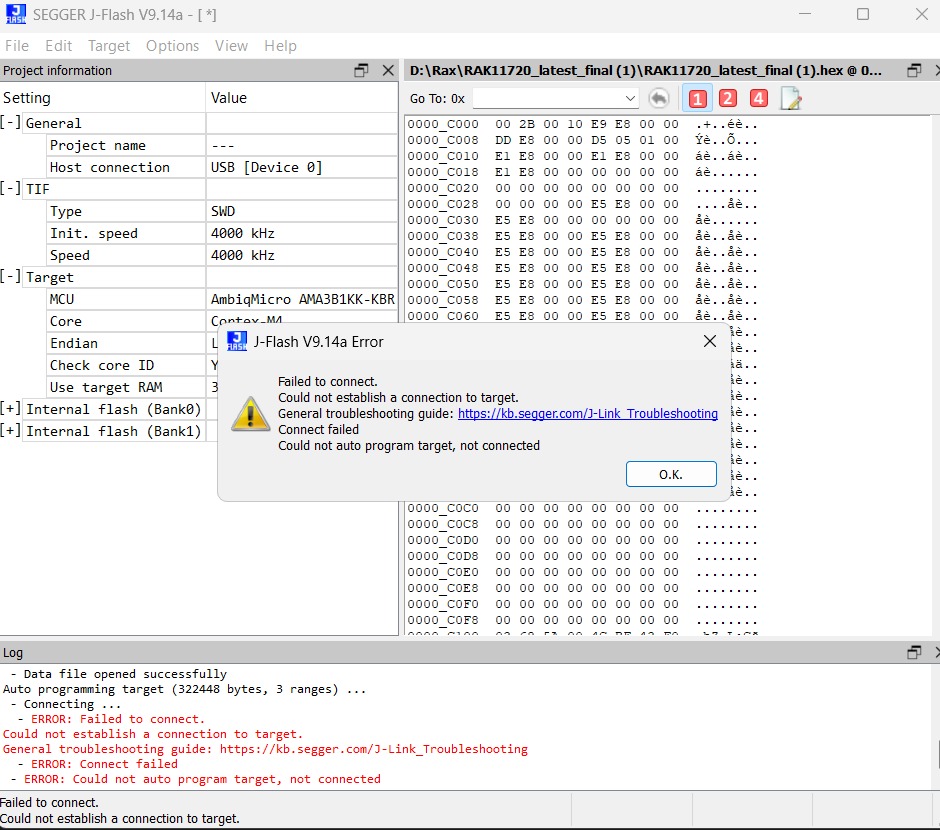
When I try to firmware Recovery for my RAK11720 Lora Module I got this Error
Log
Data file opened successfully
Auto programming target (322448 bytes, 3 ranges)
Connecting
ERROR: Failed to connect.
Could not establish a connection to target.
General troubleshooting guide: J-Link cannot connect to the CPU - SEGGER Knowledge Base
ERROR: Connect failed
ERROR: Could not auto program target, not connected
Failed to connect.
Could not establish a connection to target.
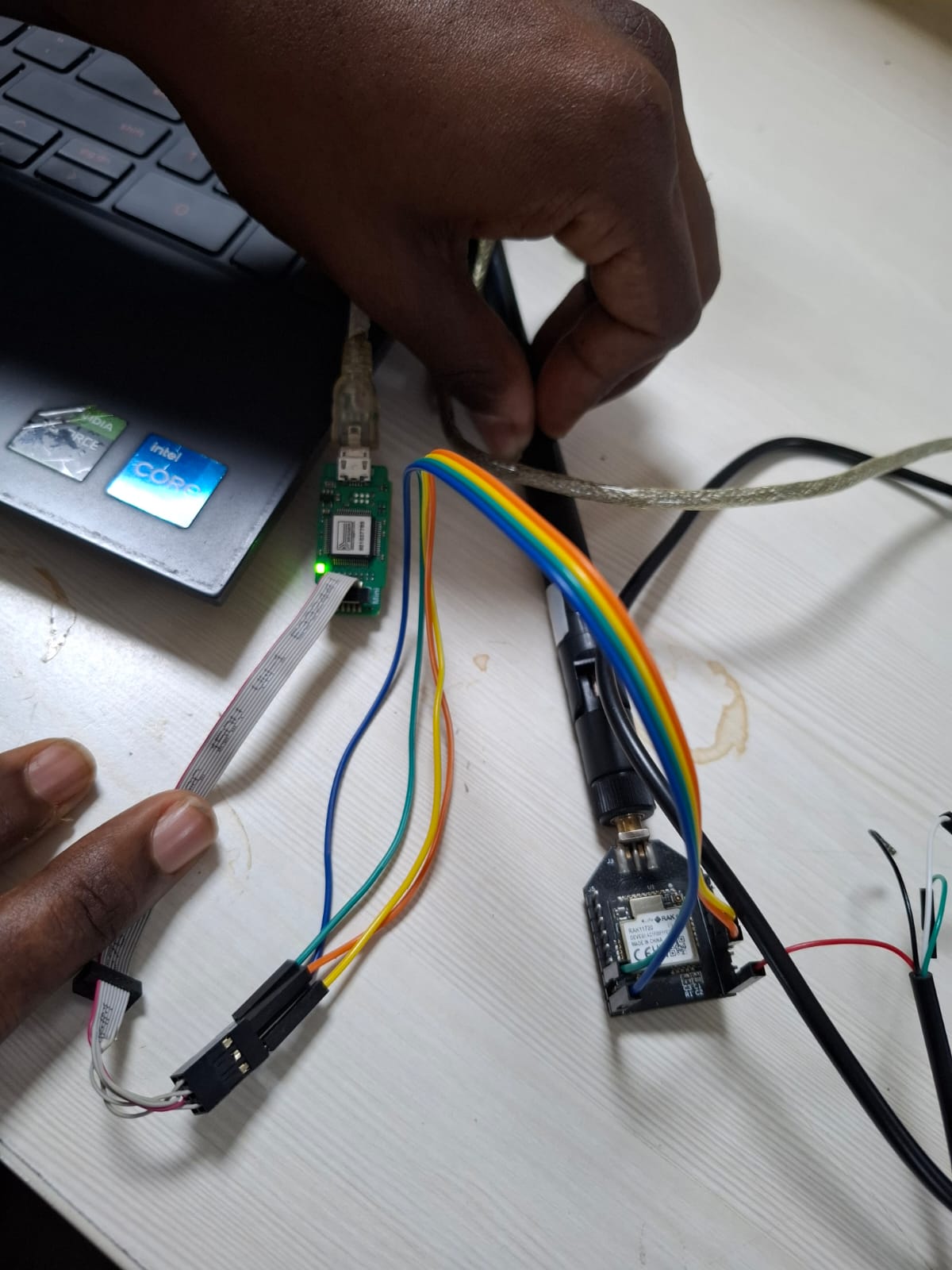
so we are using J link edu mini to flash lora RAK11720, we are using the j flash 9.14v
So we also work with the AT commands but no response from the board
Help with this issue
Are you sure the J link edu mini does support this MCU?
The education versions of JLink are often limited to specific MCU’s.
Other than that, I am seeing that from time to time. And everytime it is a bad connection to the Jlink pads on the PCB or worn out connectors on the wires.
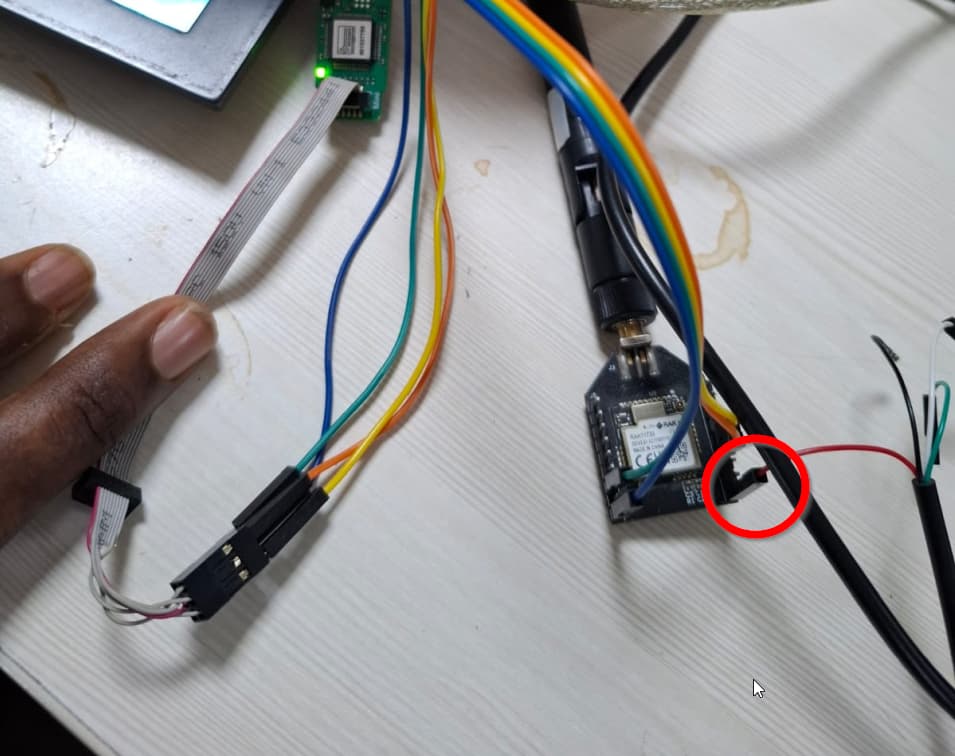
I see your 3.3V supply (red cable), but where is the GND connected? From you photo, it looks like you connected GND only to the JLink, but not to the power supply?
We have connected it with the TTL and the Jlink connection is also correct cause we have made it sure with the continuity test and the test for the supply , so i guess the connections made are clear
In the photo uploaded maybe while taking the photograph it may be removed but will testing and try to connect we are sure of the connections and made sure of the right connection
I can’t help.
I do not have the J link edu mini and I do not know if that is the problem.
I can connect without problems with a JLink adapter and JFlash firmware.