Hi everyone,
I’m using a RAK3172-9-SM-I module (JLCPCB part link: RAK3172-9-SM-I | RAKwireless | LoRa Modules | JLCPCB) in my own PCB design.
While testing, I’m not seeing any uplinks or Join Requests on my gateway or in the network console — even with a simple RAK example firmware (the standard OTAA example from the RUI3 SDK).
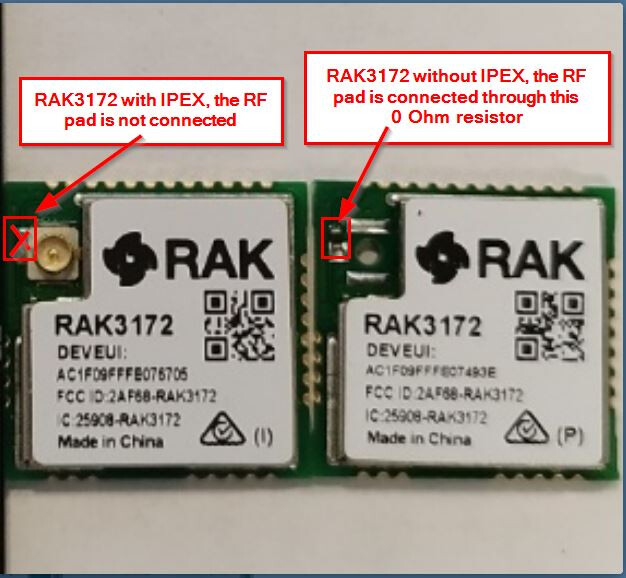
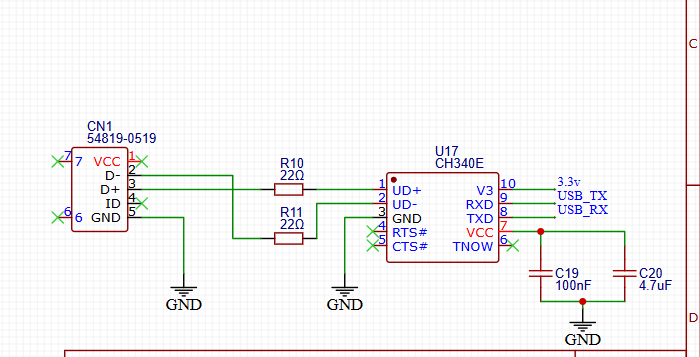
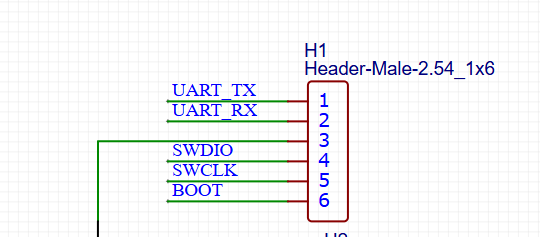
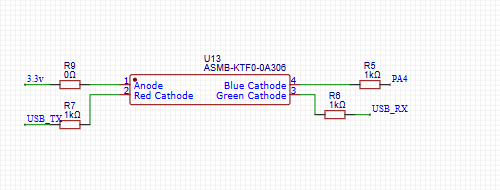
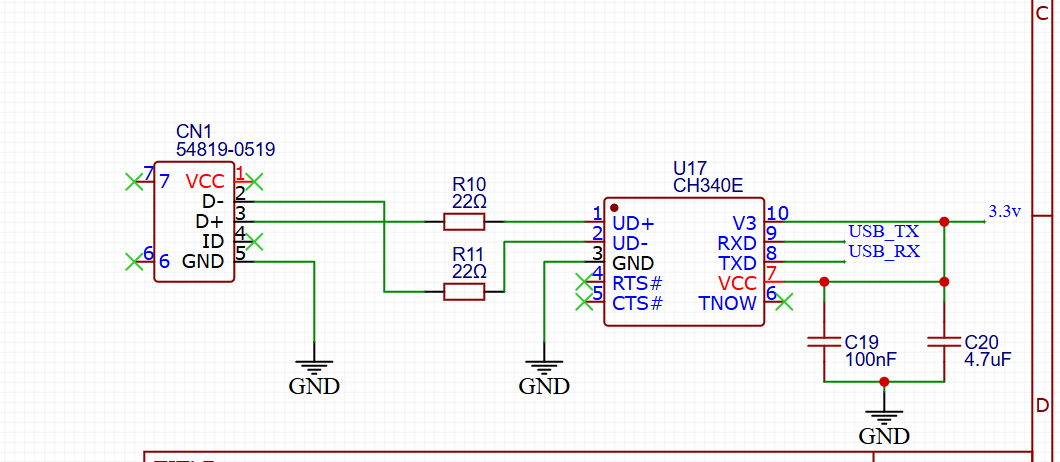
After reviewing my schematic (attached), I noticed that the RF pin (labeled “RF”) was left unconnected
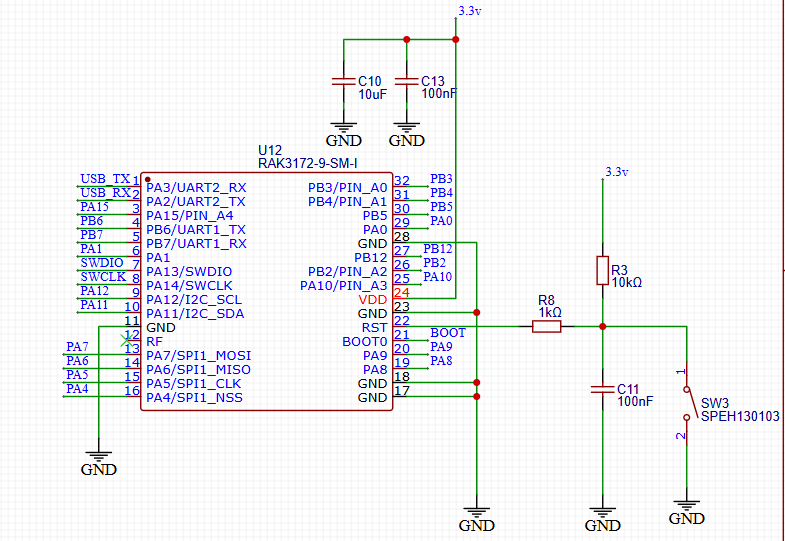
in the PCB design. I suspect this might be the reason why no LoRa packets are actually transmitted.
Could someone from RAK or the community please confirm:
- Whether leaving the RF pin unconnected completely blocks LoRa transmissions?
- What is the proper way to connect the RF pin — should it go directly to a 50 Ω antenna matching network (Pi or LC) and then to a U.FL or SMA connector?
- Are there any recommended layout guidelines or reference designs for the RAK3172-9-SM-I RF output section?
Any help or layout tips (trace width, matching network components, ground plane design, etc.) would be appreciated.
Thanks in advance!
/***
- This example shows LoRaWan protocol joining the network in OTAA mode, class A, region EU868.
- Device will send uplink every 20 seconds.
***/
#define OTAA_PERIOD   (40000)
/*************************************

   LoRaWAN band setting:
     RAK_REGION_EU433
     RAK_REGION_CN470
     RAK_REGION_RU864
     RAK_REGION_IN865
     RAK_REGION_EU868
     RAK_REGION_US915
     RAK_REGION_AU915
     RAK_REGION_KR920
     RAK_REGION_AS923

 *************************************/
// I removed DevEUI, Appkey, AppEUI
type or paste code here
#define OTAA_BAND     (RAK_REGION_AU915)
#define OTAA_DEVEUI   {}
#define OTAA_APPEUI   {}
#define OTAA_APPKEY   {}

/** Packet buffer for sending */
uint8_t collected_data[64] = { 0 };

void recvCallback(SERVICE_LORA_RECEIVE_T * data)
{
    if (data->BufferSize > 0) {
        Serial.println("Something received!");
        for (int i = 0; i < data->BufferSize; i++) {
            Serial.printf("%x", data->Buffer[i]);
        }
        Serial.print("\r\n");
    }
}

void joinCallback(int32_t status)
{
    Serial.printf("Join status: %d\r\n", status);
}

/*************************************
 * enum type for LoRa Event
    RAK_LORAMAC_STATUS_OK = 0,
    RAK_LORAMAC_STATUS_ERROR,
    RAK_LORAMAC_STATUS_TX_TIMEOUT,
    RAK_LORAMAC_STATUS_RX1_TIMEOUT,
    RAK_LORAMAC_STATUS_RX2_TIMEOUT,
    RAK_LORAMAC_STATUS_RX1_ERROR,
    RAK_LORAMAC_STATUS_RX2_ERROR,
    RAK_LORAMAC_STATUS_JOIN_FAIL,
    RAK_LORAMAC_STATUS_DOWNLINK_REPEATED,
    RAK_LORAMAC_STATUS_TX_DR_PAYLOAD_SIZE_ERROR,
    RAK_LORAMAC_STATUS_DOWNLINK_TOO_MANY_FRAMES_LOSS,
    RAK_LORAMAC_STATUS_ADDRESS_FAIL,
    RAK_LORAMAC_STATUS_MIC_FAIL,
    RAK_LORAMAC_STATUS_MULTICAST_FAIL,
    RAK_LORAMAC_STATUS_BEACON_LOCKED,
    RAK_LORAMAC_STATUS_BEACON_LOST,
    RAK_LORAMAC_STATUS_BEACON_NOT_FOUND,
 *************************************/

void sendCallback(int32_t status)
{
    if (status == RAK_LORAMAC_STATUS_OK) {
        Serial.println("Successfully sent");
    } else {
        Serial.println("Sending failed");
    }
}

void setup()
{
    Serial.begin(115200, RAK_AT_MODE);
    delay(2000);

    Serial.println("RAKwireless LoRaWan OTAA Example");
    Serial.println("------------------------------------------------------");

    if(api.lorawan.nwm.get() != 1)
    {
        Serial.printf("Set Node device work mode %s\r\n",
            api.lorawan.nwm.set() ? "Success" : "Fail");
        api.system.reboot();
    }

    // OTAA Device EUI MSB first
    uint8_t node_device_eui[8] = OTAA_DEVEUI;
    // OTAA Application EUI MSB first
    uint8_t node_app_eui[8] = OTAA_APPEUI;
    // OTAA Application Key MSB first
    uint8_t node_app_key[16] = OTAA_APPKEY;

    if (!api.lorawan.appeui.set(node_app_eui, 8)) {
        Serial.printf("LoRaWan OTAA - set application EUI is incorrect! \r\n");
        return;
    }
    if (!api.lorawan.appkey.set(node_app_key, 16)) {
        Serial.printf("LoRaWan OTAA - set application key is incorrect! \r\n");
        return;
    }
    if (!api.lorawan.deui.set(node_device_eui, 8)) {
        Serial.printf("LoRaWan OTAA - set device EUI is incorrect! \r\n");
        return;
    }

    if (!api.lorawan.band.set(OTAA_BAND)) {
        Serial.printf("LoRaWan OTAA - set band is incorrect! \r\n");
        return;
    }
    if (!api.lorawan.deviceClass.set(RAK_LORA_CLASS_A)) {
        Serial.printf("LoRaWan OTAA - set device class is incorrect! \r\n");
        return;
    }
    if (!api.lorawan.njm.set(RAK_LORA_OTAA))	// Set the network join mode to OTAA
    {
        Serial.printf("LoRaWan OTAA - set network join mode is incorrect! \r\n");
        return;
    }
    if (!api.lorawan.join())	// Join to Gateway
    {
        Serial.printf("LoRaWan OTAA - join fail! \r\n");
        return;
    }

    /** Wait for Join success */
    while (api.lorawan.njs.get() == 0) {
        Serial.print("Wait for LoRaWAN join...");
        api.lorawan.join();
        delay(10000);
    }

    if (!api.lorawan.adr.set(true)) {
        Serial.printf("LoRaWan OTAA - set adaptive data rate is incorrect! \r\n");
        return;
    }
    if (!api.lorawan.rety.set(1)) {
        Serial.printf("LoRaWan OTAA - set retry times is incorrect! \r\n");
        return;
    }
    if (!api.lorawan.cfm.set(1)) {
        Serial.printf("LoRaWan OTAA - set confirm mode is incorrect! \r\n");
        return;
    }

    /** Check LoRaWan Status*/
    Serial.printf("Duty cycle is %s\r\n", api.lorawan.dcs.get()? "ON" : "OFF");	// Check Duty Cycle status
    Serial.printf("Packet is %s\r\n", api.lorawan.cfm.get()? "CONFIRMED" : "UNCONFIRMED");	// Check Confirm status
    uint8_t assigned_dev_addr[4] = { 0 };
    api.lorawan.daddr.get(assigned_dev_addr, 4);
    Serial.printf("Device Address is %02X%02X%02X%02X\r\n", assigned_dev_addr[0], assigned_dev_addr[1], assigned_dev_addr[2], assigned_dev_addr[3]);	// Check Device Address
    Serial.printf("Uplink period is %ums\r\n", OTAA_PERIOD);
    Serial.println("");
    api.lorawan.registerRecvCallback(recvCallback);
    api.lorawan.registerJoinCallback(joinCallback);
    api.lorawan.registerSendCallback(sendCallback);
}

void uplink_routine()
{
    /** Payload of Uplink */
    uint8_t data_len = 0;
    collected_data[data_len++] = (uint8_t) 't';
    collected_data[data_len++] = (uint8_t) 'e';
    collected_data[data_len++] = (uint8_t) 's';
    collected_data[data_len++] = (uint8_t) 't';

    Serial.println("Data Packet:");
    for (int i = 0; i < data_len; i++) {
        Serial.printf("0x%02X ", collected_data[i]);
    }
    Serial.println("");

    /** Send the data package */
    if (api.lorawan.send(data_len, (uint8_t *) & collected_data, 2, true, 1)) {
        Serial.println("Sending is requested");
    } else {
        Serial.println("Sending failed");
    }
}

void loop()
{
    static uint64_t last = 0;
    static uint64_t elapsed;

    if ((elapsed = millis() - last) > OTAA_PERIOD) {
        uplink_routine();

        last = millis();
    }
    //Serial.printf("Try sleep %ums..", OTAA_PERIOD);
    api.system.sleep.all(OTAA_PERIOD);
    //Serial.println("Wakeup..");
}