I’m having a problem with the ethernet connection. I can power the gateway using USB or PoE and it gets power. The ethernet link is established at 100Mb/s full duplex, but there is no data exchange.
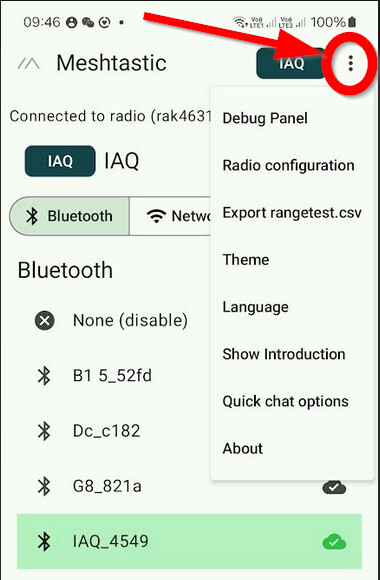
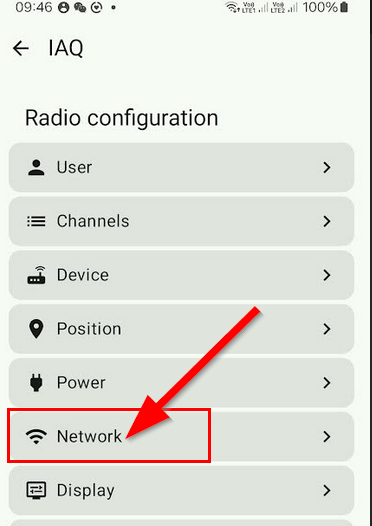
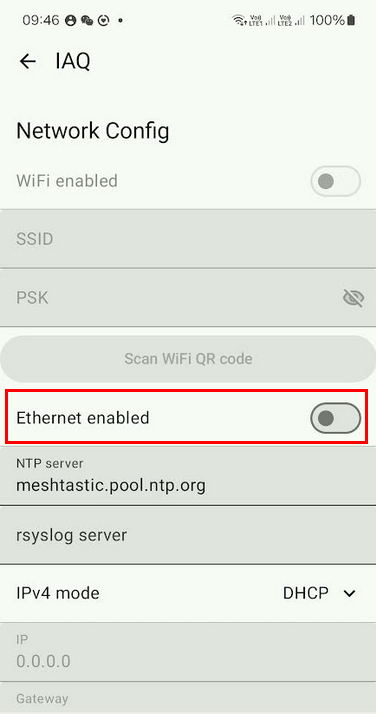
In the Android Meshtastic app there is no “Network Config” option to turn on the network.
I used the python CLI to export the config, added “ethEnabled: true” in the network section and now the “info” returns:
I am doing something wrong or is this a firmware bug or hardware problem?
What product do you wish to discuss?
WisMesh Ethernet MQTT Gateway with PoE module
What firmware are you using?
Original firmware from factory
What firmware version?
2.6.11.60ec05e
Computer OS?
Linux and Android
What Computer OS version?
Debian 12
How often does the problem happen?
Always
How can we replicate the problem?
Power the gateway by USB or PoE. In both cases the device gets power, the ethernet connection establishes a link at 100Mb/s full duplex, but there is no data exchange.
If it’s not there in your mobile app, please contact Meshtastic. We are not developing or maintaining the Meshtastic firmware or their configuration tools.
I did meant to say that there is no “Network” option under “Radio Configuration”. I tried in two different Android phones, one using the Play store version and the other the Fdroid version.
companion object {
        fun filterExcludedFrom(metadata: DeviceMetadata?): List<ConfigRoute> = entries.filter {
            when {
                metadata == null -> true
                it == BLUETOOTH -> metadata.hasBluetooth
                it == NETWORK -> metadata.hasWifi || metadata.hasEthernet
                else -> true // Include all other routes by default
            }
        }
    }
I’m not an Android coder, but my understanding of the previous code is that the Network config will only show if either Wifi or Ethernet is detected.
From the output of the python CLI hasWifi and hasEthernet are both false, so none are being detected:
There is no WiFi because this is the ethernet version, but I suppose hasEthernet should be “true”. This seems to be a firmware bug or a hardware problem,
Please contact Meshtastic. We are not developing or maintaining the Meshtastic firmware or their configuration tools.
I can’t tell you why the app thinks there is no WiFi or Ethernet.
The screenshot shown above is from a device with a RAk4631 which has neither WiFi nor Ethernet capability, but the app still shows the option .
It was a firmware issue. The version that comes from factory does not work.
I flashed 2.7.3 and it works now. See this bug report on Meshtastic github.
These are marketed as ready-to-use devices, so RAK should ship with a working firmware or give a warning to customers that the device needs to be flashed by the user.
Not sure it’s a real network. I think it just does MQTT. Real network devices can be modified from a computer on the same LAN using an assigned static IP that is running the meshtastic web client I’m not sure that Network button does anything. Think mine is off. I suspect the RAK Ethernet board chip is just connecting over serial to the meshtastic chip and then sending only the MQTT messages in both directions. The Meshtastic documentation on MQTT had me confused though.