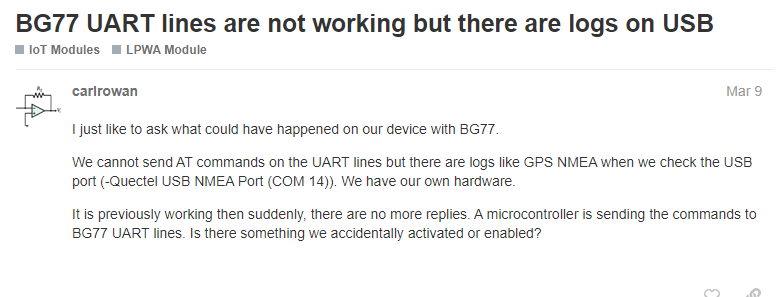
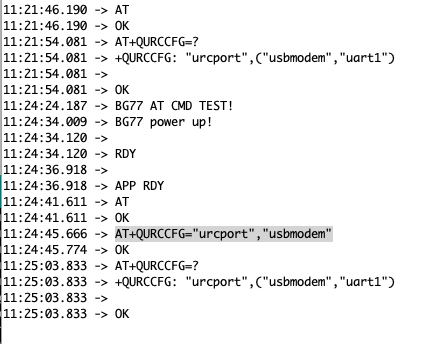
One thing that may be relevant or not - Earlier I connected directly to the BG77 via its USB port and was giving it AT commands with Quectel’s Qnavigator program.
I was able to communicate successfully and read and write parameters,=, however I kept getting failed registration. Upon the CREG command I’d always get a response of ‘0,2’, and CSQ would reply with ‘20,99’.
I’m wondering if it was ok to connect directly to the BG77 like that? Could connecting to the BG77 directly via usb somehow disabled the serial connection to the RAK5005 board?
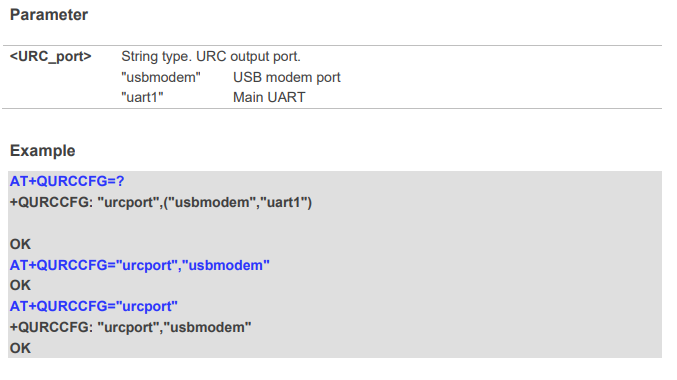
I have… I found mention of a command +QURCCFG: “urcport”,’ that suggests I change the urcport parameter. I just changed it from usbmodem to uart1 but still no luck.
I’m testing with a Telstra sim card (Australia) using band 28. I also have a hologram sim that I’m yet to try.
It’s been a while since I used my RAK5860 (because we have no NB-IOT/LTE-M network yet here in PH). I am testing it now and got no reply
I will ask my colleague to validate and we’ll get back to you.
Btw, you wont be able to use Hologram there in AU with BG77. Hologram only works in NB-IOT or LTE-M. LTE-M of hologram is only working in US at the moment.
FYI I was able to get the 5860 module to successfully connect to the Hologram network (by configuring the BG77 directly via usb connection using Quectel’s Qnavigator sotware).
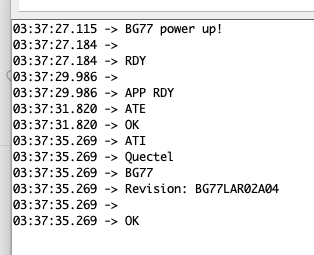
I got a new RAK5860 with working UART AT command communicating to RAK4631.
I am trying to replicate the steps you did with Quectel’s Qnavigator. Unfortunately, like my previous experience, I can only have USB DM port and USB NMEA Port. I have no USB AT Port available. Did you upload a different FW to the BG77? If not, when did you purchase your RAK5860? Is it part of a kit?
How do you know the AT commands are working? Are you entering and sending AT commands via the arduino serial monitor?
You initially mentioned your board also experienced the same serial comms issue… so one of your boards has the same issue and another one is working? Are there any differences between the two setups that may shed light on the problem?
I didn’t upload new firmware. When I plug the BG77 into my laptop, in Qnavigator it’s called ‘USB modem’ (DM port and NMEA port are there also). We purchased the Wisblock Connected Box from IOT Store Australia (RAKWireless WisBlock Connected Box @ IOT Store Australia).
What did you do to get the AT commands working? I used a new RAK5860 to confirm. I am trying to replicate your scenario but my attempt got no USB modem available making Qnavigator impossble.
What sketch did you use? BG77_unvarnished_transmission is the sketch example I am using. This will send direct AT commands via Serial input.
How do you know the AT commands are working? Are you entering and sending AT commands via the arduino serial monitor? Yes via Serial monitor using the BG77_unvarnished_transmission. I believe you tried that already.
You initially mentioned your board also experienced the same serial comms issue… so one of your boards has the same issue and another one is working? Are there any differences between the two setups that may shed light on the problem? The board I got issue is a prototype board and not the official release so we can't say it is one is to one comparison so I just used a new board from my extra Connected Box. It is working before then suddenly stop when I tried making the USB modem work. I cant remember exactly what I did but I think I attempted to upload a new FW to BG77 that time.
I’ll get more info and get back to you whatever I found out.