
@carlos,
Have you set the User Credentials right in MQTT.fx?
Also, I started reading the theme from the beginning and I found out smth strange in the GW settings here in MQTT Broker Adress you have to set 127.0.0.1 (localhost), and from what I see it is not set like that :
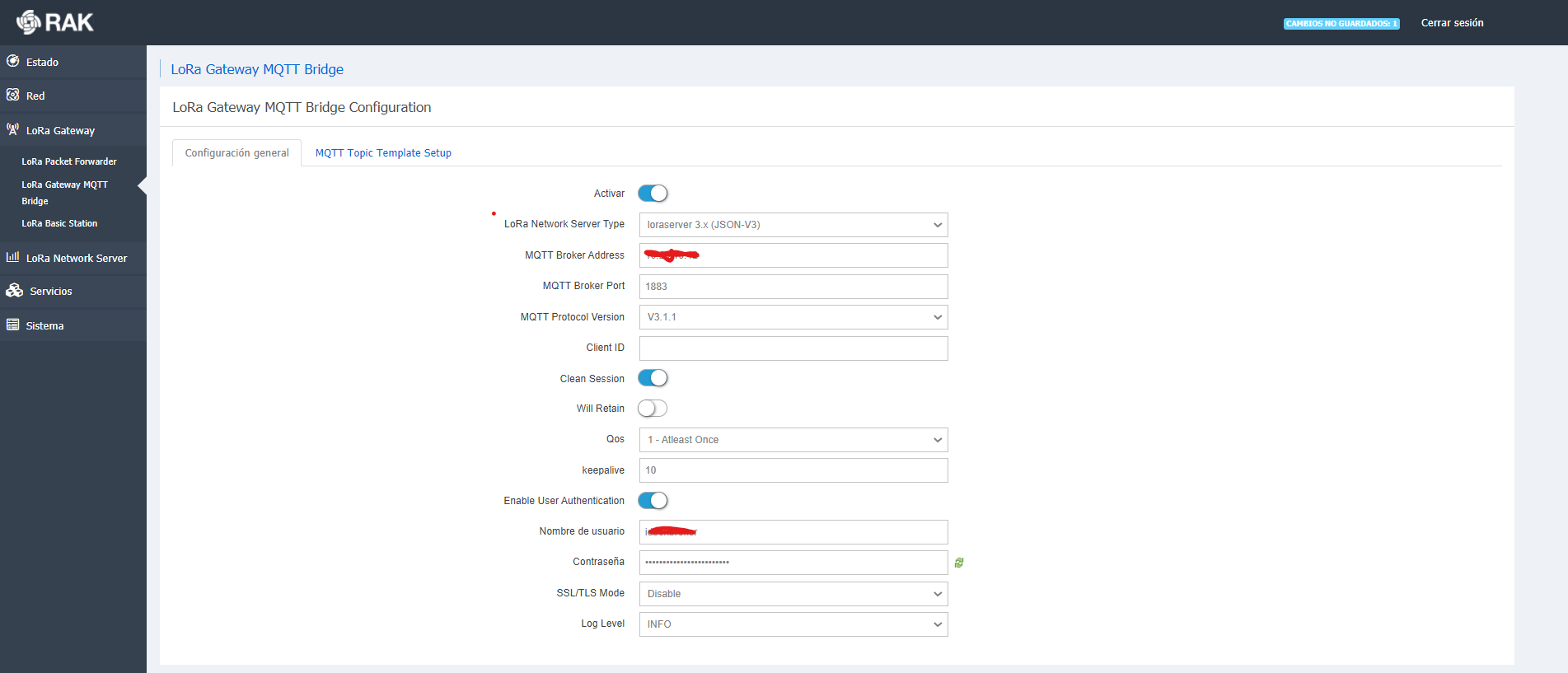
I have another ip since this GW is in a different network than the local host. That was the ip of the server where I have the mosquito broker. I have checked the connectivity by ping between the server and the GW and it is correct, as well as port 1883 is open
This is because there are two distinct uses of MQTT in such a system, not just one.
The first usage is for the gateway component to send (via the UDP to MQTT bridge) raw encrypted traffic to the network server on the gateway/ topics.
The second usage is for the network server component to send decrypted traffic to application consumers on the application/ topics.
Since the asker wants application traffic not raw encrypted traffic, it’s the network server that needs to have its output pointed at the external MQTT broker.
Both the gateway component’s MQTT bridge and the network server’s input side need to remain pointed at the on-board (127.0.0.0 loopback) MQTT broker.
Even if the output of the network server is pointed at the external broker, the system will be broken and pass no data if in the process of setting that up the gateway bridge or the network server’s input were accidentally pointed somewhere other than the internal broker. (In theory one could put the raw gateway traffic on the external broker, but this would only make any sense in a system running the network server in the cloud, as otherwise the data will make an unreasonable number of hops between gateway box and cloud)
1 Like
Hello,
I really don’t understand very well if that applies to me (excuse my ignorance)
I have tried putting the IPs that you said and it still doesn’t work.
I don’t know what else to try
Basically you’re going to need to take time to understand the architecture of how the various pieces of the system fit together, and the above explanation.
Perhaps what you should do is reset the RAK7258 to factory configuration, make sure everything works, and then change only the address of the network server’s application interface MQTT broker.
Hellow
I understand more or less how it works.
I have a structure like the one in the photo.
The GW is inside a different network (vlan) than where I have the mqtt server hosted. All ports and connection are enabled, so I have a connection
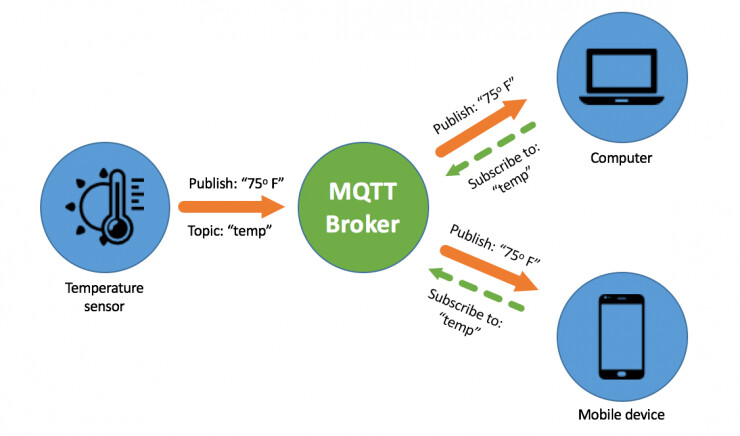
What I do not understand is why after following the steps in this manual I cannot get the data in my broker(sorry but i can upload the file)
LoRaWAN Deployment Scenario 1:
Using your Gateway as a LoRaWAN
Server Hub
WisDevice Series
RAK7249/RAK7258
Unfortunately that does not really represent an understanding of how the system works. In particular, it is missing both the role of the UDP-to-MQTT gateway bridge, and the fact that there are two entirely distinct uses of MQTT in the chain of processing and delivering an uplink, not just one.
I’d strongly encourage taking time to understand what each component of the system is responsible for, and how it interacts with the others, as it will be very hard to trouble shoot issues without a clear mental picture of how all of the pieces fit together.
if you are using mqtt bridge you must create application server in broker host so configure build in server and use global integration path for mqtt communication.
note topic should be same in gateway and mqtt server.
No! The above is utterly confused.
Again, the MQTT bridge is for the raw gateway data between the gateway part of the box and the internal or external network server. It is NOT used for the application data.
Unless you are using an external network server do not change the settings of the MQTT bridge. Doing so will only break things entirely.
Hi @cstratton
I recently got RAK7258 for my project and was able to communicate with my Lora mote with the built-in lora and application server. Now, I want the gateway to communicate to an external MQTT broker (Mosquitto). And I’ve made the following changes as per this guide
I’ve attached the screenshots of the 3 MQTT connection pages which has to be changed, as far as my understanding goes,:
- LoRa MQTT Bridge
- In the global integration tab, Application Server Integration MQTT
- Gateway Backend Configuration MQTT
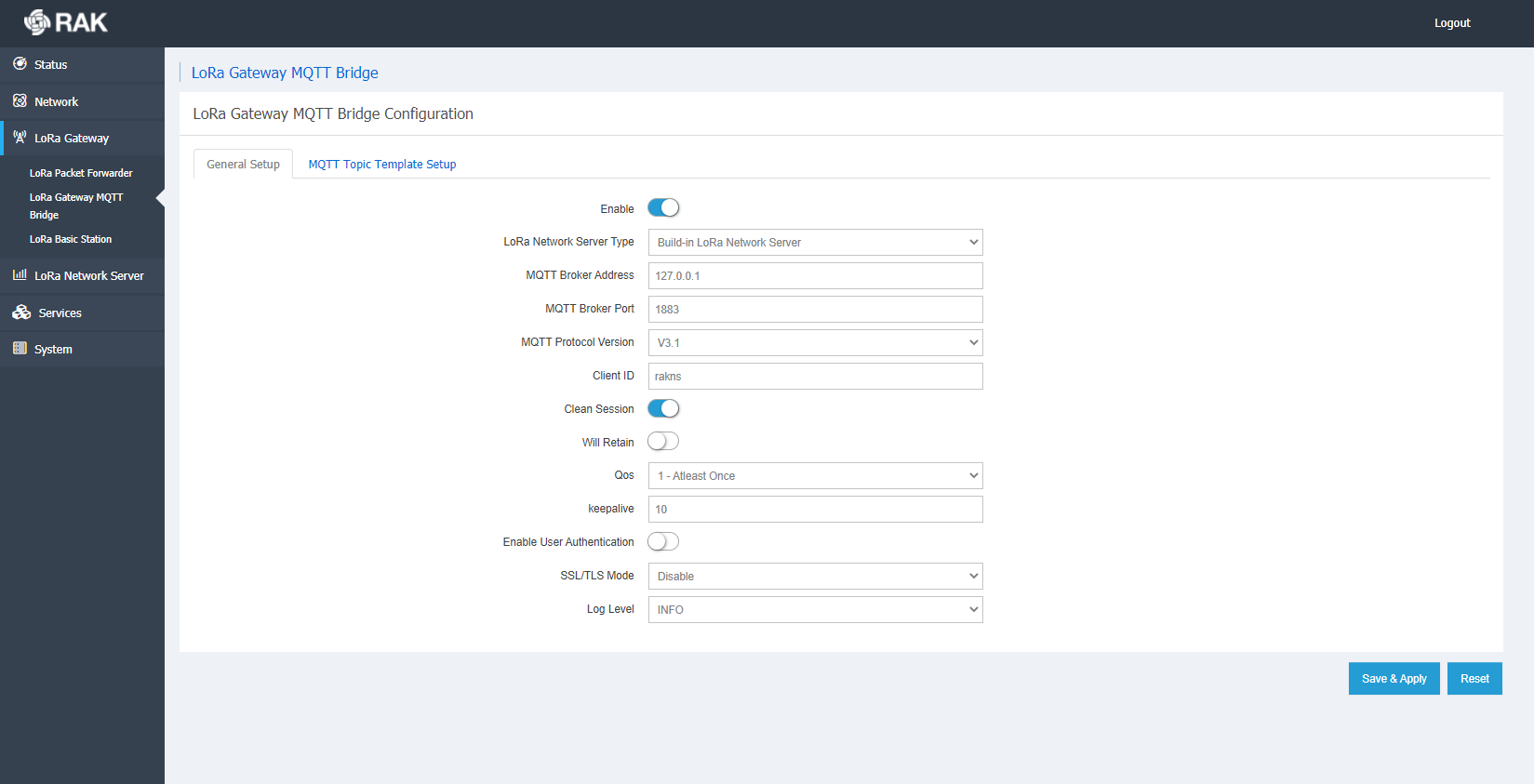
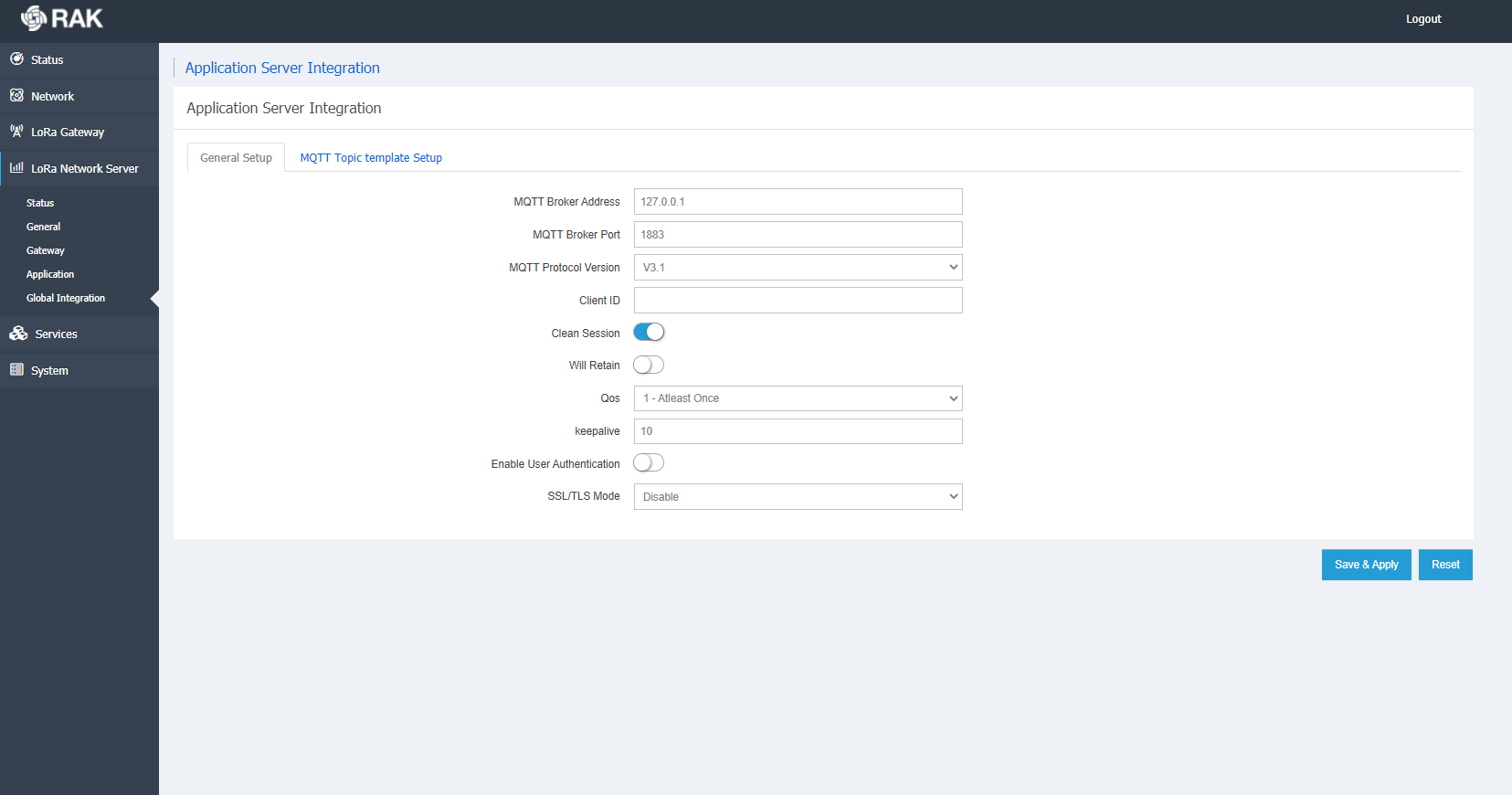
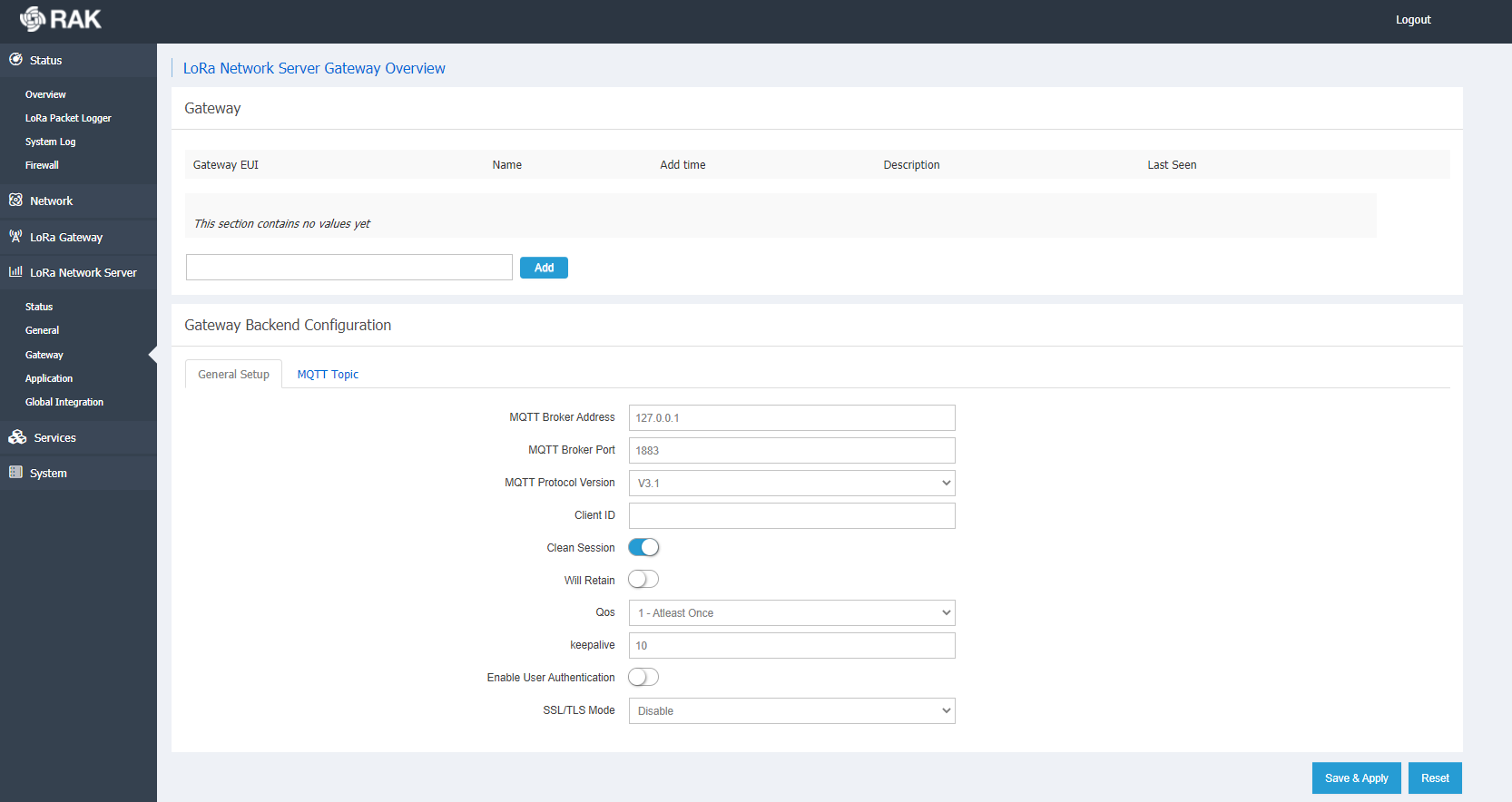
But the connection between gateway and the broker is not getting established. I’m subscribing to the gateway using the cmd window and i get this error.
mosquitto_sub -t /gateway/#
Error: No connection could be made because the target machine actively refused it.
Please let me know if there’s anything I’m missing or doing wrong. Any help would be greatly appreciated.
That’s a mistake. You should never change the configuration of the MQTT bridge if you are using the internal LoRaServer.
The only reason to change it would be if you are using an external LoRaServer.
If you want to decoded data to appear on an external MQTT broker, then you need to point the output of the LoRaSerever at that, not the MQTT bridge.
@cstratton ,
Thank you for your instant reply. I followed a couple of threads on the forum and tried to do that to see if that works for me or not.
I disabled the bridge for now and kept the rest configuration as it was earlier. Still, I am not able to connect to the broker. I’m using MQTT explorer client and the host IP I’ve set is 127.0.0.1. The topic I’ve subscribed to see the data is as given in the global integration MQTT template - application/{{application_ID}}/device/{{device_EUI}}/rx
I have microchip’s lora mote at the end node. I started of with sending the data from mote to gateway and I was able to see the data in the WebUI Application tab under Live Device data. Not sure why I’m having difficulty getting it via the broker.
Is there any other thing I’m missing out here? I tested out my installation of broker using the cmd window by pub/sub. Worked very well. Do we have to send any join command before we sub to gateway to initiate the connection?
That would of course prevent it from working at all…
Oh, okay. Well, I think I have to go back to the basics. I’m absolutely new to Lora and Lorawan so the learning is still going.
@cstratton If you had to suggest, can you guide me the steps to connect to MQTT broker?
That would be really helpful to me and I’d appreciate that a lot.
Thank you.
There is an internal MQTT setup that sends data from the gateway part to the ChirpStack that happens to be running on the same hardware. This should not be changed if you want to use the built in ChirpStack.
You need to concentrate on the Application Server configuration. That’s what lets the data flow out.
@nmcc @cstratton
I added my device in the application tab use the appKey generated to send the data from the mote. And I can see all the data under the Live Device Data - Tab.
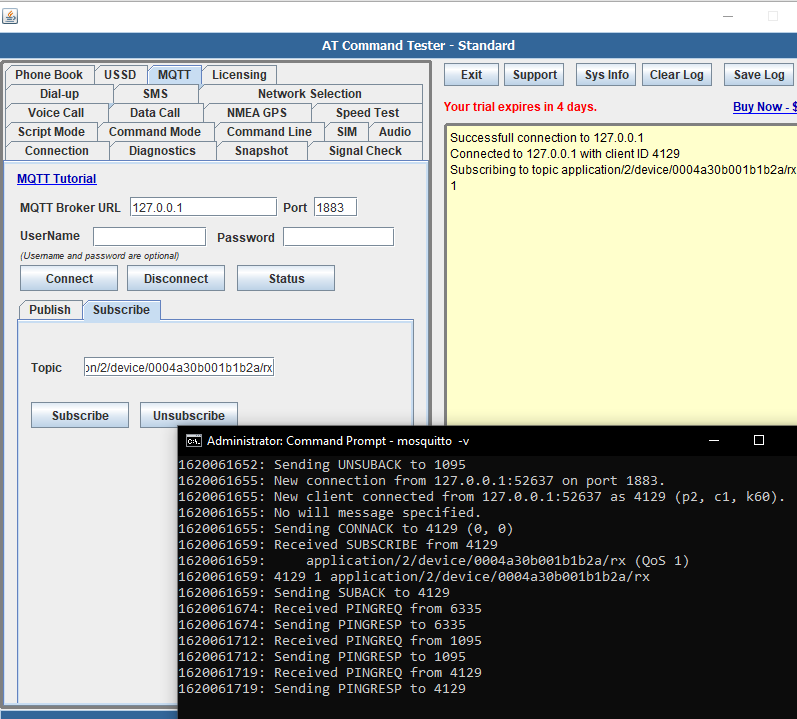
I’m following the same template as provided in the MQTT topic template tab as in the picture below. I can see all the interactions happening with broker like connected, disconnected, sub, unsub, etc. but not the data. I went through a couple of similar threads but I don’t see any thing different than the way i have set it up.
Oh, one thing i feel might be different is I’m using a private server instead of public. Here’s how my packet forwarder tab looks like.
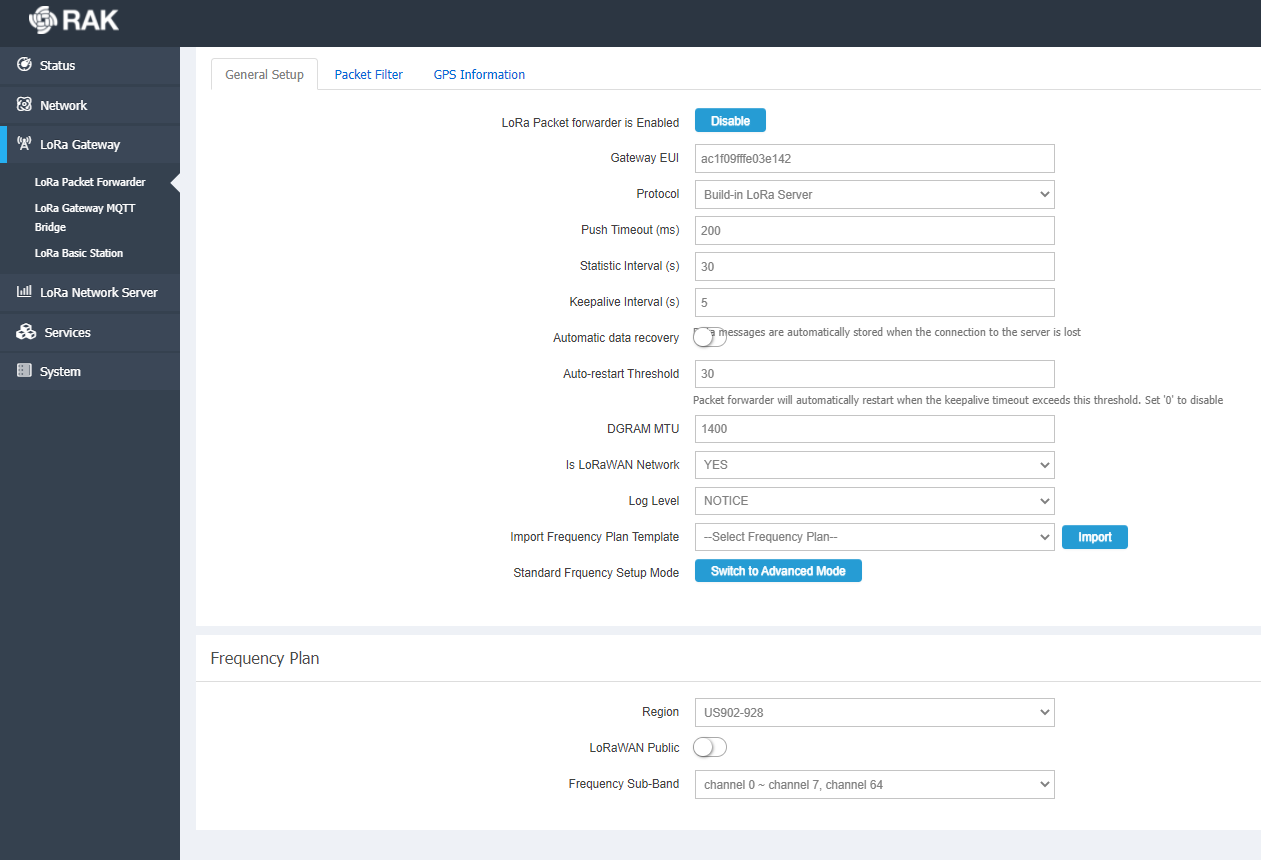
Please help. I feel totally lost. Thank you.
It would seem it is all configured wrongly judging by the images you submitted.
- You are using the built in server, thus the internal Bridge should point to 127.0.0.1 as you.
- As you seem to want to forward the Device data that you claim is comming at the application and the node is registered with the built in server you should use the Global Integration feature to point to your external Broker address and port. Again your image shows the 127.0.0.1 This is why the broker does not see anything as you are simply not sending any data to its address.
- I suggest you update to the latest firmware not keeping any of the settings so you start fresh first via this link and do the following.
https://downloads.rakwireless.com/LoRa/Indoor-Gateway-RAK7258/Firmware/RAK7258_Latest_Firmware.zip
I. Use the Built-in Server to get your data. Configure an Application and add the Device (you seem to have already done this in a way that it works).
II. Go to the Global Integration tab and configure the MQTT with the address and port of your MQTT broker, the one you would like to see the the data at.
III. The Global Integration Topic Templates on the same page are where you want to look at to get the proper structure to look at when using your external broker.
This should result in you seeing the incoming data.
Regards
Vladislav
Thank you for you message. I think you missed the link for firmware update. Can you please forward that again?
As for the MQTT port and address, It is running on the same system so wouldn’t that be localhost or 127.0.0.1? Is there a way to confirm the mqtt address or it will be the same as my wifi’s IP?
And do I to need to change the IP in Gateway Backend Configuration → General tab too or just in global integration?
Thank you.
Rahul
Hei @mrahul ,
Check my previous post I updated it.
You state here that your broker is external so it can not be using the local loopback address of the gateway now can it 

Confirming the address is up to you, you are the one that deployed it wherever you did.
Stick to what I suggested for now and try to avoid changing anything else. Lets see what happens.
Regards
Vladislav
Hello @Hobo ,
Thanks for the link. I flashed the new firmware from the link and reconfigured the gateway. Took me a while to familiarize with the new UI.
- Set the mote on the application with the device EUI and can see the data coming in Live Device Data tab.
- Went to Global integration tab and put this IP in the broker address as the mosquitto broker is on the same machine. Not sure if its important, but I’d like to mention that I have connected my desktop with a ethernet cable and set up the gateway as AP + client to connect wirelessly.
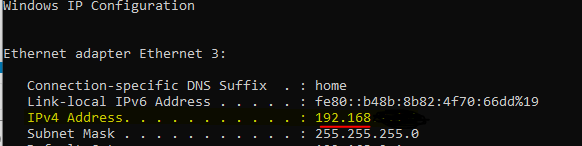
- Down below, I’ve edited the topic template too. To sum up, this is what my global integration tab looks like:
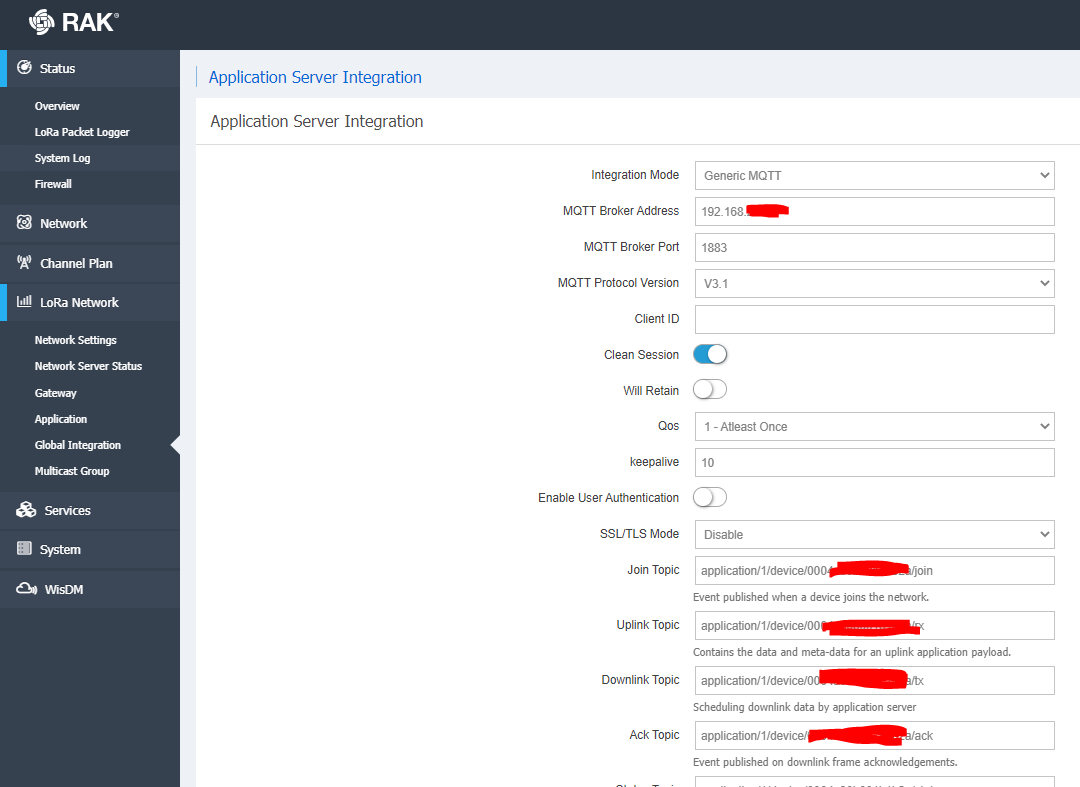
Also, I also tried connecting by mentioning the client id but not sure if that works.
Please let me know if there is anything I’m doing wrong.
Thank you,
Rahul