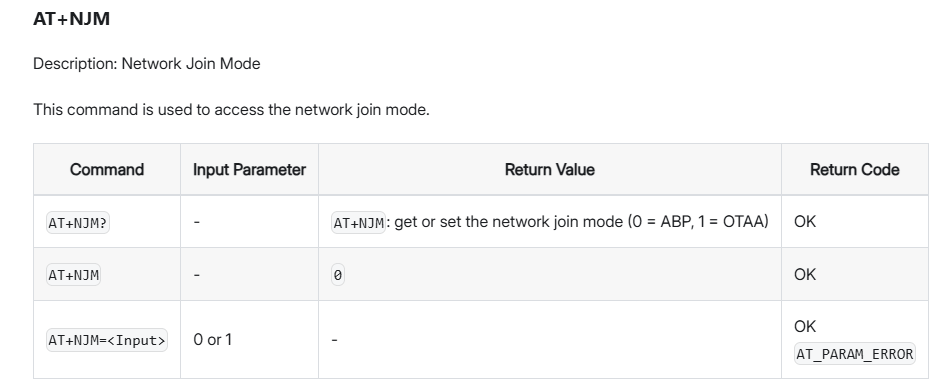
I have a problem with the RAK3372 (RUI_4.2.1_RAK3172-E) — it stopped working. After half a day of troubleshooting, I noticed that functions which set OTAA and ABP modes and save keys don’t work anymore. I have a piece of code that runs without errors:
cpp
KopiujEdytuj
bool abp_result = api.lorawan.njm.set(RAK_LORA_ABP);
Serial.printf("Setting ABP: %s\n", abp_result ? "OK" : "ERROR");

if (!abp_result)
{
    Serial.println("LoRaWan ABP - set network join mode is incorrect!");
    return;
}
But after issuing the command AT+NJM=? I still get 0, which means OTAA instead of ABP.
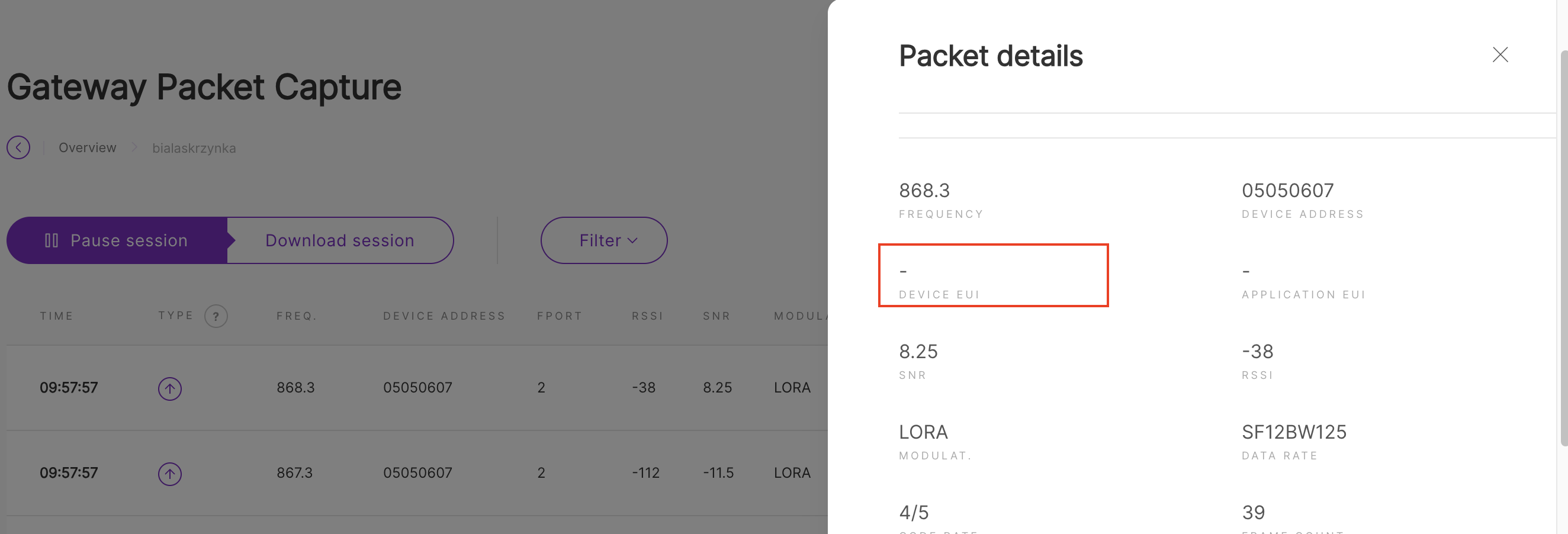
@carlrowan Thank you for your interest. I uploaded my program and now I have the following situation on the gateway: I have packets like the one in the attached screenshot. The device’s EUI is missing. After issuing the AT command AT+DEVEUI=?, the EUI is actually 0000000000. Why is this happening? Of course, the lack of an EUI address causes further problems in the Network Server and Application Server.
You are looking on Gateway Packet Capture. At this view, you only get what the gateway see on the LoRa packets send on the airwave.
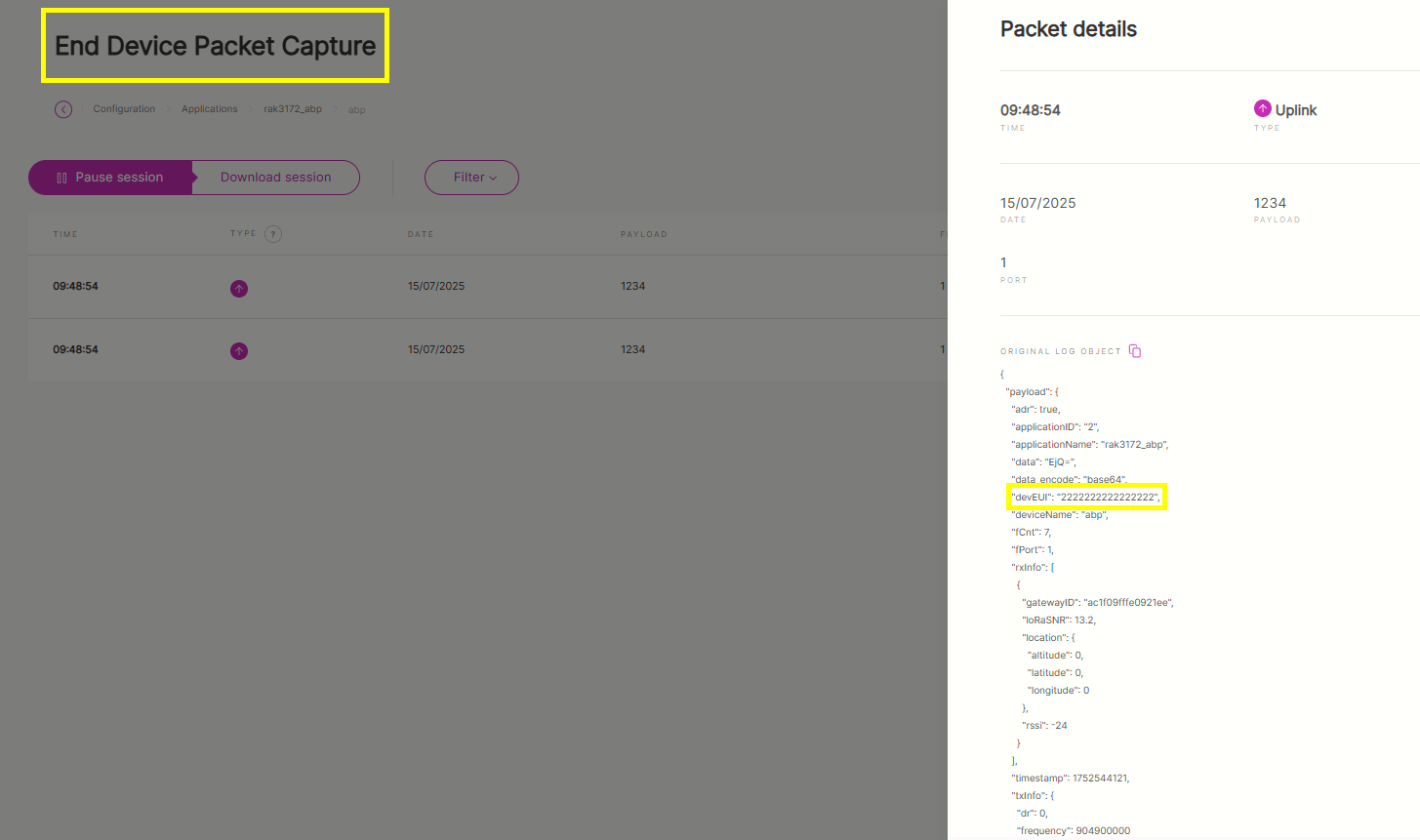
I am not sure what issues you mean with “lack of an EUI address causes further problems” but if you want to see the DEVEUI on the payload, you have to look on the End Device Packet Capture which is on the Application-Device on the built-in LNS (assuming you are using built-in LNS) or on the LNS console you are using.