I suspect that problem might be in CS API side. From V4, chirpstack-rest-api should be installed separately, before it was installed by default. So now I simply do not have it, nothing is listening to the downlink. I will be checking again once I configure the CS API. Hope that is the only reason
I have the same problem
Ok I decided to go different way, since DataCake support is not responding. I am going to listen to MQTT and then enqueue downlink myself once the EUID of my RAK tester is mached.
f.eg below python script (example taken from ChirpStack documentation), will send downlink to the given EUID
import os
import sys
import grpc
from chirpstack_api import api
# Configuration.
# This must point to the API interface.
server = "[Chirpstack server IP]:8080"
# The DevEUI for which you want to enqueue the downlink.
dev_eui = "[RAK EUID]"
# The API token (retrieved using the web-interface).
api_token = "[API from Chirpstack]"
if __name__ == "__main__":
  # Connect without using TLS.
  channel = grpc.insecure_channel(server)
  # Device-queue API client.
  client = api.DeviceServiceStub(channel)
  # Define the API key meta-data.
  auth_token = [("authorization", "Bearer %s" % api_token)]
  # Construct request.
  req = api.EnqueueDeviceQueueItemRequest()
  req.queue_item.confirmed = False
  req.queue_item.data = bytes([0x01, 0x9A, 0x9E, 0x01, 0x01, 0x0F])
  req.queue_item.dev_eui = dev_eui
  req.queue_item.f_port = 2
  resp = client.Enqueue(req, metadata=auth_token)
  # Print the downlink id
  print(resp.id)
Here is how bytes([0x01, 0x9A, 0x9E, 0x01, 0x01, 0x0F]) payload looks like on the end node - so the downlink problem is solved.
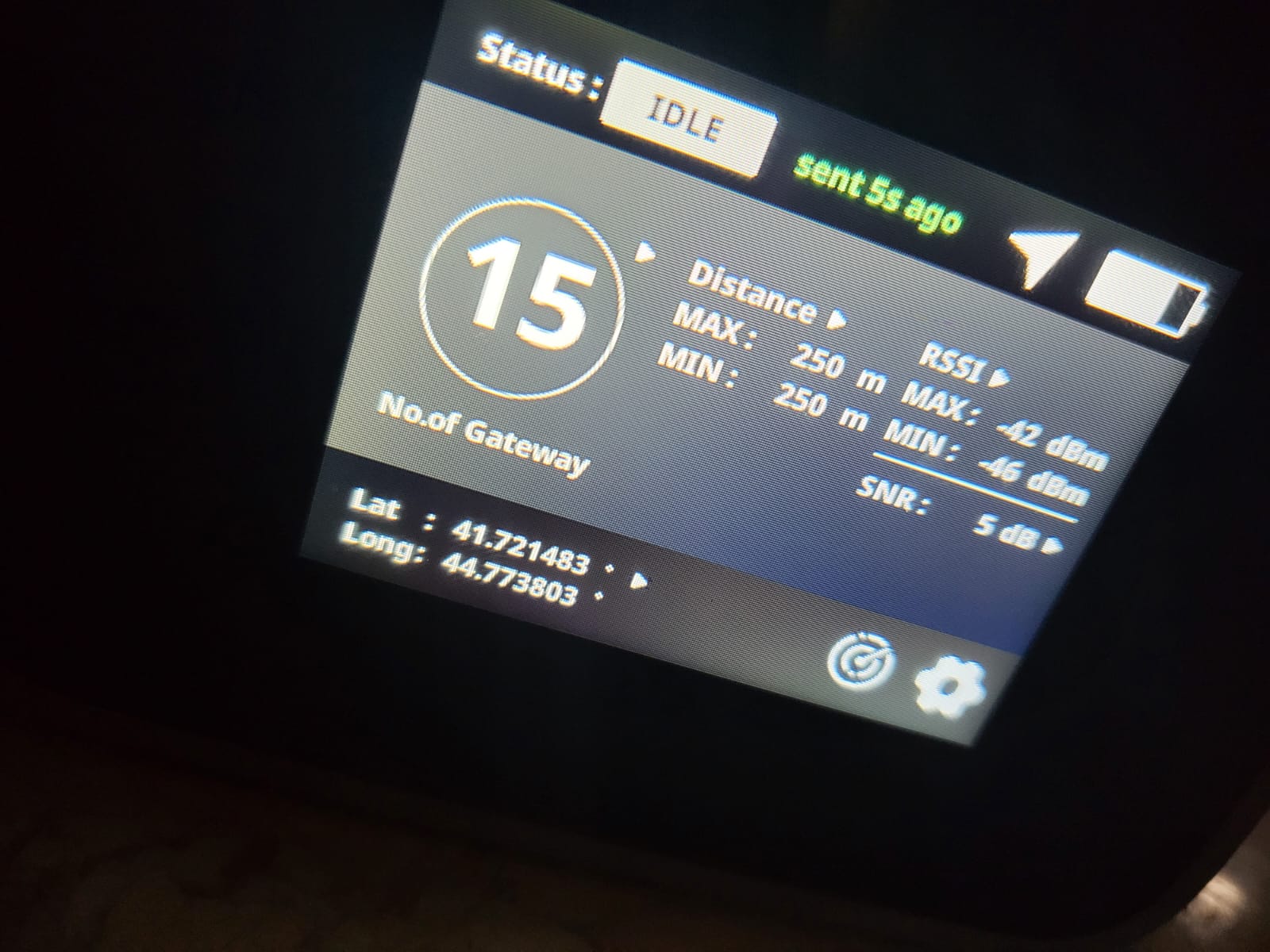
Next, I have another piece of python code (will share later), to subscribe to the MQTT topic and listen to the uplinks.
Main challenge will be to port the Javascript decode scripts into python and merge all in one. This final py script will be running on the same chirpstack server as a service, so I will get rid of the 3rd party dependency.
1 Like
Hello @sergi_jini
If you get it working with your solution, please share it here. It looks like a good alternative to Datacake.
That will take some time, but surely - if I succeed, will share it here as well.
I found a bug in the FieldTester payload decoder. It always returned min and max distance as 250m.
I pushed the update to our Github repo
Thanks. I did not try yet on real payload, so I will not be able to validate, but will keep fw updated
Evening Bernd
My current version is 3.4.11
I tried uploading the zip from the GitHub but getting below error
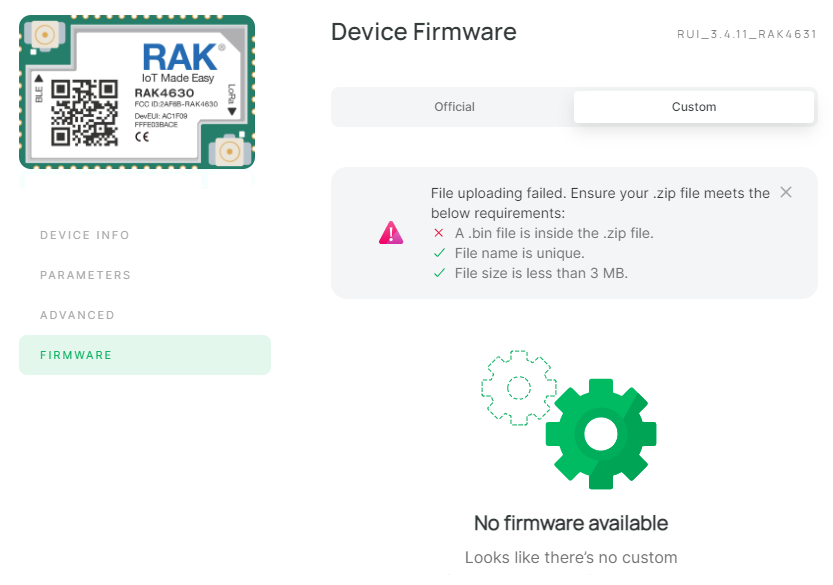
I am confused.
The link in your message goes to the Payload Decoder and has nothing to do with the firmware. The bug with the distances was not in the firmware but in the Payload Decoder used in Datacake.
DON’T INSTALL A STANDARD AT COMMAND FIRMWARE ON THE RAK10701. YOU WILL LOOSE ALL FUNCTIONALITY OF THE DEVICE.
The RAK10701 is not listed in WisToolBox yet. It will be added in the future.
That’s bad news, I was not aware of it. I already did it as wistoolbox suggested that there is one fw update available. Now device is not starting up at all, however I can still access it via wistoolbox.
Can you share the stable working firmware so I can flash it again?
Flash the RAK10701_H_Latest_Firmware.zip from the Download Center
There is a beta version as well, but I am not sure if it is advisable to use it already.
It worked. Device is back online now. Thanks a lot
Hi everyone, I have been trying to follow the same guide to set up the Field Tester but also with no success.
I’m getting stuck right at the Payload Decoder which returns me: json: unsupported value: NaN

Could someone give me a hand here?
Is this the payloader from our Github repo ?
If not, please try the one from the repo.
And how are you testing?
If you push the Try Decoder button, you have to enter a payload first in the field that says Payload
Hi Beegee, thanks for your reply!
In the meanwhile I have reconfigured everything and I can see the UPLINK and DOWNLINK requests as in screenshots.
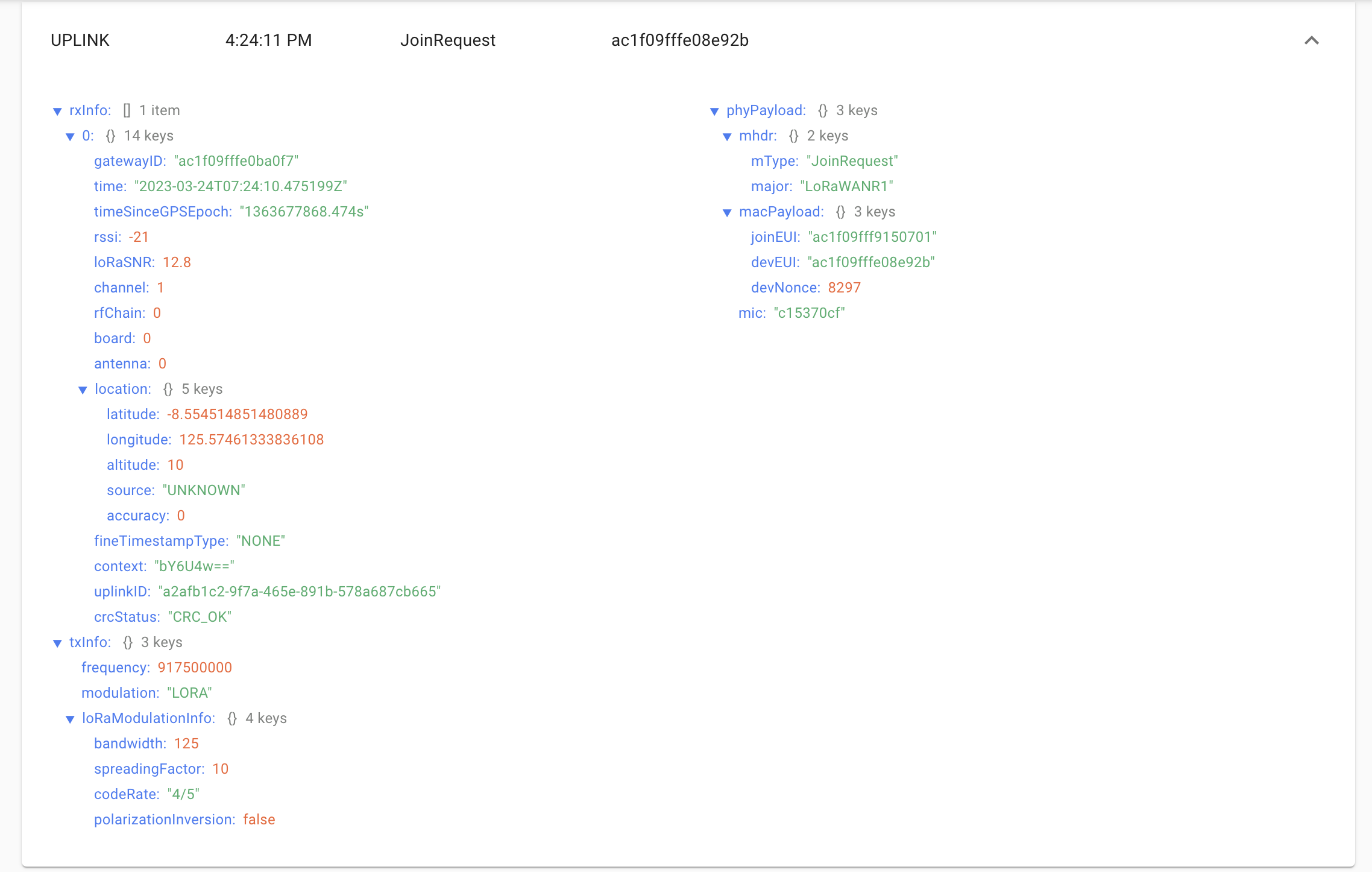
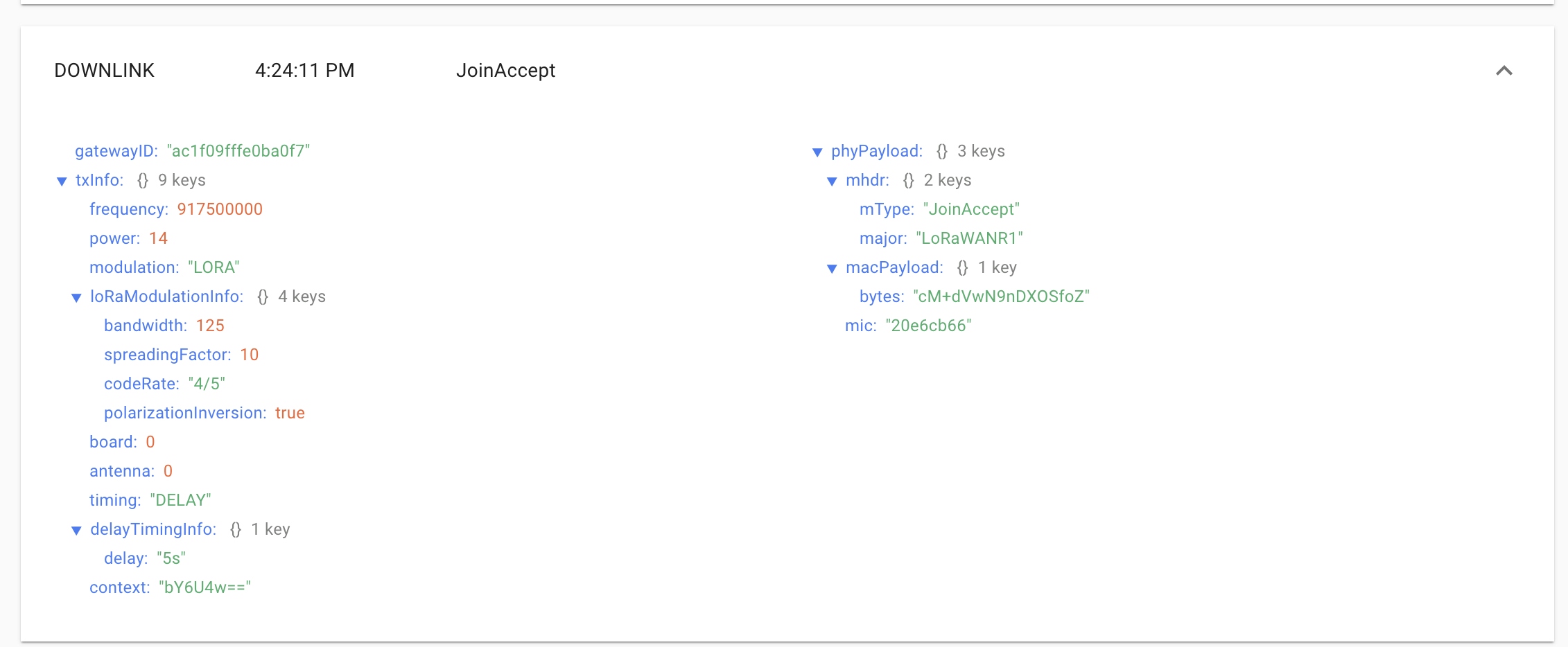
However the field tester is not detecting any GW nor providing any useful information. Possibly it’s a different issue? Any idea?
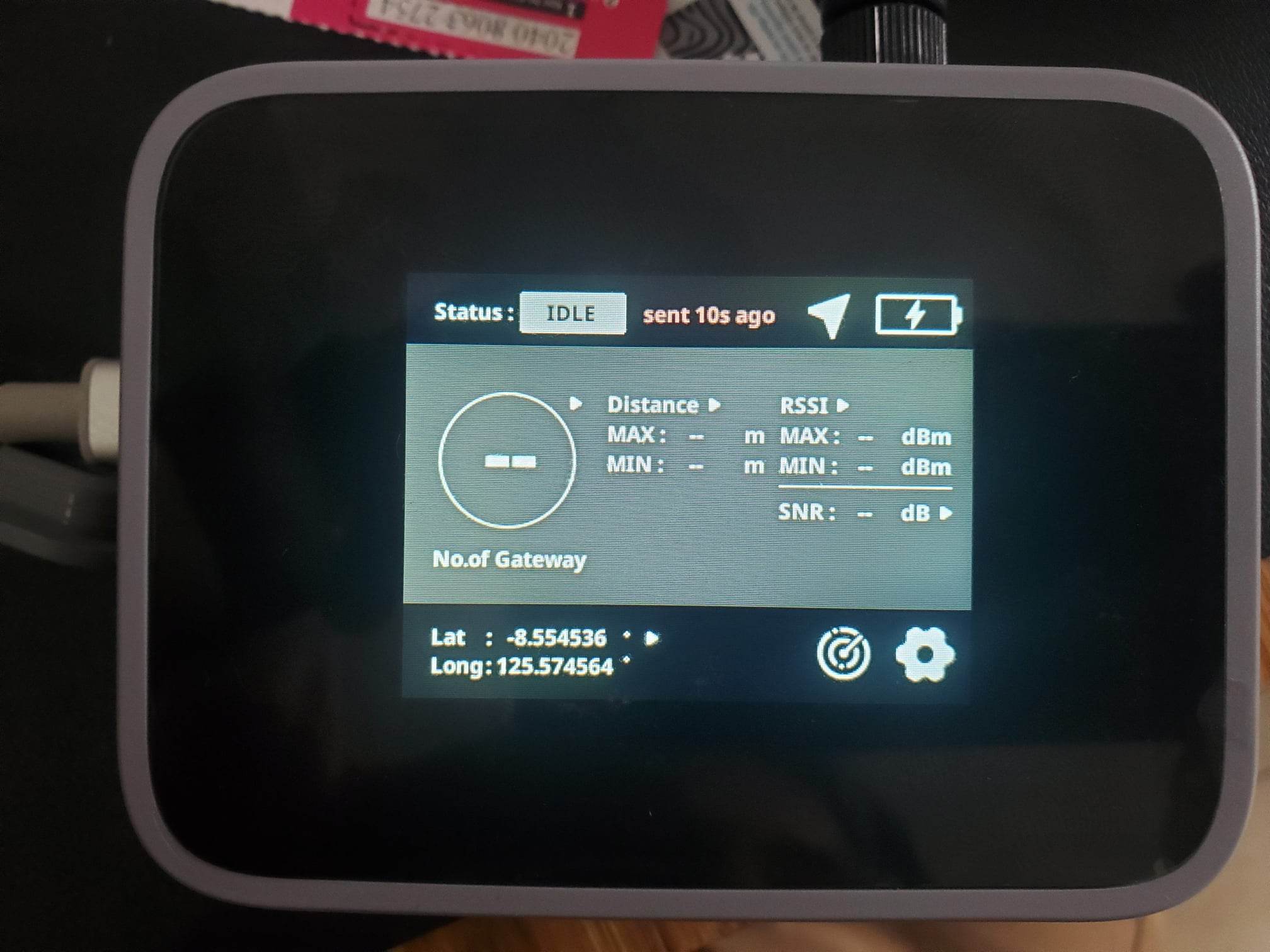
Thanks for the support, it’s my first time dealing with these equipments and this thread was really useful!
The two messages in your screenshots are the Join request and Join accept messages.
Do you see any other messages after that?
Do you see any messages of the Device in Datacake in the Debug tab?
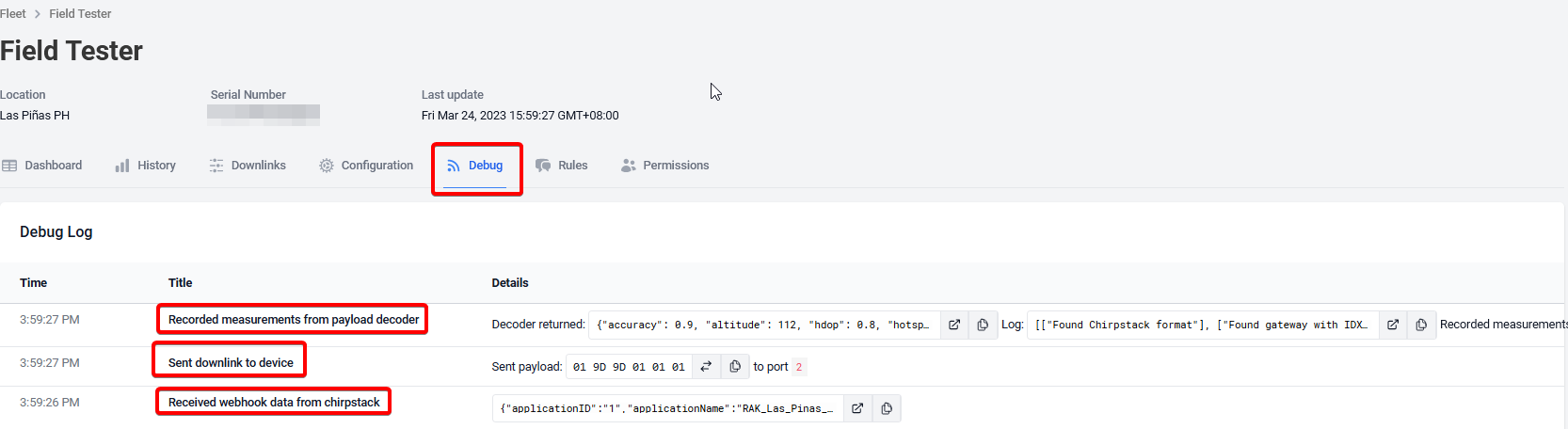
Unfortunately the answer is simple: I do not.
What am I missing?
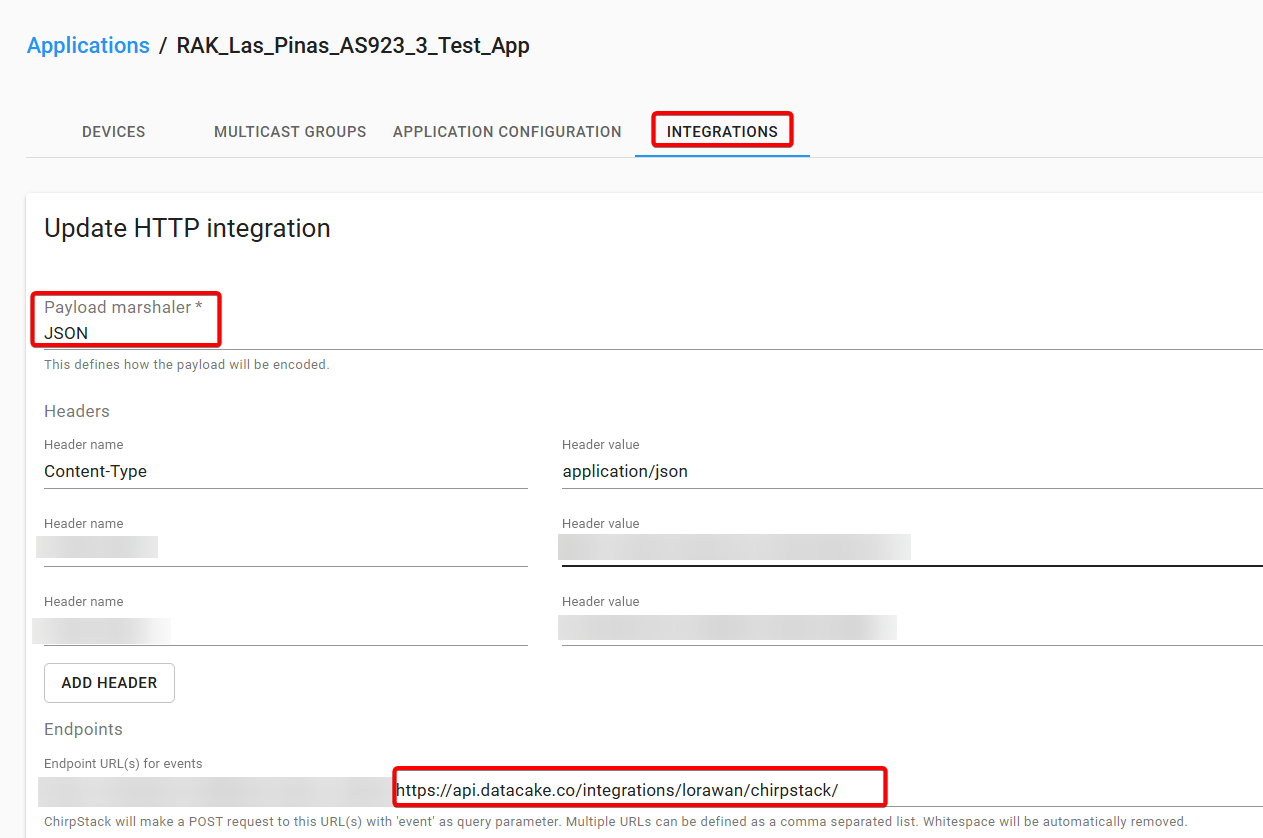
Did you add Datacake as integration in the Chirpstack Server?
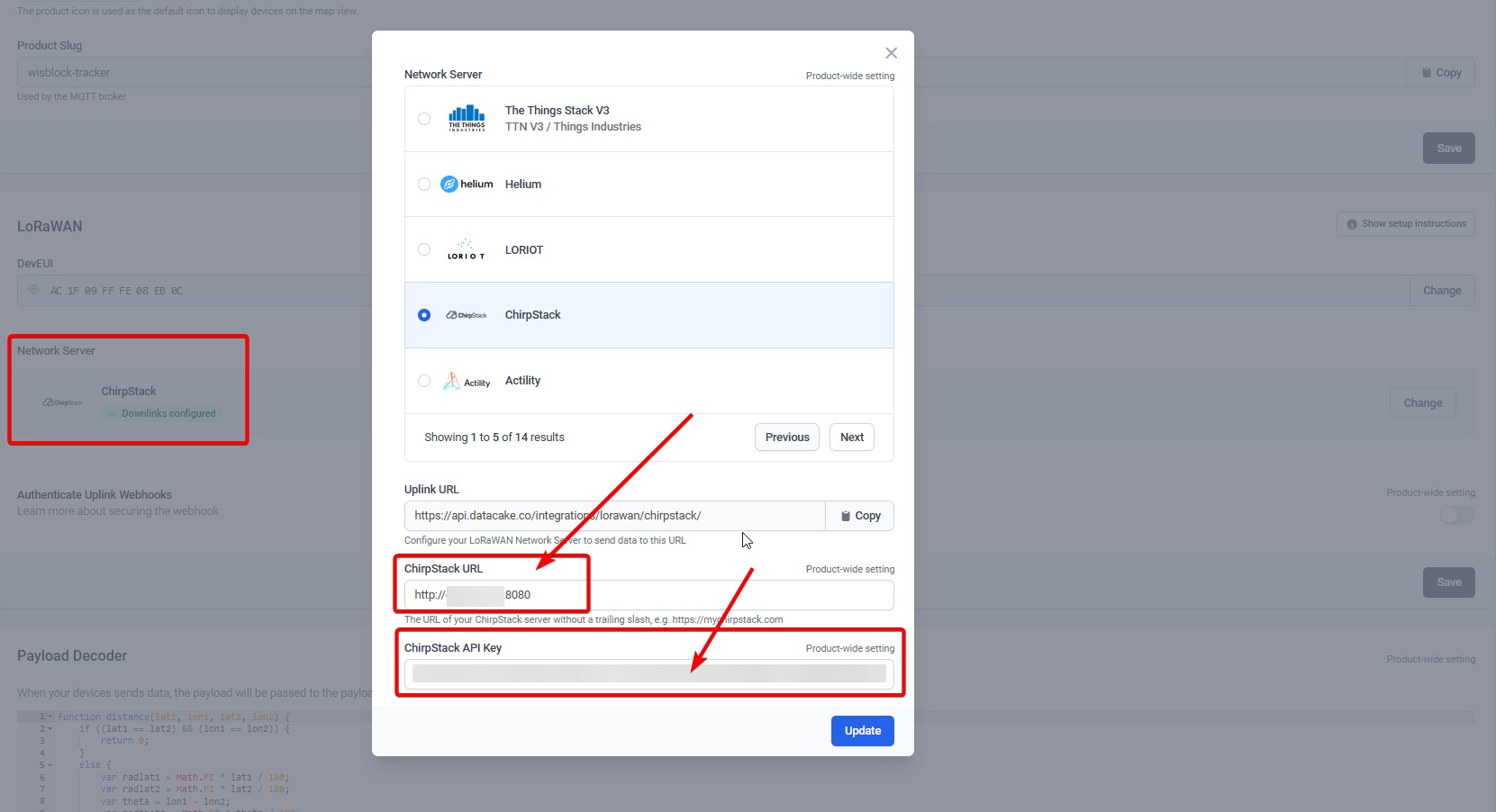
Did you define the the URL of the Chirpstack server in Datacake => Device => Configuration => Network Server? And did you enter the API Key that you created in Chirpstack?
Apologies for the delay, I got sidetracked with other work things.
Yes, everything is configured as you are saying.
I configured the Chirpstack URL as: http://server-hostname:8080
Now I’m getting the following error code:
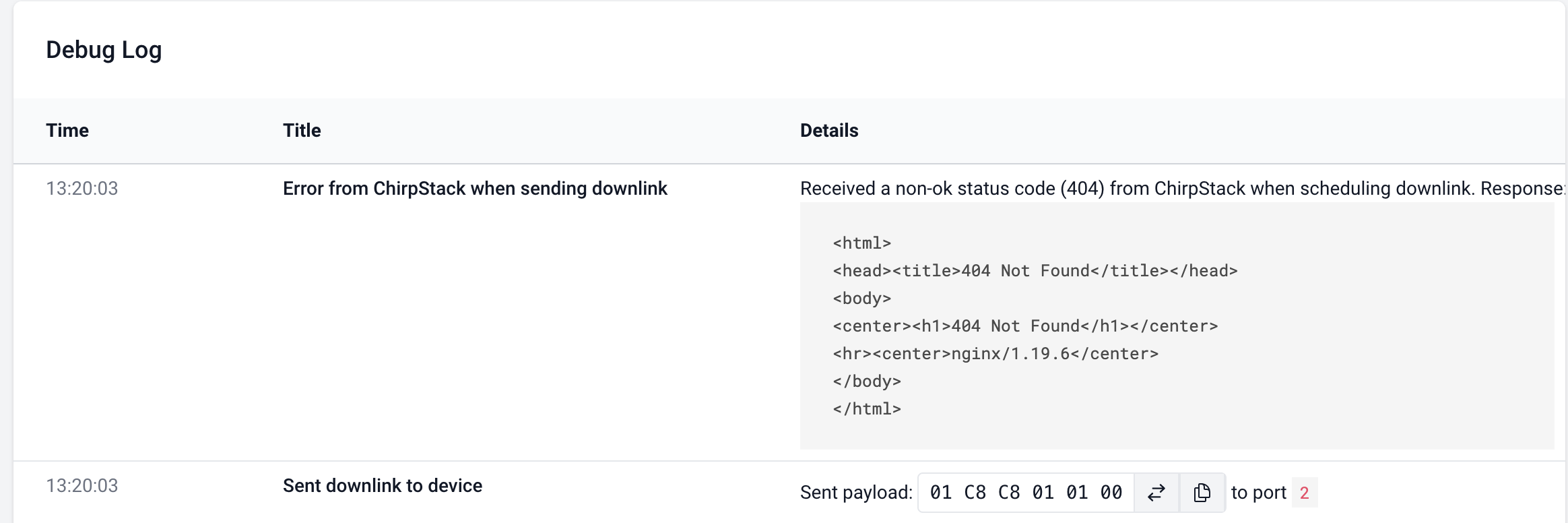
At least now I’m getting a response from Chirpstack… although its a 404 lol
Any suggestion?
Where did you install Chirpstack?
Can it be accessed from WAN? Are the ports open?
I have a Chirpstack local in my home network, Datacake cannot send data to it, because I cannot open the ports from LAN to WAN.
My second Chirpstack is on a VPN and the ports are open. Datacake can communicate with it without problems.