
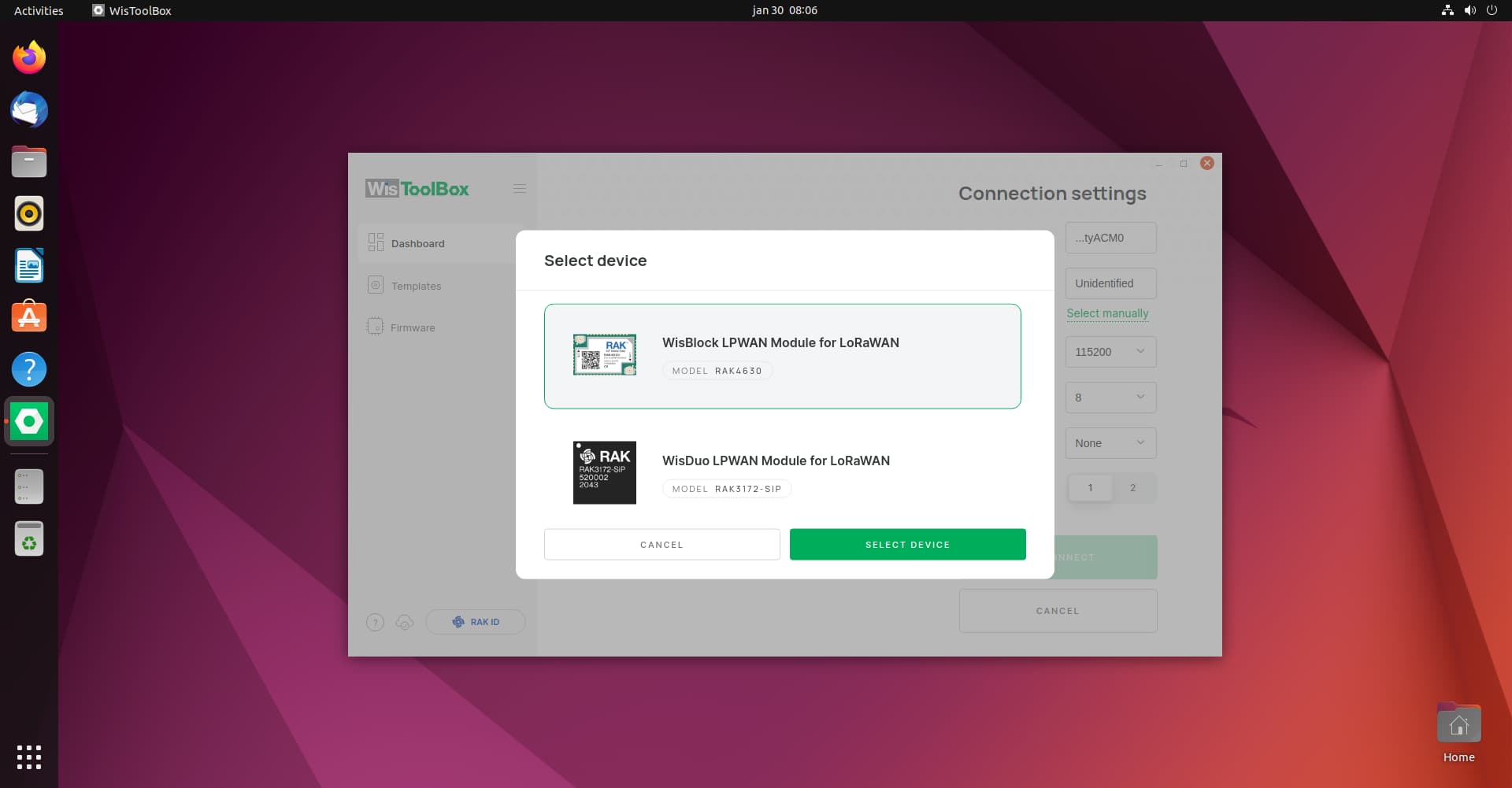
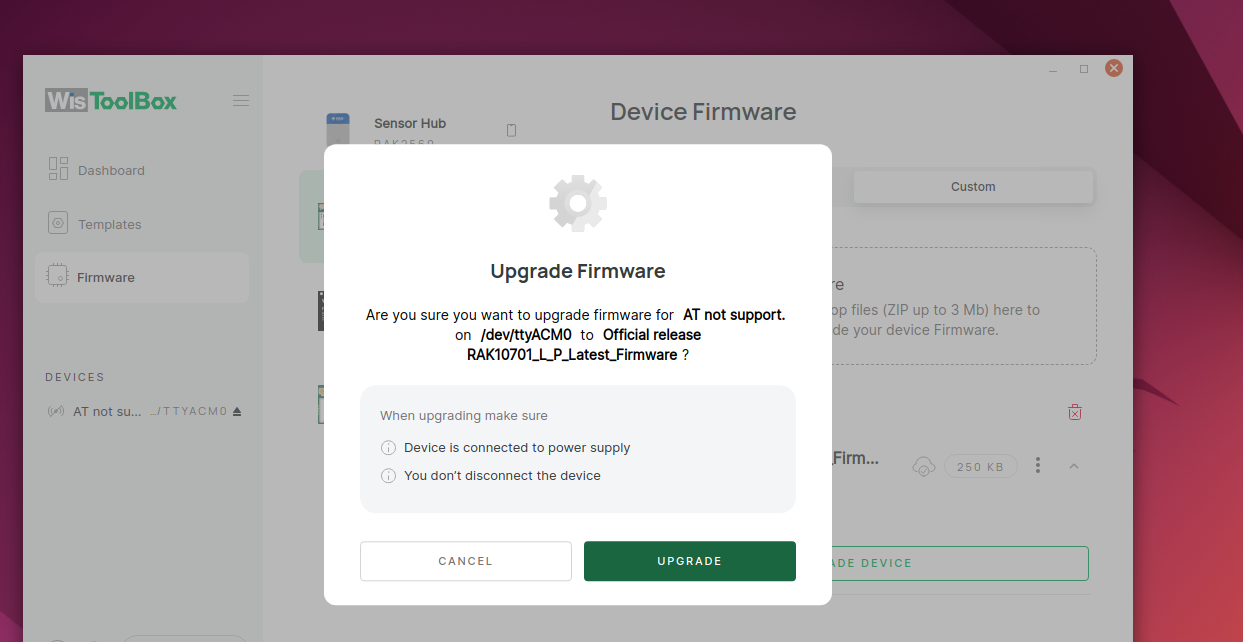
Hi carlrowan, I tried using the wistoolbox on a Mac yesterday and today using a Ubuntu machine. Results are the same, see below screenshot that shows the weird display.

replying to the question about the Android app, I’m referring to the WisToolBox App, the official one from RAK Wireless
Hi @rjwelling ,
Based on the sequence you did, you use WisToolBox to update the firmware but likely you upload the baseline RUI3 firmware and not the one specific for RAK10701 (we are improving this side of firmware name).
On your WisToolBox desktop, it shows that the RAK4630 is not detected via AT command.
I have some questions:
- When you uploaded the firmware via WisToolBox App previously, was it successful?
- Can you still detect the device via WisToolBox App? It will look like
RAK.xxxxxx(mine is RAK.059B63). If not, ensure that the Bluetooth and GPS is on. Then you can press the reset button on the right side of the USB connector of the device using a small screw driver or pointed tweezer while the WisToolBox is searching for device/s. - When you attempted using the WisToolBox Desktop, can you please confirm that the selected port is correct (if there are multiple ports).
- Have you charged the device before doing any connection test? Maybe at least 1 hour charging. Attempting to connect via bluetooth while USB cable is connected should be fine.
With regards to the suspicion of bricked module inside, there is no way to recover it unless we use external tools like jlink or rakdap1. However, before using any external tools, I will suggest to disconnect the battery and put it back again and see if AT commands will be detected by WisToolBox.
Hi Carl, allow me to answer the questions in the same order as stated;
0:) my very first attempt to update the firmware was done by using the WisToolBox Android App and there things went wrong.
1/2:) twofold, went wrong with Mobile WisToolBox app and I can’t find the device using Bluetooth (BLE) when pressing the reset button.
3) the port /dev/ttyACM0 is the correct one and using the desktop version of the WisToolbox it’s able to find it but trying to flash it fails after about 10 sec.
4) I left the device charging for a full night before using it for the first time as per manual. I will disconnect the battery (haven’t tried that yet… due to warranty so if you’re OK I’m happy to do so.
I will keep you posted.
Carl, tried everything you suggested so I guess we can classified it as “bricked”
To add, would it make sense to replace the RAK4630 with a new one and flash it with the proper firmware?
/rw
Hi @rjwelling ,
We can say the device is bricked but the PC still detects it as a Serial device since it shows /dev/ttyACM0. There is a very good chance that it can still be revive by using Jlink or RAKDAP1.
However, if you do not have these external hw tools, replacing the RAK4630 and uploading the RAK10701 firmware will surely make your RAK10701 device working again.
super, let me order a RAK4630. will keep you posted. I got all the right tools & antistatic to replace it.
1 Like
good news, with replacing the bricked module I’m online again.
A thing to consider: don’t try flash the firmware with a virtual machine using (USB) resources from it’s host. That makes it failing almost immediately.
1 Like
I believe I have the same issue where I uploaded the incorrect firmware through the app. Where can I download the RAK 10701 firmware?
I have found the correct firmware here: RAK10701-P Field Tester for LoRaWAN Pro Datasheet | RAKwireless Documentation Center
I also encountered the same problem, thank you very much for your topic
I have the same problem. Used the official iOS App and clicked Firmware upgrade, and selected the only option presented (RAK 4631 I think it was).
Now the device can be connected with the WisToolBox (on Mac), can issue AT Commands, but the device screen is Dead. Cannot connect via Bluetooth any longer, only via USB cable.
It seems Joined to my LoRaWAN network - but doesn’t have any of the feature logic which makes it a Field Tester.
Overall very disappointed in the ease of use for a commercial product.
Tried to download official firmware on Github and also on a RAK Download centre … but Arduino is equally confusing to get it working.
Advice appreciated.
Hi @Log5 ,
Will you be able to try to use the updated WisToolBox v1.4.3?
This should be able to detect the RAK10701-1 automatically and not RAK4631. If you select RAK4631 default firmware, it will be empty so application code for the field tester will be not included.

To solve your case, please follow the procedure here how to upload the RAK10701 using custom firmware - RAK10701-L Field Tester for LoRaWAN Quick Start Guide | RAKwireless Documentation Center
Thanks for your reply and advice. I did not get that far in the documentation. During the setup using USB, I could not get it working with older firmware. So I changed to use the mobileApp. Using the app, I somehow found and installed the wrong firmware.
I used the procedure you linked (thanks).
Note that after this upgrade procedure, I did upgrade again from WisToolbox due to erratic behaviour (missing DevEUI, etc.).
Nevertheless, the device does not join the network. I will continue to investigate. Thank-you for your time and comments.
After resetting to factory settings, the problem reported in Log (Join failed, Rx window timeout … or a message like that) was resolved. So finally it’s Joined onto our private Things Stack.
Problem resolved, replaced with next problem:
The GPS scan produces LoRaWAN uplink with only 6 bytes, and on Port 3. From the documentation this is Discovery Mode … but it never reports on Port 1. The decoder returns an empty set {}, since not enough GPS satellites are received / reported by the field tester. It was outside, and at same location my iPhone reports more than 4 satellites in-view.
Any guidance is appreciated.
Update:
Re-installed firmware, again, this time removed the firmware downloaded in WisToolbox (RAK4630 section), if that made a difference, don’t know.
Now there is a resolved location! Onward to next challenge. Careful when updating old firmware I suppose.
Hi @Log5 ,
It seems your field tester is working ok now. What do you mean by resolved location?
Right now, the discovery mode in TTI has some issues and only known to work on Helium network server. I am not aware if needed updates are already done on disk91 backend to support discovery mode in TTI.
Seems to work, yes.
By “resolved location”, I mean the uplink contained GPS location data. The payload was 10 bytes on Port 1. It just started to send that data, presumably after re-installing firmware.
I did not notice any remote-application downlinks though. Only ACK downlinks since the field tester is setup for Confirmed Uplinks.
Later, it stopped sending uplinks after 2.5 hours. Perhaps that is a default duration sending uplinks?
I have a 2nd Field Tester (from same order, same starting condition), which I just connected onto TTN. Upgraded firmware first, though, carefully.
It is now registered on TTN, and for 40 minutes sent uplinks on Port 3, Discovery Mode, Payload size 6 bytes.
Making progress.