- What product do you wish to discuss? RAK4631, RAK3372, RAK11200, RAK11310, RAK11722?
RAK12002 with RAK4630
-
What firmware are you using? (RUI3 or Arduino BSP or other IDE (e.g. STM32CubeIDE)?
RUI in Arduino -
Computer OS? (MacOS, Linux, Windows)
Windows -
What Computer OS version?
Windows 11 -
Provide source code if custom firmware is used or link to example if RAKwireless example code is used.:
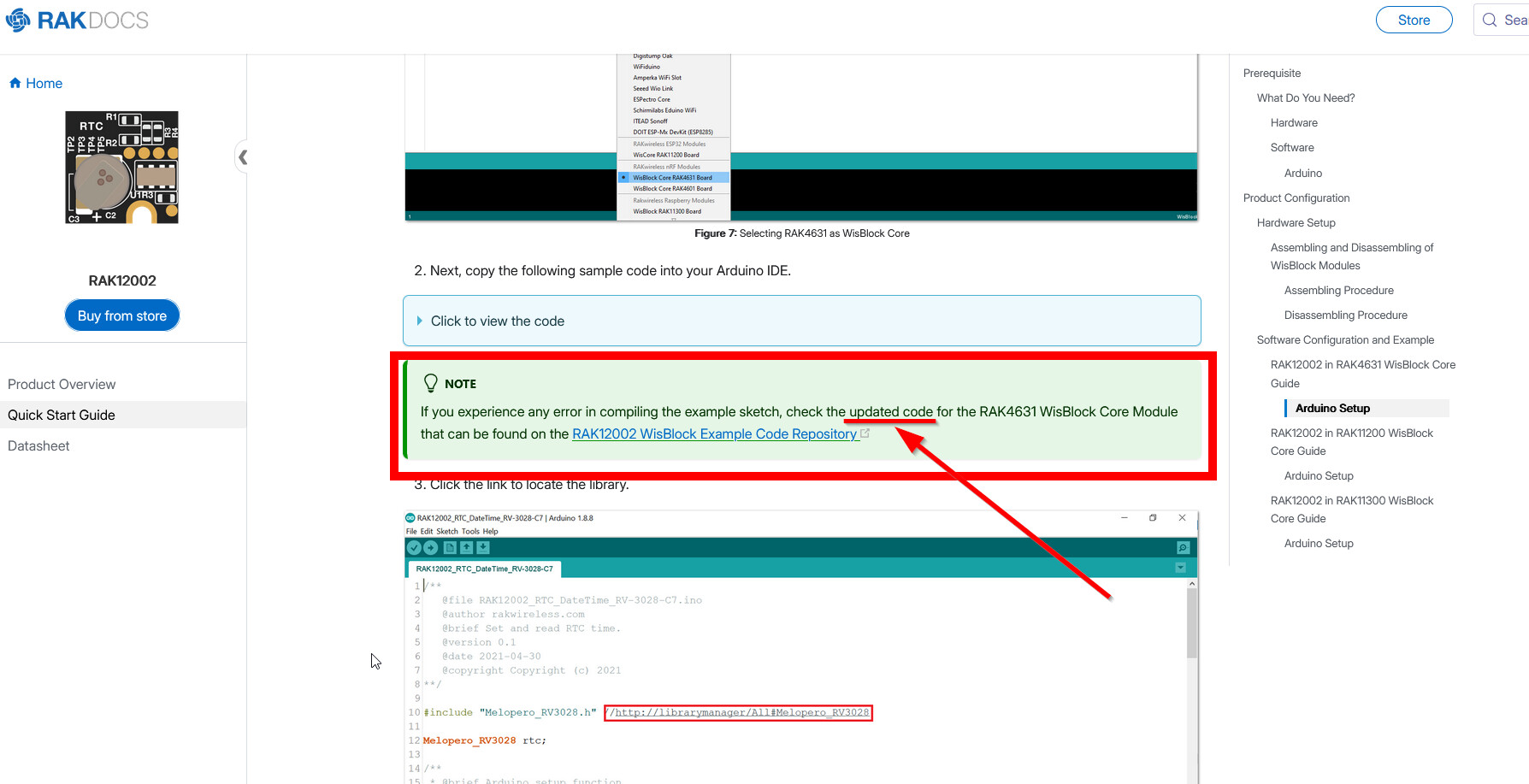
Source code that I used from the following link in RAK:
RAK12002 quickstart
/**
   @file RAK12002_RTC_DateTime_RV-3028-C7.ino
   @author rakwireless.com
   @brief Set and read RTC time.
   @version 0.1
   @date 2021-04-30
   @copyright Copyright (c) 2021
**/

#include "Melopero_RV3028.h" //Click here to get the library: http://librarymanager/All#Melopero_RV3028

Melopero_RV3028 rtc;

/**
 * @brief Arduino setup function
 * @note Called once after power on or reset
 *
 */
void setup()
{
  // Initialize Serial for debug output
  time_t timeout = millis();
  Serial.begin(115200);
  while (!Serial)
  {
    if ((millis() - timeout) < 5000)
    {
      delay(100);
    }
    else
    {
      break;
    }
  }
  rtc.initDevice(); // First initialize and create the rtc device

  rtc.writeToRegister(0x35,0x00);
  rtc.writeToRegister(0x37,0xB4); //Direct Switching Mode (DSM): when VDD < VBACKUP, switchover occurs from VDD to VBACKUP

  rtc.set24HourMode();  // Set the device to use the 24hour format (default) instead of the 12 hour format

  // Set the date and time
  // year, month, weekday, date, hour, minute, second
  // Note: time is always set in 24h format
  // Note: month value ranges from 1 (Jan) to 12 (Dec)
  // Note: date value ranges from 1 to 31
  rtc.setTime(2021, 4, 6, 30, 0, 0, 0);
}

/**
 * @brief Arduino loop function
 * @note Output date and time every second
 *
 */
void loop()
{
  Serial.printf("%d:%d:%d %d/%d/%d \n",rtc.getHour(),rtc.getMinute(),rtc.getSecond(),rtc.getYear(),rtc.getMonth(),rtc.getDate());
  delay(1000);
}
Running the exact code give us the following results:
C:\Users\Gilberto\AppData\Local\Temp\.arduinoIDE-unsaved202656-57884-1gbs2kt.wpyi\sketch_jun6c\sketch_jun6c.ino: In function 'void setup()':
C:\Users\Gilberto\AppData\Local\Temp\.arduinoIDE-unsaved202656-57884-1gbs2kt.wpyi\sketch_jun6c\sketch_jun6c.ino:35:7: error: 'class Melopero_RV3028' has no member named 'initDevice'
   35 |   rtc.initDevice(); // First initialize and create the rtc device
      |       ^~~~~~~~~~
exit status 1

Compilation error: 'class Melopero_RV3028' has no member named 'initDevice'
I used the following code to detect the RTC in my custom PCB and this one worked properly:
#include <Wire.h>

void setup()
{
  Serial0.begin(115200, RAK_AT_MODE);
  delay(2000);

  Wire.begin();

  Serial0.println("RAK4630 - I2C Scanner");
  Serial0.println("------------------------------------------------------");
}

void loop()
{
  byte error, address;
  int nDevices = 0;

  Serial0.println("Scanning...");

  for (address = 1; address < 127; address++)
  {
    Wire.beginTransmission(address);
    error = Wire.endTransmission();

    if (error == 0)
    {
      Serial0.print("I2C device found at address 0x");
      if (address < 16) Serial0.print("0");
      Serial0.print(address, HEX);
      if (address == 0x52) Serial0.println("  <-- RV-3028-C7 RTC");
      else                 Serial0.println();
      nDevices++;
    }
    else if (error == 4)
    {
      Serial0.print("Unknown error at address 0x");
      if (address < 16) Serial0.print("0");
      Serial0.println(address, HEX);
    }
  }

  Serial0.println(nDevices == 0 ? "No I2C devices found" : "done");
  Serial0.println("------------------------------------------------------");
  delay(5000);
}
If you read the library, it has an outdated README.
Do you have updated codes and examples?