
Help!
I’m no my second 19007 board form use with LoRa 4631 module. Both times my board has worked fine and I have been able to flash Meshtastic firmware to the board via my computers USB port. But after a couple of weeks when going to update the firmware the board when plugged into the PC produces magic smoke and a component on the bottom burns out. The second board and the second time it happened I was able to get the attahed picture. I was almost expecting this to happen same as last time. I attached a bear board with only antennas connected, and of course the component got red hot and burnt out. Has anyone else had this happen? I have another RAK 19007 board with a 4631 module happily chugging away up in a solar node on my roof and never had this issue when I have had to reflash firmware on this computer. How do I go about rectifying this?
Welcome to the forum @Soupbones
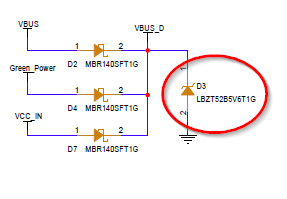
The component that is “burning” is D3, a zener diode that limits the incoming voltage 5.6V (upper limit of the charger chip).
If that diode is failing, it means there is a voltage much higher than 5.6V coming from your USB connection.
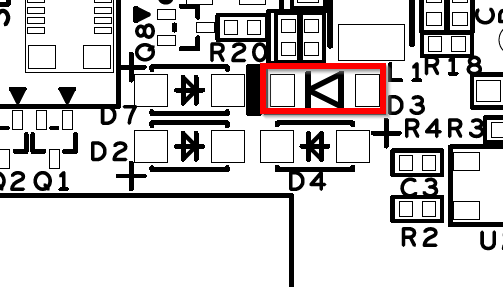
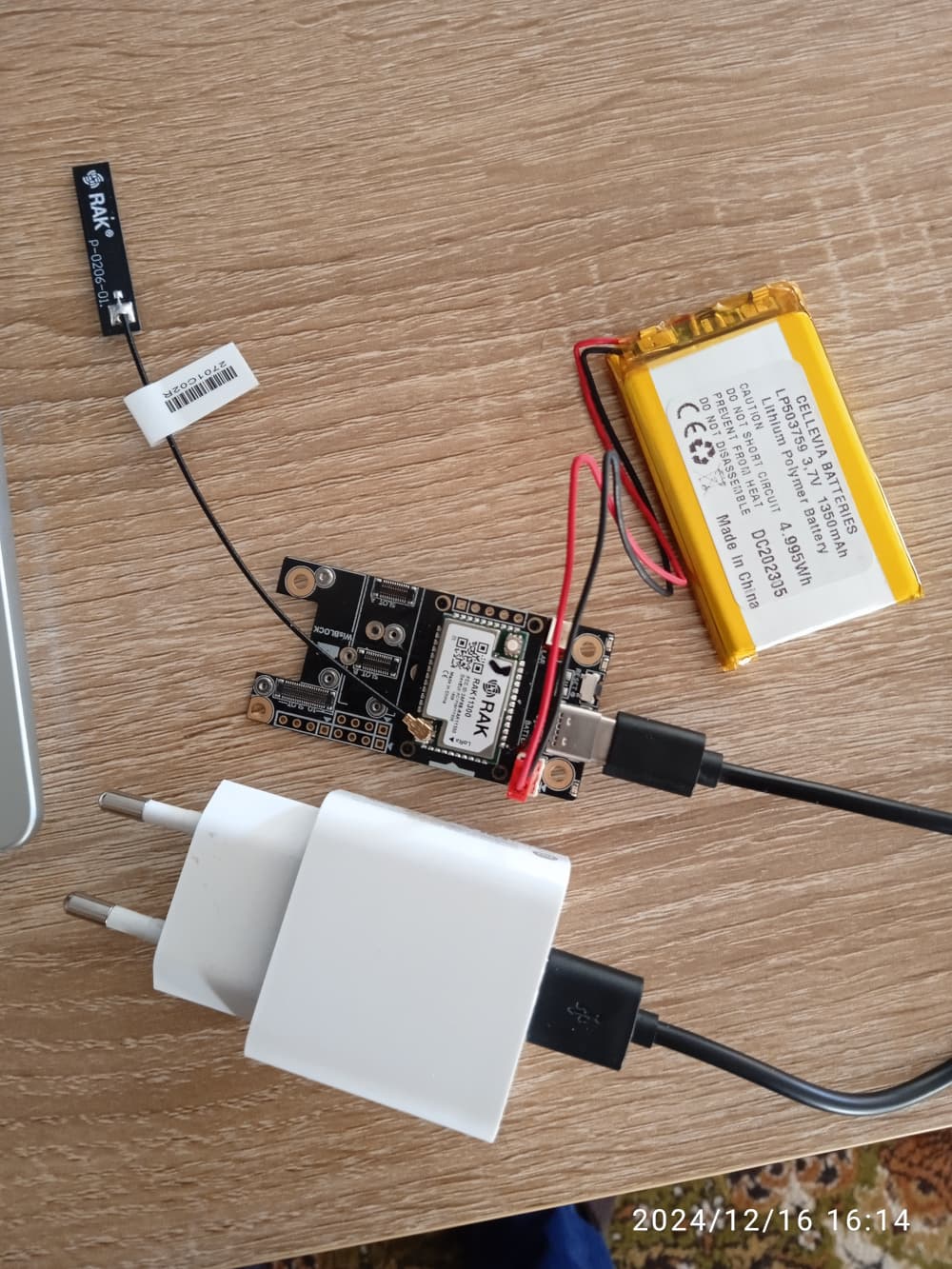
Hello, almost the same problem on the same board. I want to charge my battery. I read the instructions on Quick start guide and it says “The charger circuitry can be connected to a wall outlet charger through the Type-C USB connector”. So i connect my cell phone charger to the wall outlet, connect it to the board and i also connect my (new) battery to the board. My charger says output 5V 2.0A 10.0 W. Then the heat goes up very fast, almost burns my fingers so i unplug it. What am i doing wrong? Maybe the Amps output is higher?
Welcome to RAK forum @hercules ,
The polarity if your battery is wrong.
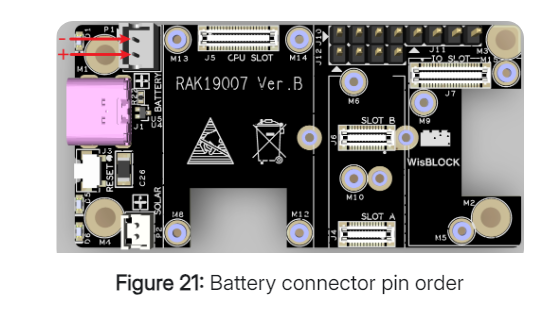
You can check on the quick start guide the polarity of the battery connector.
1 Like
Thanks a lot!!! Your figure with the pin order helped me!!
Thanks for the info on this Diode. Any chance you have a part number or specs for it so I can buy a replacement? I have a board where that diode popped & cracked when I connected a battery backwards. Looks like it said “W9” on it? Would be great to find a replacement and try to save the board.
Edit: saw the number on the circuit diagram: LBZT52B5V6T1G
I can’t find anything with that exact string, but did find something with part of the string:
https://www.digikey.com/en/products/detail/shenzhen-slkormicro-semicon-co-ltd/BZT52B5V6/26802515
Any reason that wouldn’t work?
Welcome to RAK forum @csadams ,
You can use the one on the link from digikey that you shared. They are same package and zener voltage. Btw, you might also have to check other components as they might be impacted as well even not physically obvious. For example, the diodes MBR140SFT1G can be damaged (or partially damaged) due to the high current that destroyed the zener (assuming overvoltage is the one that killed the zener).
1 Like
I had the same problem with that diode burning out and measuring a short with a multimeter. I just desoldered the diode and the board worked. I double checked the USB voltage on my Intel NUC PC and it is a steady 5.035 to 5.037 volts, so I doubt the diode burning out was caused by the USB voltage. Maybe putting a zener on VBUS_D is a bit of a crude or design? Adding a polyfuse would make it more elegantly recover from voltage spikes?