RAK2560 + RK900-09: Manual FETCH DATA shows wind correctly, periodic uplink sends wind=0

I’m troubleshooting a RAK2560 Sensor Hub + RK900-09 ultrasonic weather sensor and need help isolating what looks like a periodic-uplink bug.

Hardware / firmware

  • Hub model: RAK2560-hub
  • Hub FW seen in app: v1.2.27
  • Probe model: RAK2560-io
  • Probe FW seen in app: v1.2.27
  • Sensor label: RK900-09, RS485, supply 12–24VDC
  • Wiring per label:
    • Red=V+
    • Black=V-
    • Yellow=485A
    • Blue=485B
  • Power: stable external 12V supply

Network / TTN

  • OTAA
  • US902-928 (FSB2), LoRaWAN 1.0.3, RP001-1.0.3-A

Core issue

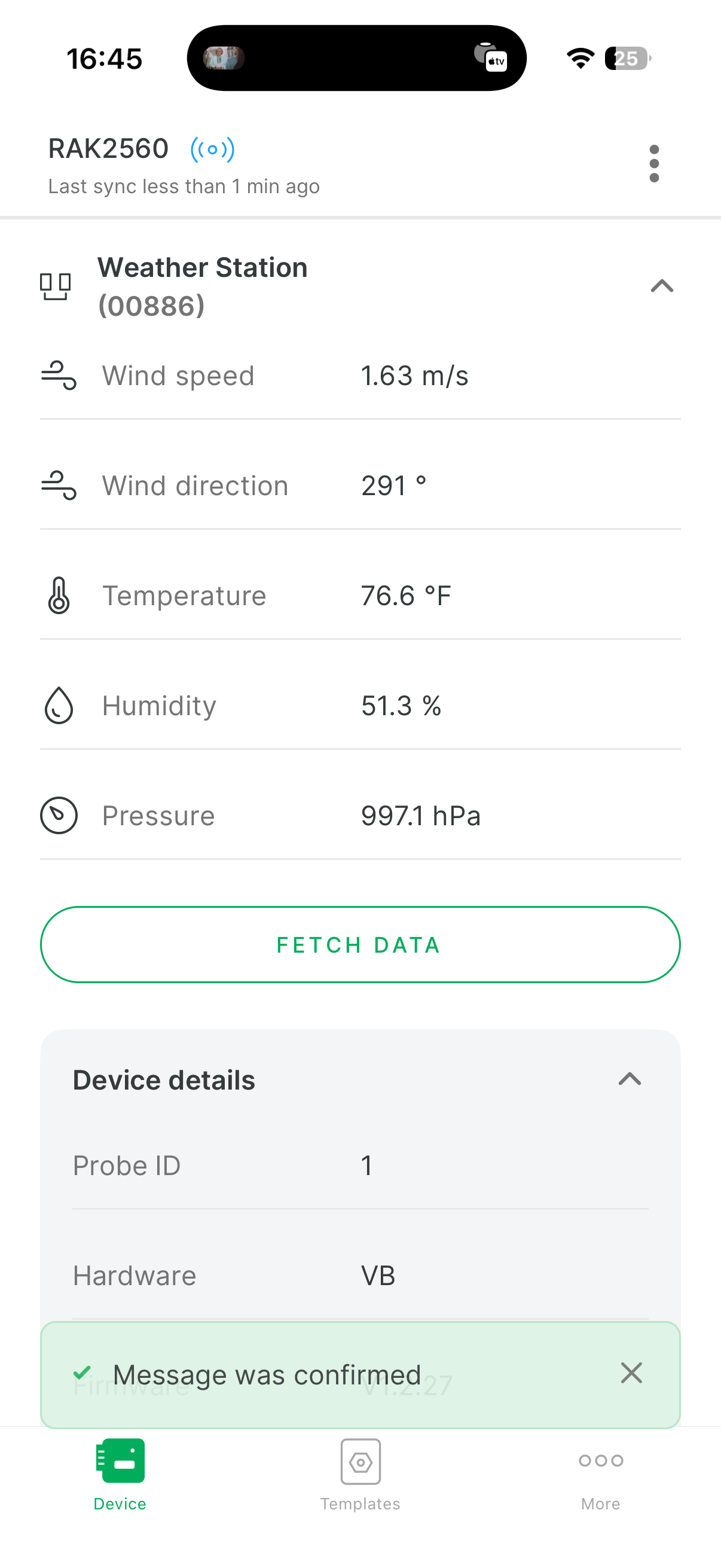
  • In WisToolBox, manual FETCH DATA works and shows nonzero wind.
  • But periodic uplinks often send wind_speed_1=0 and wind_direction_2=0.
  • Other fields still look valid (temp/humidity/pressure update).

Runtime evidence

I captured uplinks with both behaviors:

  1. Nonzero wind packet:
  • wind_speed_1: 1.63
  • wind_direction_2: 291
  • temperature_3: 24.8
  • humidity_prec_4: 51.7
  • barometer_5: 997.1
  1. Later periodic packet (same device/session family):
  • wind_speed_1: 0
  • wind_direction_2: 0
  • temperature_3: 24.8
  • humidity_prec_4: 52
  • barometer_5: 997.0

What I already tried

  • Verified power/wiring and sensor label specs.
  • Confirmed sensor works in app under fan airflow.
  • Restored Sensor Probe defaults.
  • Set periodic uplink mode cleanly (interval set, threshold modes disabled).
  • Power-cycled device.
  • Rejoined/reprovisioned device in TTN.
  • Decoder path verified (RAK standardized payload keys are present).

Why this seems firmware/scheduler-related

Manual read path gives real wind values, while scheduled/report path intermittently/consistently reports wind zero.

Ask

  • Is this a known issue on RAK2560-io / v1.2.27 periodic uplink path?
  • Is there a newer probe/hub firmware (including beta) that addresses this?
  • Any recommended probe-side AT/config command to force periodic task to use fresh Modbus wind registers?

Welcome to the forum @tobidogger

It is a limitation of the sensor itself. Due to its resolution of ±0.5m/s, every measured wind speed below 0.5m/s is transmitted as 0.

This is a hardware restriction, so there is no firmware fix possible.

Uplink periods can only be set from WisToolBox, as shown in the documentation.

So something must not have been clear in my posted question the device has been outside for over a month through multiple massive windstorms and it is currently sitting back inside my house in front of a fan. If I hit the fetch data button it records wind that’s approximately accurate however in the entire time it was outside it never reported anything but zero once so there’s definitely something wrong. I positioned a second wind sensor next to it to see what was happening and that wind sensor reported multiple very large scale, wind events in that same period and is consistently reporting wind. So there have been multiple instances where it should’ve been reporting something but instead of constantly report zero. More than multiple dozens and dozens.

For instance, right now if I hit fetch data, it tells me that the wind is about 3 m/s. It has not reported anything but zero for the last 36 hours, even though it’s been in front of a fan on my workbench.

So for instance in the last day hours the wind has been reported as zero, unless I go into WisToolBox and hit fetch data, then I get one reading of the wind being non zero on LoRaWAN. That value is 1.63…I get 1.63 sent out, but since it is sitting in front of a fan, it is not zero…yet for most of the day I got zeros.

So something is wrong…it just never reports wind unless I hit fetch data. But I know the sensor is working because it gets a reading when I hit fetch. And since it is sending 0 I know it is doing a periodic send correctly, but there appears to be a software or config defect which is preventing a true value from being sent.

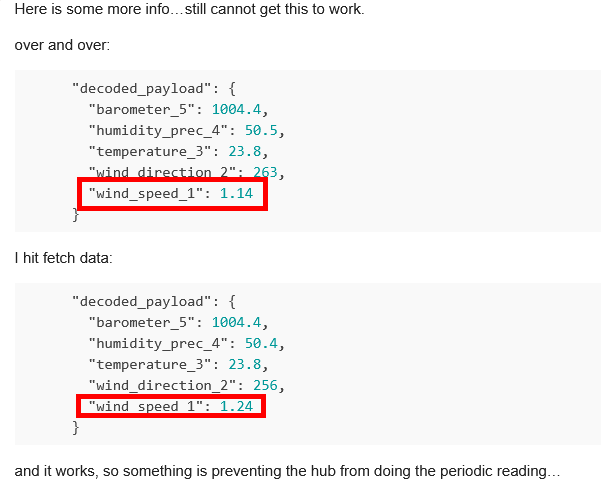
Here is some more info…still cannot get this to work.

over and over:

      "decoded_payload": {
        "barometer_5": 1004.4,
        "humidity_prec_4": 50.5,
        "temperature_3": 23.8,
        "wind_direction_2": 263,
        "wind_speed_1": 1.14
      }

I hit fetch data:

      "decoded_payload": {
        "barometer_5": 1004.4,
        "humidity_prec_4": 50.4,
        "temperature_3": 23.8,
        "wind_direction_2": 256,
        "wind_speed_1": 1.24
      }

and it works, so something is preventing the hub from doing the periodic reading…

Not sure I understand this:
image
It shows a wind speed in both data sets.

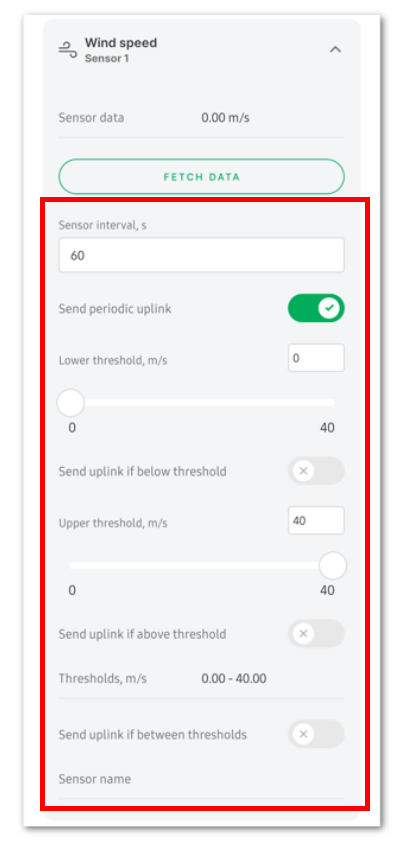
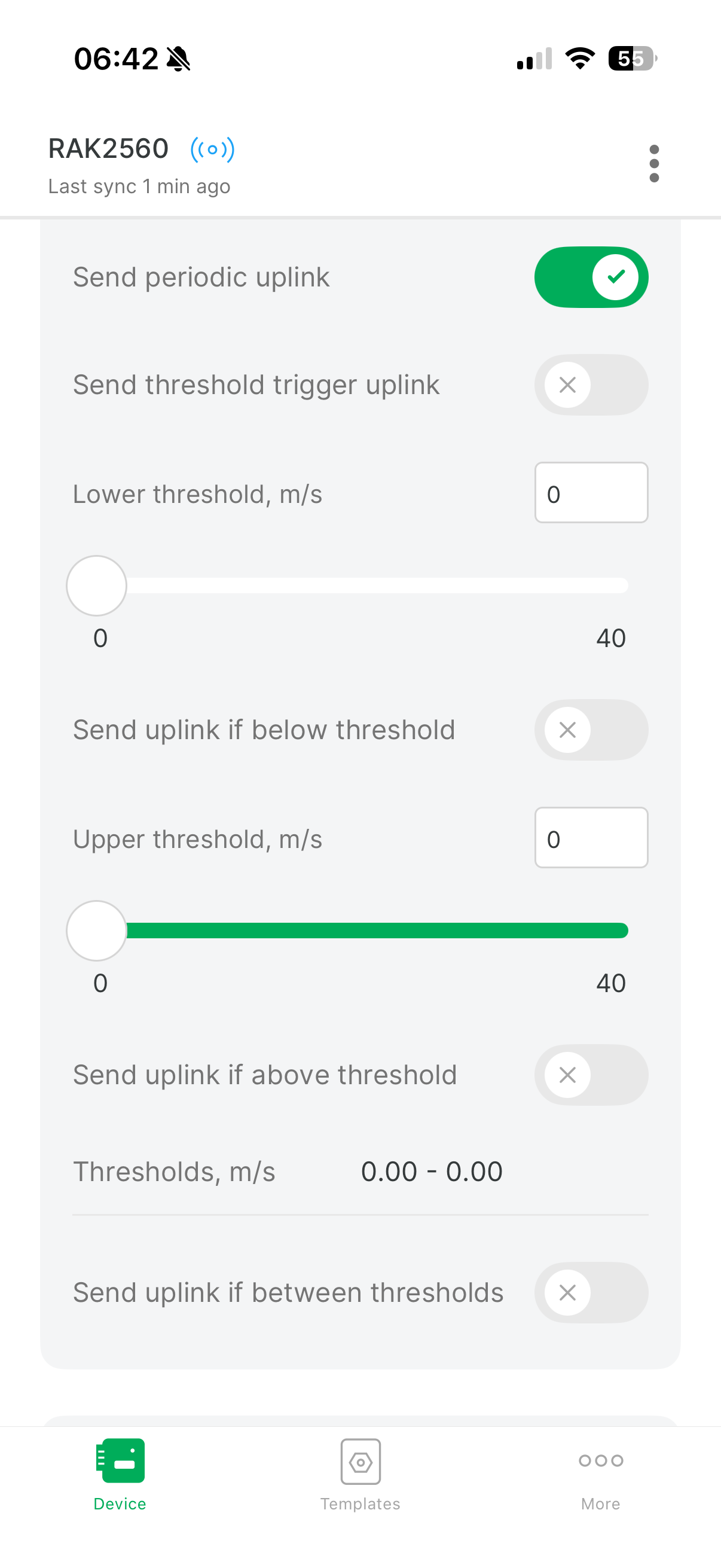
What are your other sensor settings?

oops a paste error…sorry about that, should have put my glasses on! HAHAHA

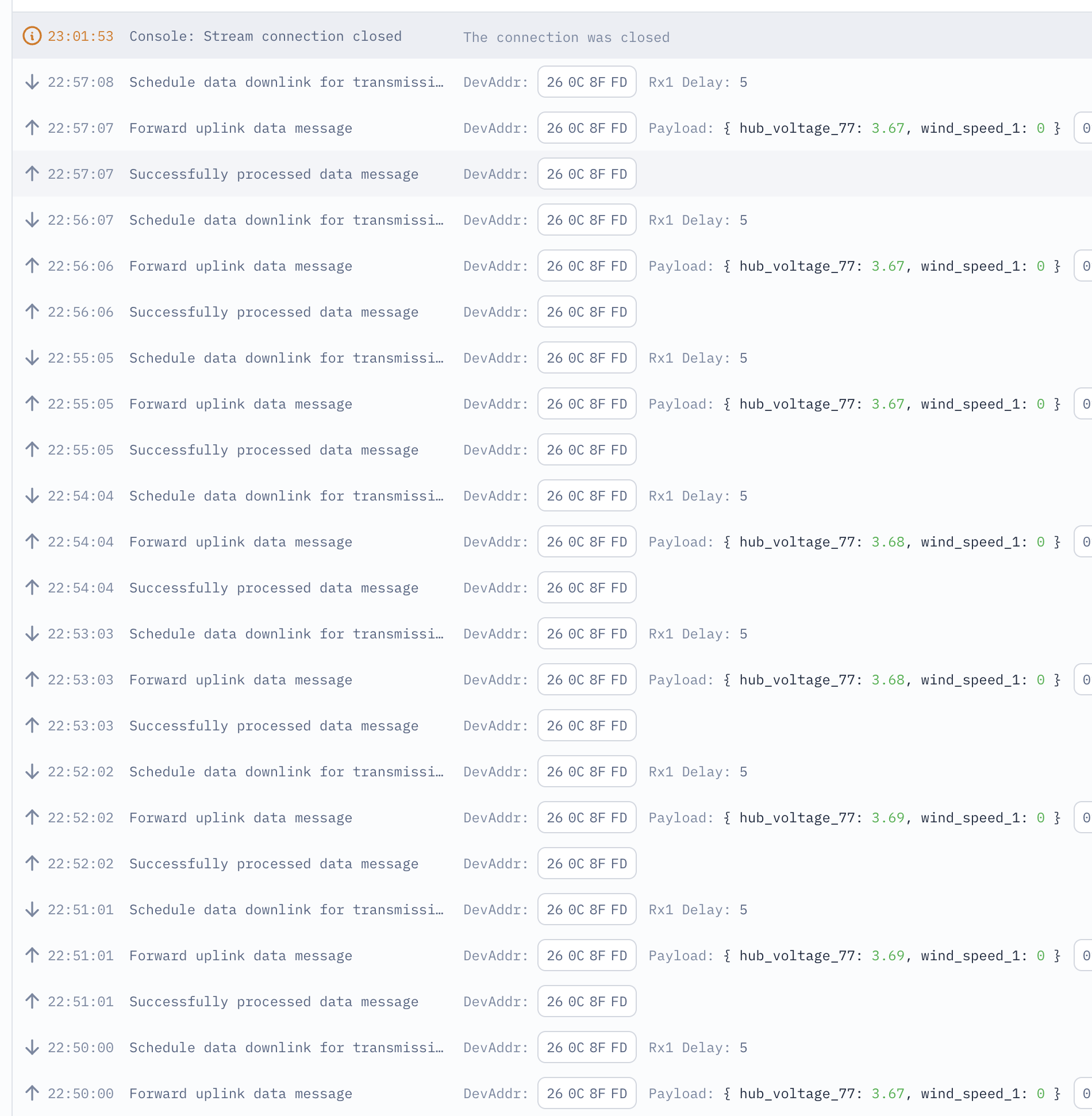
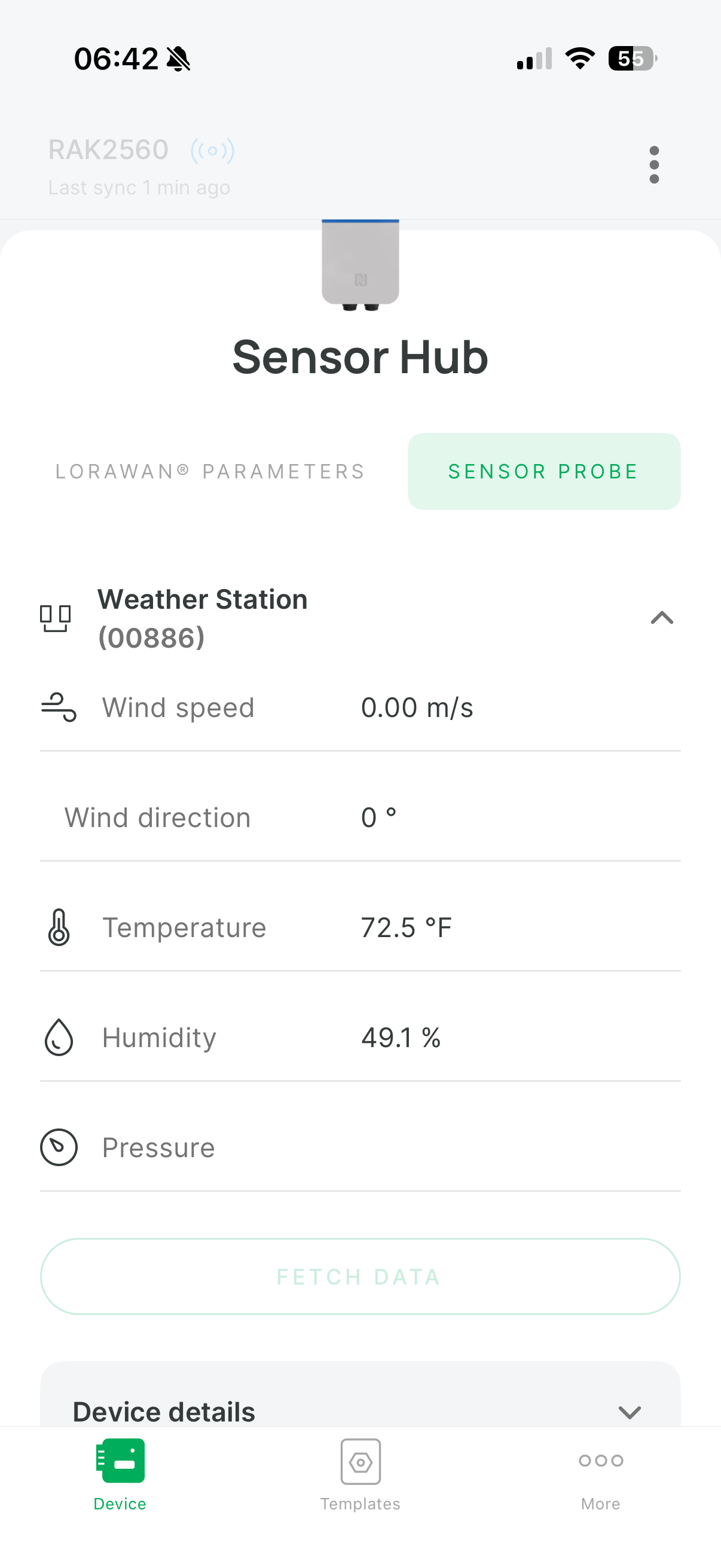
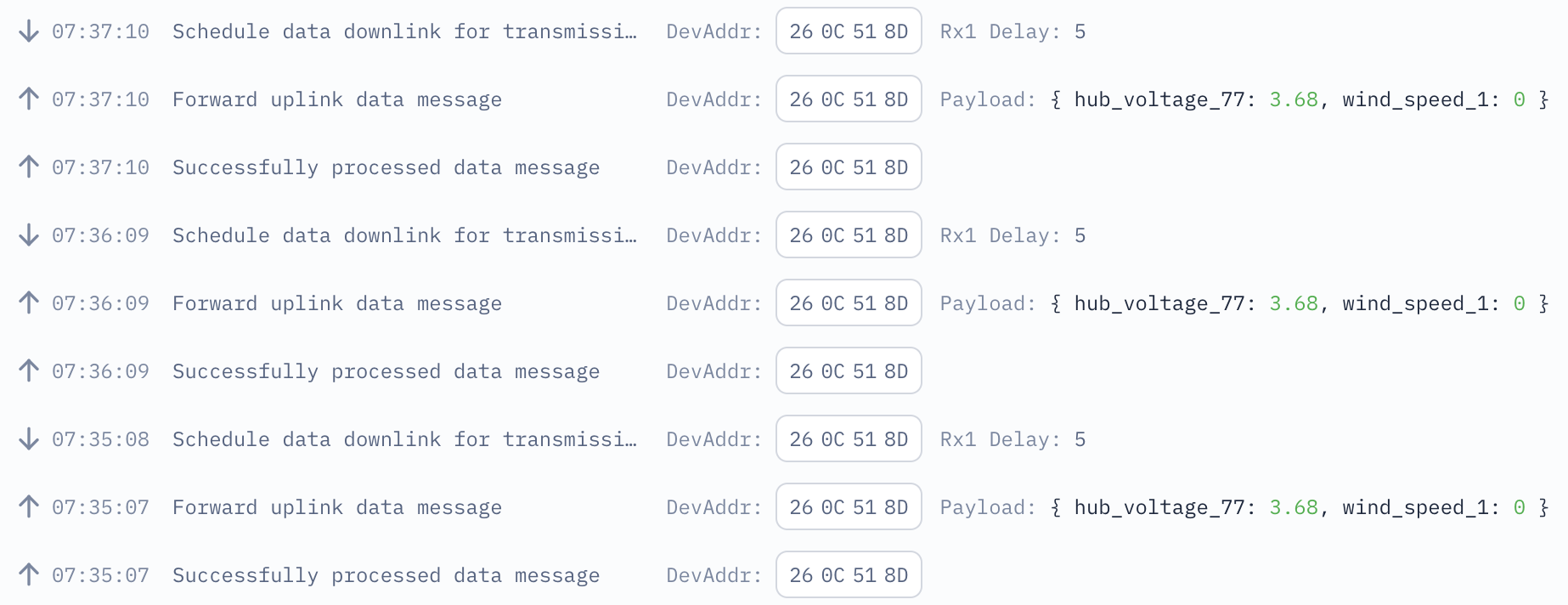
Here is a screen shot showing many 0 readings, again it is sitting in front of a fan and if I hit fetch it reads somewhere around 1.5 +/-.

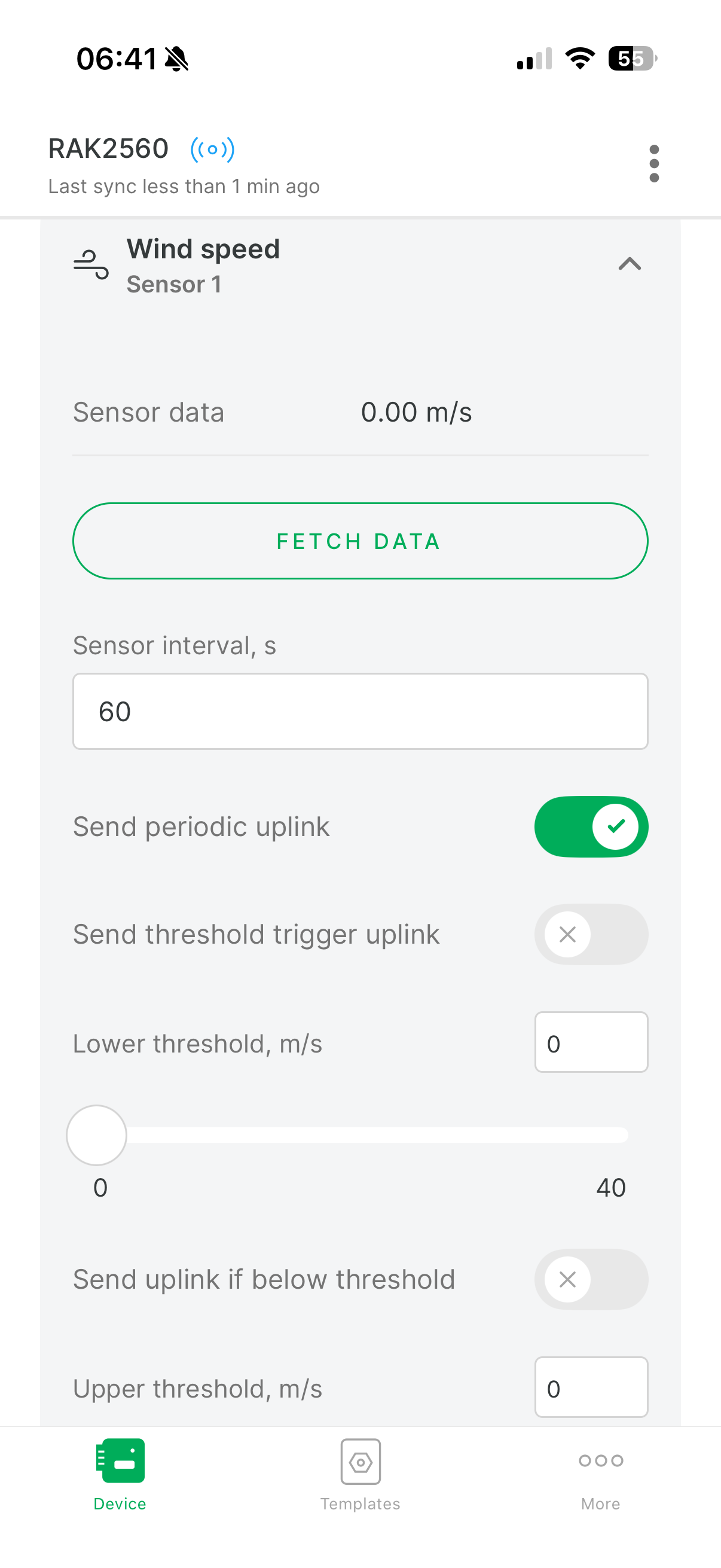
here are the settings for wind:


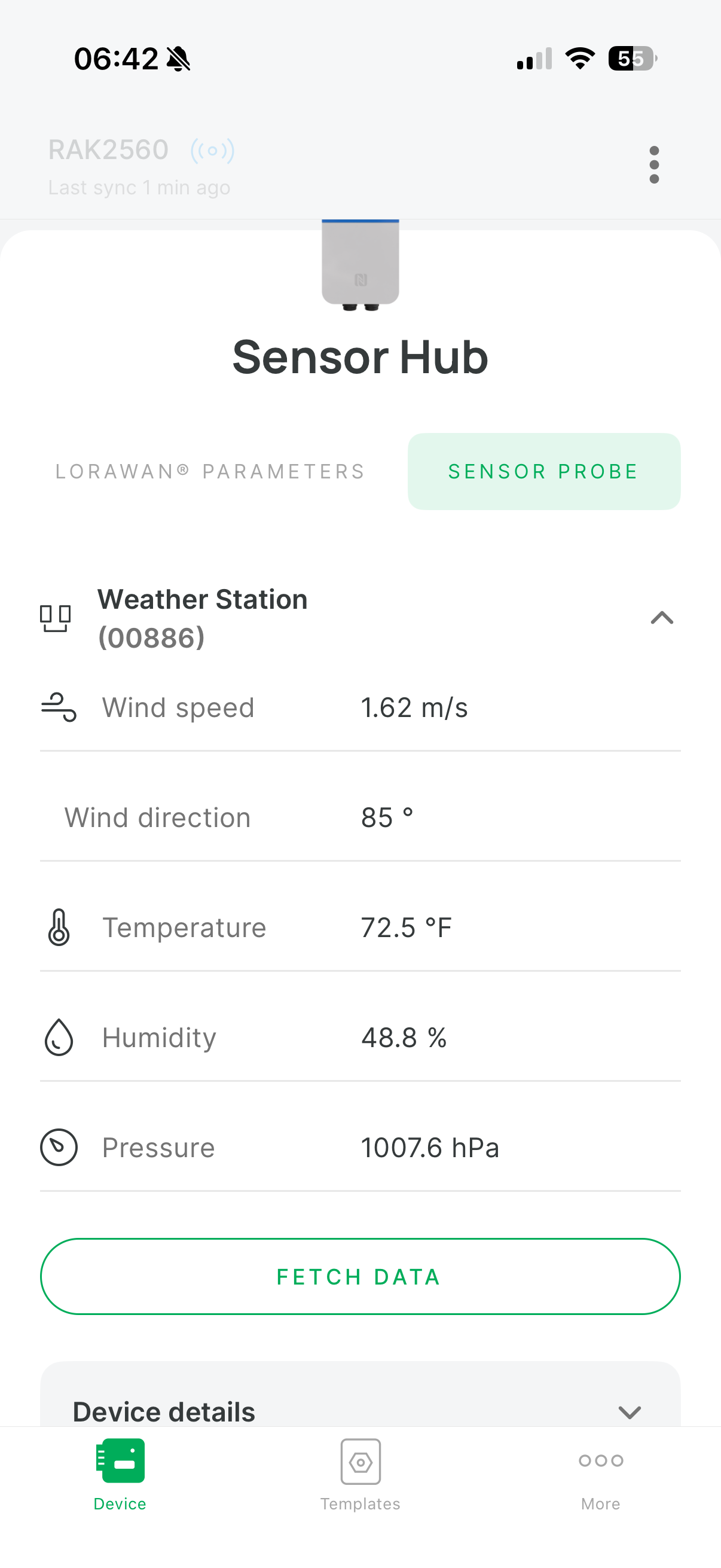
And then you can see, I hit fetch data (I cannot grab the screen at the same time as hitting the button) and it reads fine, both in the ap…

…and then you see if come into TTN

But then again…never again…just zeros.

So this has been failed in well over a 2 moths. I have not been able to get an answer from anyone at RAK. I’ll be working to get my money back and return it. It is a rare miss for RAK. But here is the most disappointing thing: I have my own RIKA sensors, I connected one via an isolated rs485 adapter and got it working on LoRaWAN in about half a day. I have spent way more time trying to get the expensive RAK unit to work. I got the downlinks to work on mine too…something the RAK device does not do.

I am not sure what to think, months of trying to get this work multiple (over 15) unanswered emails to support, this thread…RAK you normally do better :frowning:

I’d still like to get this sensor hub to work if someone is willing to work on the defect, find the hardware issue, or tell me how my settings are wrong, but the issue is that it also has some really strong short comings: mostly the NFC and all settings mean I have to climb up on a roof and stand there with a phone in my hand vs. downlinks.


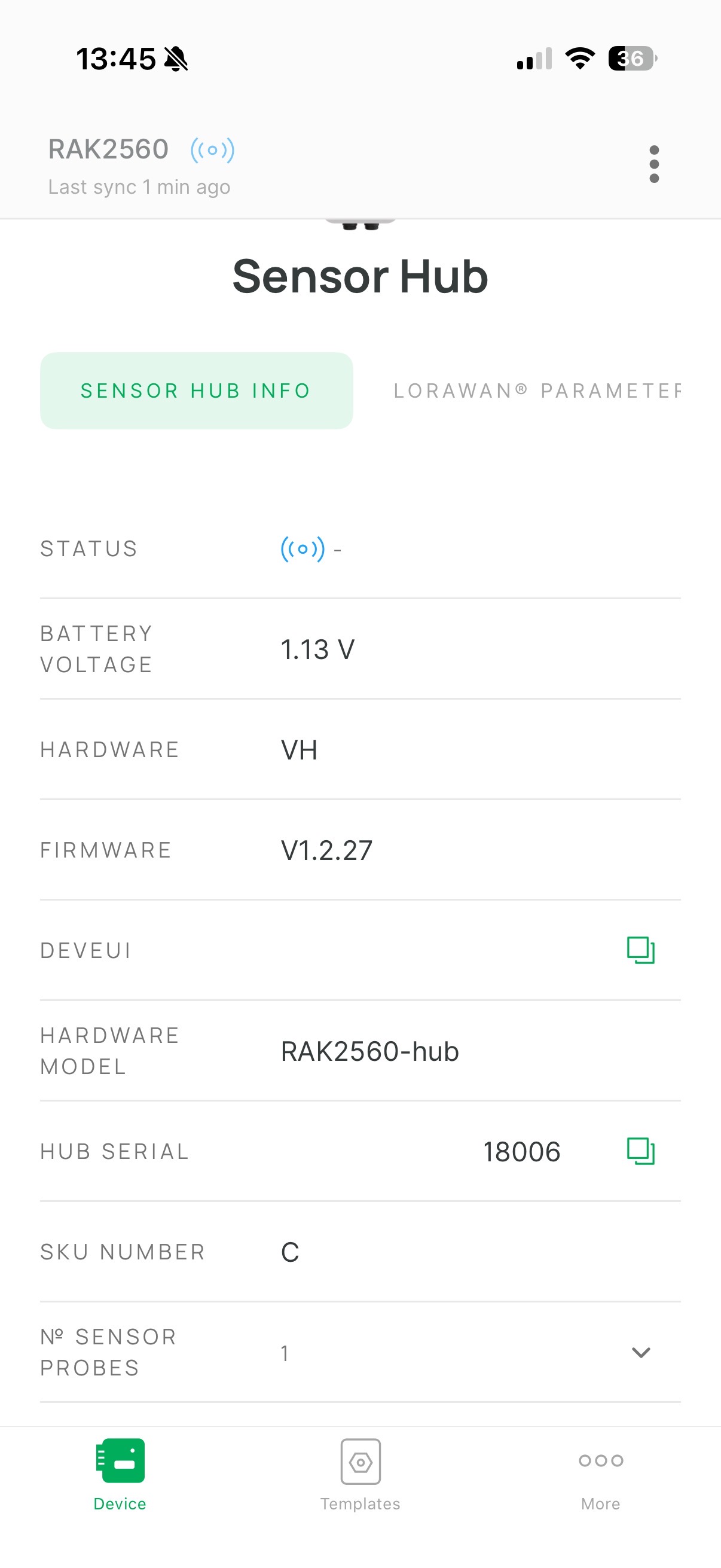
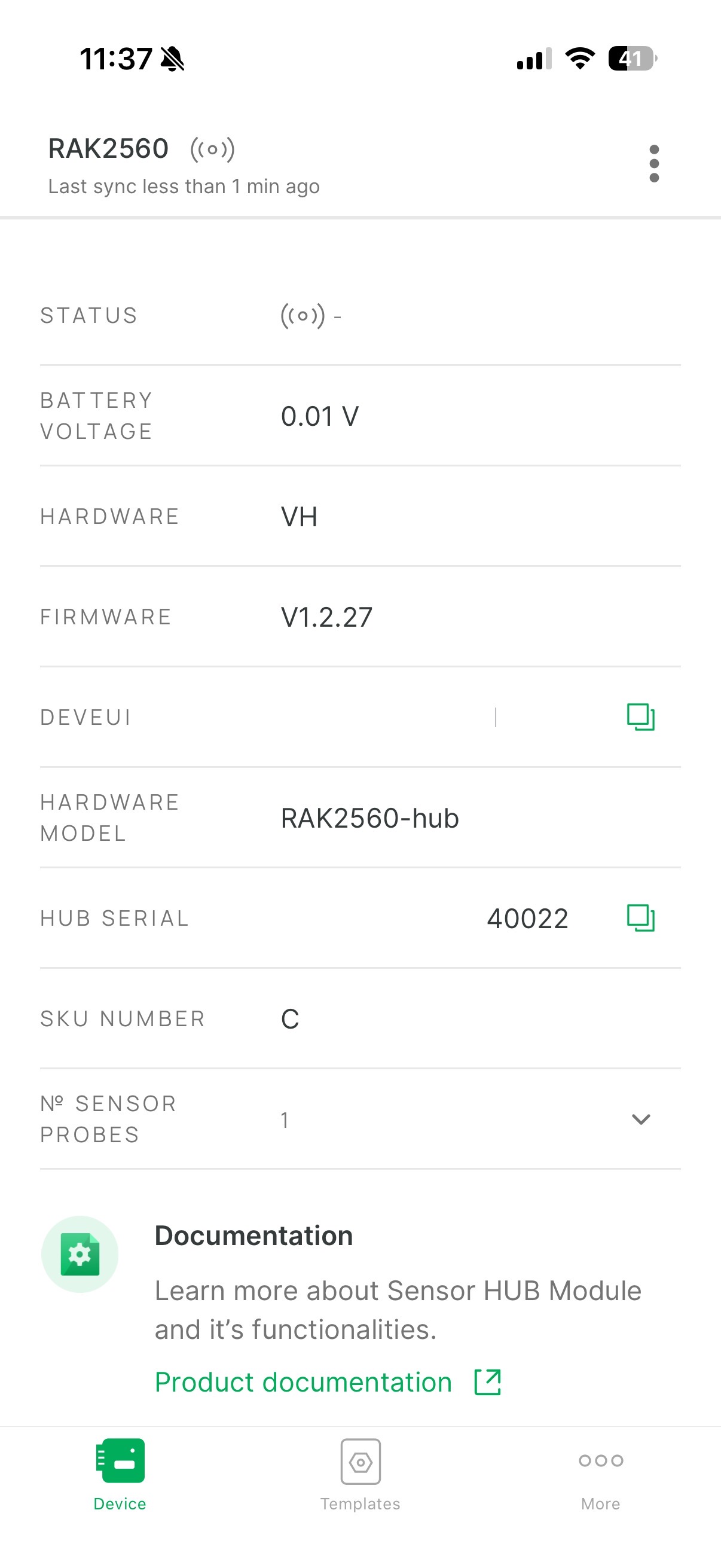
Here is the only difference I have been able to find in the two devices. The one that is failing is reporting a voltage in the hub despite it having no batteries in it and on a 12v supply that comes with the hub. The second one reporting .01 (which is really 0, let’s be honest) is working fine.

Every other setting is the same…so my guess is there is a hardware malfunction.
Ideas?

Please open a ticket with [email protected].
If it is a defect sensor, we will handle it there.