Good day,
I have a custom board that incorporates a RAK3172. It was running AT+VER=RUI_4.2.3_RAK3172-E, and I was able to successfully upload and run code using Arduino.
The next day, I was unable to upload code with Arduino. It gave me a detect baudrate fail error, and then the serial port stopped working, including sending AT commands. Even the code I uploaded previously wouldn’t work.
I checked the forum for potential solutions, and a suitable suggestion was to use STM32CubeProgrammer with the hex file RAK3172-E_latest_final.hex.
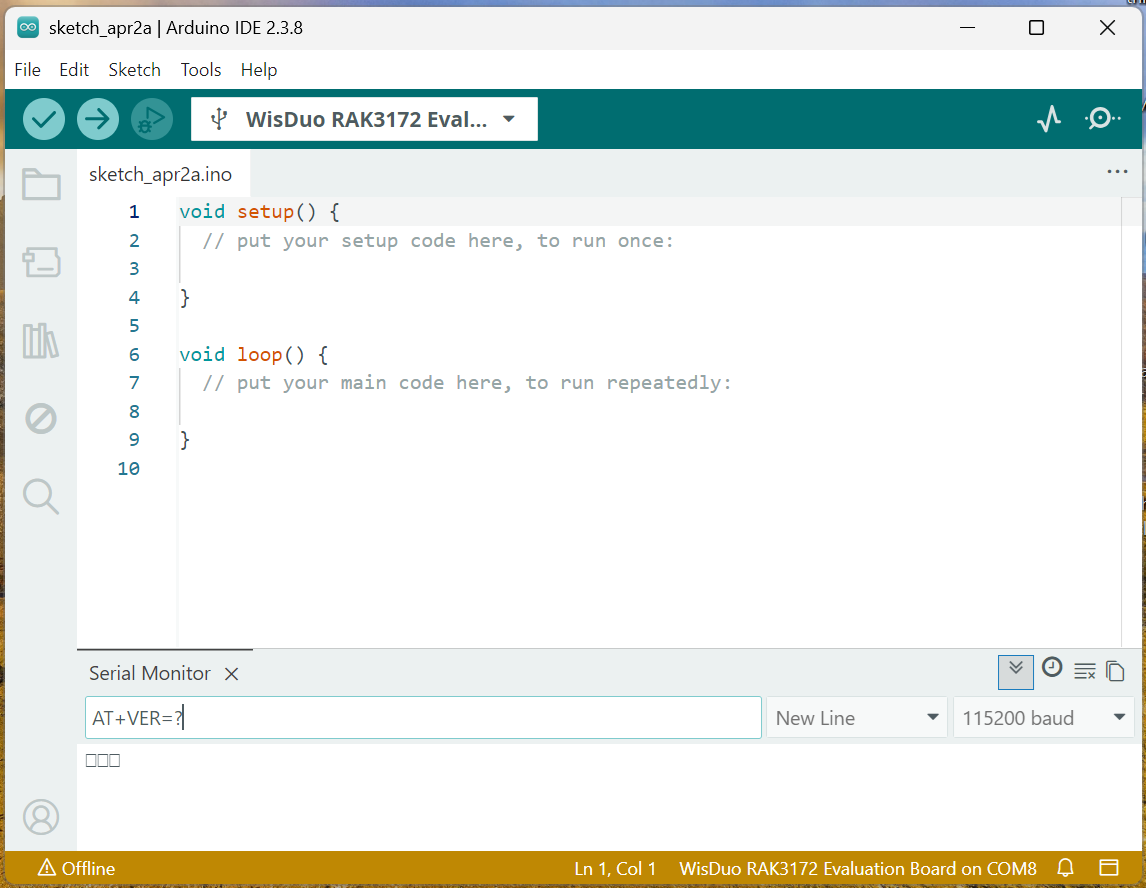
I successfully uploaded the hex file to the chip, but it is not working as intended. AT commands now respond as follows:
Since you were able to upload the hex file via STM32CubeProgrammer, it means you have a good UART connection and working ok.
Some ideas:
Did you reset the module after upload the hex file? If you only disconnect to the STM32CubeProgrammer and the proceed on the Arduino IDE to check AT commands, it will not work.
You can try to use different USB-UART converter. I see in the image that it is offline. It means the connection is not established or you were able to connect then disconnect. If you experience unstable connection, useing a different USB-UART converter can possibly fix it.
Double check your supply. Is it a stable 3.3V? Unstable voltage supply causes UART connections.
Thank you for your response. Resetting the device actually works.
However, I have noticed that the RAK3172 needs to be reset each time it is powered on. Is there a way to have the module automatically run the previously uploaded code without requiring a manual reset?
This is important because the module is intended for remote deployments, where physically resetting the device is not feasible.