Hello devs,
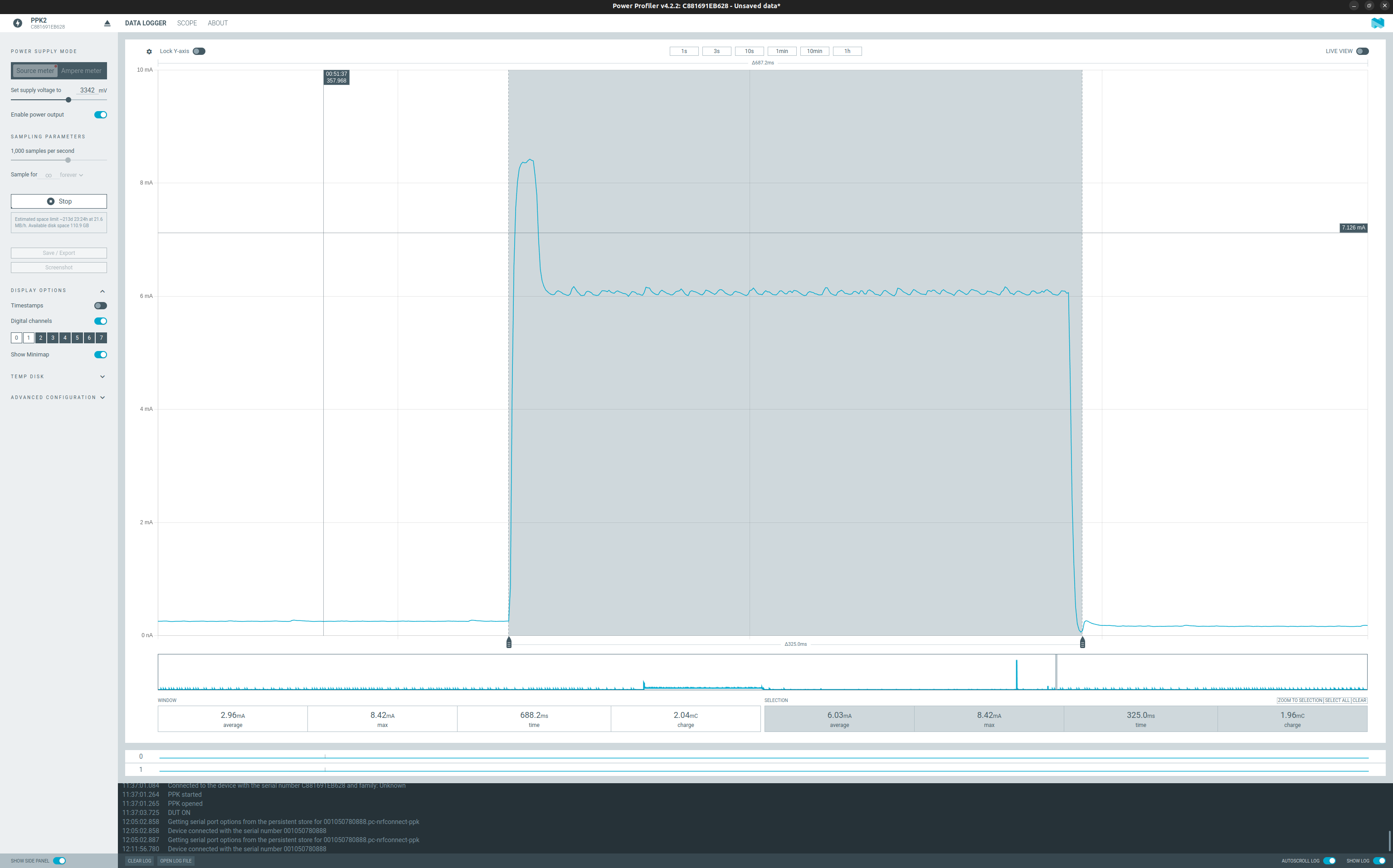
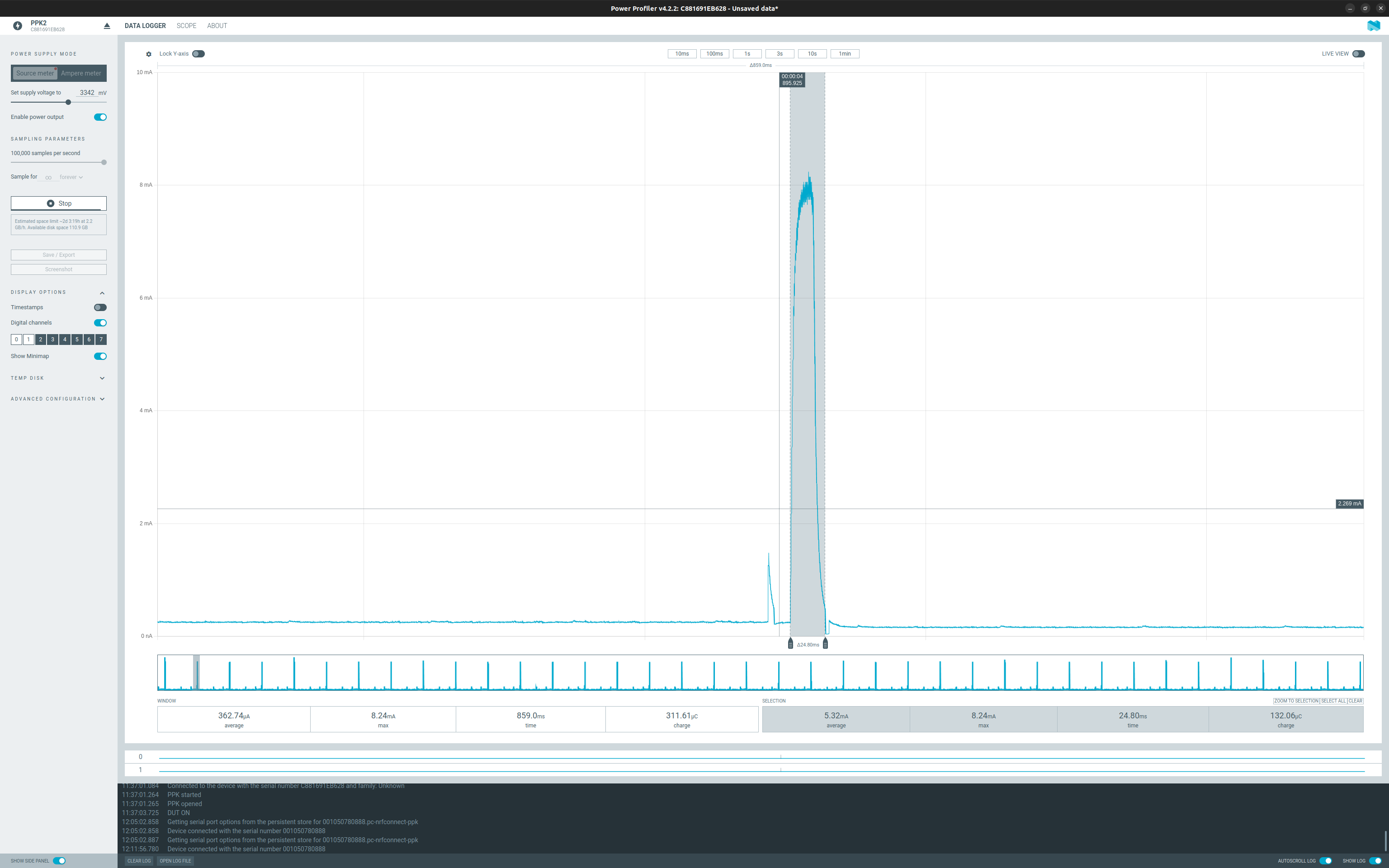
we are testing Zephyr OS power management on a rak3172 and we are trying to optimize battery consumption. In this scenario, the application is running in the main some procedures for handling an interrupt event on a gpio line triggered by the fifo overrun of a lis3dh accelerometer. We used zephyr timing functions to measure how long this procedure took and we measured an average interval of 14 ms, which is quite acceptable. The graph shown below outlines this interval in the first higher peak, but then it takes about 300 ms to get back to sleep. What is it caused by? Here’s the main:
int main(void)
{

    setup();

    #if defined(CONFIG_BT_PERIPHERAL)
        int ret = rak_ble_peripheral_init();
        if (ret) {
            LOG_ERR("Failed to init ble peripheral: %d", ret);
            return -1;
        }
    #endif

    timing_t start_time, end_time;
    uint64_t total_cycles;
    uint64_t total_ns;

    timing_init();

	while(true) {
        k_msleep(4000);

        timing_start();
        start_time = timing_counter_get();

        MainApp::LIS3DHRun(LIS3DH_FIFO_MODE);

        if(accel_sample_event_counter > 30) {
            sendClassificationAndGpsData();
            accel_sample_event_counter = 0;
        }

        end_time = timing_counter_get();
        total_cycles = timing_cycles_get(&start_time, &end_time);
        total_ns = timing_cycles_to_ns(total_cycles);
        LOG_INF("microseconds: %d", total_ns/1000);

        timing_stop();
    }

	return 0;
}