I was trying to get the uart communication to work between the RAK5860 (Quectel BG77) and RAK3312 using the Unvarnished Transmission example but it does not work, the microcontroller sends the AT commands but the modem does not respond.
Next, just to discard, I tried:
Connect directly to the rak5860 modem through its micro-USB connection and it worked without any problem.
Connect just the RAK5860, RAK3312 and base board without any other module, didn’t work.
Try both IO Slots, didn’t work.
Tried with a different core, RAK4631 and it worked!
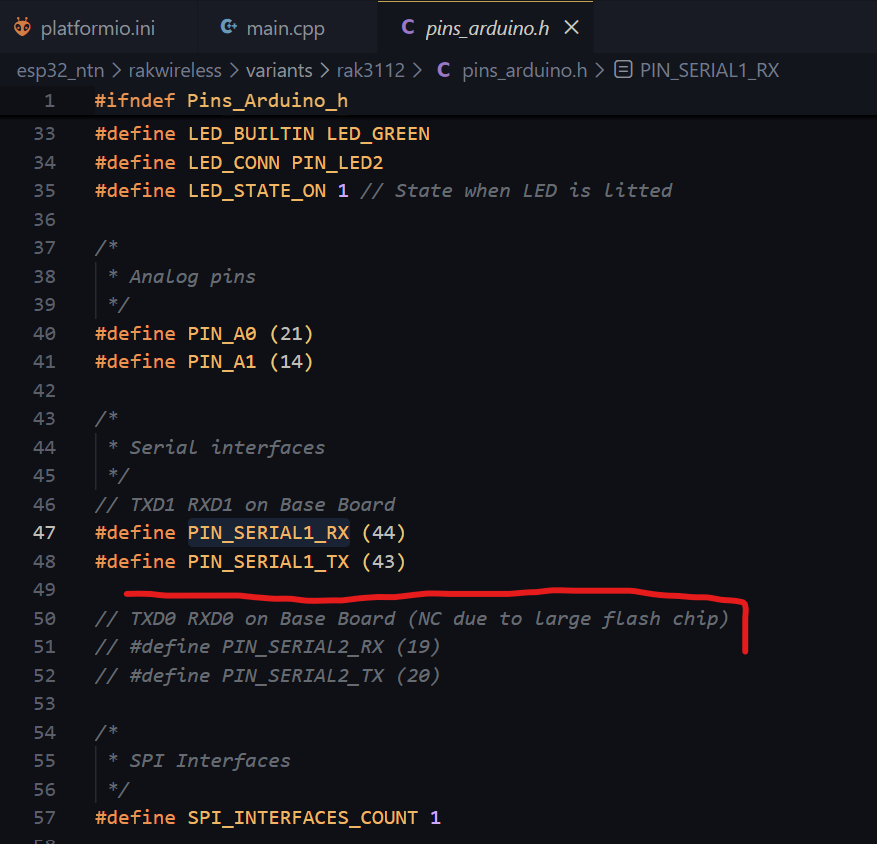
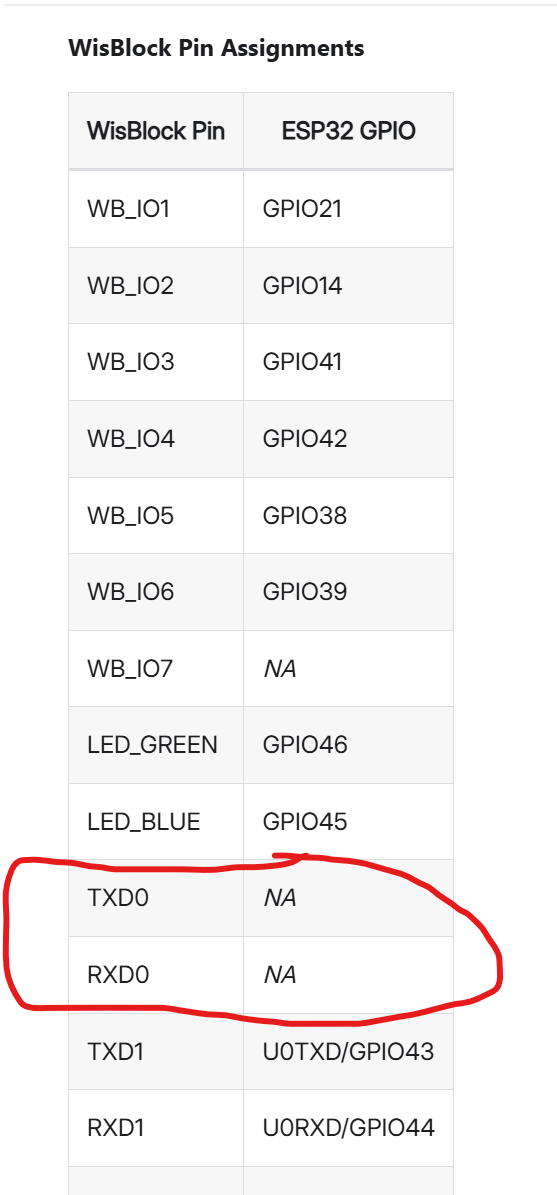
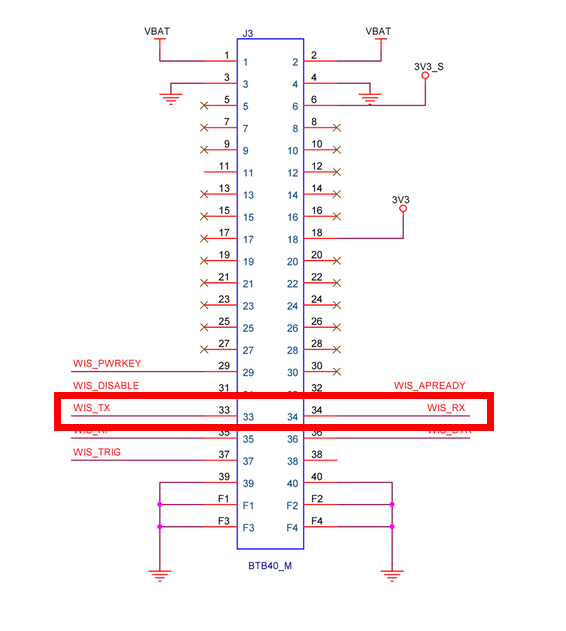
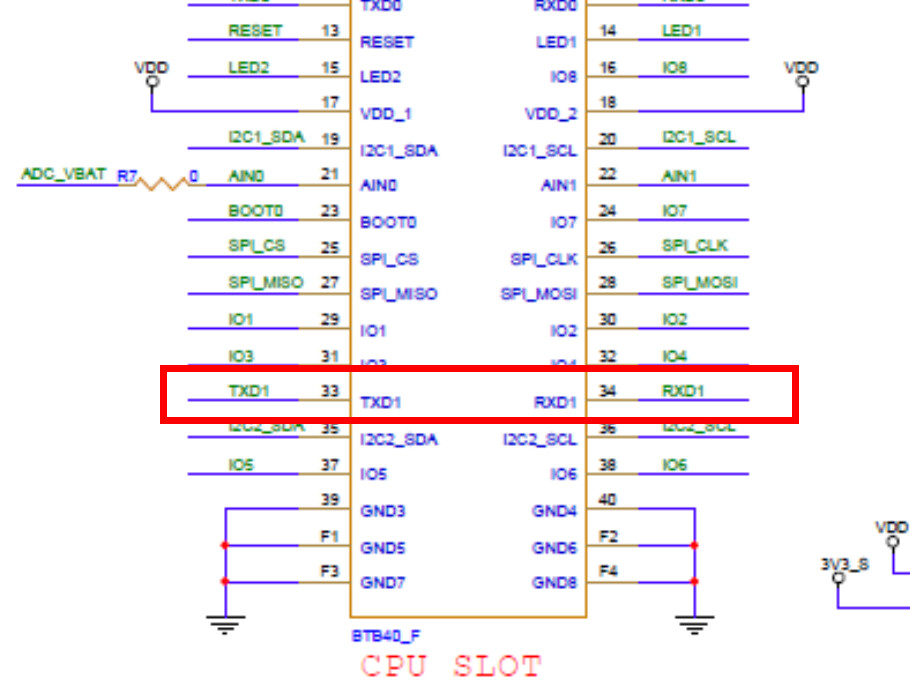
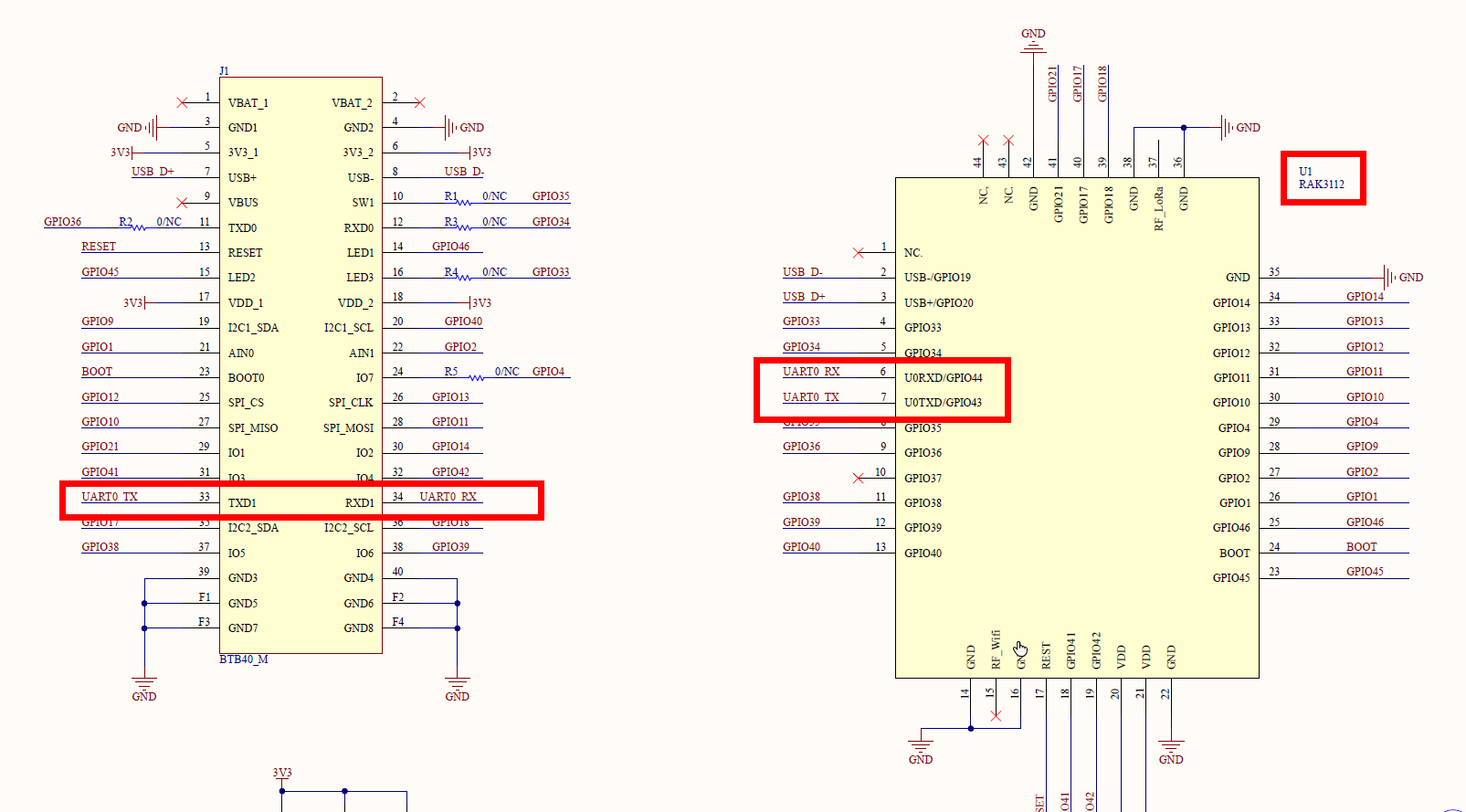
So, to summarize, it appears that the issue lies in the UART routing of the RAK3312 Core. Based on the available documentation and the images provided, it seems that not both UARTs are routed to the base board—only one is exposed:
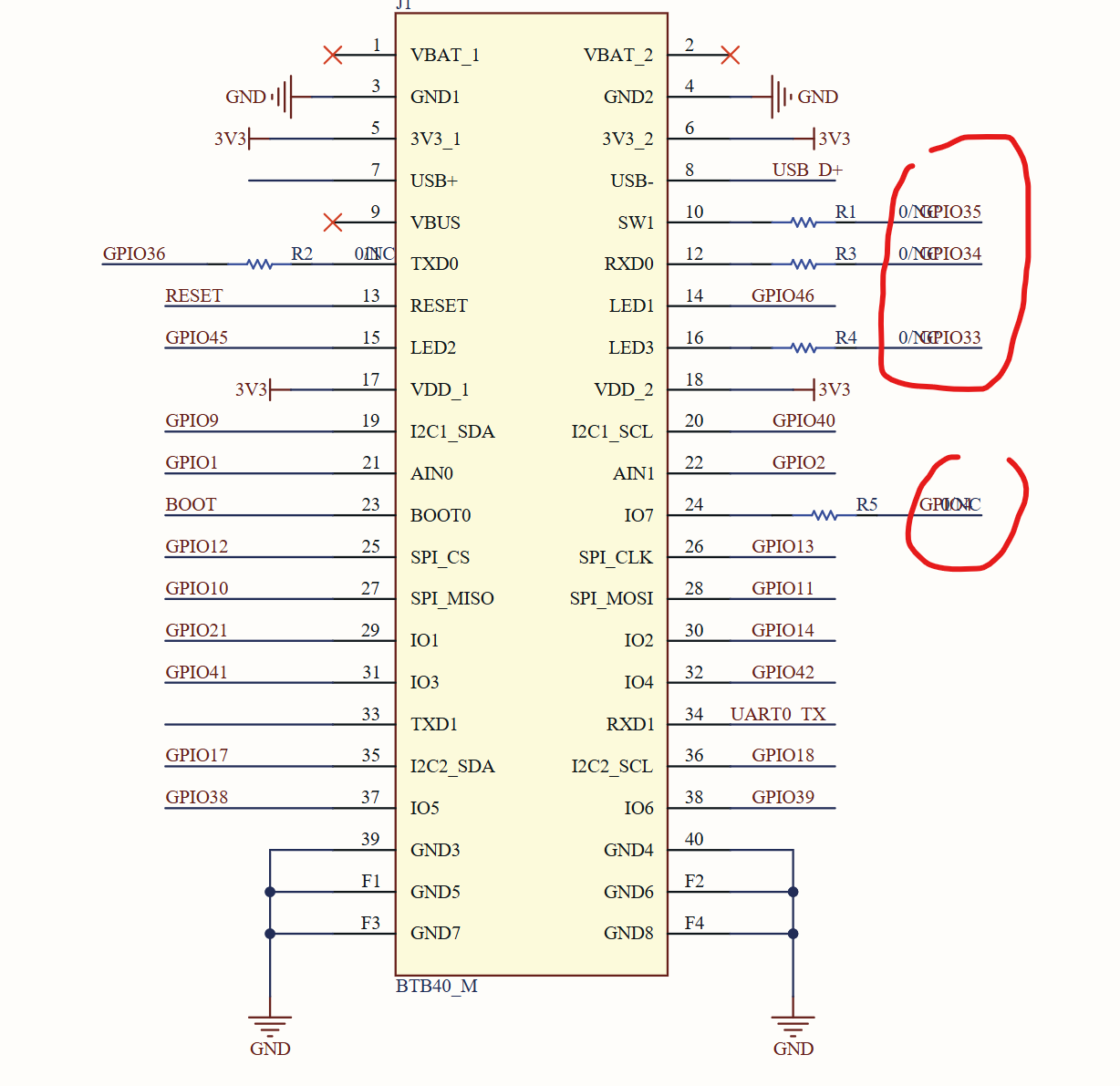
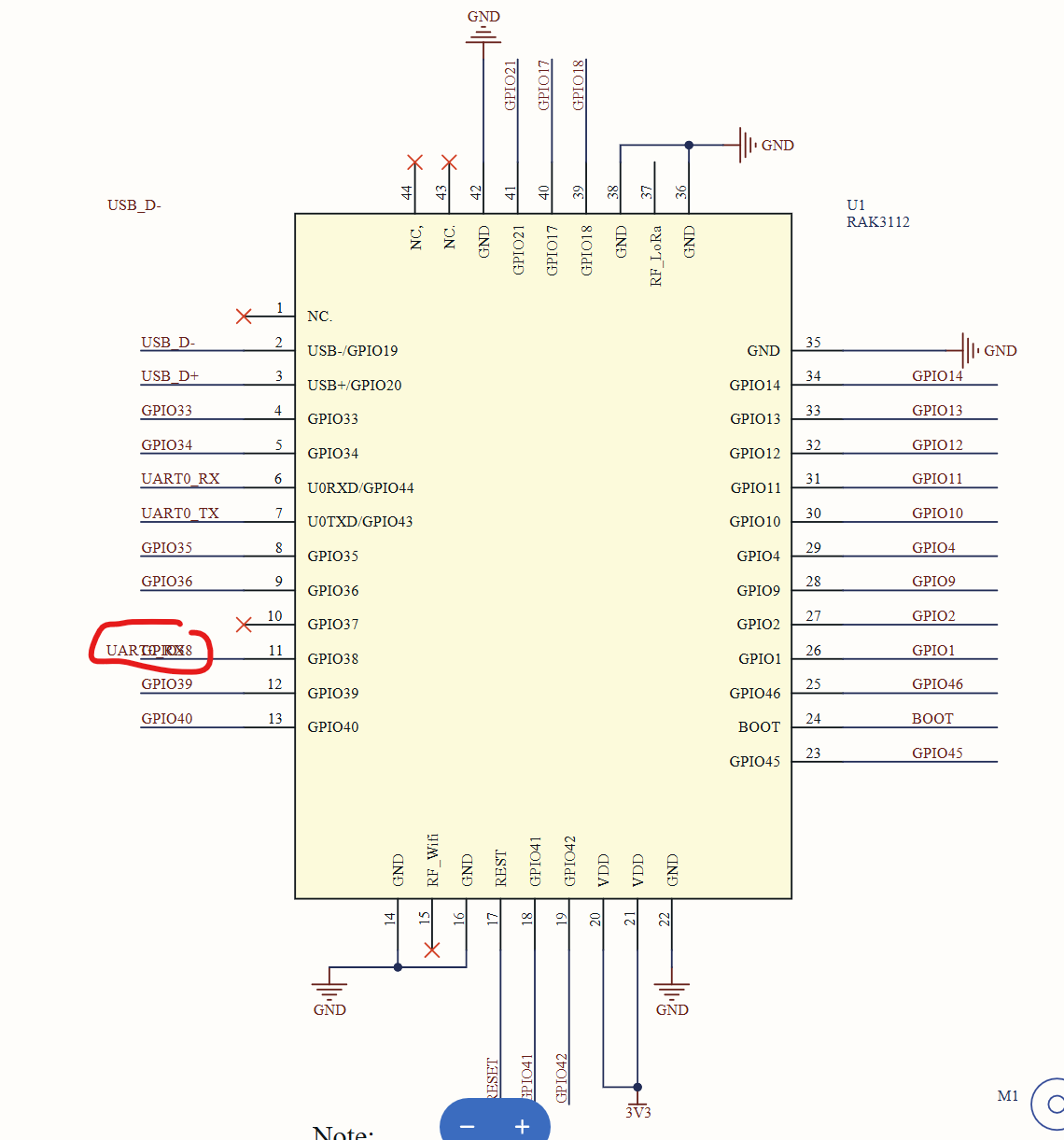
I would like to confirm whether this is indeed the case, and whether there is any known workaround. Otherwise, does this mean that the RAK3312 Core simply cannot support a connection to the RAK5860, considering that the RAK5860 is routed to that same UART on the base board? I reviewed the available schematics but could not identify a feasible way to reroute the RAK5860 UART to the other UART available on the base board.
Additionally, I would like to point out that the documentation for this core is somewhat limited. In particular, the schematics available on the webpage are not very clear, which makes it difficult to assess module compatibility in advance:
If this limitation is inherent to the design, it would be very helpful if this were explicitly stated in the documentation, so users are aware beforehand that the RAK3312 Core may not be compatible with certain WisBlock modules.
I can better see now the compatiblity reagarding to the pinouts, the only thing is that the baseboard I mentioned is the 19001 not the 19007, but that doesn’t change anything.
However, I did use, as a first test, the unvarnished transmission with Serial1 but I can´t find out why its not working. Can you replicate the setup and test?
Do you use a battery? The RAK5860 has a high power demand and works only with an battery connected to the base board (doesn’t matter if it is a RAK19007 or RAk19001).
Do you see any LED activities on the RAK5860 when you try to access it?
The RAK5860 is not supported here in my country, I cannot test anything with it.
yes, I am using a LiPO battery. The LEDs shows that the modem is powered up and getting good signal (blue LED steady, green LED blinks) and I did verify it is working because, as I mentioned earlier, I connected a micro USB cable and manage to send and receive AT commands directly to the modem and connect it to the NB-IoT network here in Chile.
Also, this worked flawlessly using a RAK4631 core without any firmware changes, so that’s why I’m thinking maybe is a compatibility issue between RAK3312 and RAK5860. Maybe @carlrowan could help us here with a test with is own hardware if you can´t (?) (although it doesn´t matter if its not supported in your country as the only test I need is to verify if the RAK3312 core can communicate over serial to the RAK5860).
First of all, thank you for your help, this indeed solved the issue!
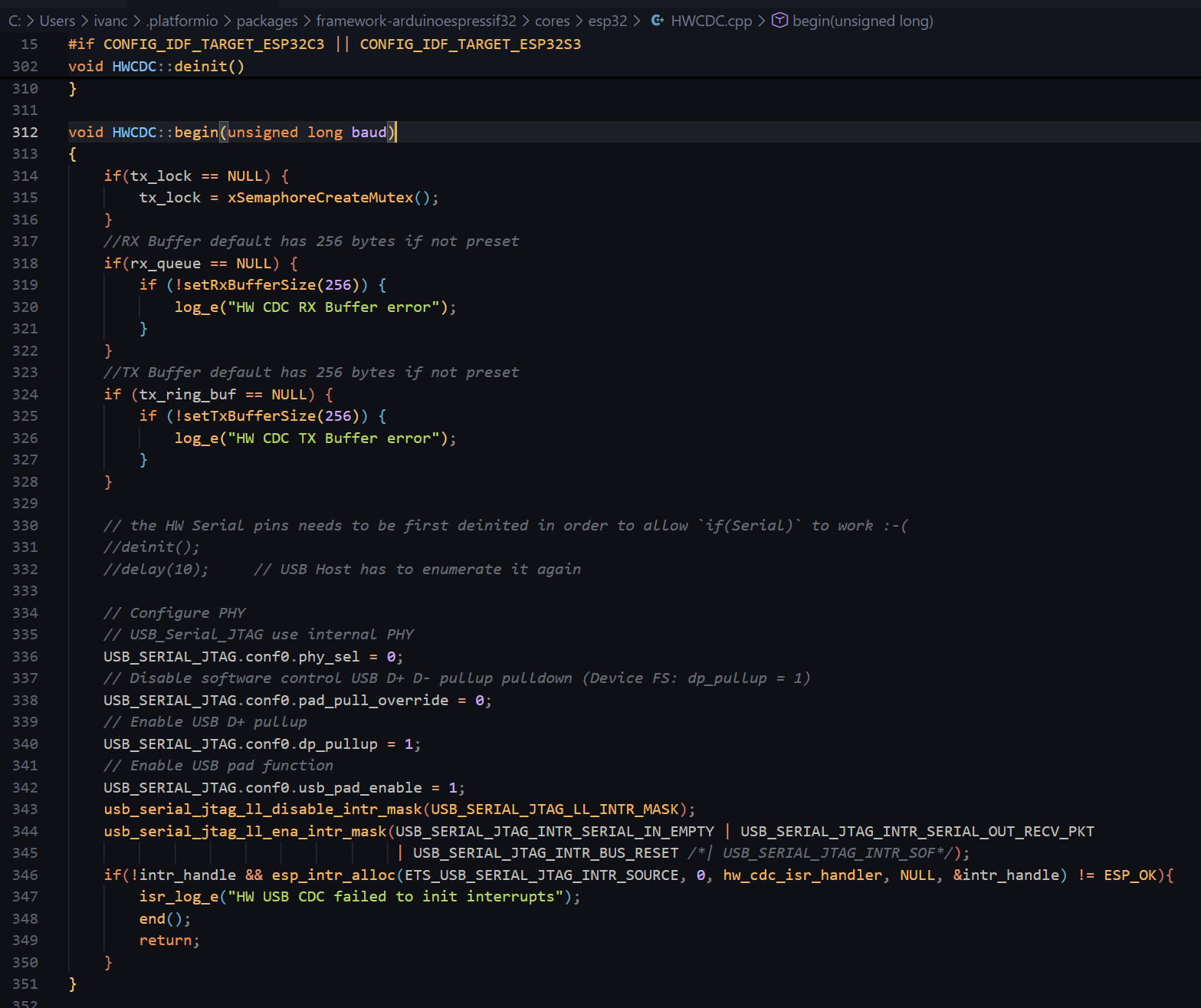
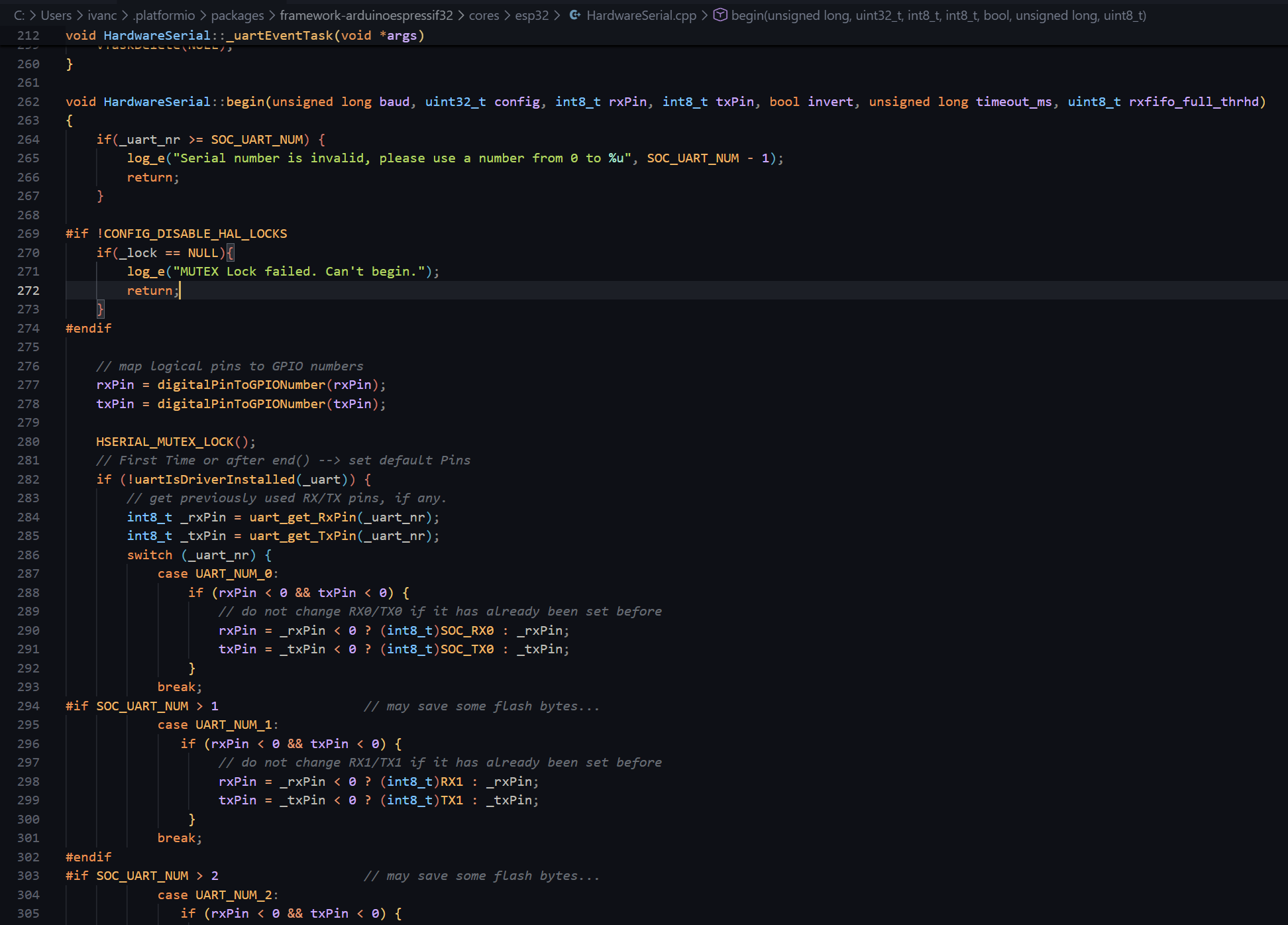
I looked into the difference between using the .begin() method just specifying the baud rate and the one with all the parameters and it seems that when you use the version that only specifies the baud rate, it is taking the one inside the HWCDC.cpp file which is related to the native USB CDC port of the ESP32-S3:
The difference between the ESP32-S3 and the old ESP32, is that the S3 has native USB which you can use as a serial USB output with CDC, while the older one didn’t have native USB.
Thank you very much again for your help, and sorry for the extra work — good luck with the changes!
Our RD engineer found that it is because of a missing #define in the board package. We will apply a patch to the board package and with the next release of the Espressif ESP32 BSP the problem should be fixed.