I have an issue where I received the wrong RAK4630 modules with the RUI3 bootloader. The modules are on a custom board that has been working well for us on the Arduino BSP.
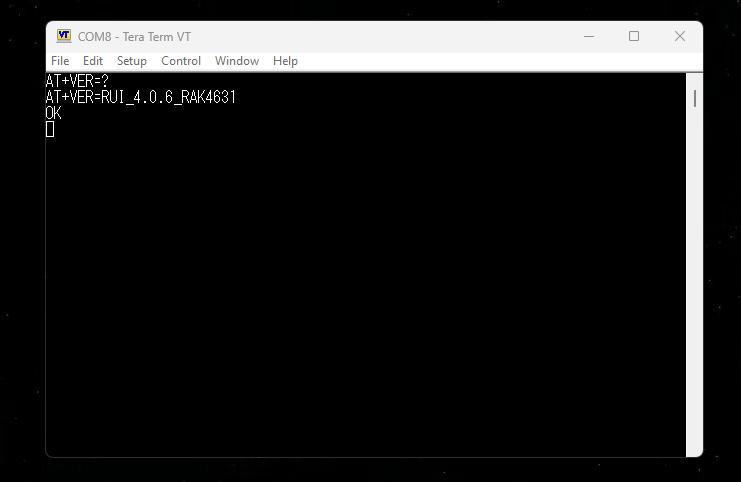
Using Tera Term 5, I can open the serial port and send AT commands. Confirmed the version.
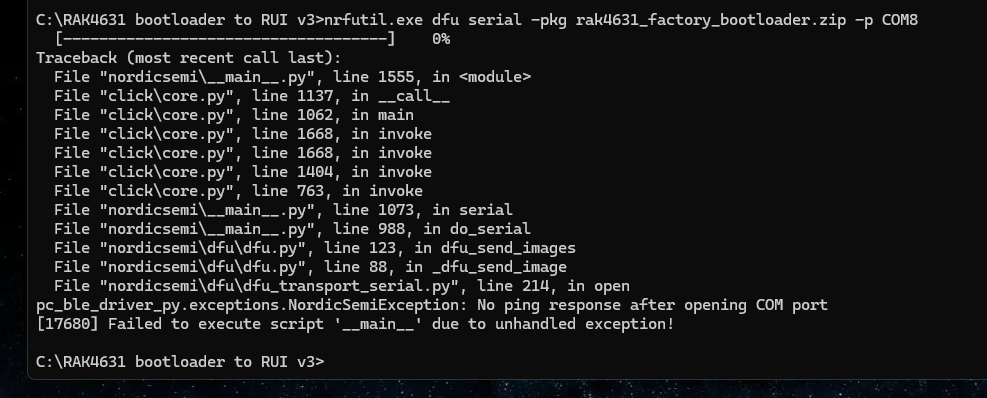
I then send the AT+BOOT command. The connection disconnects and reconnects. I then close Tera Term and try flashing by following the steps in the guide.
It appears the module is not ready to be flashed. I then checked on Tera Term and after sending AT+BOOT then AT+VER=? I am still seeing “RUI_4.0.6_RAK4631” and not the bootloader version (I believe it should show the bootloader version)
I then tried pulling UART2_TX pin to GND but still the same issue.
As I mentioned this is a custom board in high quantity. With the Arduino BSP we can enter DFU and flash the board without issues. I know the RUI3 is completely different and I have tried multiple boards and all act this way. I assume the issue is with a strapping pin but cannot find any documentation.
Hopefully I’ve given enough info for someone to help.
Your steps and commands are all correct, so it is strange that the device does not response.
After
I then send the AT+BOOT command. The connection disconnects and reconnects. I then close Tera Term and try flashing by following the steps in the guide.
can you connect Tera Term again and send another AT+BOOT command, just to test that the device is actually in the bootloader mode.
I did try sending the command multiple times. Every time it would disconnect and reconnect (I assume it’s rebooting) but even after trying AT+BOOT 3+ times it wouldn’t flash, and then I would try AT+VER=? And it would still show “RUI_4.0.6_RAK4631”
We tried on two different computers and also sending the commands through putty to try eliminating possible edge cases.
I think it must be related to the motherboard the RAK4630 is connected to. I see UART1 is also used for AT commands. On our board those are GPIO and would normally be pulled high. Would that have an effect on going into flashing mode? I tried pulling them low but didn’t have an effect.
Other than that I can’t really think of anything. As I mentioned, the exact same board with the Arduino BSP bootloader works great and goes it DFU no problem with the RST pin.
3V3 and 5V rails look good. D+/D- look good too and it’s appearing as a COM port.
What I meant is, after you issued AT+Boot, reconnect the terminal and check if the RAK4631 is in boot mode.
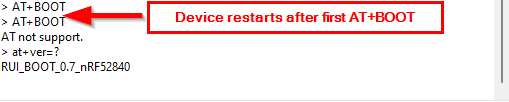
On AT+BOOT it should response with “AT not support.” and on AT+VER=? it should report “RUI_BOOT_0.7_nRF52840”.
Then it is sure that it is in boot mode.
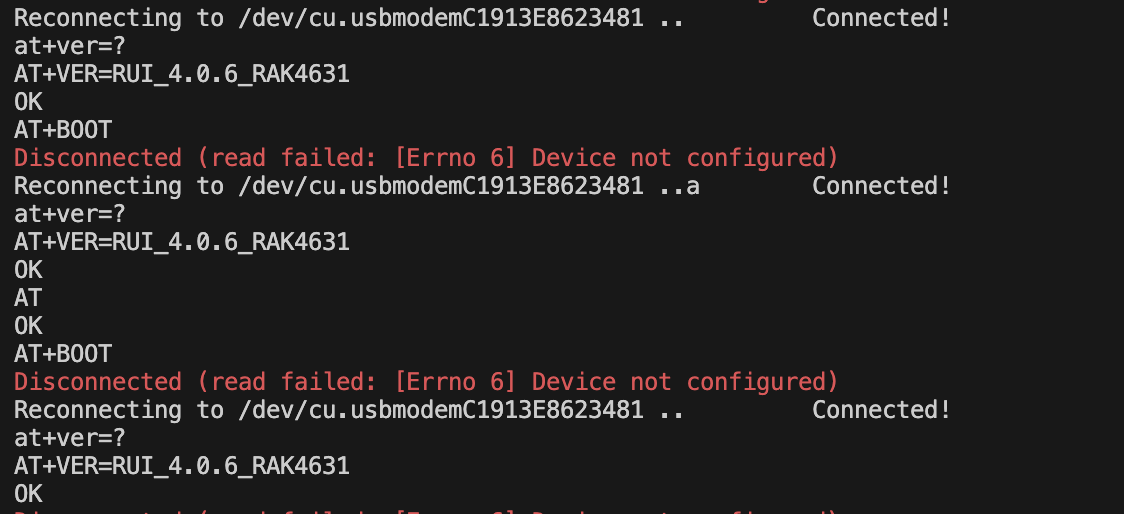
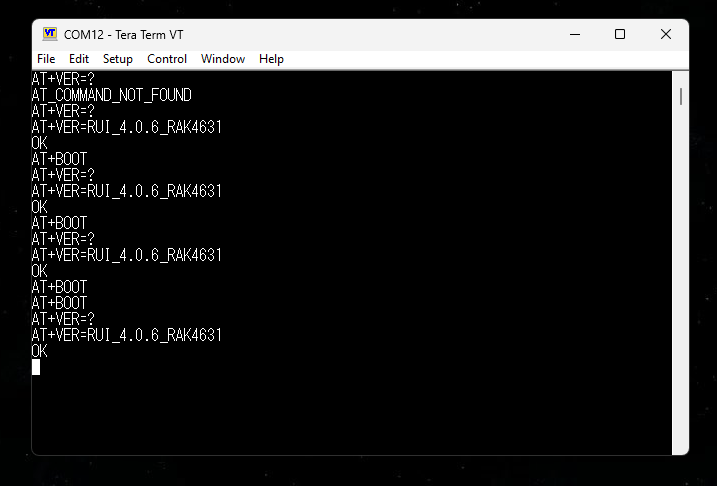
Checked 10 more boards with the same results. I’m assuming the rest will be the same. Here’s a screenshot with multiple attempts to enter bootloader mode.
Note, the motherboard has been finalized for multiple batches now and these RAK4630 module that we ordered mid December should be the only difference.
Also, is RUI V4.0.6 the current version that would be shipped on the RAK4630? I see that 4.0.6 was released in August of 2023 which is roughly 2.5 years out of date. RUI 4.2.2 was released in August of 2025.
Not trying to split hairs, and I appreciate your quick responses.
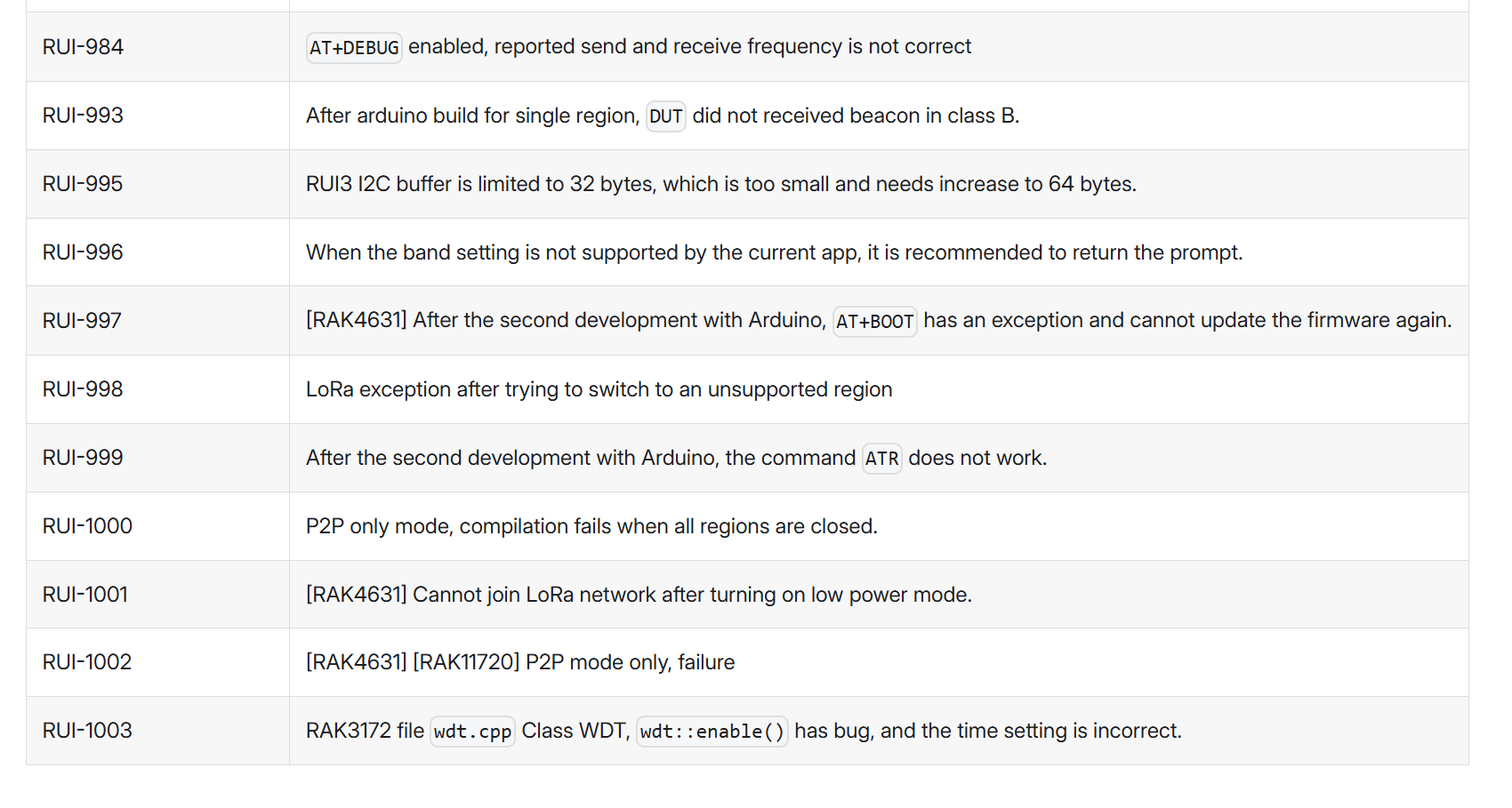
@beegee I was reviewing the RUI3 release notes for V4.1.0 (the next version after 4.0.6) and in the “Fixed” category RUI-997 maybe referring to the issue we are experiencing. Would you have more details on RUI-997?
RUI-997 - [RAK4631] After the second development with Arduino, AT+BOOT has an exception and cannot update the firmware again.
Also, we successfully flash the latest RUI3 on one of the previous boards (the exact same motherboard as the current batch with the issues). Then entered bootloader mode and flash back to the Arduino BSP.
This eliminates the possibility of our motherboard causing a specific edge case for the RAK4630 running RUI3 to not enter bootloader mode.
I do not have details for the “not able to enter bootloader mode” issue and how it was fixed.
In general, it is recommended to always use the latest firmware. We have already advised our production to use the latest firmware and not the old RUI3 V4.0.6 anymore.
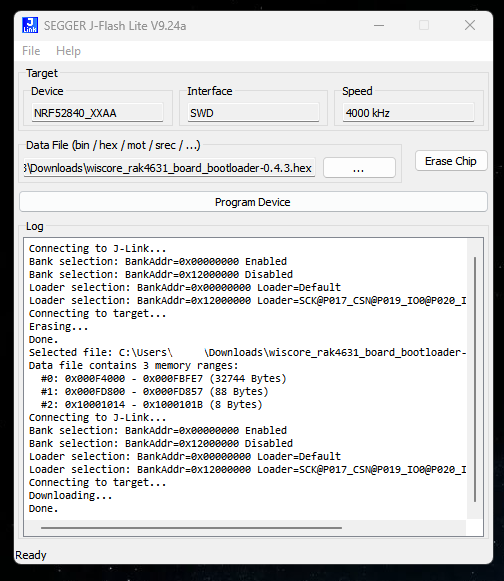
Disconnecting the SWD and connecting the board via USB to the windows computer does not result in a COM port, or any port/device recognition. I repeated the SWD flash multiple times (also trying through j-link commander with the same result).
Am I using the correct hex? I followed PDF “Flashing RAK4630 bootloader with JLink” only thing I did differently is erased the chip before flashing (which was recommend from another guide).
Do I need to flash something else onto the chip first? I assume the hex is precompiled with the softdevices.
@beegee I hope I’m making a simple mistake, can you please advise.
I am not sure if the HEX file includes the softdevice, but as you don’t get the USB port, I guess not.
Try attached HEX file. I am using that as a backup, it includes bootloader, softdevice and an application.
You will have to set DevEUI, AppEUI and AppKey again, as this file contains only some defaults. WisBlock-Backup.hex (2.4 MB)
If you flash the image that is used in our production, it would not start the main application, it will start in test mode.
Test mode is used in our production to do hardware tests, then you need “secret” command to start application.
Above file is basically the same, but without the test mode.