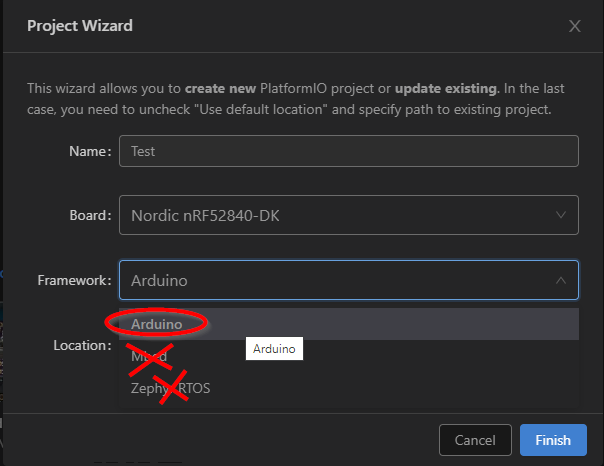
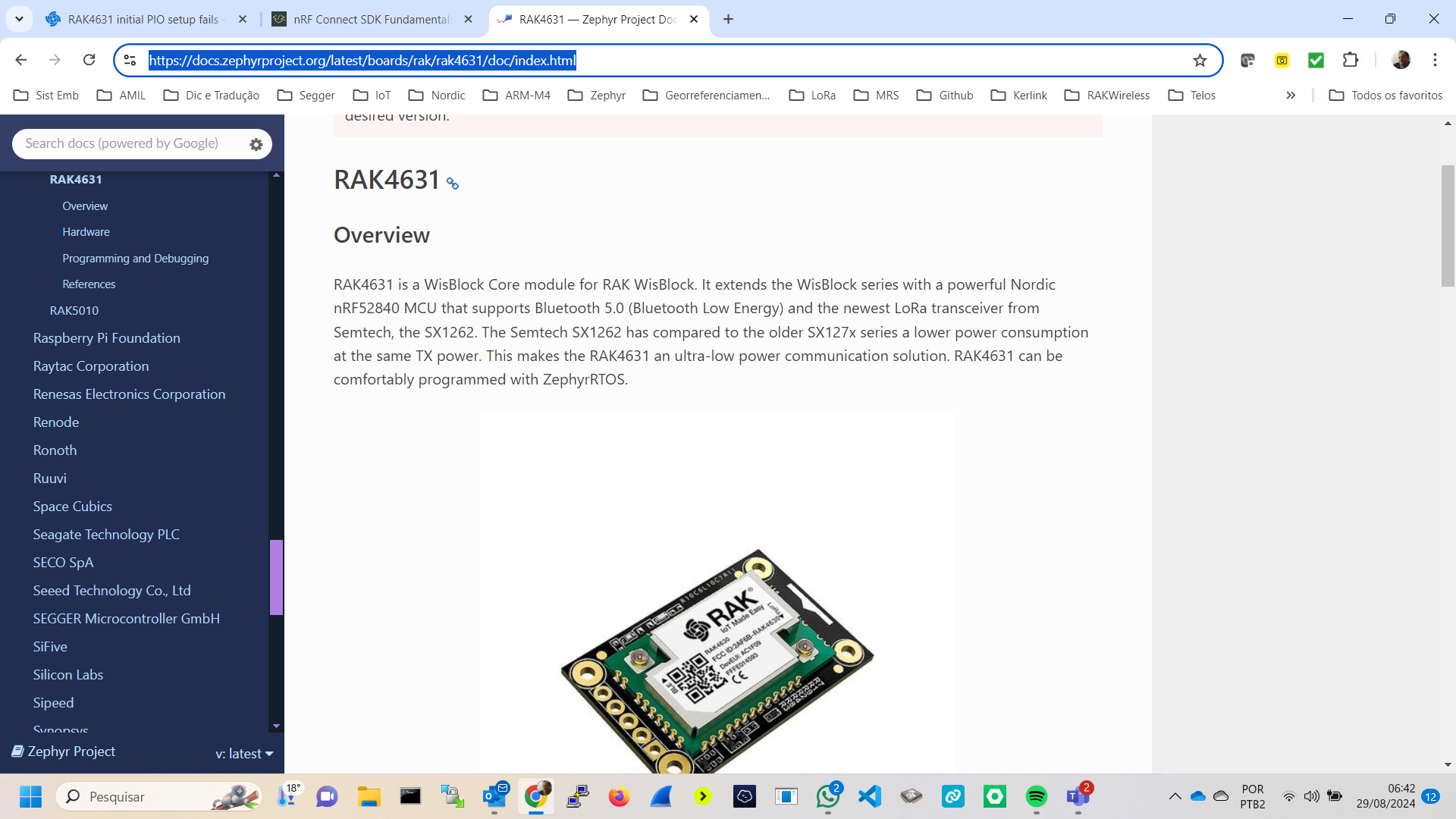
Hi,
I’m new to this platform so please bear with me…
I’m trying to do the initial setup of RAK4631 module.
I have followed this article but when I click ‘Finish’ I get the following error message in a few seconds:
I’ll appreciate any advice on what should I do differently.
Attached are some screenshots and the error message.
Thanks
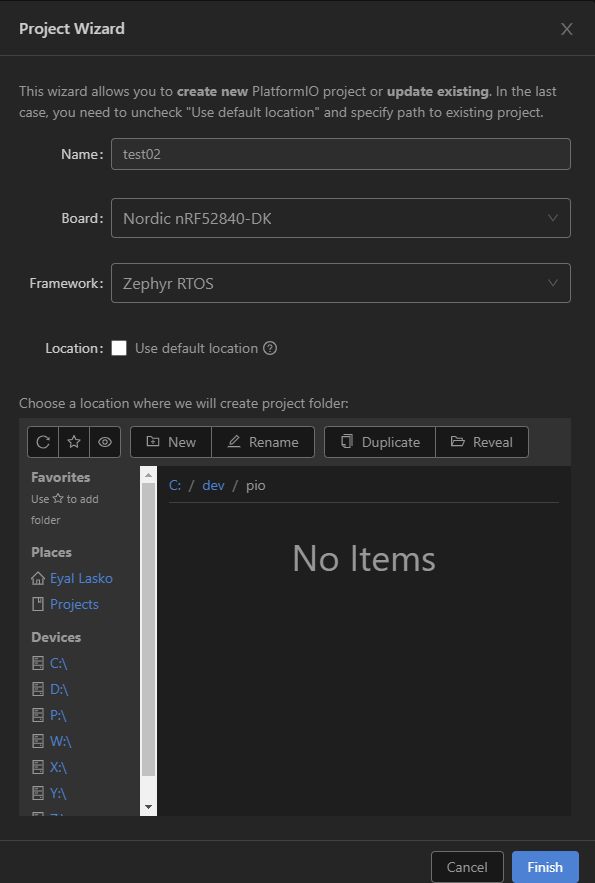
===== Error message text =============
PIO Core Call Error: "The following files/directories have been created in C:\dev\pio\test01
include - Put project header files here
lib - Put project specific (private) libraries here
src - Put project source files here
platformio.ini - Project Configuration File
Resolving nrf52840_dk dependencies…
Already up-to-date.
Updating metadata for the vscode IDE…
UserSideException: Processing nrf52840_dk (platform: nordicnrf52; board: nrf52840_dk; framework: zephyr)
Verbose mode can be enabled via -v, --verbose option
CONFIGURATION: Redirecting...
PLATFORM: Nordic nRF52 (10.2.0) > Nordic nRF52840-DK
HARDWARE: NRF52840 64MHz, 256KB RAM, 1MB Flash
DEBUG: Current (jlink) On-board (cmsis-dap, jlink) External (blackmagic, stlink)
PACKAGES:
- framework-zephyr @ 2.20701.220422 (2.7.1)
- tool-cmake @ 3.21.3
- tool-dtc @ 1.4.7
- tool-ninja @ 1.9.0
- tool-sreccat @ 1.164.0 (1.64)
- toolchain-gccarmnoneeabi @ 1.80201.181220 (8.2.1)
Installing Zephyr’s Python dependencies
‘C:\Users\Eyal’ is not recognized as an internal or external command,
operable program or batch file.
*** Error 1
ModuleNotFoundError: No module named ‘yaml’:
File “C:\Users\Eyal Lasko\.platformio\penv\Lib\site-packages\platformio\builder\main.py”, line 173:
env.SConscript("$BUILD_SCRIPT")
File “C:\Users\Eyal Lasko\.platformio\packages\tool-scons\scons-local-4.5.2\SCons\Script\SConscript.py”, line 598:
return _SConscript(self.fs, *files, **subst_kw)
File “C:\Users\Eyal Lasko\.platformio\packages\tool-scons\scons-local-4.5.2\SCons\Script\SConscript.py”, line 285:
exec(compile(scriptdata, scriptname, ‘exec’), call_stack[-1].globals)
File “C:\Users\Eyal Lasko\.platformio\platforms
ordicnrf52\builder\main.py”, line 195:
target_elf = env.BuildProgram()
File “C:\Users\Eyal Lasko\.platformio\packages\tool-scons\scons-local-4.5.2\SCons\Util\envs.py”, line 242:
return self.method(*nargs, **kwargs)
File “C:\Users\Eyal Lasko\.platformio\packages\framework-zephyr\scripts\platformio\platformio-build-pre.py”, line 25:
env.ProcessProgramDeps()
File “C:\Users\Eyal Lasko\.platformio\packages\tool-scons\scons-local-4.5.2\SCons\Util\envs.py”, line 242:
return self.method(*nargs, **kwargs)
File “C:\Users\Eyal Lasko\.platformio\penv\Lib\site-packages\platformio\builder\tools\piobuild.py”, line 121:
env.BuildFrameworks(env.get(“PIOFRAMEWORK”))
File “C:\Users\Eyal Lasko\.platformio\packages\tool-scons\scons-local-4.5.2\SCons\Util\envs.py”, line 242:
return self.method(*nargs, **kwargs)
File “C:\Users\Eyal Lasko\.platformio\penv\Lib\site-packages\platformio\builder\tools\piobuild.py”, line 342:
SConscript(env.GetFrameworkScript(name), exports=“env”)
File “C:\Users\Eyal Lasko\.platformio\packages\tool-scons\scons-local-4.5.2\SCons\Script\SConscript.py”, line 662:
return method(*args, **kw)
File “C:\Users\Eyal Lasko\.platformio\packages\tool-scons\scons-local-4.5.2\SCons\Script\SConscript.py”, line 598:
return _SConscript(self.fs, *files, **subst_kw)
File “C:\Users\Eyal Lasko\.platformio\packages\tool-scons\scons-local-4.5.2\SCons\Script\SConscript.py”, line 285:
exec(compile(scriptdata, scriptname, ‘exec’), call_stack[-1].globals)
File “C:\Users\Eyal Lasko\.platformio\platforms
ordicnrf52\builder\frameworks\zephyr.py”, line 28:
SConscript(
File “C:\Users\Eyal Lasko\.platformio\packages\tool-scons\scons-local-4.5.2\SCons\Script\SConscript.py”, line 662:
return method(*args, **kw)
File “C:\Users\Eyal Lasko\.platformio\packages\tool-scons\scons-local-4.5.2\SCons\Script\SConscript.py”, line 598:
return _SConscript(self.fs, *files, **subst_kw)
File “C:\Users\Eyal Lasko\.platformio\packages\tool-scons\scons-local-4.5.2\SCons\Script\SConscript.py”, line 285:
exec(compile(scriptdata, scriptname, ‘exec’), call_stack[-1].globals)
File “C:\Users\Eyal Lasko\.platformio\packages\framework-zephyr\scripts\platformio\platformio-build.py”, line 54:
import yaml
========================== [FAILED] Took 1.47 seconds =========================="