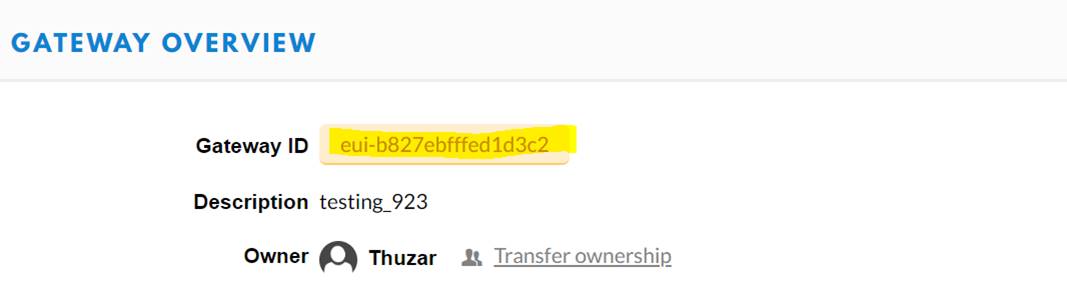
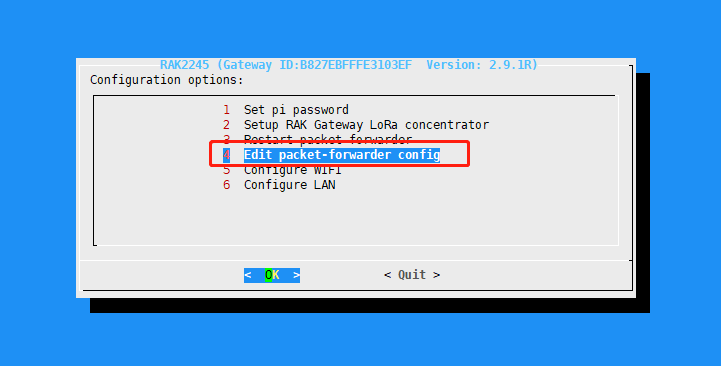
- Can you see the gateway-id of your gateway and if it is the same as the id on TTN?
Gateway IDs from gateway and TTN are the same.
From Gateway:
Gateway IDs from gateway and TTN are the same.
From Gateway:
What operations have you done with the gateway, such as switching frequency band, etc.
       First of all, I uploaded the image for RAK7243 LTE into SD card and changed IP address of the gateway to connect to internet.

       After that, I choose TTN server and [AS923](x-apple-data-detectors://0)for channel.

Then I registered this gateway at TTN but it shows not connected.You try to restart the gateway and see if it works, or another way is to ask my gateway to run your TTN ID and see if it works, but the communication is a bit cumbersome.
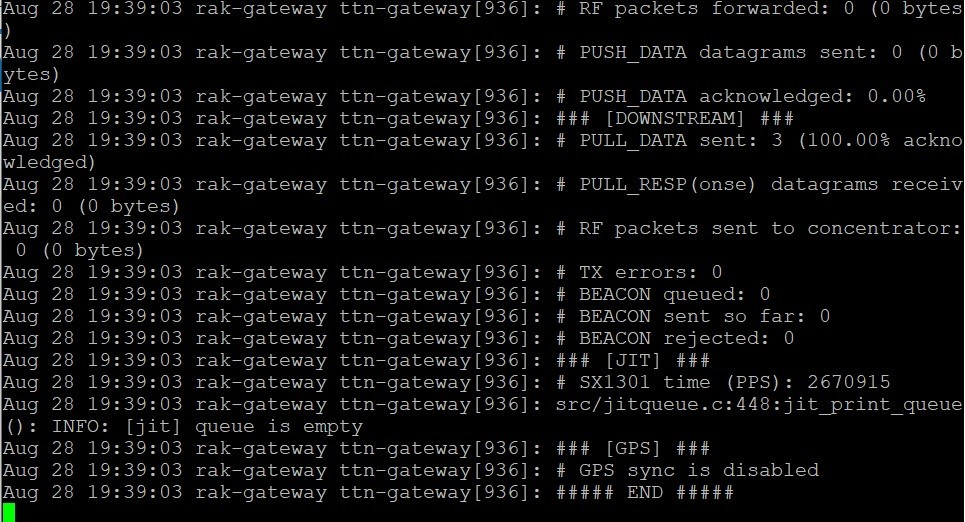
I need your help to test it, send this command once in two minutes, It takes two sets of data between two minutes,and then send me the screenshot to see the problem.
command:ps -ef | grep lora_pkt_fwd
I have tried restarting the gateway several times but still not connected.
@thuzar
On ttn, the gateway display is not online, but the data of the AS923 node can be viewed on ttn?
Do you mean the data under traffic of gateway?
Is there any solution to this problem?
Do you mean the data under traffic of gateway?
The data from the gateway to ttn is OK, but the data from ttn to the gateway is occasionally dropped due to the problem of ttn performance.
Dear Sir,
I have talked to TTN, they claim is RAK issues. Actually, are you able to test over your side whether is it TTN issues or my setting issues.
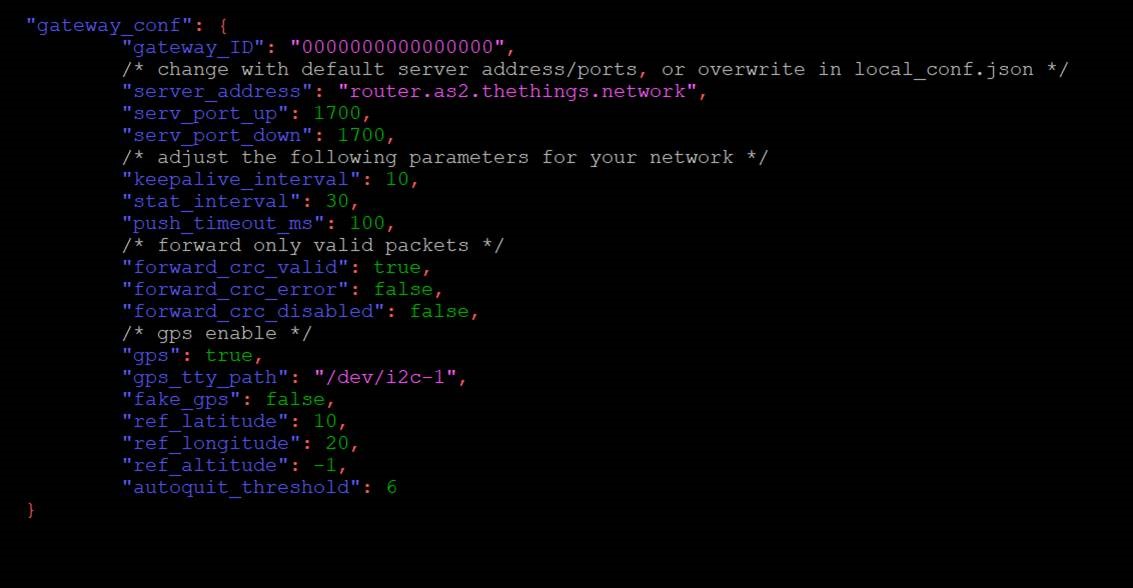
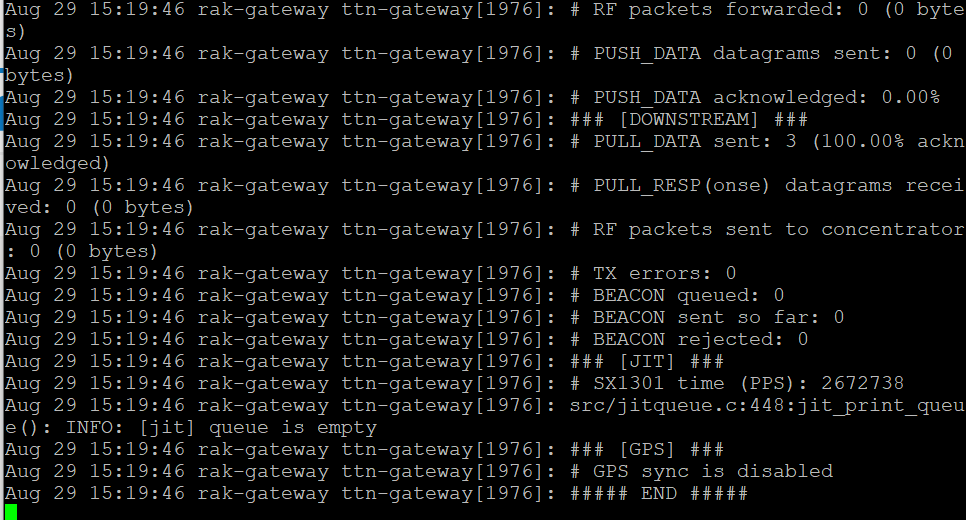
could this be a problem and how can I enable the gps function.
Does your RAK7243 have an LTE module?
If it has lte, you should download https://downloads.rakwireless.com/en/LoRa/Pilot-Gateway-Pro-RAK7243/Firmware/RAK7243_LTE_based_on_Raspbian_OS_V2.9.2_20190820.rar
If it doesn’t have lte, you should download https://downloads.rakwireless.com/en/LoRa/Pilot-Gateway-Pro-RAK7243/Firmware/RAK7243_based_on_Raspbian_OS_V2.9.2_20190820.rar
With the correct firmware, you can solve the gps problem
Regarding the problem of gateway and ttn packet loss, we will do some testing in the near future.
We have downloaded and changed a new firmware. GPS sync is still disable. Please advice us. Thank you
@thuzar
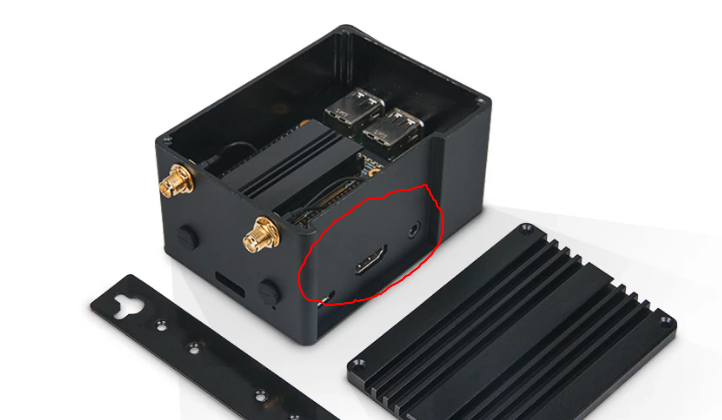
pic-1
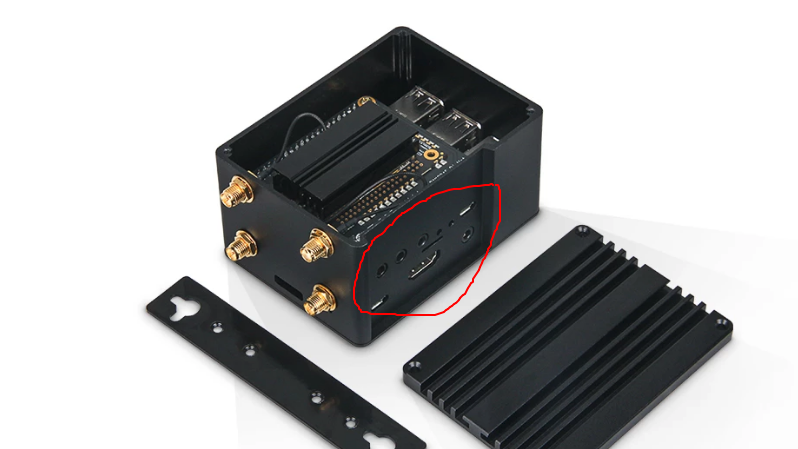
pic-2
1.Take a photo of your rak7243 with reference to the shooting angle of the above photos.
2.Which firmware link are you downloading?