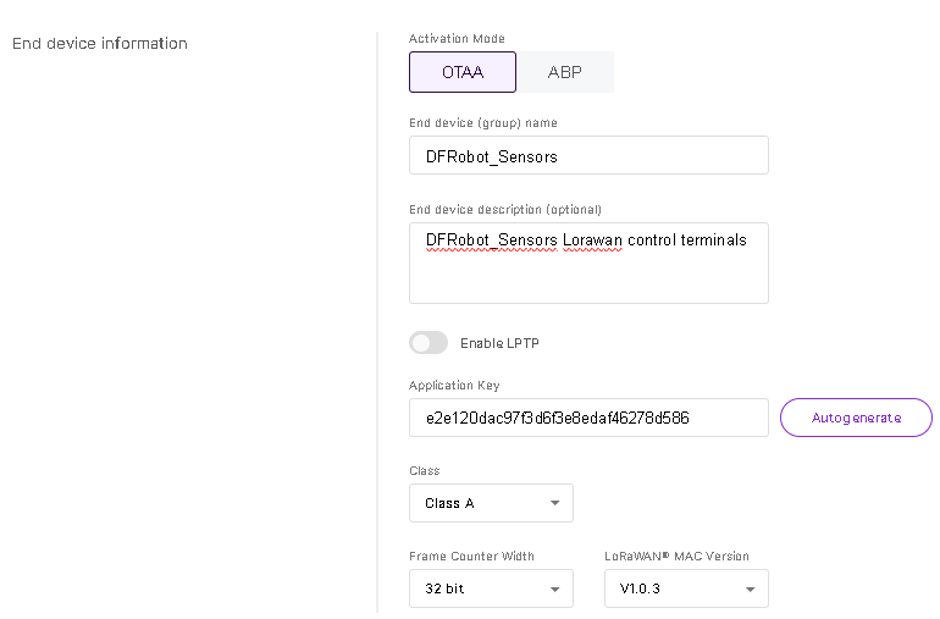
I am attempting to add LORAWAN nodes using the RAK7268CV2 internal LORAWAN network server (LNS) for nodes using separate application keys and OTAA.
During the setup of the end device, there is no where to enter the application EUI.
There are fields to enter the application key and then the device EUI, but during the setup I cannot find or see where to enter the application EUI.
(Please see attached image)
The AppEUI field is used for Auto Add Device, which works only with Unified Application Key. When Separate Application Keys is selected, the device is registered manually with its AppKey and DevEUI, so the UI does not ask for the Application EUI separately.
As you are running the Network Server locally on the gateway, you do not need to provide the Application EUI (JoinEUI) when using a unique (separate) AppKey for each device.
This is expected behavior. When Separate App Key is selected, the Built-In Network Server identifies the device by its DevEUI and uses the configured AppKey during the OTAA join procedure. The Application EUI (JoinEUI) is handled internally and is therefore not required during device provisioning.
So yes, the Built-In Network Server fully supports OTAA devices with separate application keys, even though there is no field to enter the Application EUI (JoinEUI).