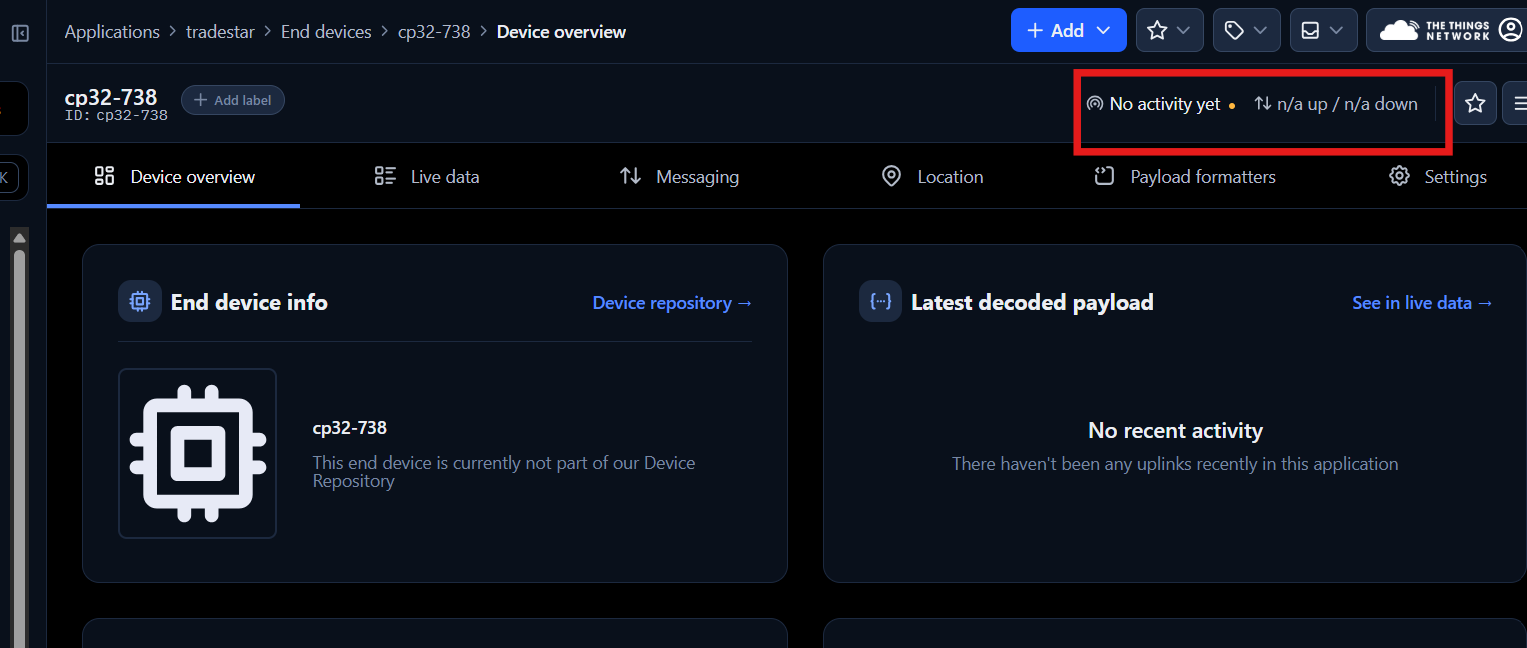
I have the RAK7268V2, am trying to setup configuration with built-in network server option. Am based in Kenya, what frequency band should I use? Since i cannot find Kenya in the country list.
Where can i also find the Application Key and the Application EUI when setting up the application?
Hello @Imbisi,
Kenya’s LoRaWAN frequency plan is EU433 and EU863. Regional parameters and frequency plans for LoRaWAN can be found here: RP002-1.0.4 Regional Parameters
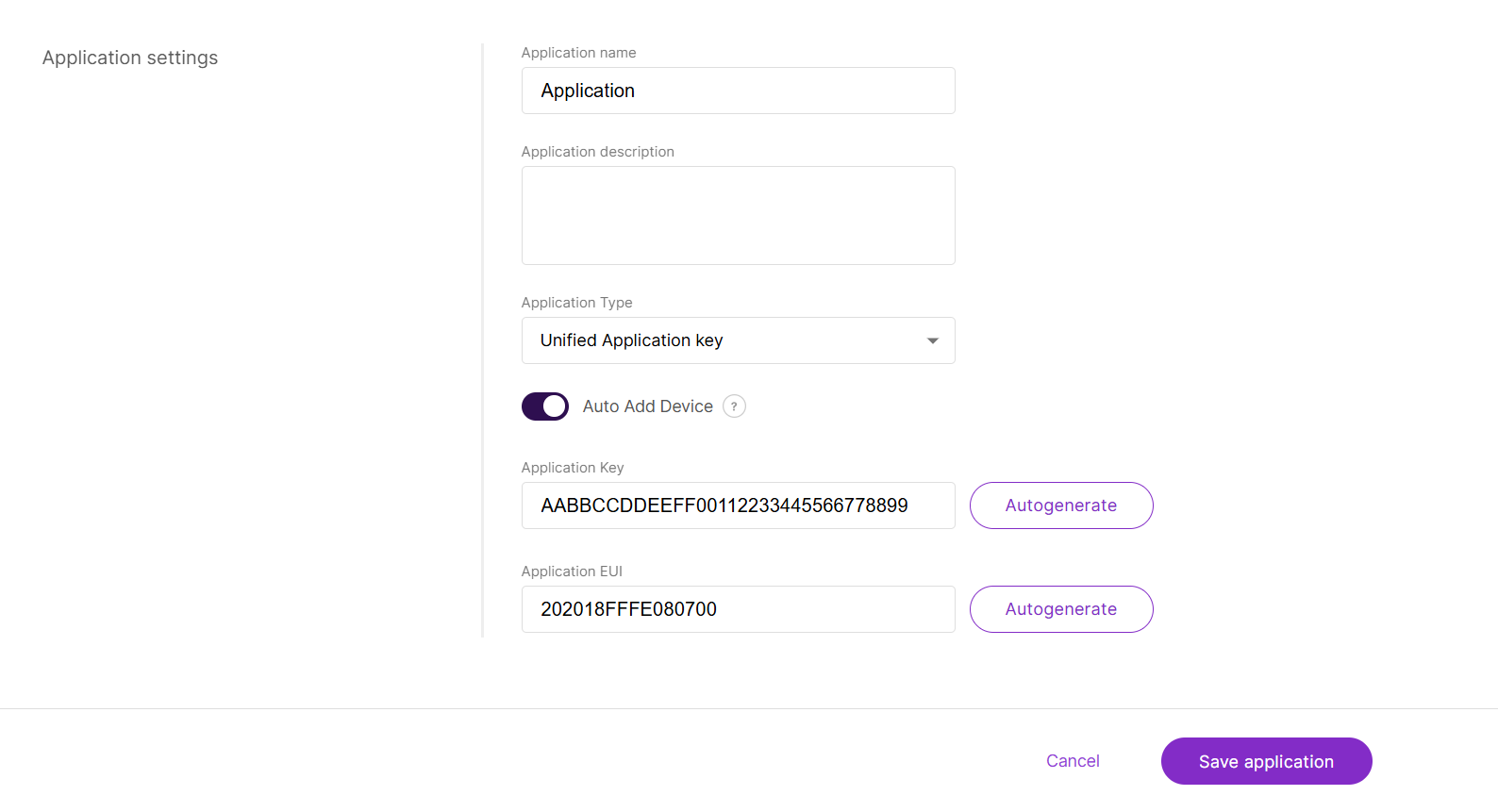
The Application Key and Application EUI can be defined and used by the user directly.
Thank you for your reply, I have tried several country options but havent seen the EU433 and/or EU863. The WorldWide option gives AS923,AU915,KR920 and US915.
The radio frequency supported by your purchased gateway is not compatible with the EU433 or EU863 frequency plans. In other words, the concentrator in your gateway only supports AS923, AU915, KR920, and US915 frequencies.
If you still want to use your current gateway, you will need to contact the Communications Authority of Kenya to inquire whether using those specific frequency bands (AS923, AU915, etc.) is permitted.
Does the region affect local connection like the built-in-server? since i just want to make connection with the tags and beacons, which is still not working.
The regional frequency plans do matter, even when you only want to use the built-in network server locally. Each country allocates specific sub-GHz frequencies for LoRaWAN. These allocations are different because every country must avoid interference with other licensed services such as mobile networks, emergency services, broadcast systems, and military radio.
To communicate with those devices if they use LoRaWAN, you need to set the frequency plan and EUIs, AppKey first. Have you configured them yet?
Yes, i tried configuring them with worldwide, US915. I tried to add end devices(the tags) with their EUI as explained in one of the manuals, but they dont connect or send uplink to the lorawan, however they can be seen on the nRF Toolbox app on mobile.
How did you configure the device? Could you share your WisGateOS 2 web interface built-in LNS configuration screen without sensitive info? You can access via [LoRa configuration] → [Applications] → [Your Application Name] → [Your Device]. And then go to the Configuration tab. When you are stuck with that, please refer to the documentation - WisGateOS 2 User Manual | Complete Guide for LoRaWAN Gateway Software
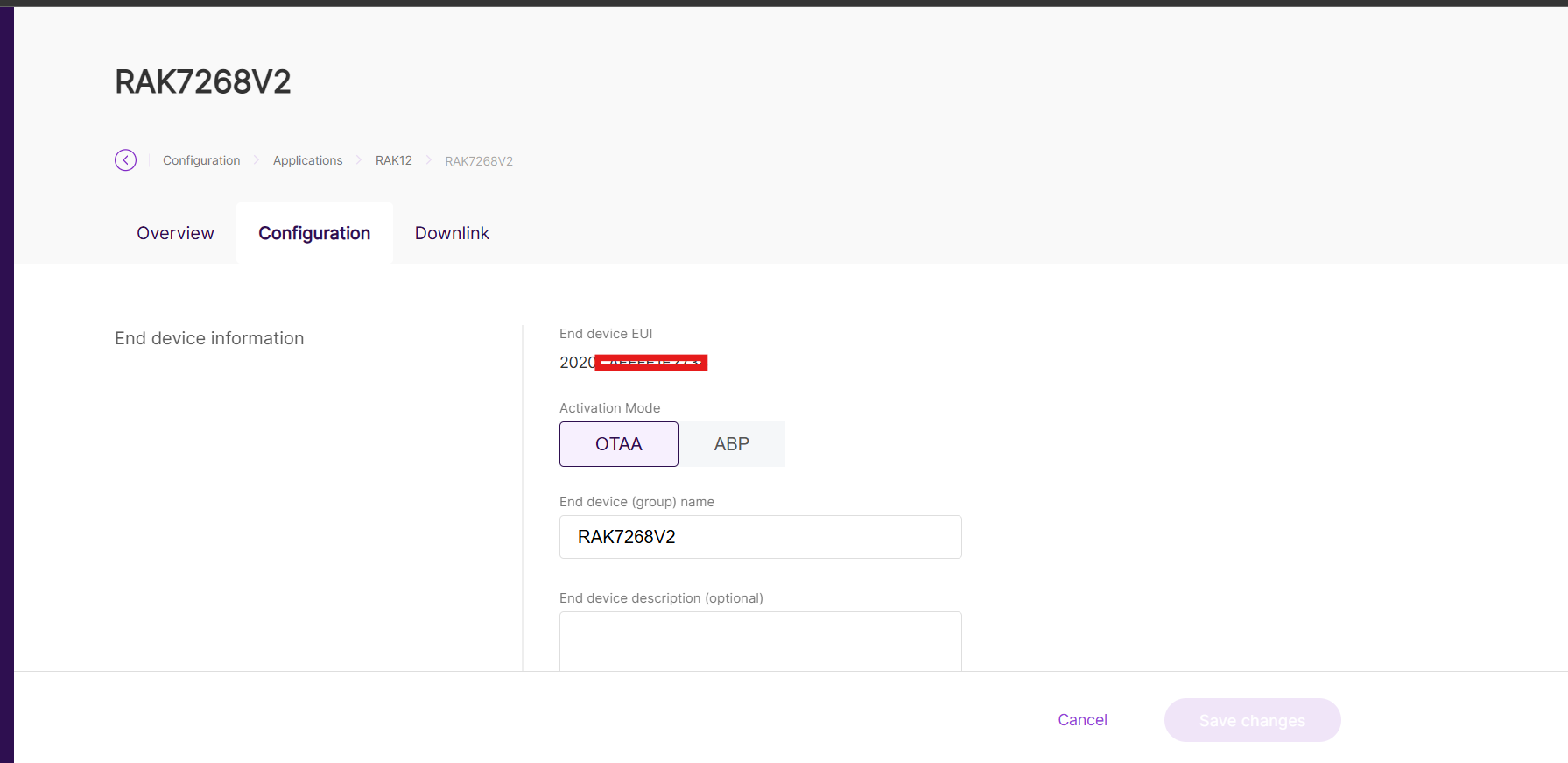
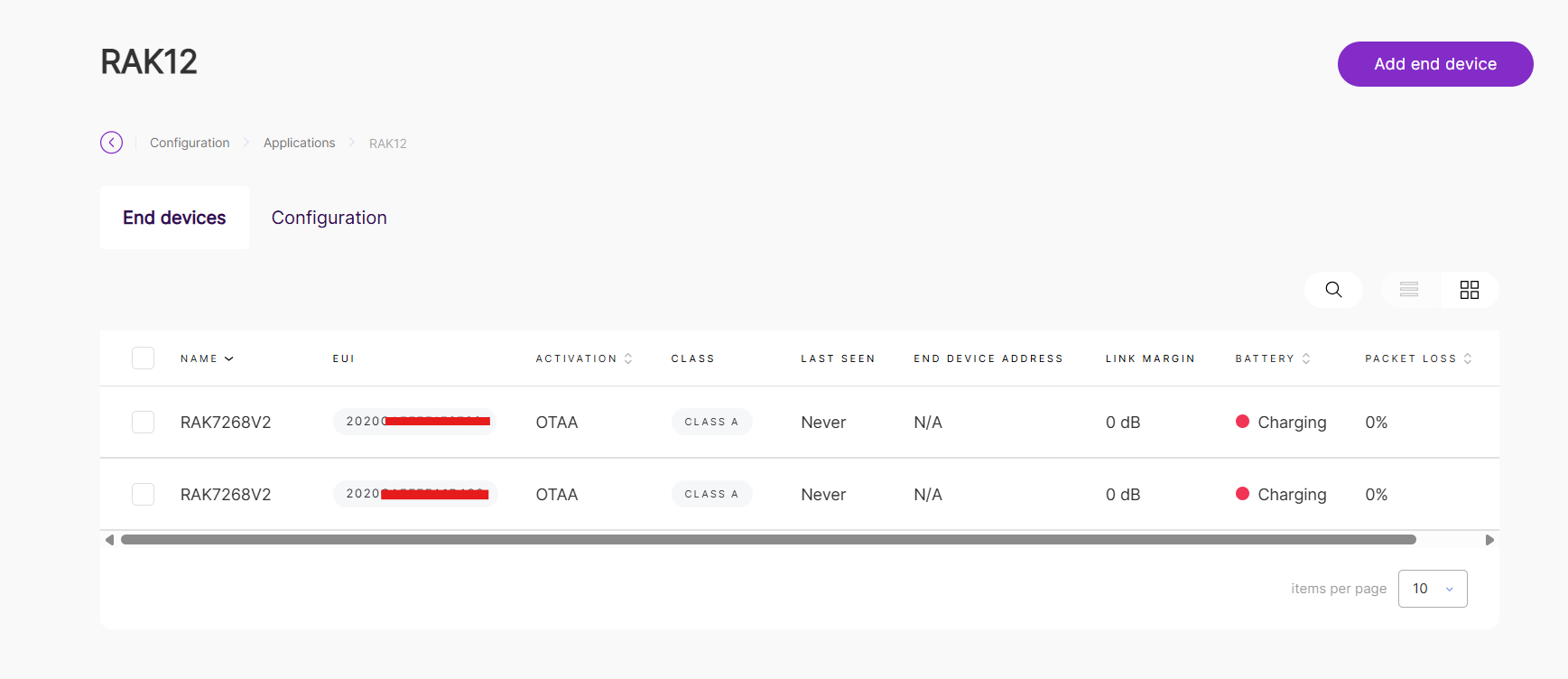
Please double-check that the DevEUI and AppKey configured on your end devices are the same as those configured on the gateway. Could you also share your end-device configuration screen?
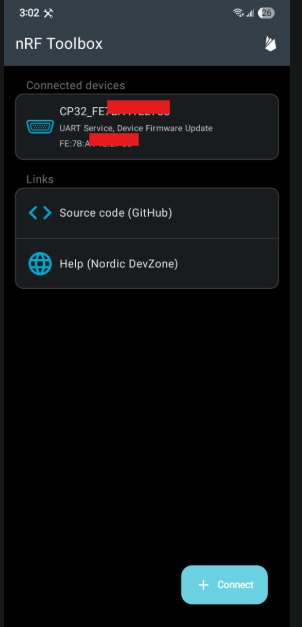
I’m not sure what CP32 is, but when I checked the page for the nRF Toolbox mobile app, it says that it’s used in the demo app of the nRF BLE SDK. In other words, this is for a particular use, not for LoRaWAN configuration.
Also, please confirm if the end device has a LoRa.
the cp32 are the tags that are supposed to be attached to moving people/objects, the cp28 are the beacons to stick at specific places, eg walls. I can not quite tell if the cp32 and cp28(tags and beacons) have lora but from the documentation they should be able to communicate, this diagram
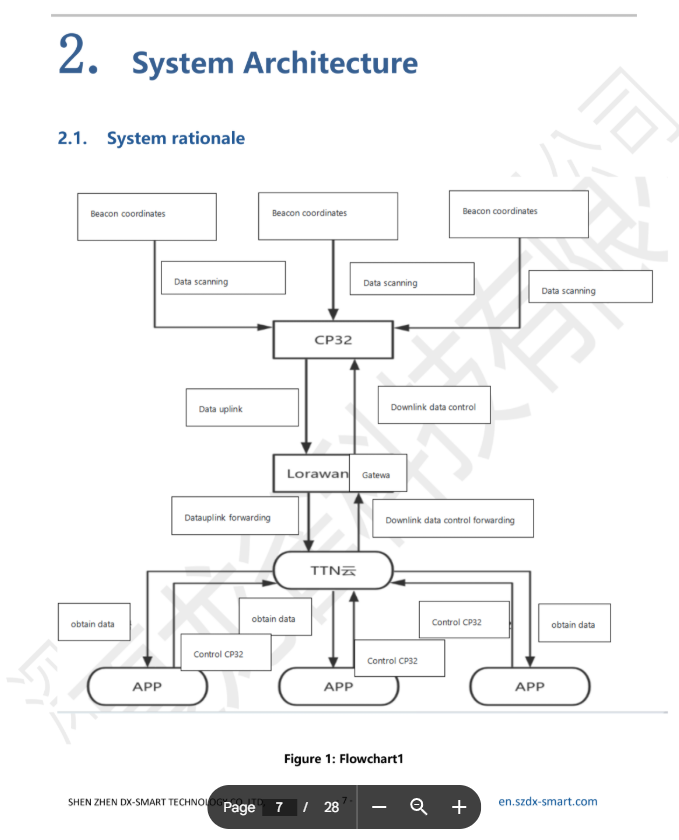
from 1. Instruction Manual – Google Drive
You’re right, the CP32 tag has LoRa. After reading the manual, there’s no other way to configure the device’s EUI and AppKey. But please confirm that you registered the correct DevEUI 2020CAFFFE<last 3 bits of BT mac address> and AppKey AABBCCDDEEFF00112233445566778899 again. Device rebooting would also help join the LoRaWAN.
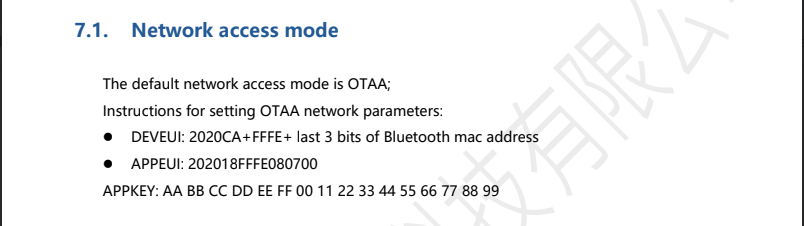
i have used the APPKEY aabbccddeeff00112233445566778899 and Application EUI 202018fffe080700 for the Application setup as from the documentation the used DEVEUI 2020CAFFFE < last 3 bits of mac adress of one of the cp32, but still
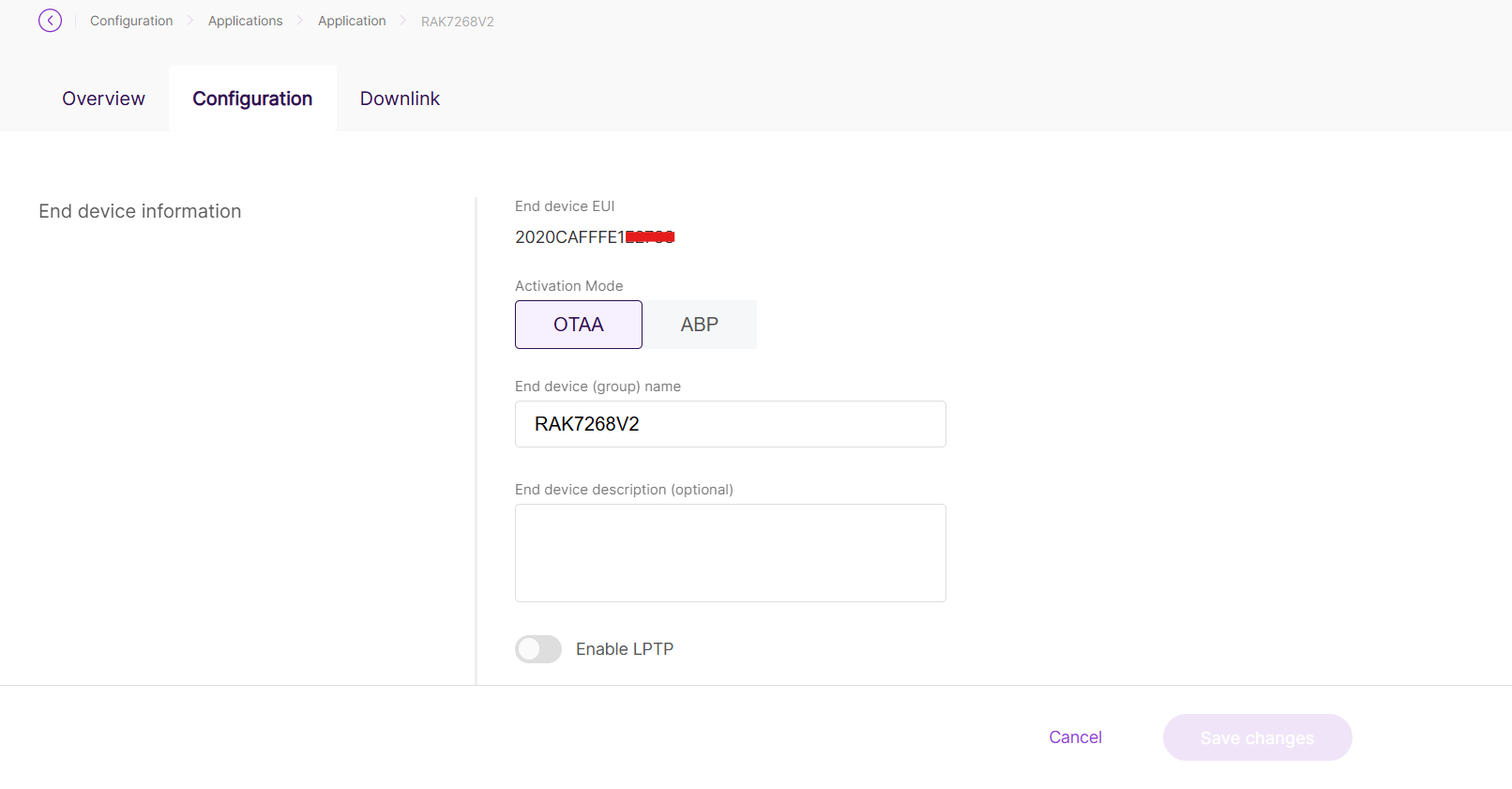
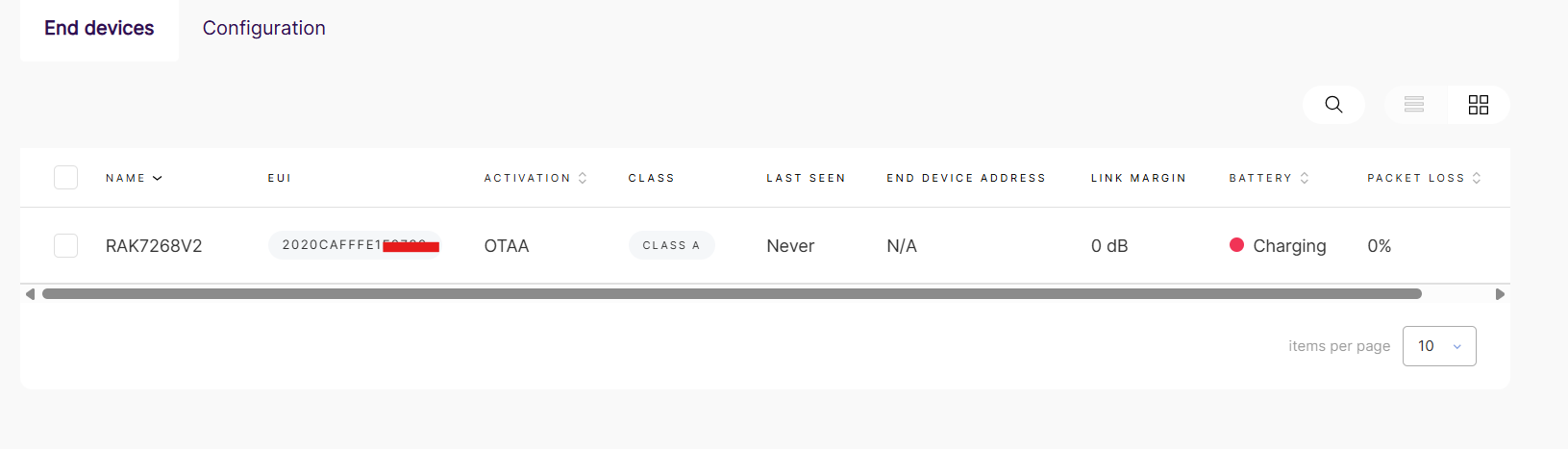
It might be inconvenient, but if it’s not too much trouble, could you please scan the CP32 and share the screen showing the MAC address?