I want to use the RAK13010 WisBlock SDI-12 Module with my RAK4631 + RAK19007. I’m also using the WisBlock API V2, which I like and plan to build my applications on.
Unfortunately, it seems that the RAK13010_SDI12 library does not work with the wiscore_rak4631 board…
I can’t get any response from my sensor using the Basic Data Request example.
However, this example works with the same hardware when I switch my RAK4631 to the RAK4631-R with the RUI3 firmware.
Unfortunately, the WisBlock API V2 is not compatible with RUI3.
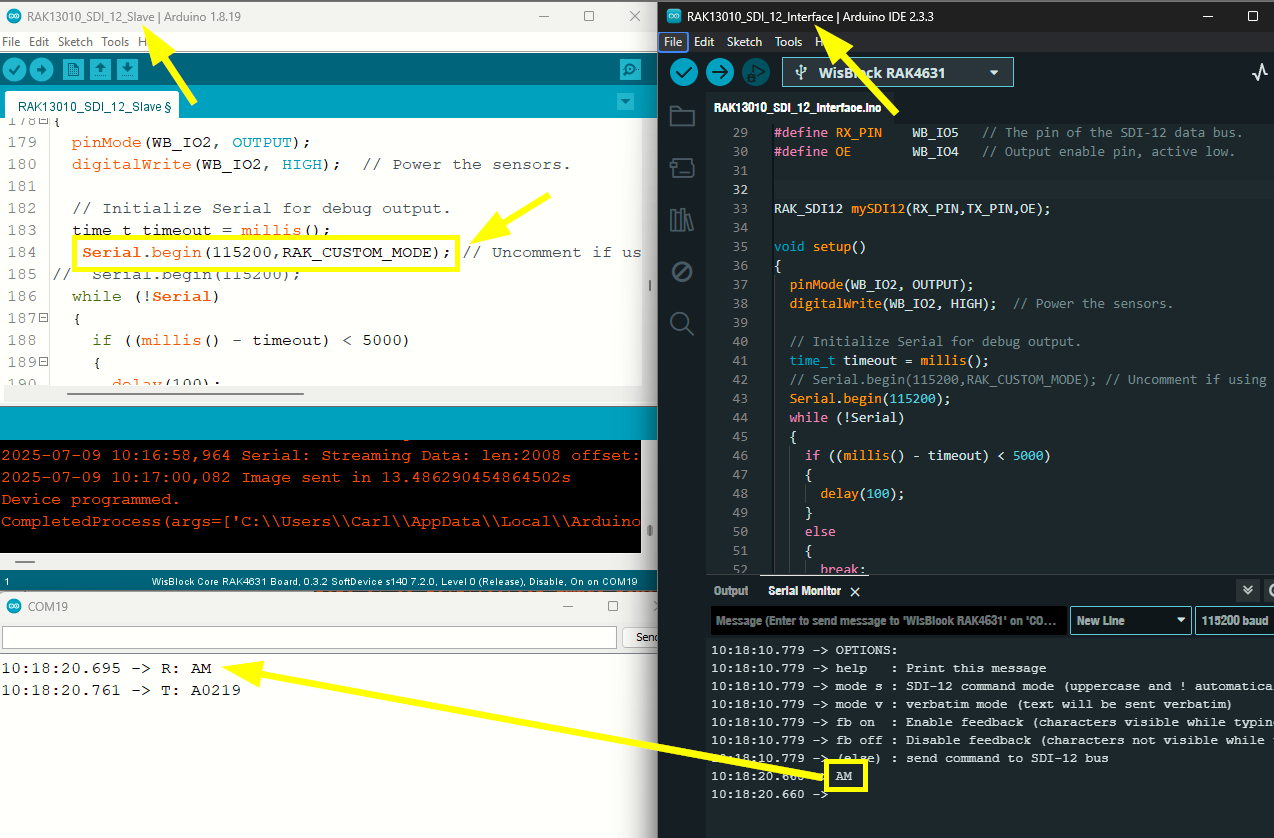
I tested my RAK13010 and it seems to be ok. I both tested both RUI3 (left) and Arduino BSP(right). I used the Slave and Interface example to establish communication and both works in reverse setup (vice-versa).
The interface can send AM commadn will have the A0219 reply.
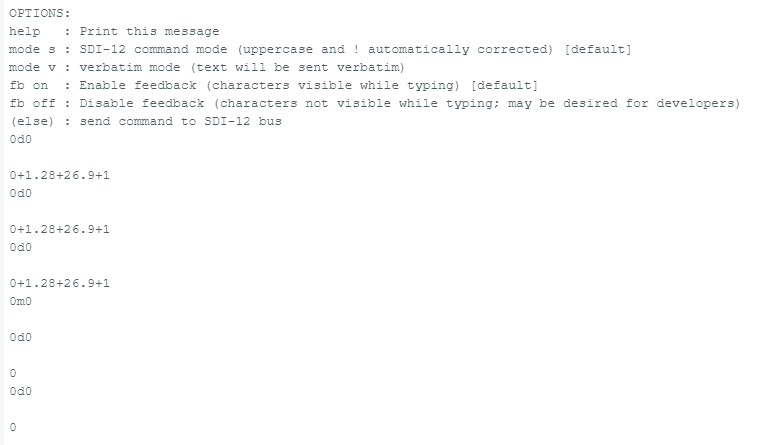
Indeed, I went back from RUI3 to BSP on the same board and was able to get a response from my sensor using the SDI_12_Interface example under Arduino IDE (Board Manager: RAKwireless nRF Boards 1.3.3).
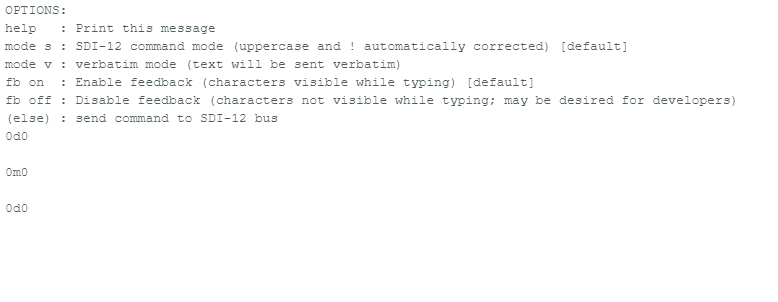
However, if I send a new M0! command, I can’t get any further response to any other SDI-12 command — even after restarting or flashing new code.
The only workaround I found was to re-upload the bootloader (switching back and forth between RUI3 and BSP).
It seems like there are some issues with SDI-12 communication. My sensor is from Meter, and I’m 99% sure it works fine.
Using a function shared with me, I was able to successfully read data from my sensor under RUI3. However, running the exact same code under BSP results in no response from the sensor…
//Mesure des capteurs SDI12
void readFromSensor(int sensor_address) {
  // Power the sensor.
  pinMode(WB_IO2, OUTPUT);
  digitalWrite(WB_IO2, HIGH);
  delay(500); //1500


  mySDI12.begin();
  delay(50); //500

sdiResponse="";

  mySDI12.clearBuffer();
  delay(50);  //500
  mySDI12.sendCommand(String(sensor_address) + sdiCommand);


 delay(700); //700 pour ATMOS14 ECH20 GS3


  mySDI12.clearBuffer();
  //sdiResponse="";
 //delay(100);
 mySDI12.sendCommand(String(sensor_address) + sdiCommand1);

delay(500);


 sdiResponse = mySDI12.readStringUntil('\n');

 #ifndef MAX_SAVE
  Serial.println("D:" + sdiResponse);
 #endif

parseResponse(sdiResponse,sensor_address);

  mySDI12.end();

  digitalWrite(WB_IO2, LOW);
}
/*******************************************************************************************/
//Formatage de la data SDI12 avant transfert en LoraWan
void parseResponse(String response, int sensor_address) {

  int index = 0;
  int nextIndex = 0;
  int counter = 0; // expliciter
  String value = "";
  while (index < response.length()) {
    nextIndex = response.indexOf('+', index);

    // If no other "+" sign is found, get the rest of the string.
    if (nextIndex == -1) {
      nextIndex = response.length();
    }

    value = response.substring(index, nextIndex);
    //Serial.println(value);

    switch (sensor_address) {

     case 0 :

             switch (counter) {
              case 0:
                // Address of the sensor
                break;
              case 1:
                sensor.EC = (value.toFloat()*100);
              #ifndef MAX_SAVE
                Serial.print(String(value.toFloat()) +",");
              #endif
                break;
              case 2:
                sensor.temperature= (value.toFloat()*10);
              #ifndef MAX_SAVE
                Serial.print(String(value.toFloat())+",");
              #endif
                break;
              case 3:
               sensor.Raw_dielectric= (value.toFloat());
              #ifndef MAX_SAVE
                Serial.print(String(value.toFloat())+",");
              #endif
                break;

              default:
                break;
            }
       break;
    }

    index = nextIndex + 1;
    counter = counter + 1;
  }
   #ifndef MAX_SAVE
  Serial.println(sensor.batteryVoltage);
  #endif
}
I’ve looked on some RAK13010 users here in forum and it seems they can capture data from the sensors. At this point, if you have logic analyzer to check the serial lines from SDI-12 until it is converted to UART, that will be helpful on analyzing the issues. We can see if it is timing issues, command-respond issues, etc.
Btw, I saw that you add delays on capturing the sensor replies once you send the command, you can probably tweak these or even totally remove the delay. Btw, take note that your code of capturing SDI-12 data is not on interrupt and inside the while loop in case you are using are default example.
Hi, thanks for your hints on my code. Indeed, using delays is definitely not the right approach for a final version, but it was working for testing purposes.
It seems that my troubles were related to the SDI-12 commands and communication, not the RAK library.
First mistake: The SDI-12 command to start a measurement is 0M!, not 0M0!. Second mistake: The waiting time before reading the measurement wasn’t long enough (60 seconds for my sensor!). Last mistake: It was due to the sensor’s configuration itself…