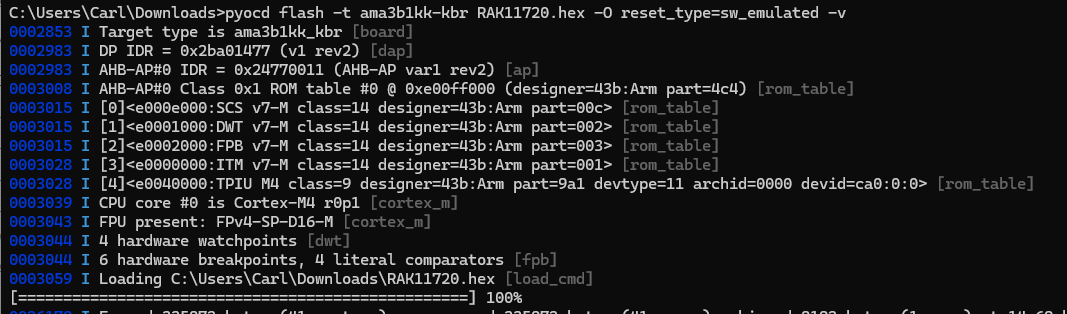
We are using the RAKDAP1 for the debugging and for flashing of the RAK11720 , but it throws us the error given below even though the connections are checked and correct and the continuity test are done still it does it work.
Is the RAKDAP1 connection ok? Wiring stable? Do you use jumper wires or soldered in PCB?
How did you connect it to RAK11720? Does it have external supply?
Can you try this pyocd command? pyocd flash -t ama3b1kk-kbr RAK11720.hex -O reset_type=sw_emulated -v. It has verbose output which shows up upon trying to upload. This also force a sw reset.
Test other reset types reset_type=sw or reset_type=hw. For hardware reset, please connect reset pin.
If you already performed multiple attempts, make a hard reset by disconnecting RAKDAP1 and the module to reset the power. Put power first to the module then connect RAKDAP1 then try again.
If nothing works here, it is recommended to use a professional tool like Jlink which provides better programming/debugging experience with ARM based MCUs.
The connection is okay and the continuity test is also done which ensures the connnection.
the RAK11720 is connected to the RAKDAP1 directly and supply is given from the same , in this we checked with the multimeter across the 3.3v and GND , we get the correct voltage.
In the command you have given above , we have tried it but the response is the same as the previous.
Tried with other resets also but the output is same as above, and tried the step 5 too the results are the same
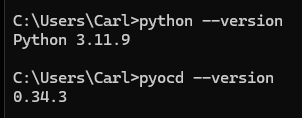
which python and pip version do you use, does this version affect the output?
I’ve tried with the version you have used also. But the output is like " NO ACK RECEIVED " ,
Is there any other ways to resolve this issue and sort it out.