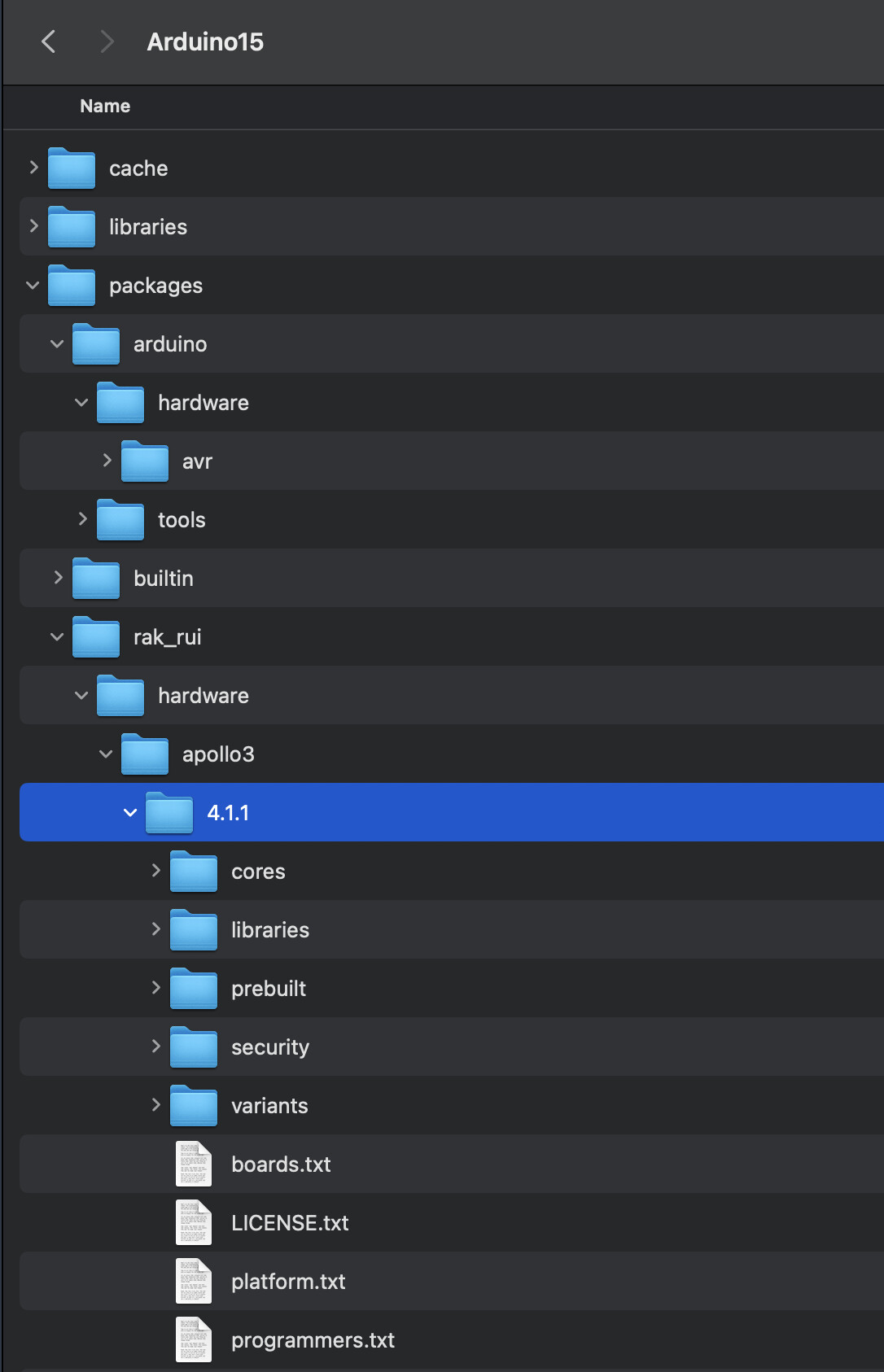
i try use BLE custom service with de API, but the propiertis for characteristics only accept CHR_PROPS_NOTIFY/CHR_PROPS_READ, I don’t know if with the new firmware the API can accept write characteristics or is it under development.
    bslc.setProperties((RAK_CHARS_PROPERTIES) (RAK_CHR_PROPS_WRITE | RAK_CHR_PROPS_READ));
    bslc.setPermission(RAK_SET_OPEN);
    bslc.setFixedLen(1);
    bslc.setWriteCallback(send_callback);
    bslc.begin();
    delay(1000);
    uint8_t sensor_location = 2;
    bslc.write(&sensor_location);	// Set the characteristic to 'Wrist' (2)
Please be aware that these additions can cause problems. Testing is your responsibility. Also, I will inform R&D team to add this feature for next releases.
Thanks for your response, can you explain me where’s this files to replace, I use de vscode for programming RAK, this files is a files for library of RAK11720 or how I will to replace this files?
For calling the write characteristic I use .setWriteCallback(send_callback);? Can you explain me with a example plis?
At the end, you must change following files with my version (I shared previously.):
…/cores/apollo3/component/core/mcu/apollo3/uhal/uhal_cus.c
…/cores/apollo3/component/rui_v3_api/RAKBleUart.h
Again, the better way is to wait following RUI3 versions.
Currently, it is not added to latest RUI version. Please apply patches to be able to add write characteristic. Please take a look following example to learn how you can use write characteristic…
/***
 *
 *  This example provide a BLE heart rate characteristic and callback function.
 *  While reading corresponding characteristic, the device will print message on console.
 *
***/
#define UUID16_SVC_HEART_RATE 0x180D
#define UUID16_CHR_BODY_SENSOR_LOCATION 0x2A38

void send_callback(uint16_t chars_uuid, uint8_t * send_value)
{
    if (chars_uuid == UUID16_CHR_BODY_SENSOR_LOCATION) {
        Serial.println("[Heart Rate - Body Sensor Location Read or Write!]");
        Serial.print("chars_uuid: ");
        Serial.print("0x");
        String uuid_str = String(chars_uuid, HEX);
        Serial.println(uuid_str);
        Serial.print("value: ");
        char send_str[4];
        sprintf(send_str, "%d", send_value[0]);
        Serial.println(send_str);
        Serial.println("");

    }
}

void setup()
{
    //Base 128-bit UUID : 0000180D-0000-1000-8000–00805f9b34fb
    //--The 3rd and 4th byte '180D' means Service 16bit UUID
    uint8_t base_uuid[] ={
        0x00, 0x00, 0x18, 0x0D, 0x00, 0x00, 0x10, 0x00, 0x80, 0x00, 0x00,
        0x80, 0x5f, 0x9b, 0x34, 0xfb};

    Serial.begin(115200);
    delay(2000);

    Serial.println("RAKwireless BLE Custom Services Example");
    Serial.println("------------------------------------------------------");
    api.ble.custom.init();
    RAKBleService hrms = RAKBleService(base_uuid);
    RAKBleCharacteristic bslc = RAKBleCharacteristic(UUID16_CHR_BODY_SENSOR_LOCATION);
    hrms.begin();

    //Body Sensor Location
    //      0     = Other
    //      1     = Chest
    //      2     = Wrist
    //      3     = Finger
    //      4     = Hand
    //      5     = Ear Lobe
    //      6     = Foot
    //      7:255 = Reserved
    bslc.setProperties((RAK_CHARS_PROPERTIES) (RAK_CHR_PROPS_WRITE | RAK_CHR_PROPS_READ));
    bslc.setPermission(RAK_SET_OPEN);
    bslc.setFixedLen(1);
    bslc.setWriteCallback(send_callback);
    bslc.begin();
    delay(1000);
    uint8_t sensor_location = 2;
    bslc.write(&sensor_location);	// Set the characteristic to 'Wrist' (2)

    api.ble.custom.start();
}

void loop()
{
    /* Destroy this busy loop and use timer to do what you want instead,
     * so that the system thread can auto enter low power mode by api.system.lpm.set(1); */
    api.system.scheduler.task.destroy();
}