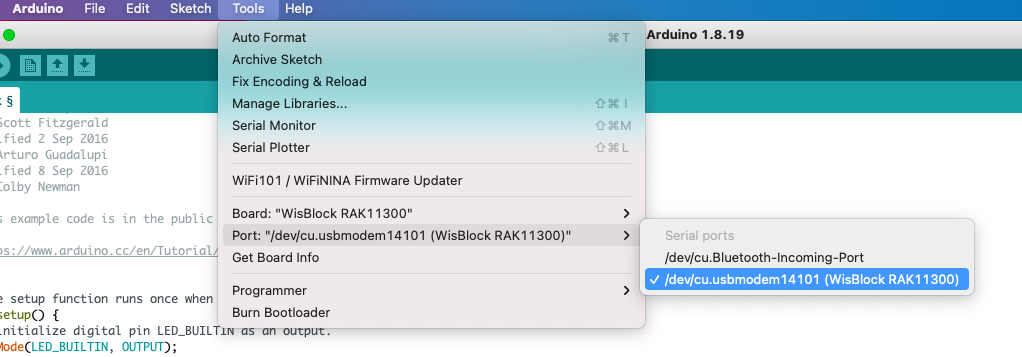
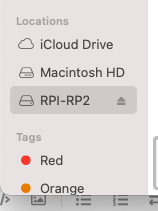
Click the reset button of the WisBlock Base Board twice to enable the USB Bootloader mode of the RAK11300 module.
Hold the BootSel button in the RAK11300 module, reset the module (press the reset button of WisBlock Base Board for at least 2 seconds) then wait for the USB Mass Storage RPI-RP2 to appear before releasing the BootSel button.
Both the methods failed. Base board has red light flickering. It isn’t solid red or even blinking. I have tried this with other few boards and same result. Linux USB ports do not detect anything when the board is connected while trying all steps.
Is there a video which shows how this needs to be done or anyone else who has this configuration with Macbook pro faced this same issues?
PS: I have tried with 5 boards with 5 RAK113100 CPU’s and none worked.
I’m using PlatformIO and have patched with RP2040 so compile works. I had ordered 5 WisBase boards so I started swapping to try variety of combinations.
2 of the 5 base boards are working well. 3 are not.
When I connect the working boards I see this output with dmesg:
dmesg
[12639.481621] usb 5-2: new full-speed USB device number 74 using xhci_hcd
[12639.655206] usb 5-2: New USB device found, idVendor=2e8a, idProduct=00c0, bcdDevice= 1.01
[12639.655218] usb 5-2: New USB device strings: Mfr=1, Product=2, SerialNumber=3
[12639.655222] usb 5-2: Product: WisBlock RAK11300 Board
[12639.655225] usb 5-2: Manufacturer: Arduino
[12639.655228] usb 5-2: SerialNumber: 518460E622307653
[12639.683341] cdc_acm 5-2:1.0: ttyACM0: USB ACM device
With the other 3 that are not working I do not get any output on dmesg.
It appears that 3 of the 5 Base boards are DOA.
I have tried. All these 3 boards do not get detected in dmesg. I tried changing usb cable, attach a battery and even use a CPU which was updated using the other 2 working boards. These 3 boards still do not work.
Any suggestion on how to fix a RAK19007 base board?
Seems the baseboard then. I sent you a message for possible replacement. It is hard to know the actual cause of the issue unless we see the actual board