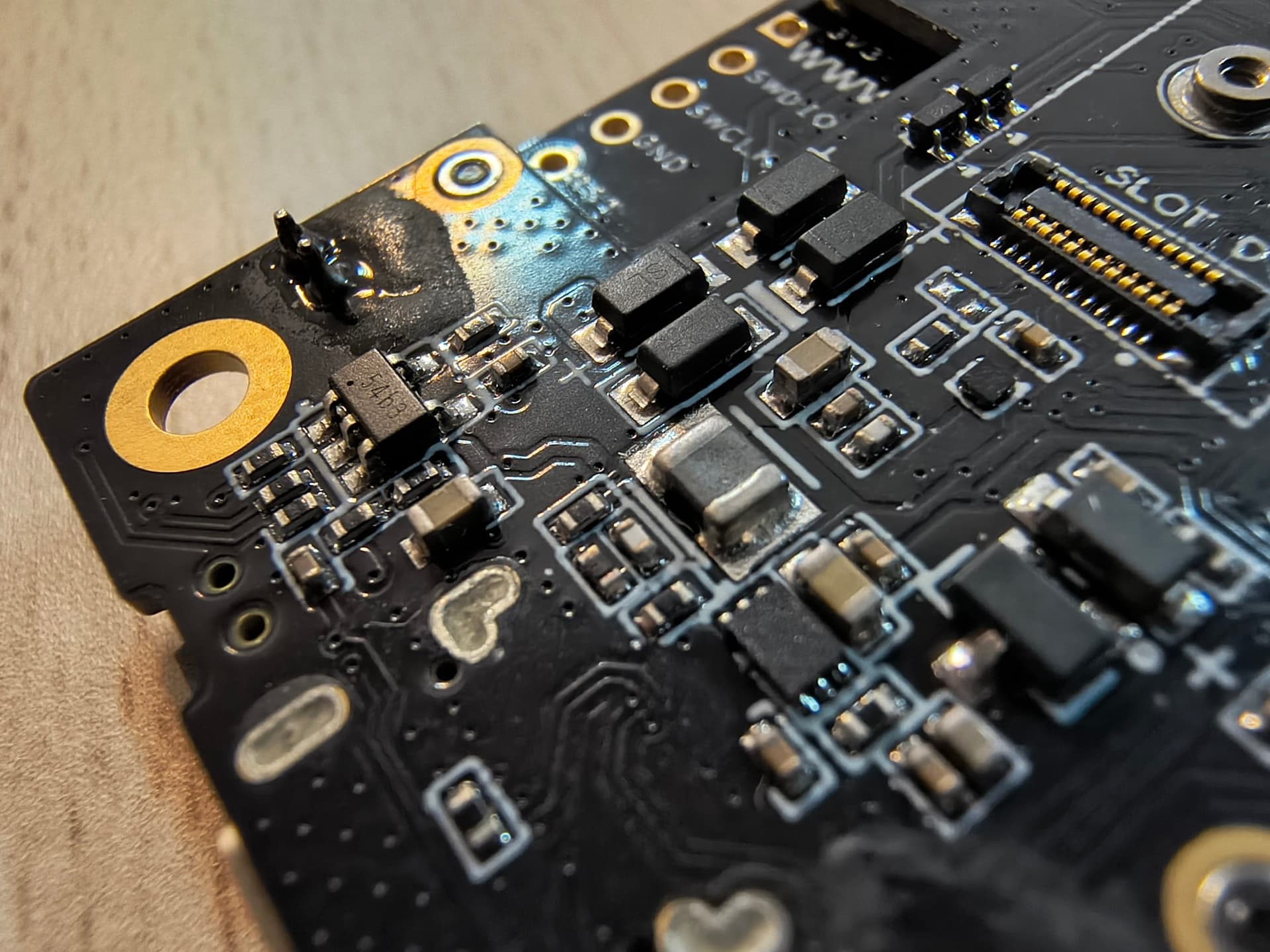
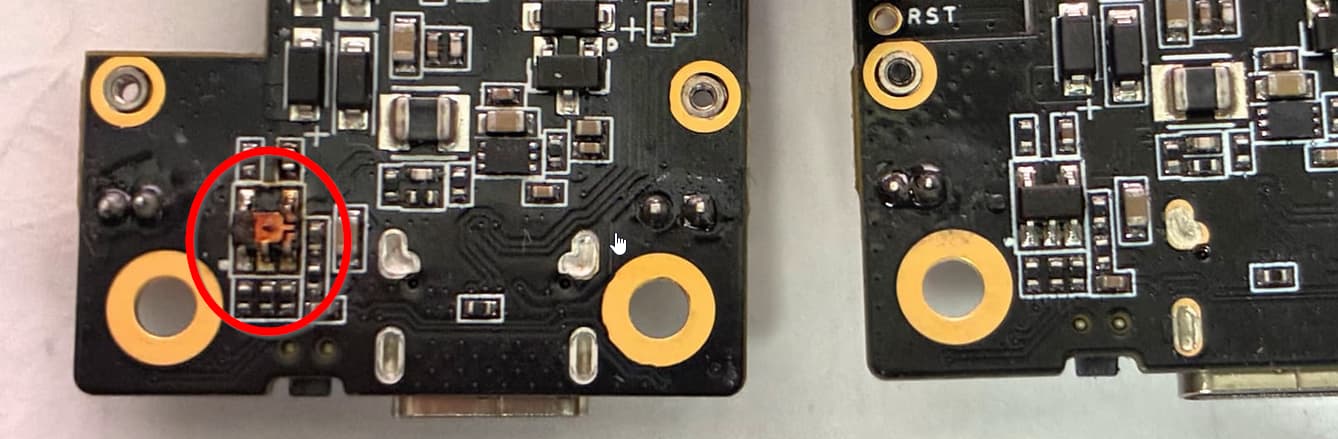
In my case, due to the incorrect nominal power of the solar panel and battery, it led to a malfunction (the smell of burnt plastic) on the RAK19007 + RAK4631 board, the red LED was burning brightly and I could not enter the firmware mode, even a 2x reset did not help.
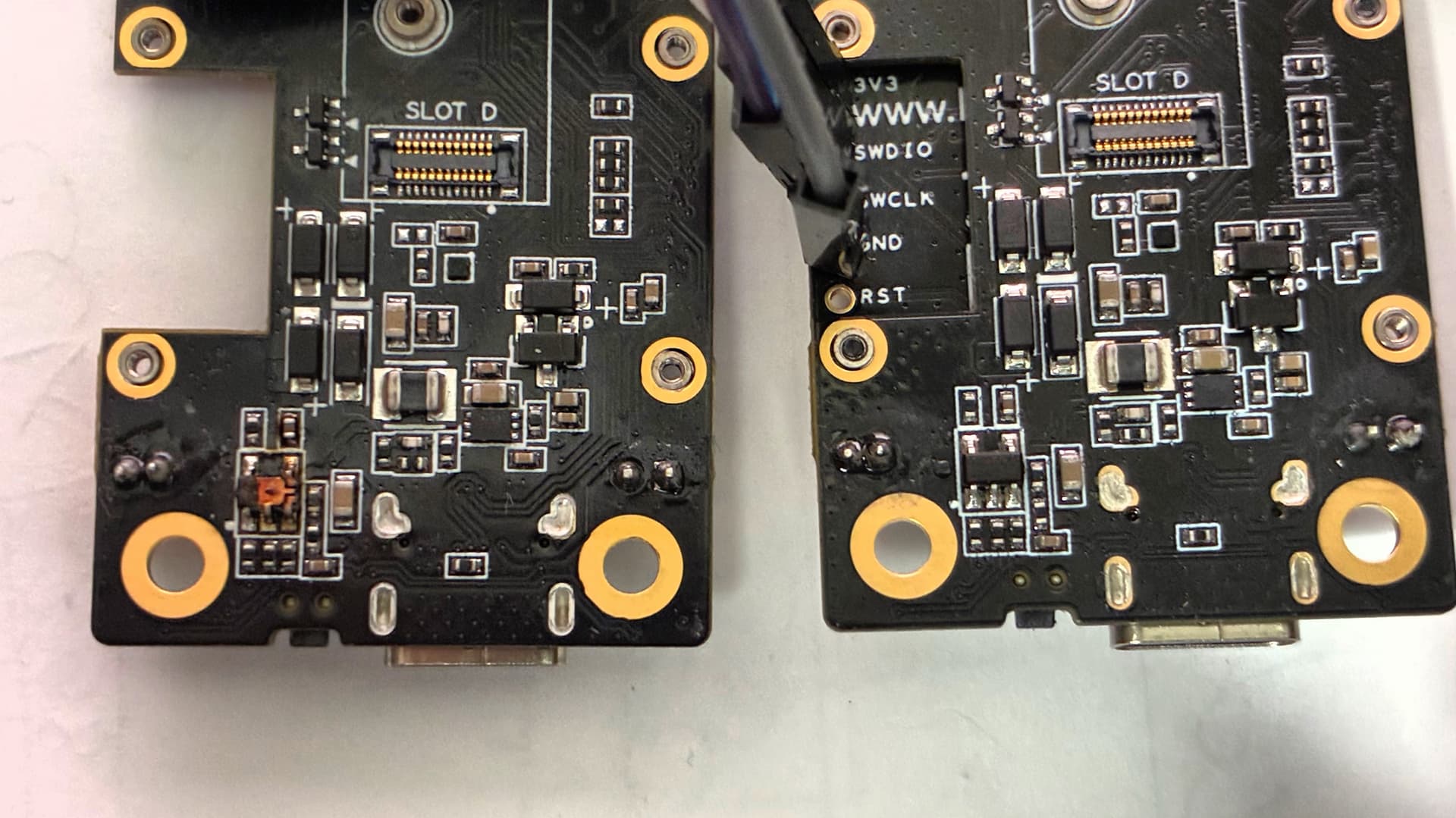
I read that I need to restore the bootloader.
I found instructions at WisBlock/bootloader/RAK4630 at master · RAKWireless/WisBlock · GitHub
Since I don’t have much experience (I’m a beginner), I bought a RAKDAP1 programmer (it says USB nanoDAP v2.3 RAK on it).
I connected (then soldered) the SWD wires as instructed in the instructions from the RAKDAP1 to the RAK19007+RAK4631 (located on the base).
My computer runs Windows 11.
I followed the instructions, installed Python, and installed pyOCD.
I entered the path in the command line where the .hex file is located (WisCore_RAK4631_Board_Bootloader.hex)
pyocd flash -t nrf52840 WisCore_RAK4631_Board_Bootloader.hex
The console displays the message
0001074 C SWD/JTAG communication failure (Unexpected ACK ‘0’); check USB cable, reduce debugger clock [main]
Then I started looking for a way to check what the problem was:
pyocd --version
0.43.1
Updated
pyocd pack update
pip install pyocd --upgrade
I checked if the device was visible in pyocd list.
0 ARM CMSIS-DAP-v1-MuseLab 0700000100330035470000144e544634a5a5a5a597969908  ︎stm32f103rb
NUCLEO-F103RB
If you repeat step
pyocd flash -t nrf52840 WisCore_RAK4631_Board_Bootloader.hex
the console displays the message
0001074 C SWD/JTAG communication failure (Unexpected ACK ‘0’); check USB cable, reduce debugger clock [main]
The RAKDAP1 becomes inactive (the LEDs don’t glow blue). You need to remove it from the port and reinsert it. In this case, the DAPLINK boot disk appears.
I’ve tried various methods and checked the connection, but I don’t know where to look for the cause.
How can I check if the RAK4630 is burned out?