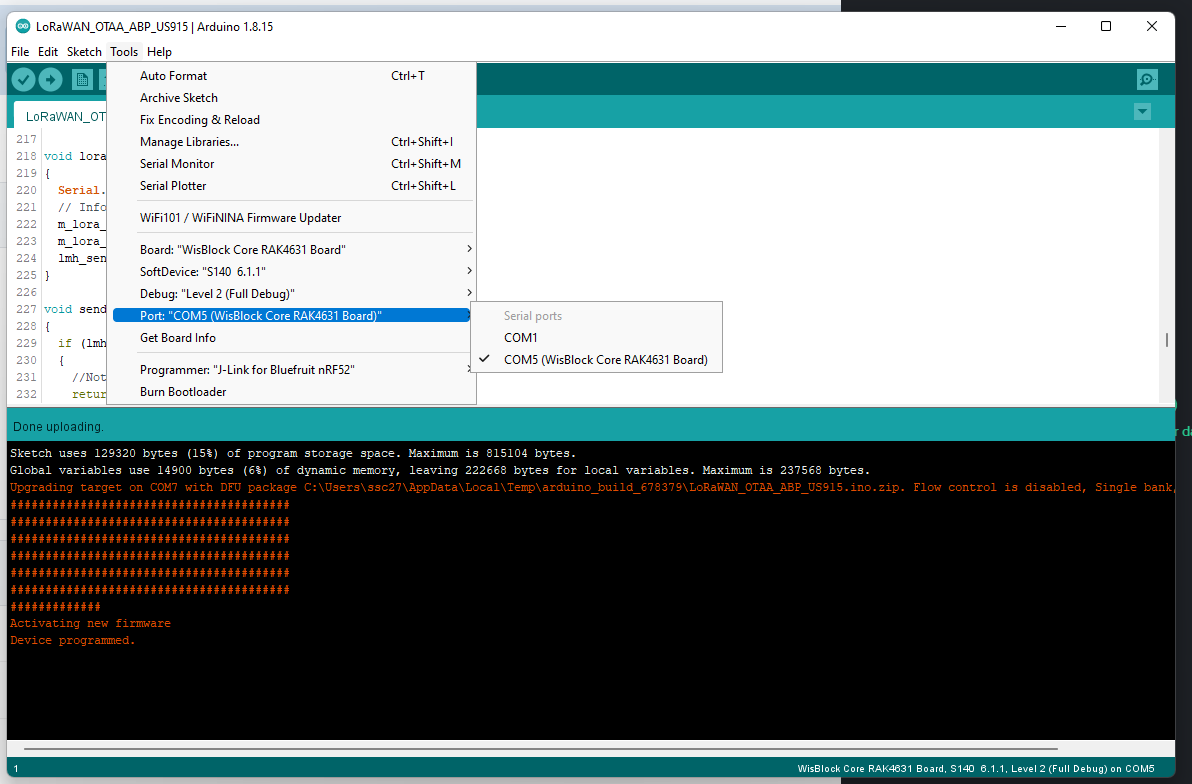
As can be seen in the screenshot, the DFU happens on COM7 (see first message in red in the Arduinio IDE terminal output) whereas the 4630 is connected to COM5 (see both the “Tools” menu selection as well as the status bar at the bottom right). Also, the “Upgrading target on…” error pops every time I try to install the LoRaWAN sketch even though the new bootloader is present. So, I presume the problem with the COM port changing the @k3nt mentioned above is the source of the problem on Windows.
@beegee - please let me know if I should start a separate thread for this Windows/COM port assignment issue for future resolution seekers.
I might just be getting confused by the terminal messages, @k3nt. As I attempted to detail above, the discrepancies with the COM ports seem to imply that the custom LoRa sketch in the path is getting uploaded onto COM7. However, the 4630 is on COM5. So, it is unclear as to whether the sketch is actually making it to the right port and onto the 4630.
Presuming the “Device programmed” message is correct and indeed confirms that the LoRa script made it to the 4630, I can not see evidence anywhere that the script is actually firing.
Stepping back a bit, I’d been compiling/uploading/running this same script on an Ubuntu machine without issue before it just stopped working leading to the creation of this support ticket. Join requests/accepts were being received in Helium Console successfully (and DCs getting charged) before so I know the credentials are correct. I do not see any such confirmation of reception now on Console from the same device, though, after this attempt to install the sketch.
Do you know if there is a serial output from the 4630 to confirm that it is firing? Or do you have any other guidance as to know the state of the 4630 after receiving “Device programmed”?
If you see the success message, then it did in fact succeed, there are several back and forth transactions between the host and device during the upload process to confirm this. I have likely created unnecessary confusion with the COM port discussion so my apologies. If you are using Arduino or PlatformIO to upload, there are more things happening in the background to find and use the correct port then there are when you use the Adafruit-nrfutil utility alone. You should see serial output from the sketch, it can be easy to miss the initial serial output sometimes though because you must wait for the port to enumerate and connect to before seeing them.
You are correct, @k3nt. It was firing after the “Device programmed” messages after all. I’d confused myself about the output from the build forgetting that the output I was looking for regarding the LoRa traffic was on the Arduino IDE serial monitor. Did I mention I’m a noob with Arduino?!
So, I think I am good with the bootloader/firmware updates. Now I will try to understand the Wisblock/4630 example and why the packets from it are being received on Helium Console with empty payloads.
Hello,
I have the same problem. I have just purchased a new rak4630. I can’t access it via USB.
Even I can’t upgrade the bootloader over [BLE OTA DFU ] because one the steps to follow needs the usb connection : "RAK4631 flashed with a firmware that supports OTA DFU, e.g. [ble_ota_dfu] .
I have this same problem cant access com port to update the boot loader. When pluged in it starts as a drive with access to bootloader version. I have tried arduino ide no com port and the windows command prompt boot loader update bit fails wvery time.
Do you have any other modules plugged into the WisBlock Base Board?
When showing as USB drive, there should be still a COM port showing.
Did you try different USB ports and different USB cables?
Yes i pluged in everthing that came with the gps tracker kit havnt tried just the wiscore . Have tried different working USB cables. Different USB ports.
The ports are a bit strange as i use to get a new port swaping an arduino board between usb ports but now i dont. Its always com 9. So i checked hidden com ports in device manager and found most of them inuse but not visable. Deleted all except comport 9. Now most are free again . It is possible something is reserving them all.
Under device managment the wisblock is under >other devices -Wiscore rak4631 board
Or
Other devices - nRF Serial (if double click reset on start up).
Windows 7. It would show as nrf device (i think) and wisblock depending on the mode it was in. Tried auto updating drivers and it didnt work. I found a post where you recommend updating the drivers with adafruit driver package.
I had it working on Windows 7 before I switched to Win 10.
I had the Adafruit nRF52 BSP installed on Win 7 before for Adafruits nRF52 Feather boards, and when I plugged in the RAK4631 it was immediately recognized.
We have the same problem.
We have developed a board with RAK4630.
We tried uploading program with Arduino but get the same error described in the thread.
When we press the reset button twice it doesnt go to UF2 bootloader mode making it a drive.
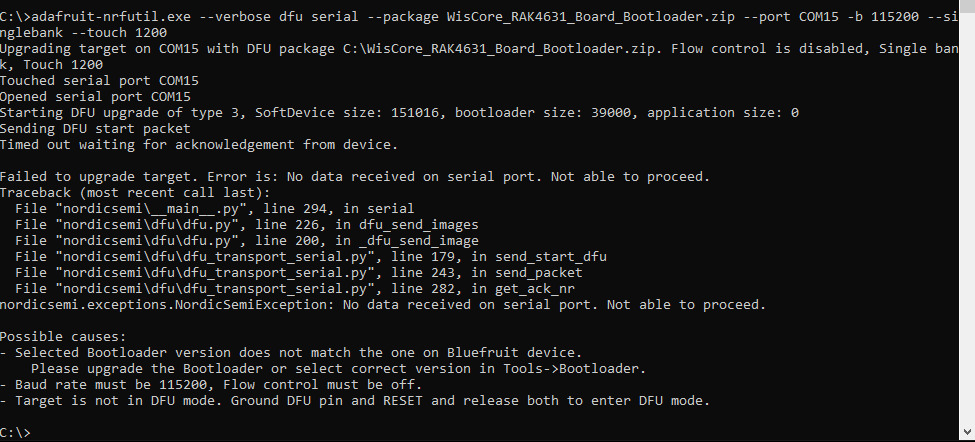
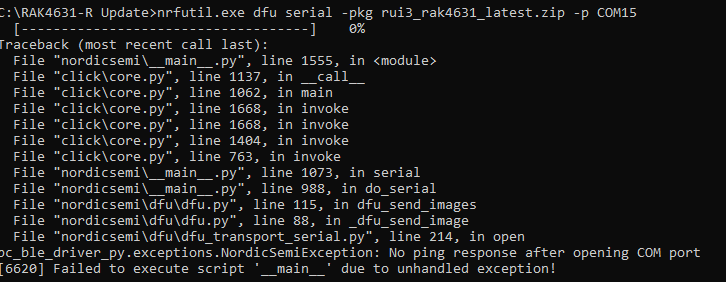
Tried to update the firmware we get the following error.
WisDuo RAK4630 stamp module comes with our RUI3 bootloader. It cannot be used with the Arduino BSP. You will have to change the bootloader first to the Arduino bootloader as shown in our Documentation Center
Yes, there’s an issue with the latest android versions and it’ll hang and not complete. Apparently this was due to an issue with the MTU size that was changed at some point and the adafruit bootloader has been updated to account for that. I don’t quite understand it all but hoping that same fix can be applied to the wisblock bootloader and fix the issue.
i will try to burn this (rui3_rak4631_latest,RAK4631_latest_dfu_package,rak4631_factory_bootloader ,rui3_rak4631_3.2.0-p2_22q1_final ) all boot loader but doesn’t work.