If it works with TTN and fails with Chirpstack then somehing is setup wrong in Chirpstack. Maybe a question for the Chirpstack forum.
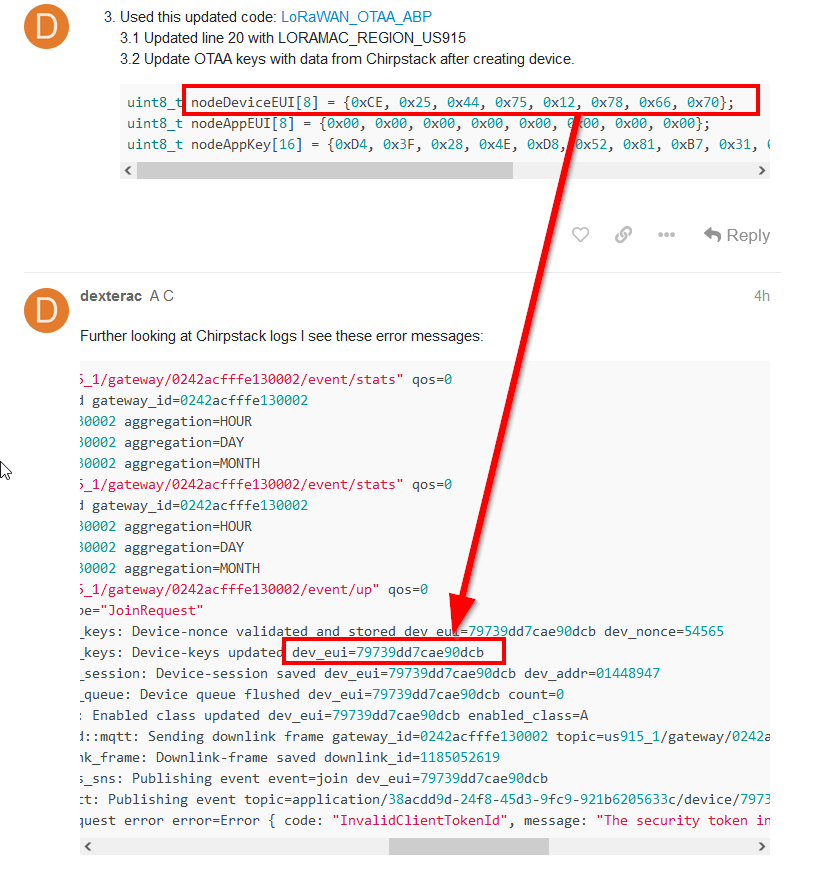
Might be you changed the DevEUI, but the two DevEUI’s in your messages are different.

If it works with TTN and fails with Chirpstack then somehing is setup wrong in Chirpstack. Maybe a question for the Chirpstack forum.
Might be you changed the DevEUI, but the two DevEUI’s in your messages are different.
Hi @beegee
Thanks for the reply. I mistakenly shared output while testing rak113100 and also mkr1310. Hence those values are different.
I will cross post this question to chirpstack forum. Thank you.
–
Regards,
AC
I tried RAK7271/RAK7371 Quick Start Guide | RAKwireless Documentation Center on Raspberry Pi and still have same issue.
I tried Configuration | The Things Stack for LoRaWAN with steps described to setup as localhost using ip address and result was the same.
Connecting to publicly hosts ThingsStack worked well.
Is there a specific version of Chirpstack or Things Stack I should consider while using RAK7371 with US915?
Kindly share the firmware version I should install on RAK7371 and RAK113100?
If possible share any documentation to follow while working with either Chirpstack or Things Stack opensource version while running with Docker containers.
–
Regards
This getting more into a gateway problem solving than a problem with the RAK11310.
@Hobo @velev @Nikola There is no channel here for RAK7271/RAk7371, I tested the general communication to Chirpstack on US915 using our RAK7268 gateway and it works.
Can you have a look please.
@dexterac
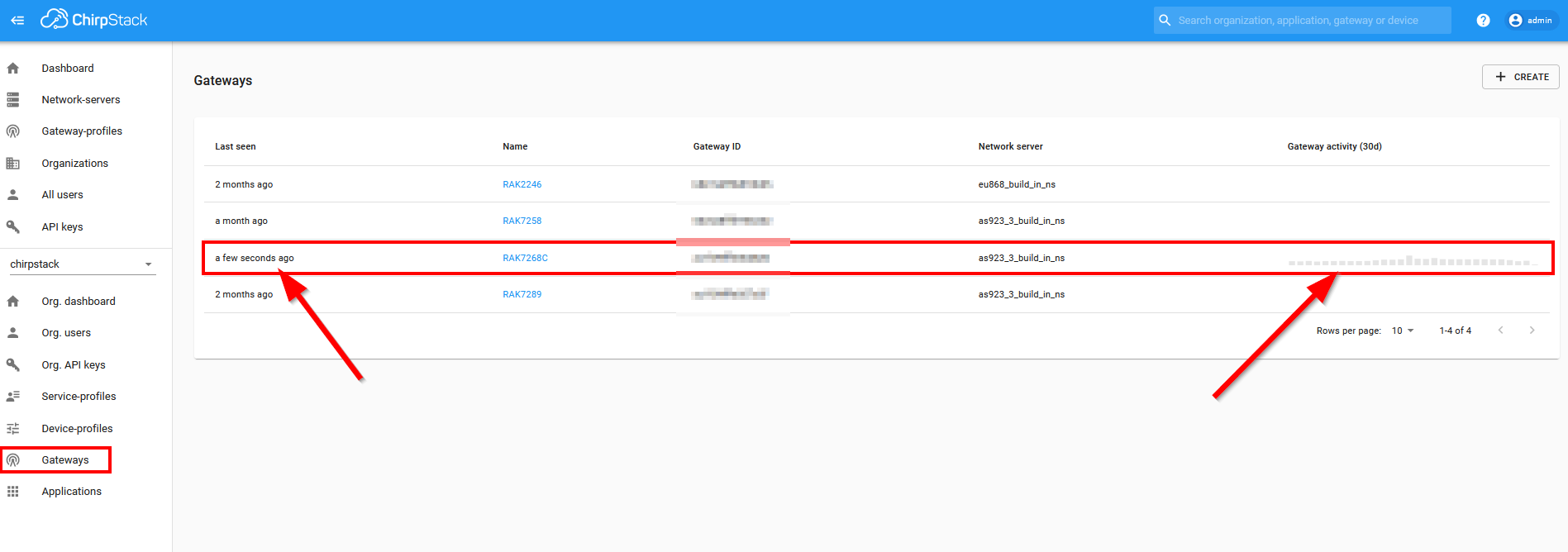
In Chirpstack, do you have the gateway registered and does it show any activity?
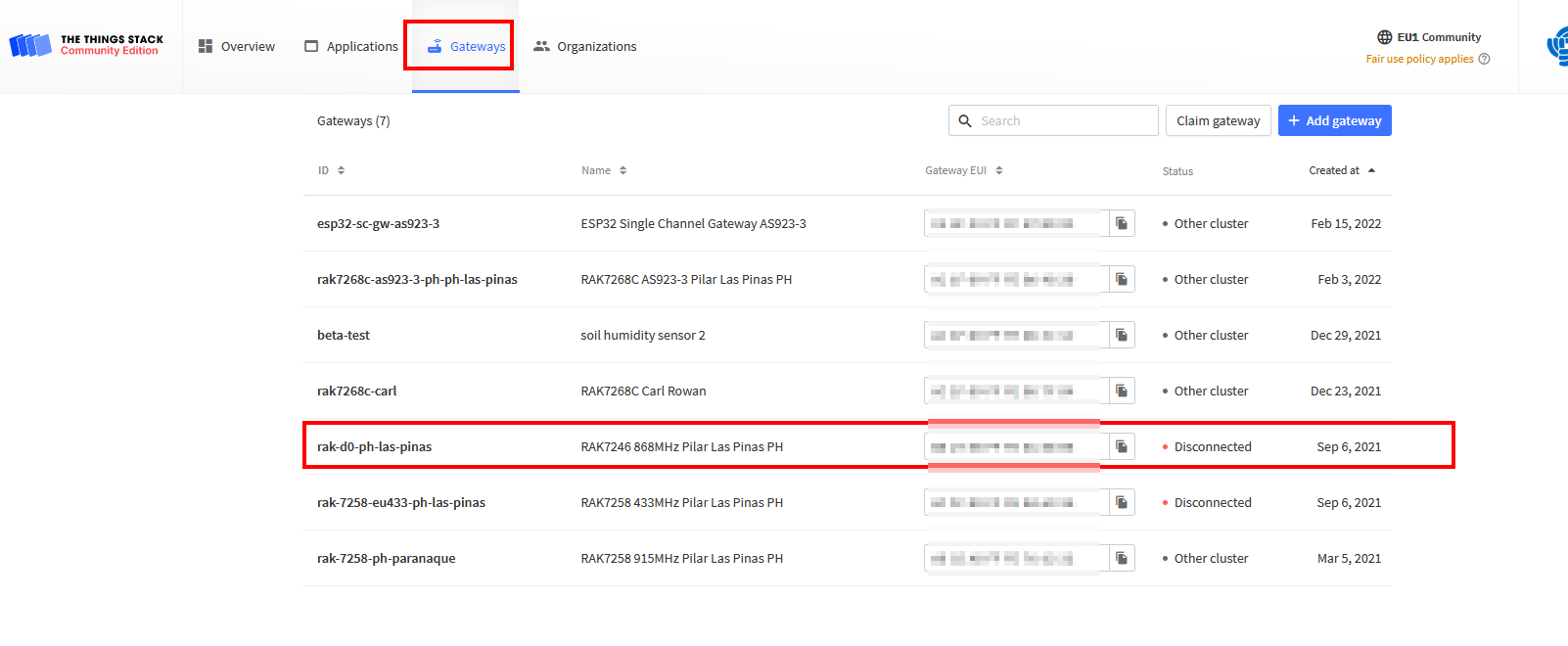
In TTN, did you register the gateway and does it show active? (I have no gateways connected, so the screenshot shows just disconnected)
Hi @beegee,
Kindly find the attachments below:
Docker logs
docker logs
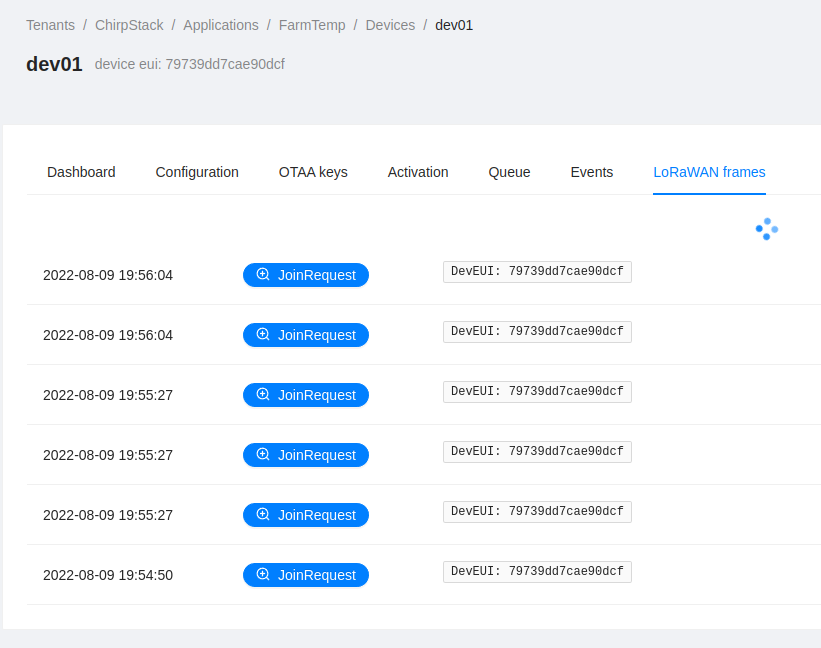
Aug 10 02:56:04.014  INFO chirpstack::gateway::backend::mqtt: Message received from gateway region_name="us915_1" topic="us915_1/gateway/0242acfffe130002/event/up" qos=0
Aug 10 02:56:04.016  INFO chirpstack::gateway::backend::mqtt: Message received from gateway region_name="us915_1" topic="us915_1/gateway/0242acfffe130002/event/up" qos=0
Aug 10 02:56:04.221  INFO up{deduplication_id=cf3b7161-51a3-4554-a840-6a8d3fb260f3}: chirpstack::uplink: Uplink received m_type="JoinRequest"
Aug 10 02:56:04.223  INFO up{deduplication_id=39e86983-5eaa-4457-82da-c2eb2a3fd0bc}: chirpstack::uplink: Uplink received m_type="JoinRequest"
Aug 10 02:56:04.256  INFO up{deduplication_id=cf3b7161-51a3-4554-a840-6a8d3fb260f3}:join_request: chirpstack::storage::device_keys: Device-nonce validated and stored dev_eui=79739dd7cae90dcf dev_nonce=35145
Aug 10 02:56:04.263  INFO up{deduplication_id=cf3b7161-51a3-4554-a840-6a8d3fb260f3}:join_request: chirpstack::storage::device_keys: Device-keys updated dev_eui=79739dd7cae90dcf
Aug 10 02:56:04.269  INFO up{deduplication_id=cf3b7161-51a3-4554-a840-6a8d3fb260f3}:join_request: chirpstack::storage::device_session: Device-session saved dev_eui=79739dd7cae90dcf dev_addr=0140b771
Aug 10 02:56:04.272  INFO up{deduplication_id=cf3b7161-51a3-4554-a840-6a8d3fb260f3}:join_request: chirpstack::storage::device_queue: Device queue flushed dev_eui=79739dd7cae90dcf count=0
Aug 10 02:56:04.281  INFO up{deduplication_id=39e86983-5eaa-4457-82da-c2eb2a3fd0bc}:join_request: chirpstack::integration::mqtt: Publishing event topic=application/2cdc4cf7-95aa-4574-8572-de678b8657d1/device/79739dd7cae90dcf/event/log
Aug 10 02:56:04.285  INFO up{deduplication_id=cf3b7161-51a3-4554-a840-6a8d3fb260f3}:join_request: chirpstack::storage::device: Enabled class updated dev_eui=79739dd7cae90dcf enabled_class=A
Aug 10 02:56:04.285  INFO up{deduplication_id=cf3b7161-51a3-4554-a840-6a8d3fb260f3}:join_request: chirpstack::gateway::backend::mqtt: Sending downlink frame gateway_id=0242acfffe130002 topic=us915_1/gateway/0242acfffe130002/command/down
Aug 10 02:56:04.289  INFO up{deduplication_id=39e86983-5eaa-4457-82da-c2eb2a3fd0bc}:join_request: chirpstack::storage::metrics: Metrics saved name=device:79739dd7cae90dcf aggregation=HOUR
Aug 10 02:56:04.291  INFO up{deduplication_id=39e86983-5eaa-4457-82da-c2eb2a3fd0bc}:join_request: chirpstack::storage::metrics: Metrics saved name=device:79739dd7cae90dcf aggregation=DAY
Aug 10 02:56:04.292  INFO up{deduplication_id=cf3b7161-51a3-4554-a840-6a8d3fb260f3}:join_request: chirpstack::storage::downlink_frame: Downlink-frame saved downlink_id=3747101233
Aug 10 02:56:04.293  INFO up{deduplication_id=39e86983-5eaa-4457-82da-c2eb2a3fd0bc}:join_request: chirpstack::storage::metrics: Metrics saved name=device:79739dd7cae90dcf aggregation=MONTH
Aug 10 02:56:04.294 ERROR up{deduplication_id=39e86983-5eaa-4457-82da-c2eb2a3fd0bc}: chirpstack::uplink::join: Handle join-request error error=Invalid DevNonce
Aug 10 02:56:04.296  INFO up{deduplication_id=cf3b7161-51a3-4554-a840-6a8d3fb260f3}:join_request: chirpstack::integration::mqtt: Publishing event topic=application/2cdc4cf7-95aa-4574-8572-de678b8657d1/device/79739dd7cae90dcf/event/join
Aug 10 02:56:08.821  INFO chirpstack::gateway::backend::mqtt: Message received from gateway region_name="us915_1" topic="us915_1/gateway/0242acfffe130002/event/stats" qos=0
Aug 10 02:56:08.830  INFO stats{gateway_id=0242acfffe130002}: chirpstack::storage::gateway: Gateway state and location updated gateway_id=0242acfffe130002
Aug 10 02:56:08.832  INFO stats{gateway_id=0242acfffe130002}: chirpstack::storage::metrics: Metrics saved name=gw:0242acfffe130002 aggregation=HOUR
Aug 10 02:56:08.834  INFO stats{gateway_id=0242acfffe130002}: chirpstack::storage::metrics: Metrics saved name=gw:0242acfffe130002 aggregation=DAY
Aug 10 02:56:08.836  INFO stats{gateway_id=0242acfffe130002}: chirpstack::storage::metrics: Metrics saved name=gw:0242acfffe130002 aggregation=MONTH
Console logs
minicom -D /dev/ttyACM0
=====================================
Welcome to RAK11300 LoRaWan!!!
Type: OTAA
Region: US915
=====================================
OTAA join failed!
Check your EUI's and Keys's!
Check if a Gateway is in range!
Yes. When I change the packet-forwarder configuration and copy the global_conf.json it shows up and does work. I was able to use same RAK113100 without change code and able to connect successfully then send data.
If it works with TTN now and doesn’t work with Chirpstack I am out of ideas and the problem is obviously not on the WisBlock side.
My Chirpstack works fine with all my devices, but I am not using Docker. I have it running on a VPS, installed and setup manually from commandline.
Sorry, I cannot help you with the Chirpstack problem.
As per the documentation when I installed chirpstack without docker I’ve had same issue. Only the cloud based TTN works. Any locally installed application has same issue.
Hi Team,
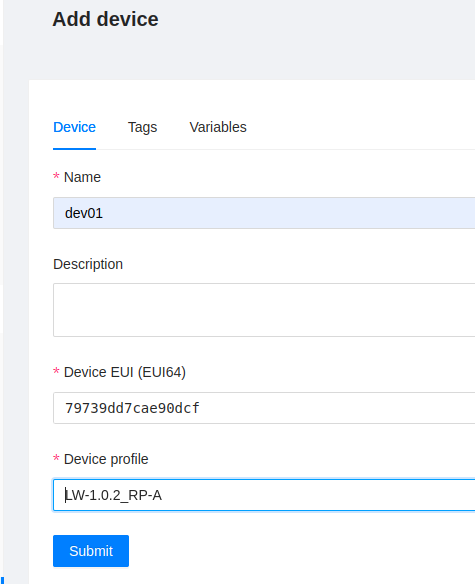
Kindly inform if there’s any document which covers steps with Chirpstack or with TTN Localhost setup (with or without docker) where RAK113100 is able to complete OTAA and send/receive data.
–
Regards.
Setup of Chirpstack Network and Application servers guides are provided by Chirpstack:
Chirpstack Network Server
Chirpstack Application Server
For connecting a RAK Edge gateway to Chirpstack and adding a WisBlock device I wrote a short tutorial.
But your problem is not the registration of a device on Chirpstack, your problem is somewhere in the settings of Chirpstack or in the connection of the RAK7271 to Chirpstack and with that I cannot help.
I have multiple WisBlock devices on my local Chirpstack installation (RPi3) connected through my gateway (on same local network) and it works without problems.
I talked with our gateway expert Todor yesterday. He said he will reach out to you to help.
Thank you @beegee.
I will look for a message or email from Todor. We were discussing about other issue in email a few days ago.
Regards
Just to echo this. Using RAK11310 with Chirpstack and i’ve got no problems 
Hi @cyclops Which gateway are you using and the documentation you followed to setup your environment?
I’m using RAK7371 US915 connected to Raspberry Pi 64bit OS connected to USB-2 port and no luck with Chirpstack and ThingsStack on localhost.
–
Regards.
I’m actually using the ic880a.
But, given the fact that your joinRequest comes into your chirpstack, it means there’s nothing wrong with your gateway (IMHO - i’m not an expert).
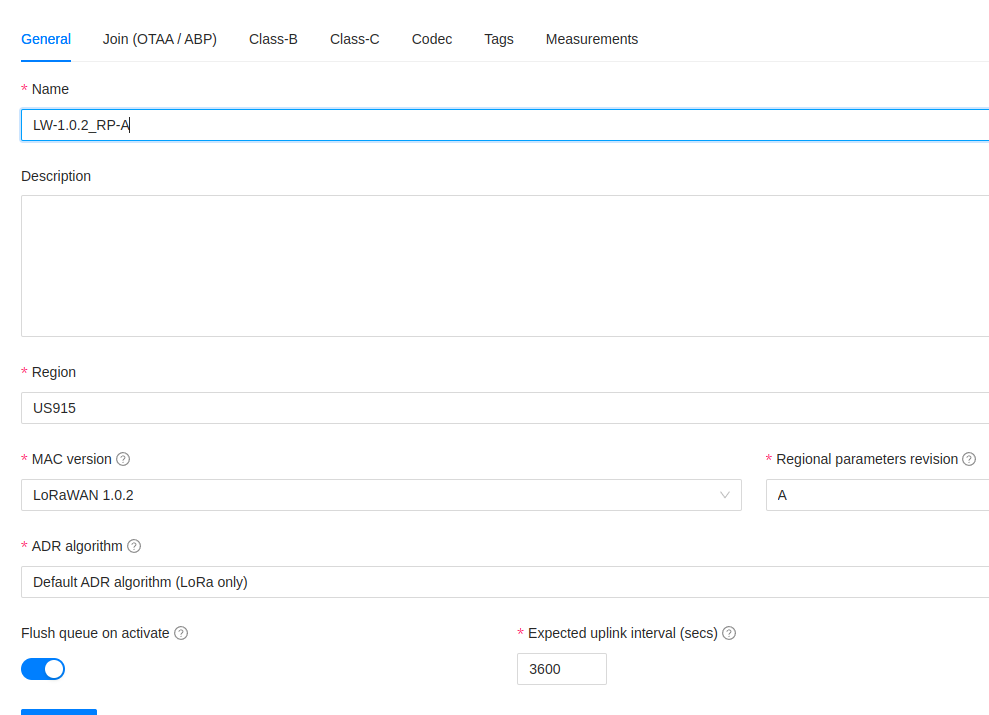
So, what have you set for your join mode? ABP or OTAA?
In both options, you need to setup a few keys and stuff. Please share those. Can you then also show the code and how you’ve modified those keys in your code?
Those are my assumptions too… Packets arrive to the Chirpstack or ThingsStack on the localhost.
I’m using OTAA for both solutions. Only the ThingsStack cloud based works, any localhost on the raspberryPi doesn’t work. My device is more than 5meters away from the gateway and RSSI values are between -50 to -60.
I’m using this code: https://github.com/RAKWireless/WisBlock/blob/master/examples/RAK11300/communications/LoRa/LoRaWAN/LoRaWAN_OTAA_ABP/LoRaWAN_OTAA_ABP.ino
Here,
Regards.
can you try changing the AppEUI to all 0’s?
So, change line 46 to:
uint8_t nodeAppEUI[8] = {0x00, 0x00, 0x00, 0x00, 0x00, 0x00, 0x00, 0x00};
Yes. AppEUI’s are all 0’s. Sorry I missed to mention that.
I know you’ve probably tried a lot already, but would you mind going to the device, then the activation tab and doing a ‘clear devnonce’ ?
Other option is to delete and add the device again.
Hi @cyclops , Sure I can try this again
I’ve tried cleaning up the entire chirpstack setup and redo all steps. Since it’s running with docker it’s a quick turn around.
Ok - if that still doesn’t work, then i’d actually suggest that you try the Chirpstack forum, as this is not an issue with the RAK devices IMHO.

 ok will do it