Hi everyone !
Amateur rating here. I have a Wiscore RAK4631 that I bought from a store and has not been flashed with any of my codes
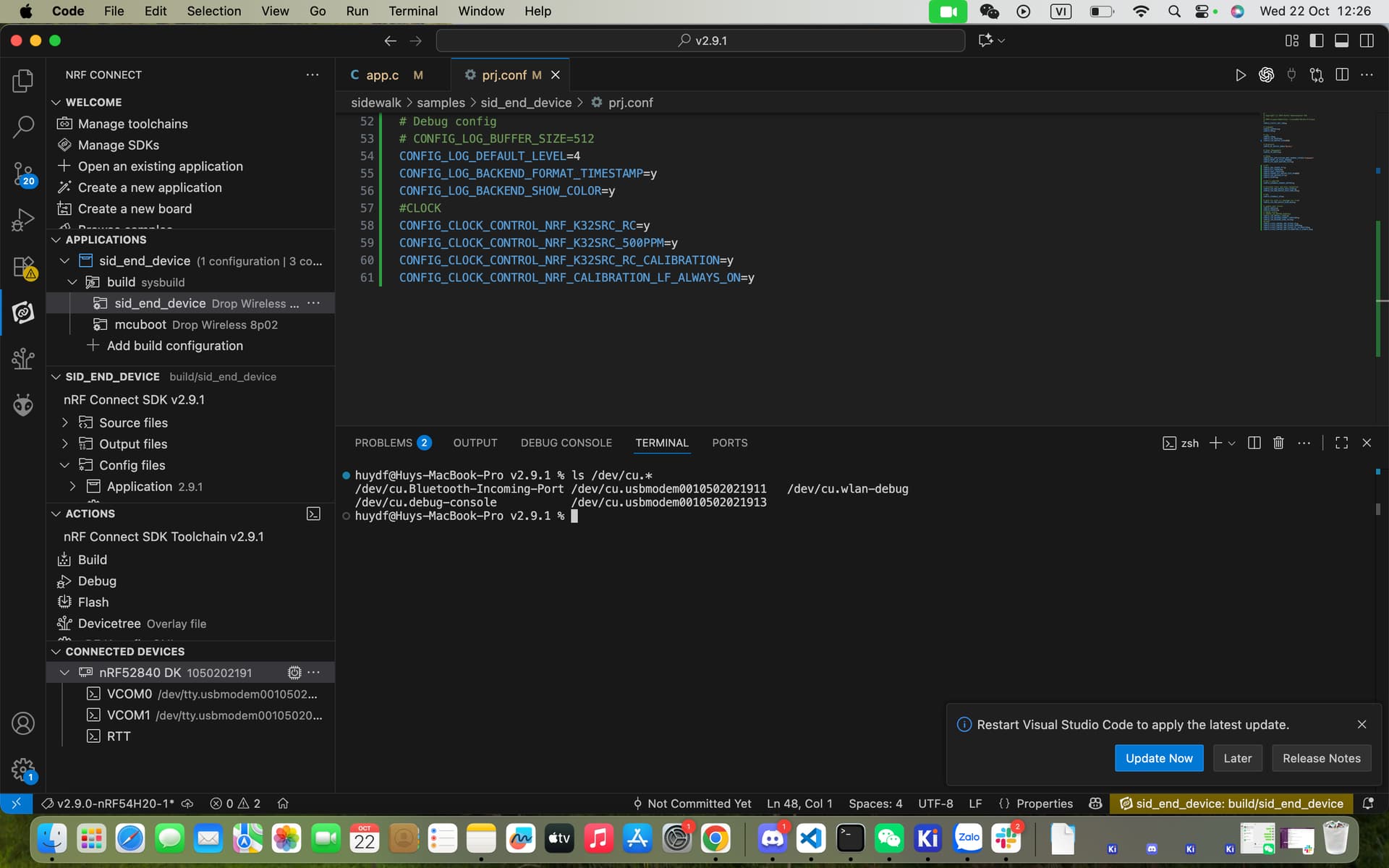
When I connect the board to the computer, the computer does not seem to recognize it.
huydf@Huys-MacBook-Pro ~ % ls /dev/cu.*
/dev/cu.Bluetooth-Incoming-Port
/dev/cu.wlan-debug
/dev/cu.debug-console
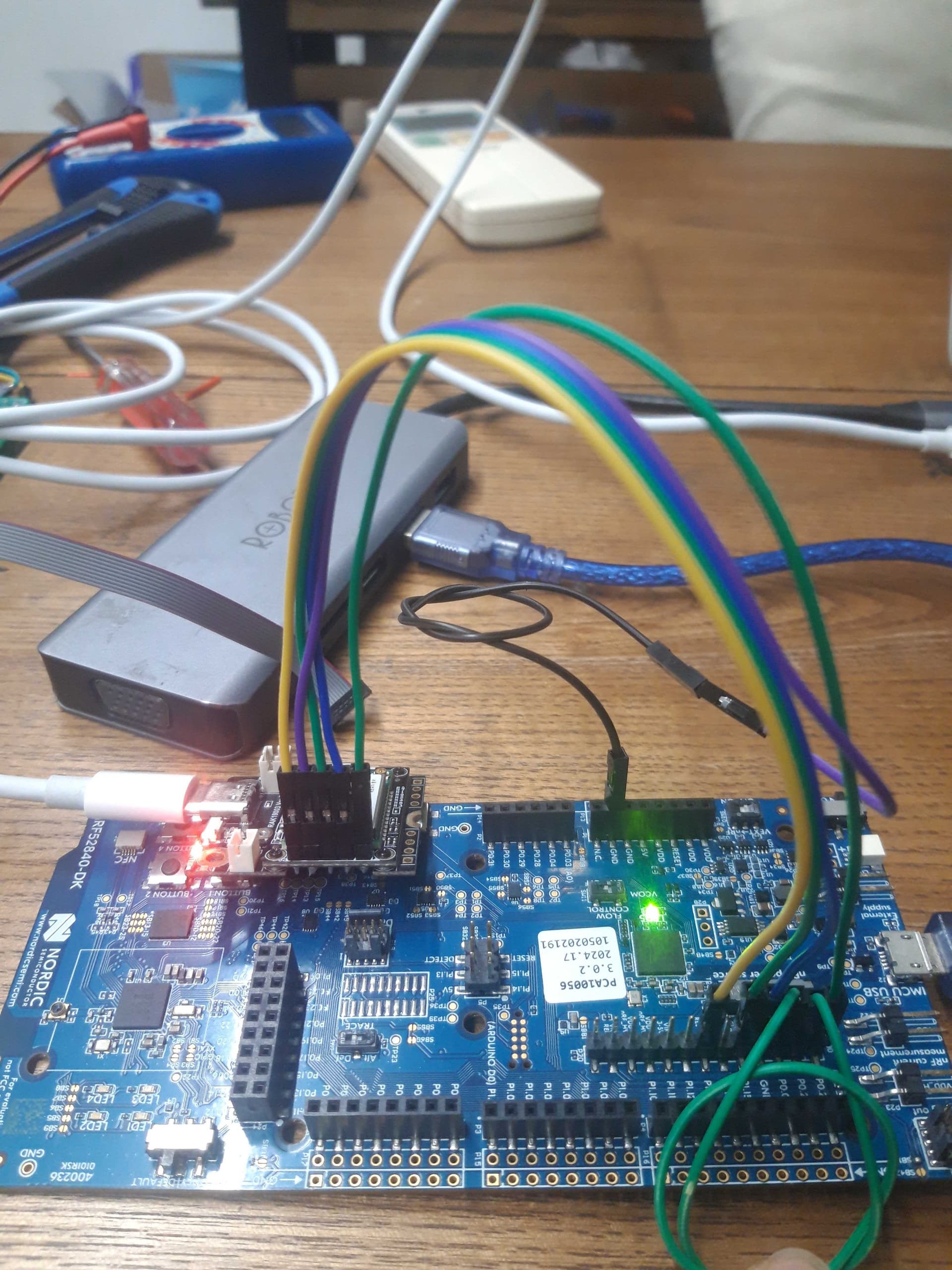
A red LED is lit (not flashing). When I press the reset button twice, nothing seems to change and the drive is not shown on my computer like the previous Wiscore RAK4631s I have been using.
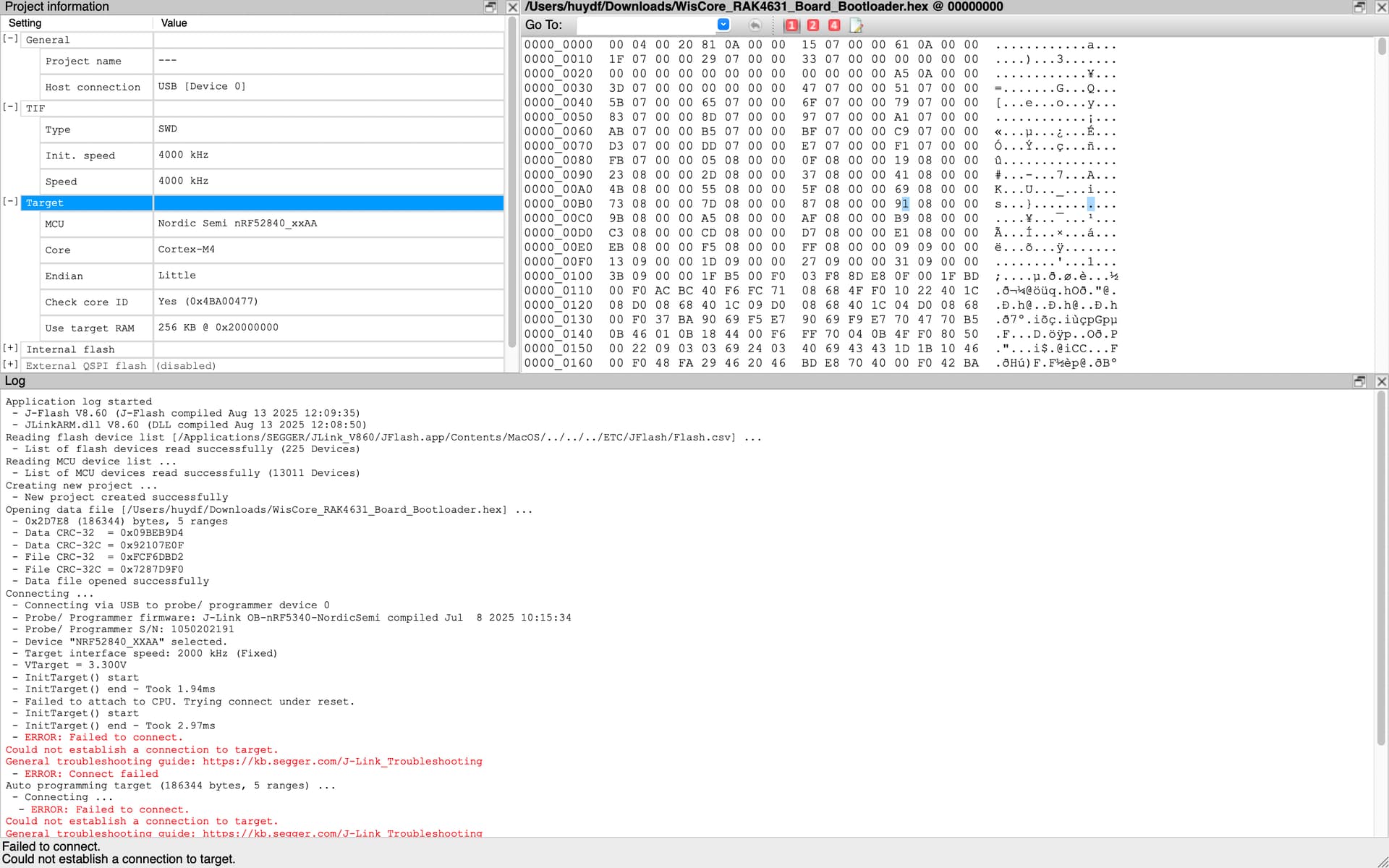
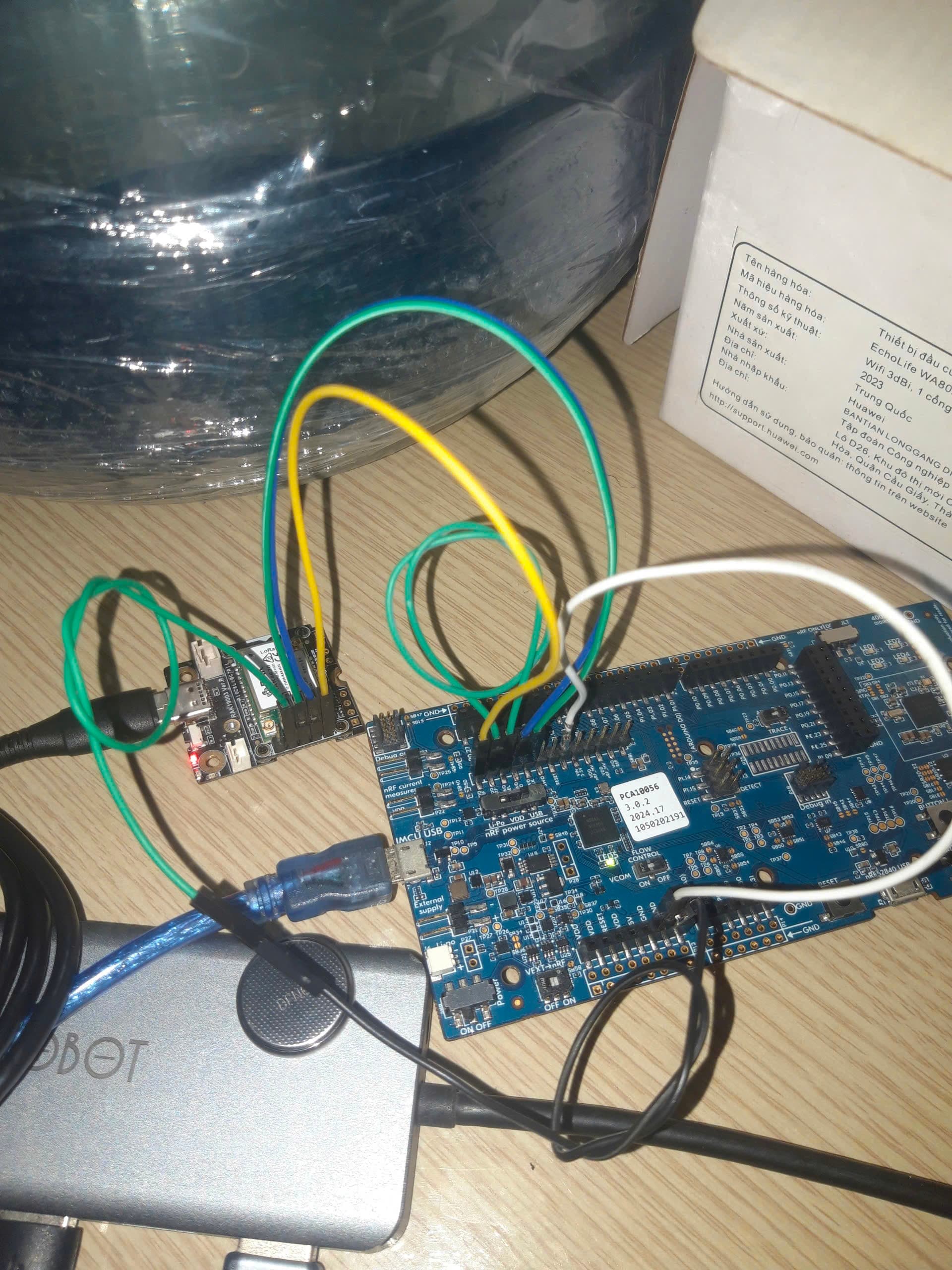
Now I’m trying to DEBUG through nRF52840DK board and connected through P20 port:
 - ERROR: Failed to connect.
Could not establish a connection to target.
General troubleshooting guide: https://kb.segger.com/J-Link_Troubleshooting
 - ERROR: Connect failed
Can anyone help me restore this wiscore? Because in my country RAK4631 is not sold and it was ordered from abroad so the waiting time is very long. Thanks everyone !!!
hi @carlrowan
I share my computer with another RAK4631 and my computer still shows the port and after pressing the reset button twice it shows the wiscore RAK4631 drive
I only supply power to the RAK4631 with USB
I ordered them from an e-commerce store in Amsterdam
My USB cable still works fine for other RAK4631 for Flash Firmware
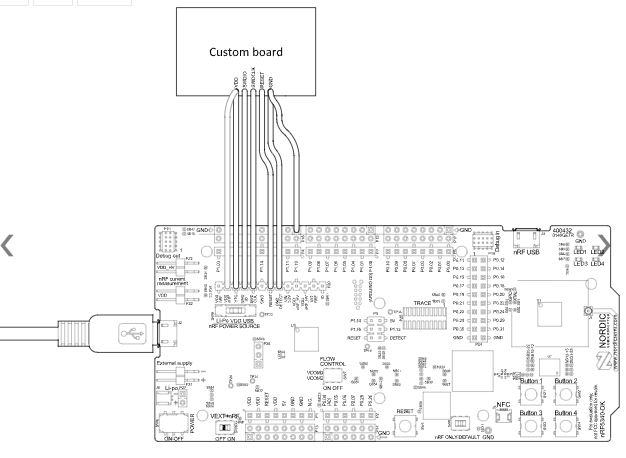
Now i am trying to connect like in this tutorial: Using SWD pins on Seeed Studio XIAO nRF52840 - Bokeh
I have setup like in the documentation but my nRF52840-DK now does not recognize the chip on RAK4631 anymore
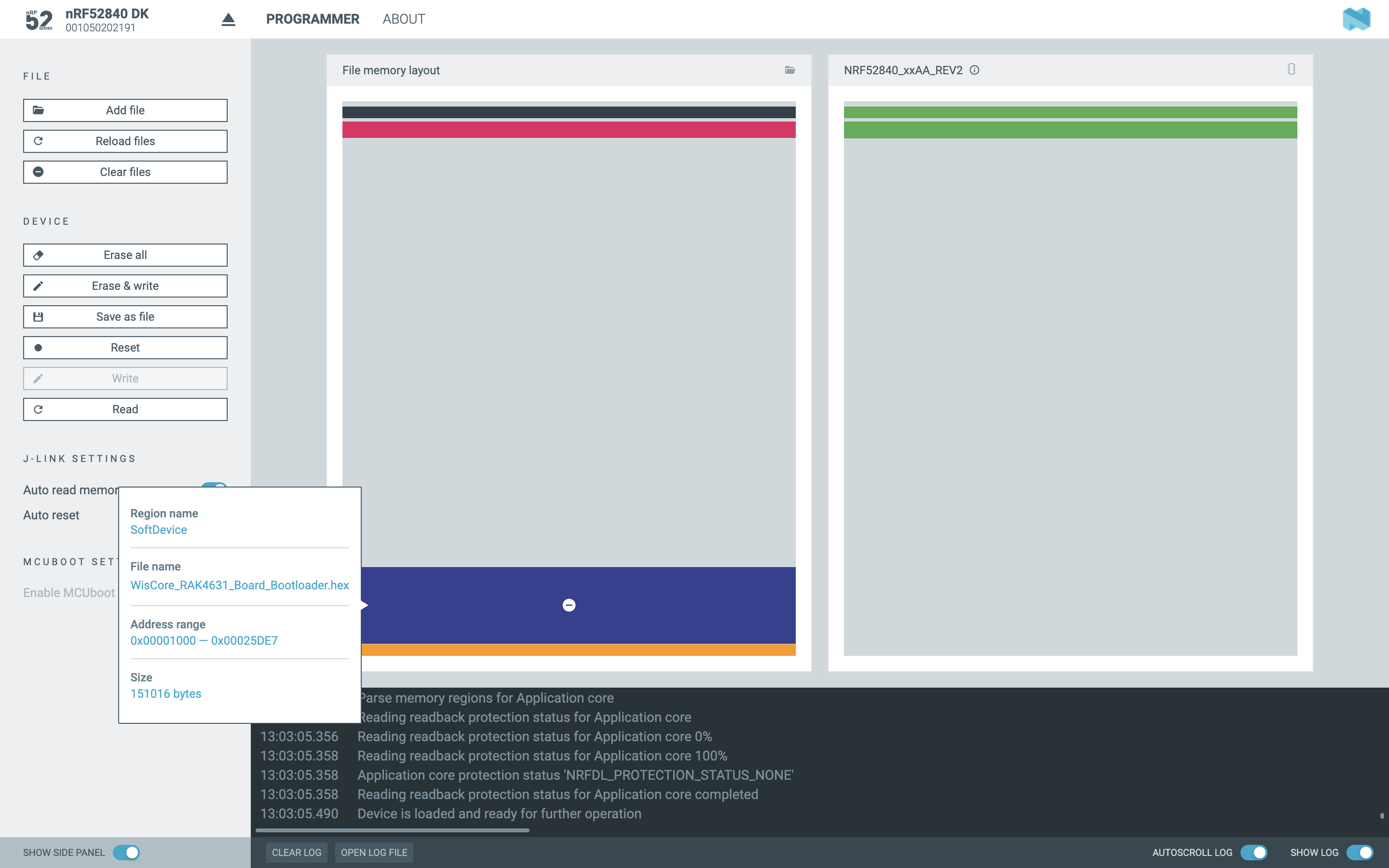
I have successfully written the bootloader file for RAK4631
now what should I do next to factory reset the RAK4631 so that after pressing the reset button 2 times the RAK4631 shows the drive on my computer so that I can flash the firmware
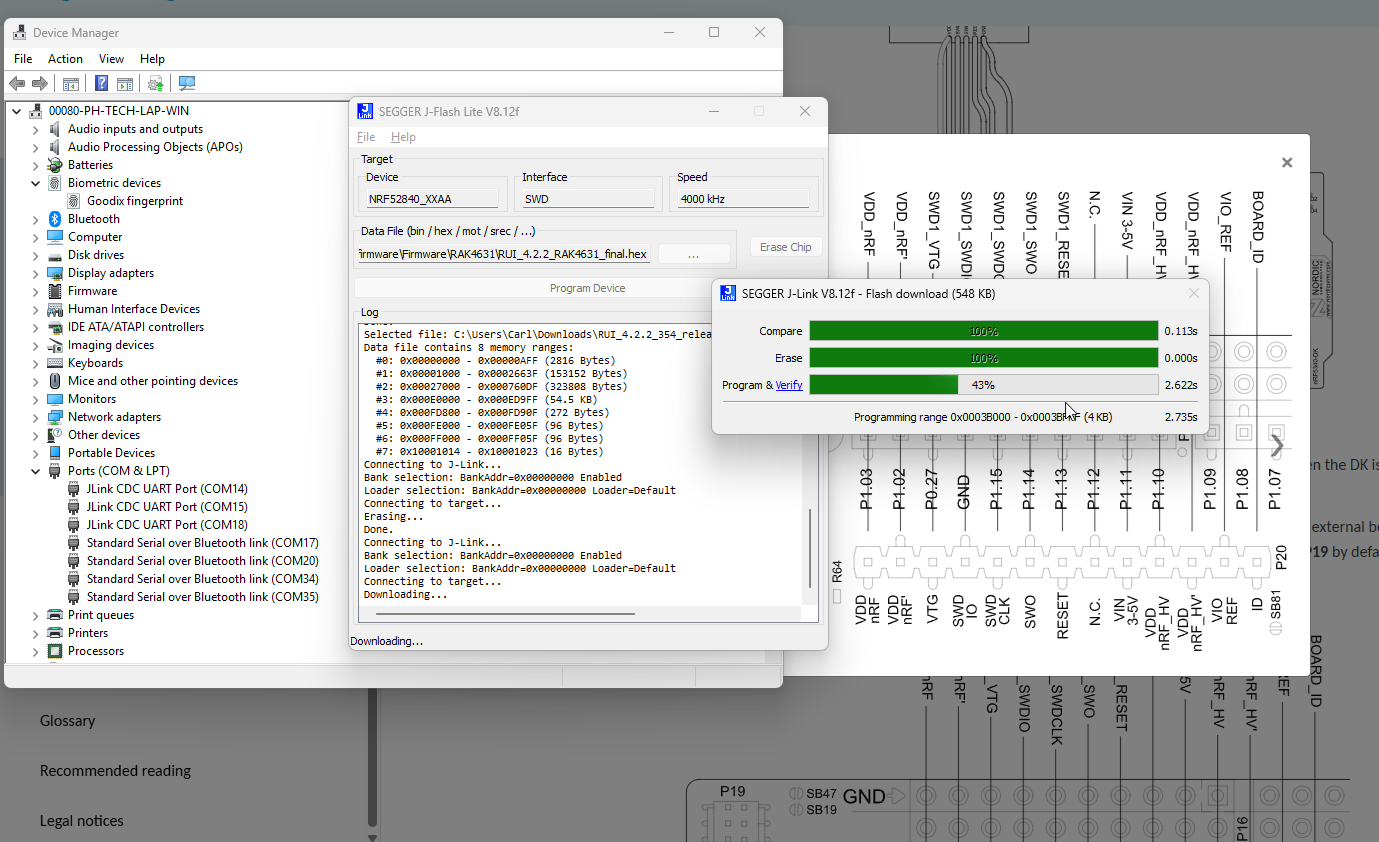
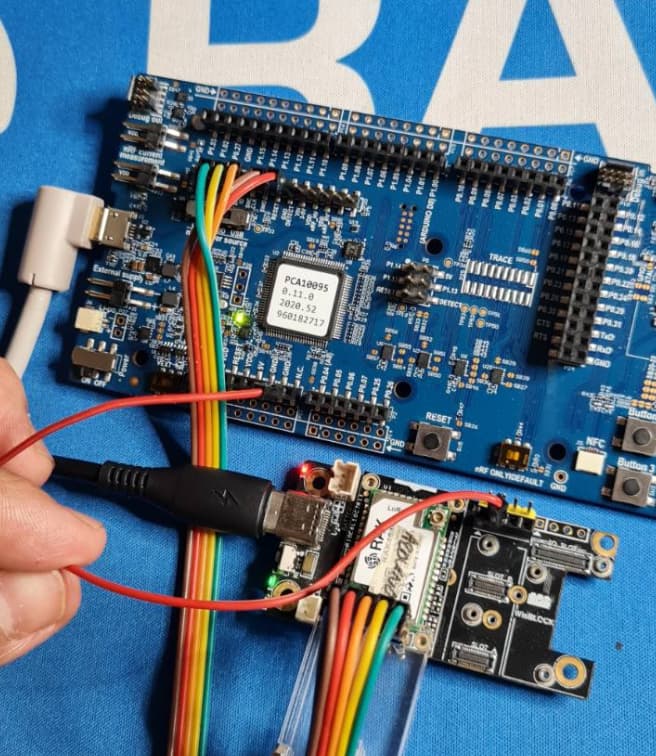
I do not have a nRF52840-DK but I have a nRF5340-DK. The on-board Jlink should be the same so to verify connection, I tried to erase and re-upload a RUI3 FW as well as RAK4631 Arduino bootloader using Jflash. It proceed on erase then programmed and it was successful.
Hi @carlrowan
Yes, I fixed it. Now I can flash the firmware and it shows the drive on my computer. This problem has been bothering me for days. Thanks for helping me, man.
I love Philippines <3