I’ve had the same problem essentially twice in one week, so I’m wondering what I may be doing wrong such that I put my 11200 into bootloader mode and can’t get it out. I posted previously about this here.
Here’s how I described it on a local Meshtastic board but didn’t receive any offers of help. My current attempt starts where italicized.
I have a RAK 19007 base with a 11200 core and a 13300 LPWAN module. Initially, I was able to set up and run it. I then added a BME680 sensor, and, in the process of uploading the Adafruit library, I couldn’t get it out of bootloader mode. I had another 19007 board, so I put on the 11200 and successfully uploaded IDE. Same thing for 13300 (with antenna attached). My issue is, again, it seems to be stuck in bootloader mode (only red light flashing; in normal operations, both the red and blue lights flashed). When I hook it up via serial connection (and choose the right port), it shows up as a selection after clicking “+ New Connection,” but it won’t connect. I’m beginning to wonder if I’m doing something wrong in sequence/timing of using the boot jumper. It’s been months since I initally got it running, so I can’t remember what if anything I did differently. I think I’m following the RAK instructions in the 11200 Quick Guide. Stumped. Any tips? THX
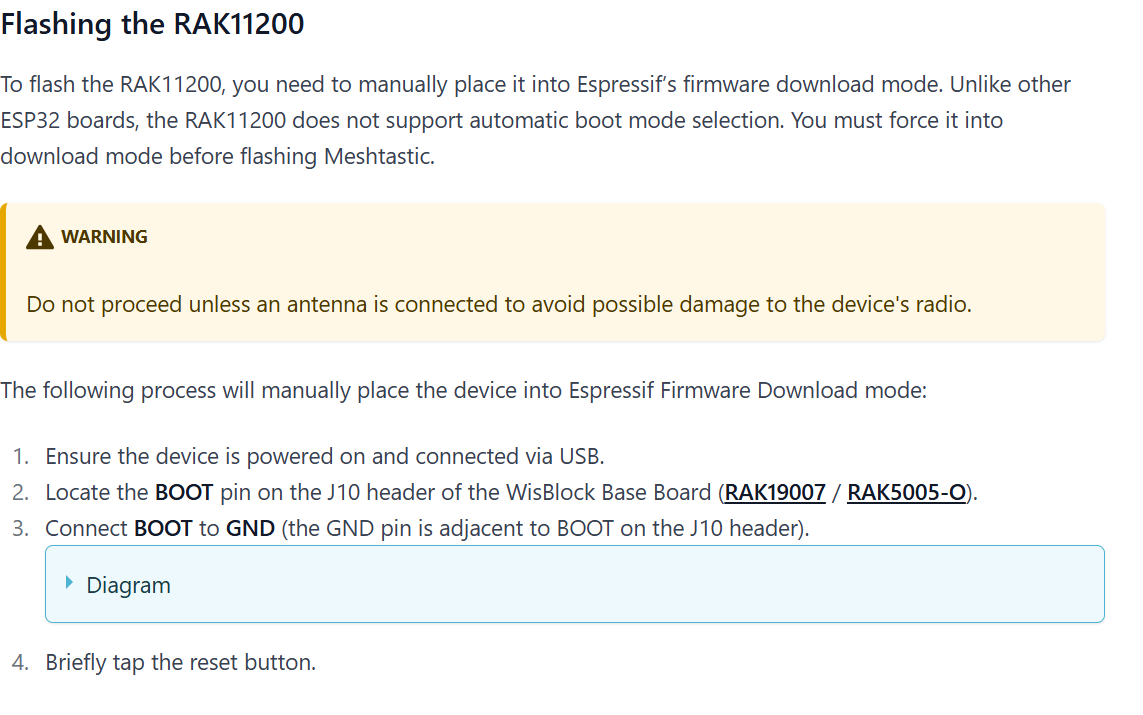
Both Meshtastic flashing instructions below (realizing that RAK doesn’t support Meshtastic) and 11200 Quick Start Guide (relative to uploading IDE commands) say power first then jumper.
Make sure that your WisBlock hardware has been connected with your PC correctly, and your PC has recognized WisBlock hardware successfully. If it is, you can select the board and port now, as shown in Figure 9:
Before uploading your sketch, short circuit BOOT0 and GND pin and press the reset button. Then click the Upload button using the configuration below.
My 19007 block 11200 core 13300 LPWAN unit was frozen (steady blinking amber light). This is how I got it unfrozen and flashed with Meshtastic firmware so it came back to life. In short, the key was obtaining the esptool software from Espressif. Without it, I essentially had two bricked 19007’s. These steps allowed me to use them again for Meshtastic. Final note, as a relative newbie, I undoubtedly added unnecessary steps or deviated from what might be considered best practices; this said, the outlined approach below worked for me.
Download Espressif IDE/IDF software. The command prompt editor I used was ESP-IDF 5.5 PowerShell.
I completely assembled my 19007/11200/13300 including adding antenna to 13300 LPWAN.
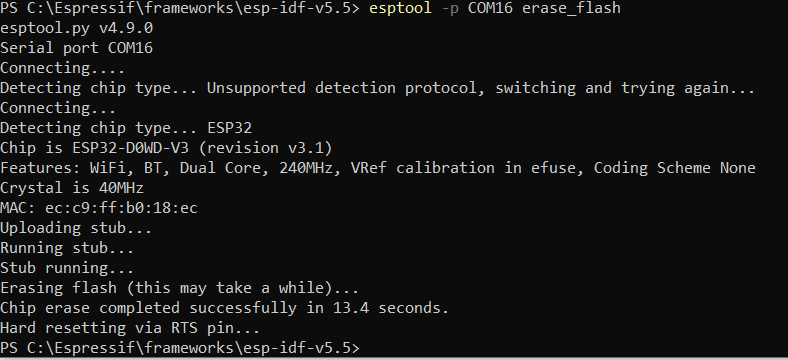
Connected my the 19007 board to my computer and checked my port number (COM16) in Device Manager (Windows). Amber LED was blinking. I added jumpers to BOOT/GND and pressed the RST button once.
Executed this command: esptool -p COM16 flash_device
Following the RAK Quick Start directions here, I compiled and uploaded what is described (including adding the jumper back on and resetting prior to uploading code–I used Arduino IDE for upload).
After it successfully uploaded, I again removed the jumper and disconnected the unit.
I opened Meshtastic Web Flasher and set up for a RAK11200. I connected the unit and, prior to flashing, I repeated adding the jumper and tapping RST button once. NOTE: It’s important to toggle on “Full Erase and Install” on the instructions’ second page as I tried it at first as install only (as I had done “flash_erase” already) but it didn’t work. Full Erase and Install worked for me. After the Meshtastic 11200 firmware was uploaded, I removed the jumper and disconnected. Waited 15 seconds, reapplied power (again, no jumper) and both red and blue LEDs seen.
Programmed the node via Serial connection within Meshtastic.