Hello, @Moritz
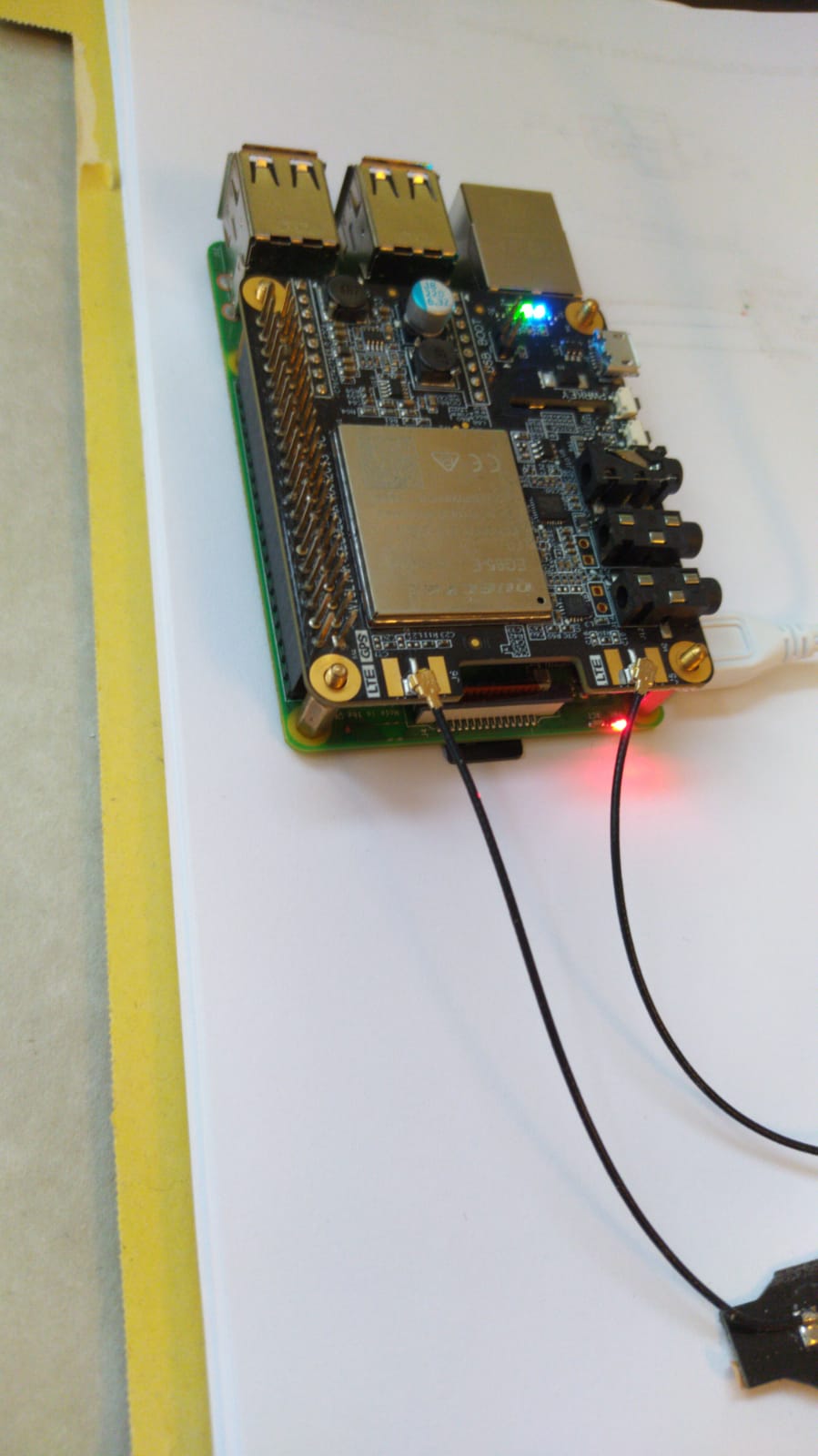
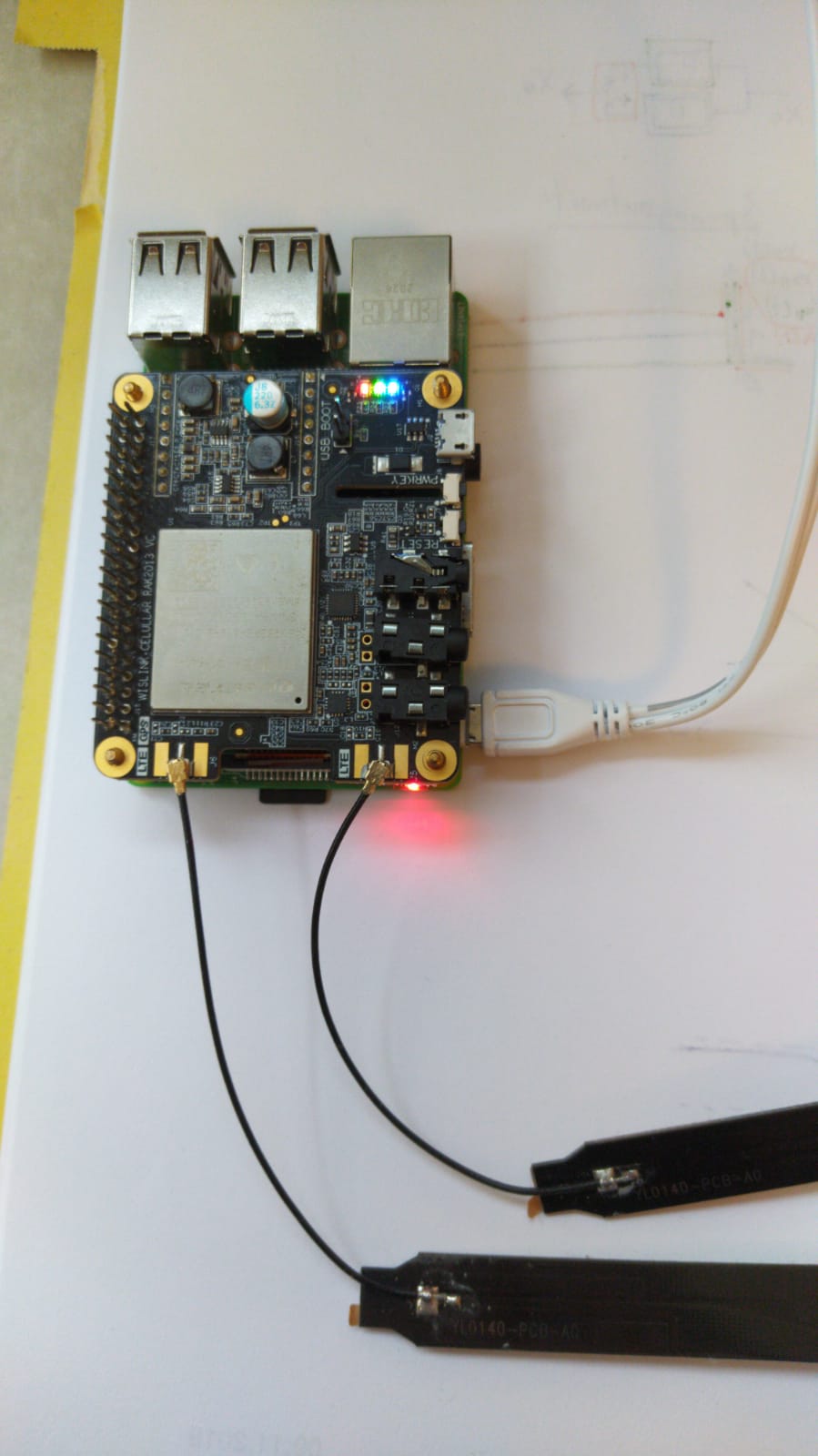
Can you take a picture of RAK2013 connecting to Raspberry Pi? I want to look at its indicator light.
Hello, @Moritz
Can you take a picture of RAK2013 connecting to Raspberry Pi? I want to look at its indicator light.
Hey @ZhuQI, the Red indicator light is flasing (2 Seconds on, 1 Second off) the green and blue ones are on all the time. I hope this helps
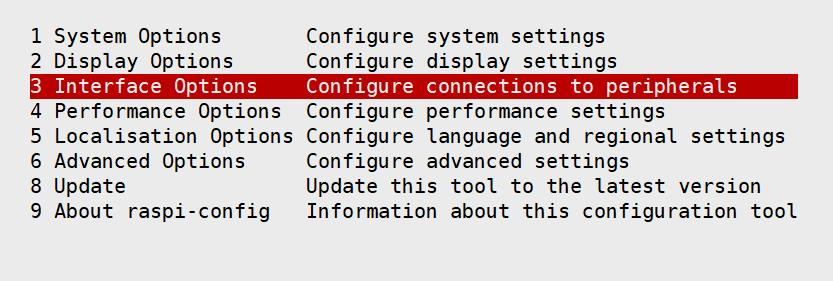
Please use the sudo raspi-config command to disable serial port login and activate the serial port.
step 1
step 2
step 3
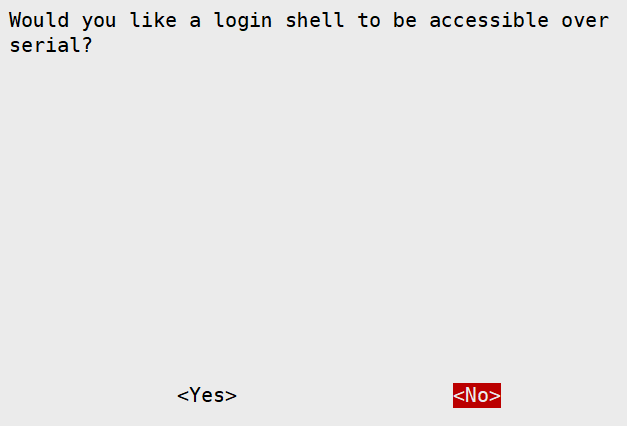
step 4
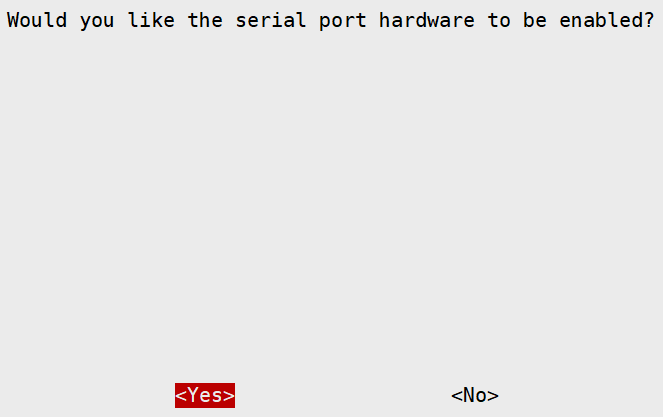
I did that and reinstalled the script but there is still no success. The LEDs still flashes in the same way and the ttyAMA0 port is shown offline in the minicom. When I run “sudo pppd call gprs” I get:
abort on (BUSY)
abort on (NO CARRIER)
abort on (NO DIALTONE)
abort on (ERROR)
abort on (NO ANSWER)
timeout set to 30 seconds
send (AT^M)
expect (OK)
alarm
Failed
Script chat -s -v -f /etc/chatscripts/quectel-chat-connect -T mass.at finished (pid 609), status = 0x3
Connect script failed
The thing I don’t understand that I got it running a few weeks ago.
After completing the above steps, can the at command be executed in minicom?
No, I can’t do anything in the minicom
So if this helps, I also have the RAK2245 and I tried to run it on my raspberry, and everything worked fine. This should mean that the ttyAMA0 UART works fine and is not used by Bluetooth. Also when I try “ls -l /dev” I get this result: serial0 -> ttyAMA0 and serial1 -> ttyS0.
Hi @Moritz Can you try to connect the RAK2013 with the RPi via USB for communication. Following this guide here https://github.com/RAKWireless/quectel-CM-for-rpi and use the provided code.
Please flash fresh Rpi image.
Thanks @velev, I did what is descripted on the GitHub (my OS version is 4.19.108-v7+) but the connection is not shown in ifconfig. Also I can’t see any ttyUSB0 connections in my /dev register, but there is an ppp listed so the installation should have worked (Green and Blue LEDs are on, and the red on is flashing). Do you have any idea what might be the problem?
Hi
I am getting the same error (Connect script failed) with a RAK2013 and raspberry pi 4b and RAK2287.
I will try the USB method posted above to see if that works.
The weird thing is I think something is connecting as I got an email from the carrier that my SIM Was activated after I tried it in the RAK2013
Thanks for the help.
Ok, please tell me how it worked.
Thank you for helping.
I tried installing the https://github.com/RAKWireless/quectel-CM-for-rpi on a fresh RPI image. The latest raspbian os images using linux kernel 5.4.x. Therefore ai get the error drivers are not installed. Are there drivers for this version of linux or only 4.19.x?
Using an older Raspbian image with kernel 4.19 got me connected to the Hologram network. I have not been able to use celluar data yet, but ping to 8.8.8.8 over wwan0 is successful.
Thanks phill for the quick update, so this means that after you installt the file you get an wwan0 connection in the ifconfig? Also do you know if it only works with an Hologram SIM?
Yes I got a wwan0 interface.
I will test with another SIM. I’m just not sure what APN to use with my T-Mobile sim.
I was able to connect with my TMobile SIM, but I am not able to utilize wwan0 for network traffic.
Ok, I have a quick question. Did you manage to get the RAK2013 running once before?
No I did not get the rak2013 working before.
Hello everyone, so eventually I figured it out and got the RAK back running. The problem was that when I used the RAK previously, I set the Baudrate to 921600 and somehow the Baudrate is not reseted when I install the RAK. So all the time when I tried to use the minicom I did it with the wrong Baudrate.
Thanks for all your help, I am going to mark this topic as solved
This topic was automatically closed 2 days after the last reply. New replies are no longer allowed.