
It is not impossible to use VM , but you have to be sure to configure the firewall and dependency correct so the traffic will be correctly forwarded between main OS and VM.
If chirpstack is installed in a virtual machine, make sure that the Raspberry Pi can ping the virtual machine, maybe the virtual machine should be set up as a bridge network.
Ah yes, i got this problem yesterday, i think that i’ll uninstall the previous chirpstack server and install this one ?
Why not  RAK script is automated and will set up everything. So , give a try and come back to share.
Okay, i’ll keep you updated, if it works, you’re be life savers
thanks again for your answers
Hello, i just installed the LoRa Server OS on pc before i get home, i finished the installation but i can’t acces to it with 127.0.0.1:8080.
i’ll try this afternoon with the RAK2245 but i don’t think that it’s the problem ?
i should acces to the application server anytime ?
and i have errors when i see the status of the app & netowrk server
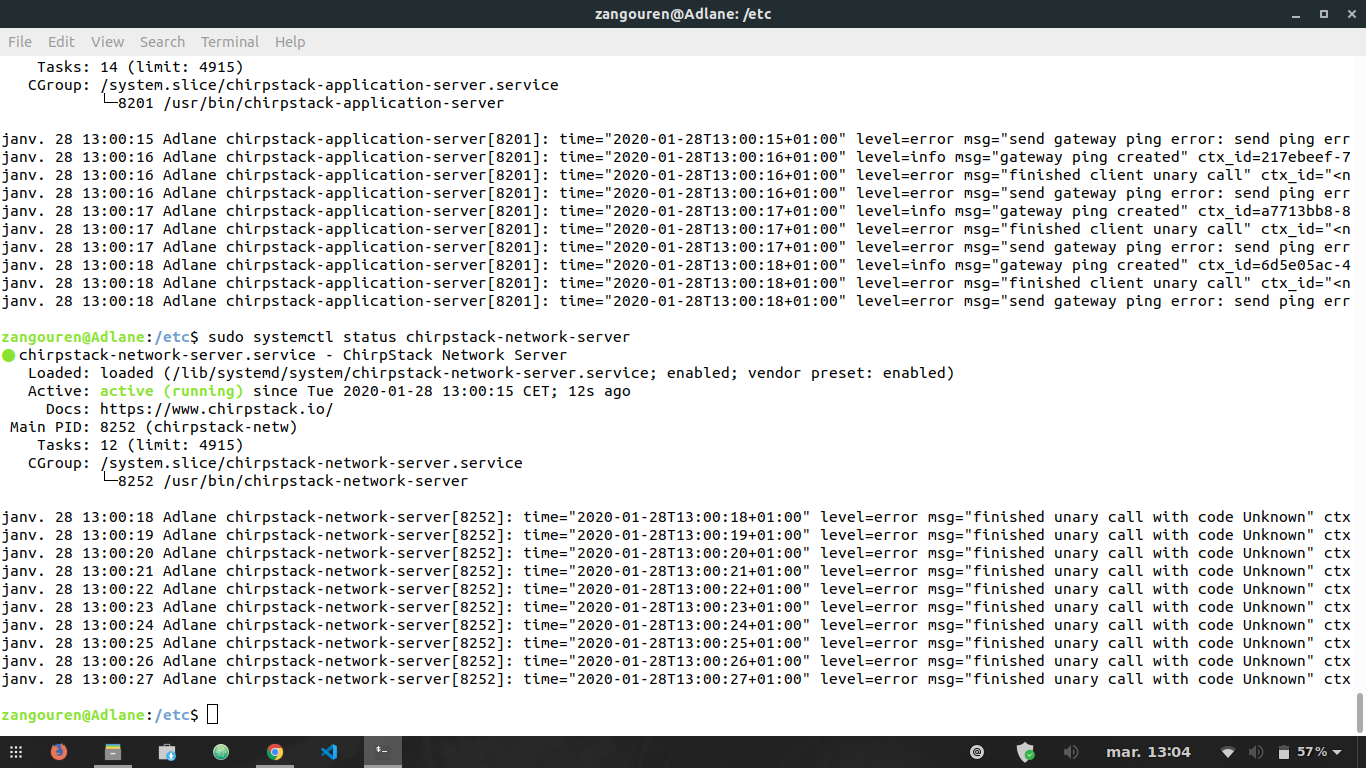
is it normal ?
Sorry if i’m asking too much question, i’m really new in this field
Strange. Is this a Ubuntu distro? If you want ChirpStack on Pi use the image for RAK2245 + ChirpStack. I will check this.
it’s a Ubuntu distro yes, i installed a Chirpstack Server before i use the one you sent me and i didn’t get an error but i couldn’t see my gateway but with this one, i couldn’t acces to the api. i’m trying to install it on a new virtual machine a see if i’ll have the same result.
i didn’t understand the Chirpstack on Pi ?
I mean not to use ChirpStack on Ubintu Script on Pi, use the image for RAK2245+ChirpStack from here https://downloads.rakwireless.com/en/LoRa/RAK2245-Pi-HAT/Firmware/RAK2245%26RAK831_based_on_Raspbian_OS_for_RPI3_V4.1.0_20191202.zip
i just installed the Lora Server OS on a new virtual machine a it worked,i didn’t have the error, i think i got that error because i already installed Chirpstack and the apt purge didn’t delete all the config, i did ping my PI from my VM via the WiFi.
it did detect my gateway but not the GPS. i think that it wasn’t configured on the Chirpstack App server ?
do you have a document that shows how can i add the sensor to my application and receive data from RAK7204 ? and send data to it ?
Thank you very much for the LoRa Server OS and for your replies.
Hi, you can view this tutorial for RAK7204 https://doc.rakwireless.com/rak7204-lora---environmental-sensor/connecting-to-chirpstack
Thanks you for the tutorial, i got these uplinks
not the same form as in the tutorial, but for example the temperature i’m getting is not correct ,
I followed the same steps.
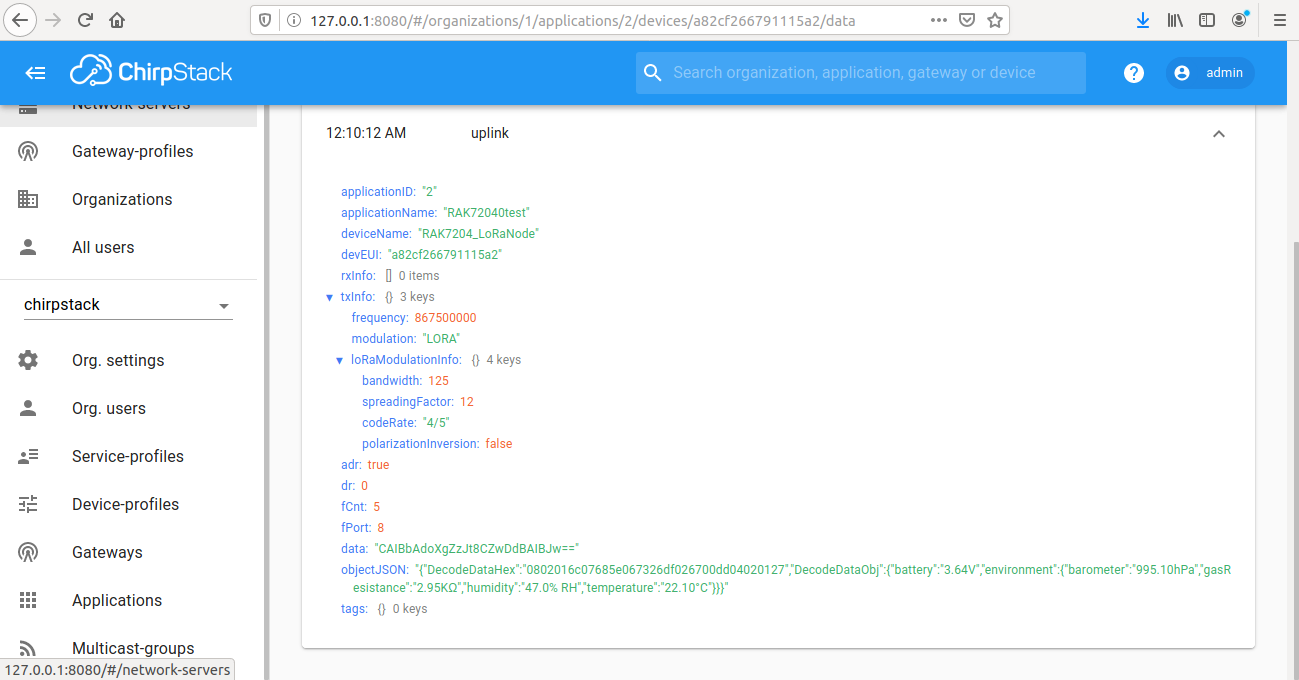
why can’t i find the others uplinks ? each time i refresh the page, i don’t find the uplinks i receive, where does the data go ?
Thanks again for your replies
chirpstack does not save historical data, real-time data is displayed on the web.
If you need to save historical data, maybe you need to subscribe to mqtt to implement this function.
thanks for your reply, i’ll try to find out how it works.
If you want to store your data, you have to use some kind of database. For ChirpStack the good one is Influx. You can check here https://www.chirpstack.io/application-server/integrate/sending-receiving/influxdb/
Sorry for my late reponse, i’ll get some informations about the InfluxDB and keep you updated, thanks again
Hello, i used the same decoding codec used in the link you sent me last week but i didn’t get the same form like i showed you in my picture, that’s what he got
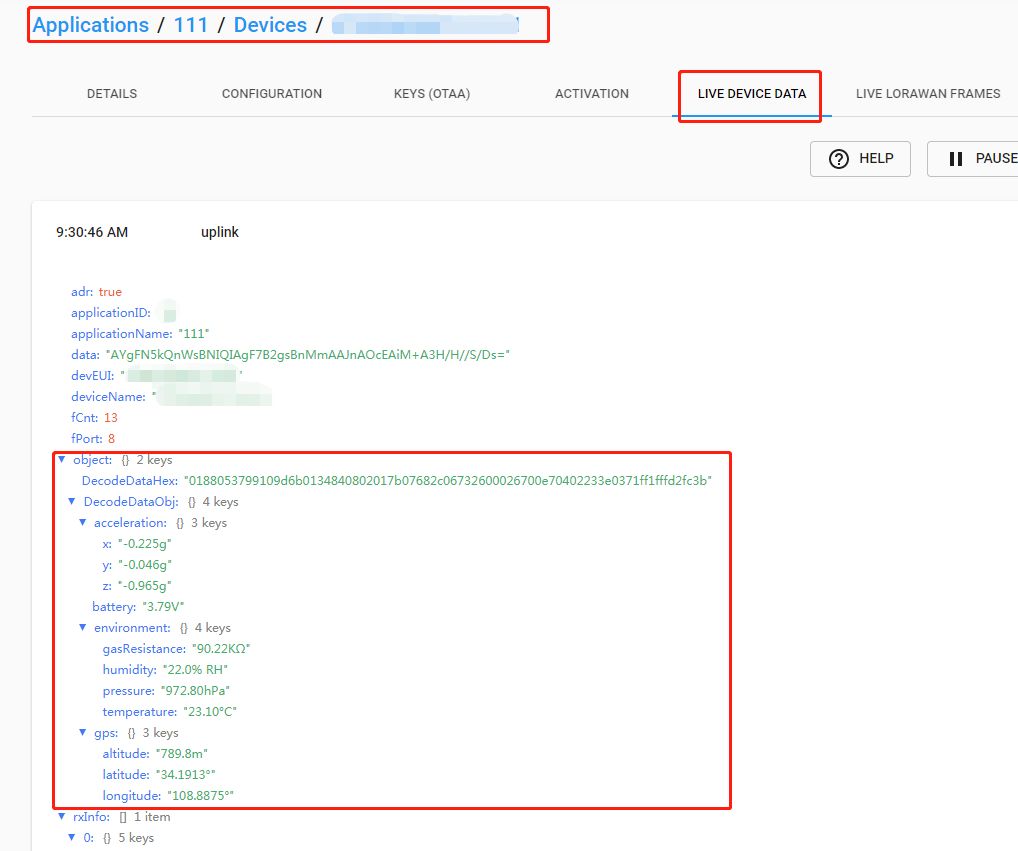
and look what i got
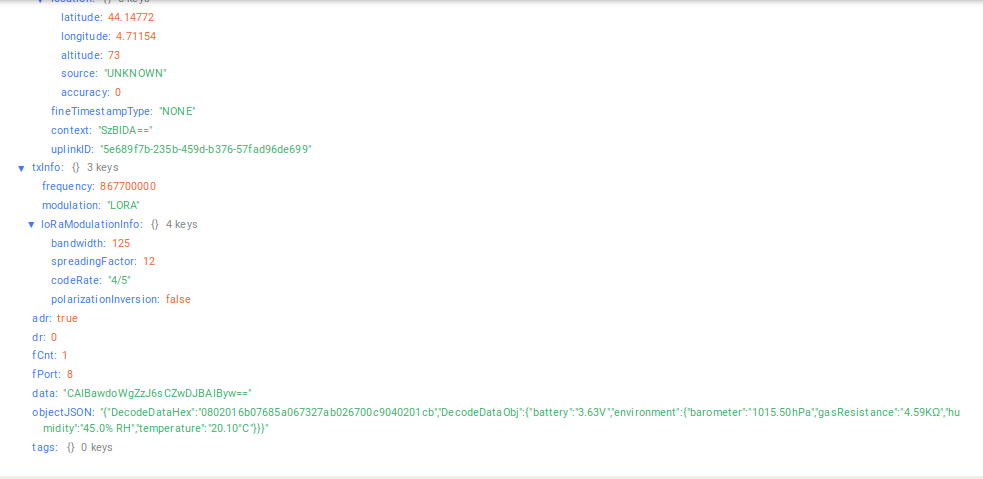
the temperature and pressure for example are not variables, everything is in JSON and i want to get for example :
@ZhuQI @velev do you know what i need to change ? i’ve been trying to fix it but i didn’t got the same result.
Thank you in advance
Hi. Where do you get this data? In application? Did you select LPP decoder in application Integration tab in ChirpStack?
Hello, I get the data in the devide data in chirpstack, i use it as a local server and i use this " https://github.com/RAKWireless/RUI_LoRa_node_payload_decoder " to decode the Hex i receive, i used it in the codec on " device profile "
Can you remove the custom decoder and select Cayenne LPP decoder in Application Integration in ChirpStack.