Hi, i am having issues reconnecting my RAK3272 Breakout Board to the WisTool Box. I used it yesterday and it was running fine. Was sending TX pules of 83mA every 10s, to simulate a battery discharge. Today i connected everything and it stopped sending (no data on TTN). Tried hooking it up again to WisTool box to see if it works and the device does not get recognized. USB to UART board is fine, connections are fine as i also tried it with another RAK3272 and it worked after that. I dont know what the issue is.
Welcome to RAK forum @Hannan ,
On the RAK3272, does it still respond to AT commands? If not you can try to reupload the RUI3 FW using STM32CubeProgrammer. Here’s the guide - https://learn.rakwireless.com/hc/en-us/articles/26687606549911-How-To-Guide-STM32CubeProgrammer-for-RAK-Modules
Without AT commands, WisToolbox will not be able to detect it.
hey, thank you for your reply, the last time i checked it did not respond to AT commands. I will check tomorrow and try the tutorial you sent, thank you~
1 Like
hey @carlrowan , i checked out the stm programmer and it still does not get recognized by the wis duo tool box. i attached screenshots for you to have a look. I am getting really frustrated, i only used the board for 1 day… Is there any way you can help me
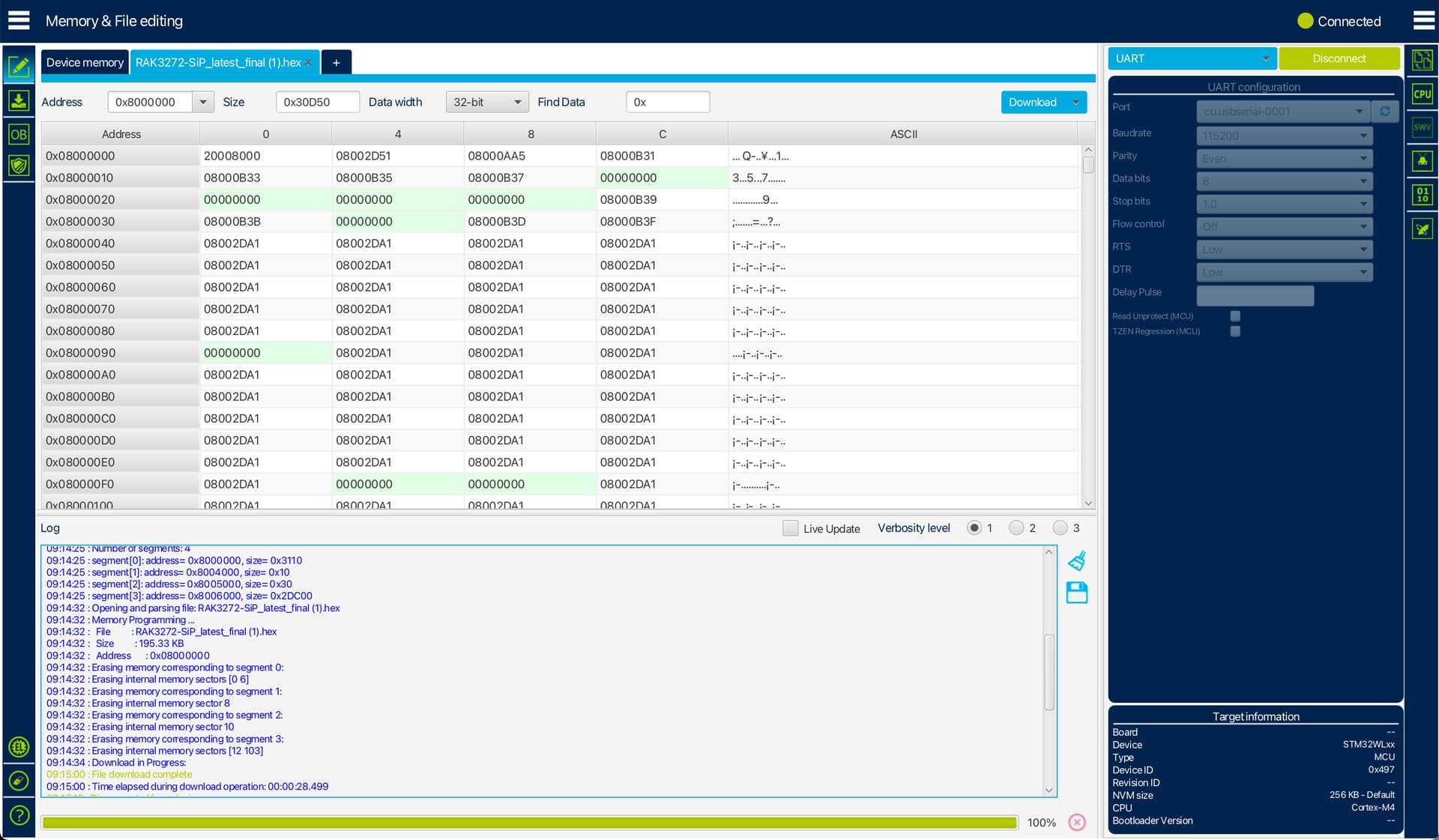
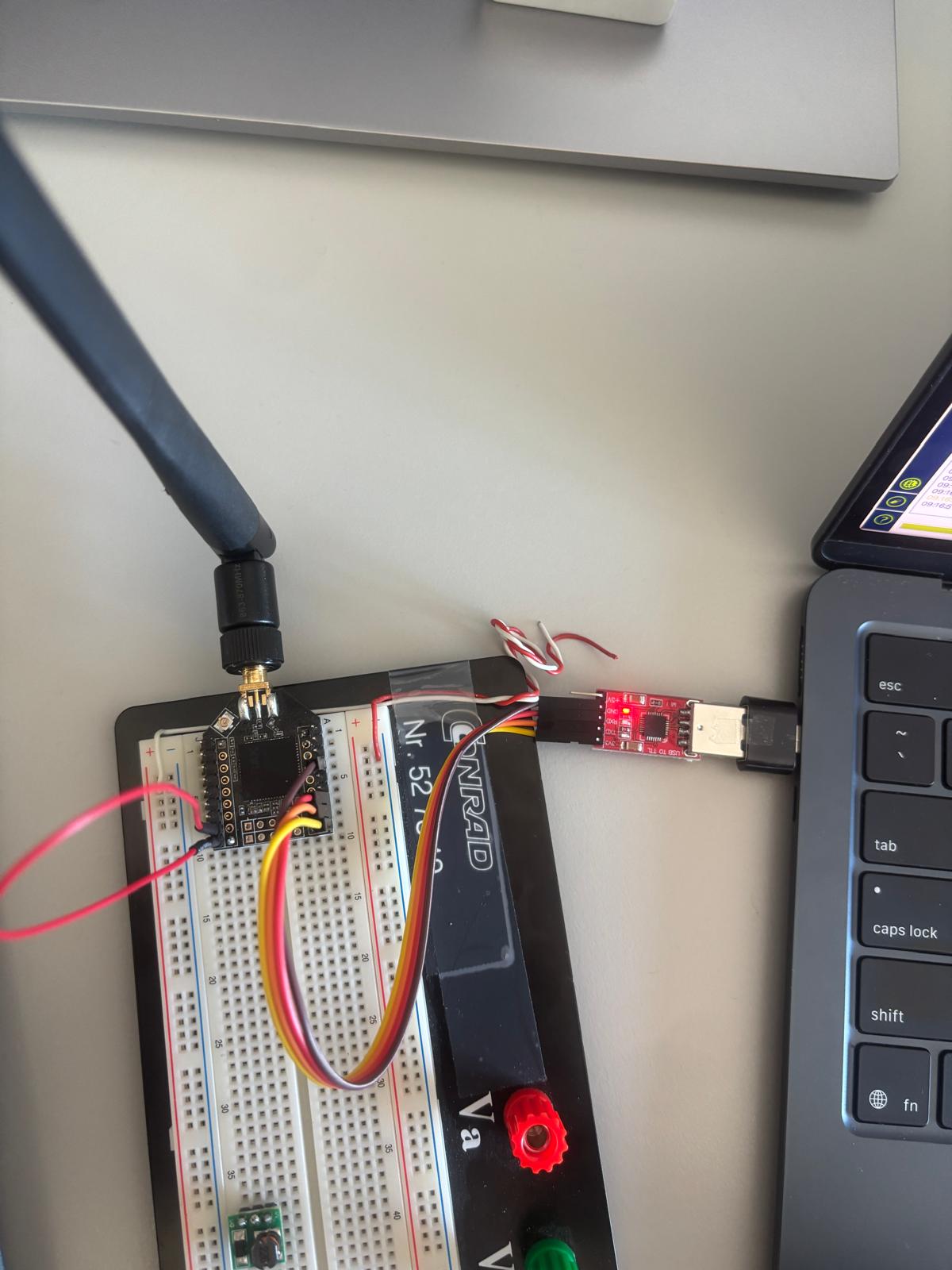
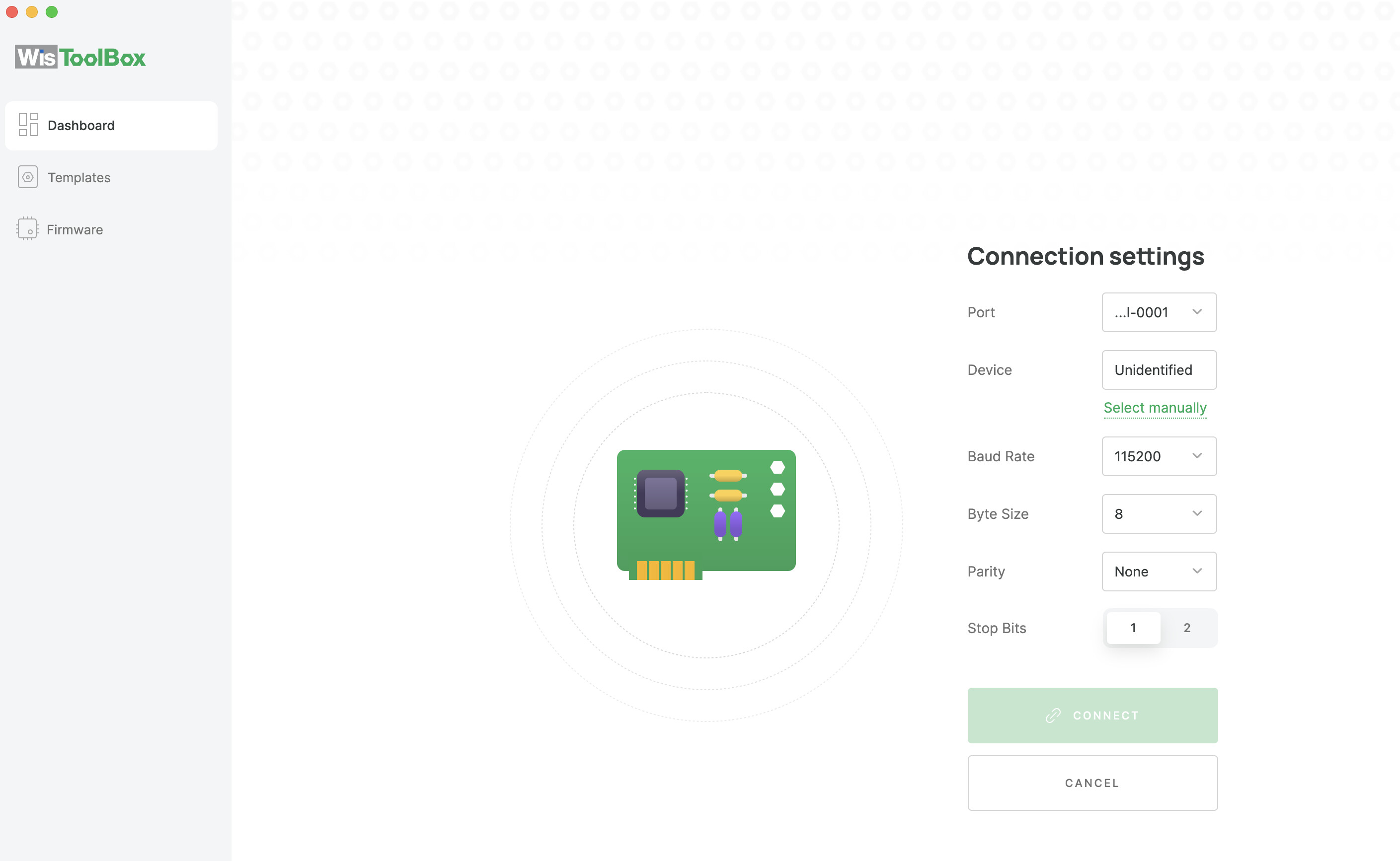
Hi Hanni,
Please remove the Boot pin to VDD then restart the module. If you do not do this, you cannot connect to WisToolBox.
It seems to me that the module is ok since you can upload via STM3CubeProgrammer.
If it still doesn’t work, you can test AT command using different serial port tool like the built-in in Arduino IDE.
what do you mean by restart, i disconncted the UART from STMCube programmer the removed the UART from my laptop for 5 seconds then opened WisToolBox and still unidentified. Boot also disconnected. Arduino for command AT in Serial monitor no respond, it pops up a time stamp after that if i type AT it is just blank, look at attachment
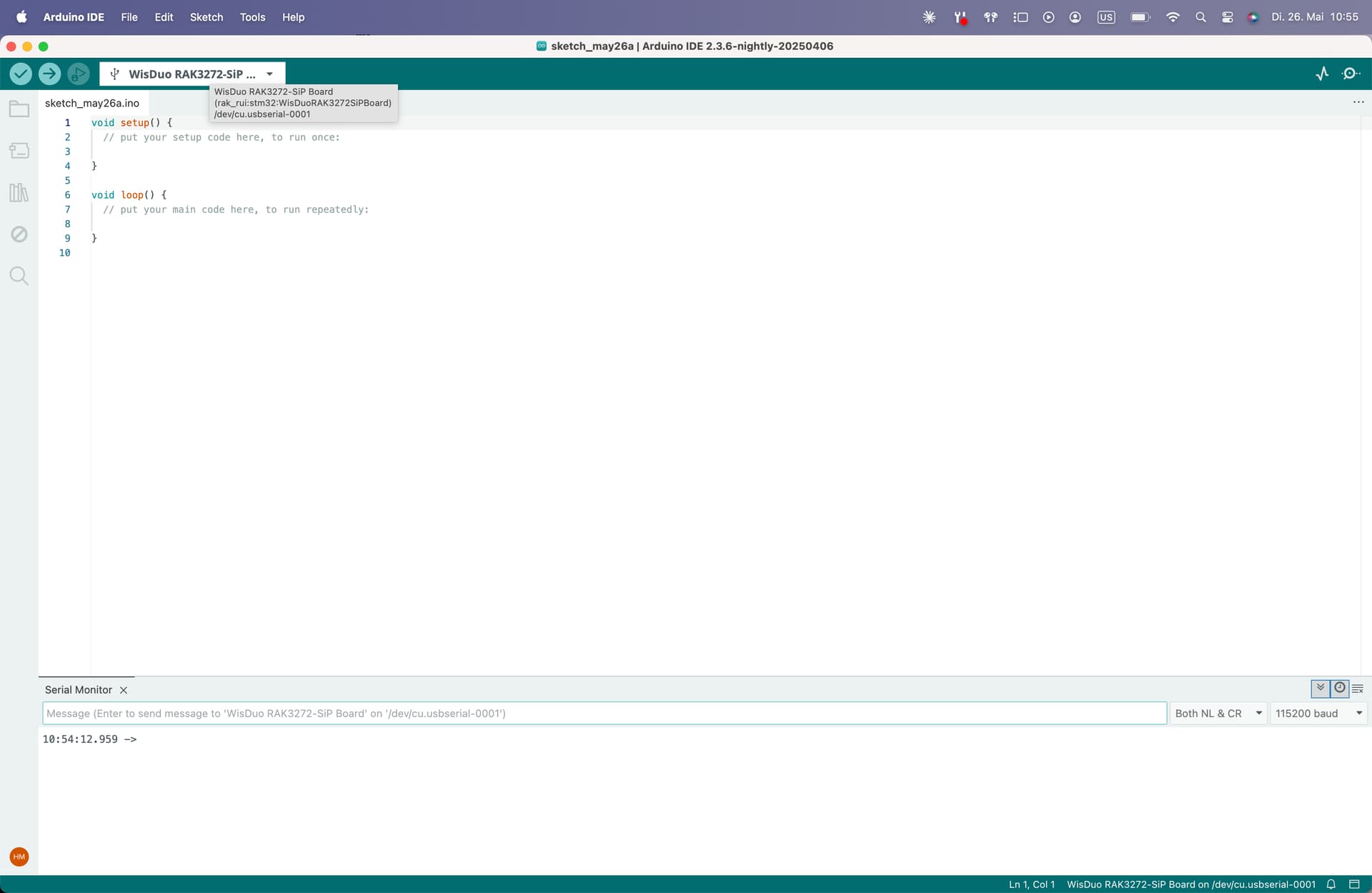
Hi @Hannan ,
I did the same procedure and use the firmware file from here - RAK3272-SiP WisDuo Breakout Board Datasheet
And it works ok withe the latest FW.
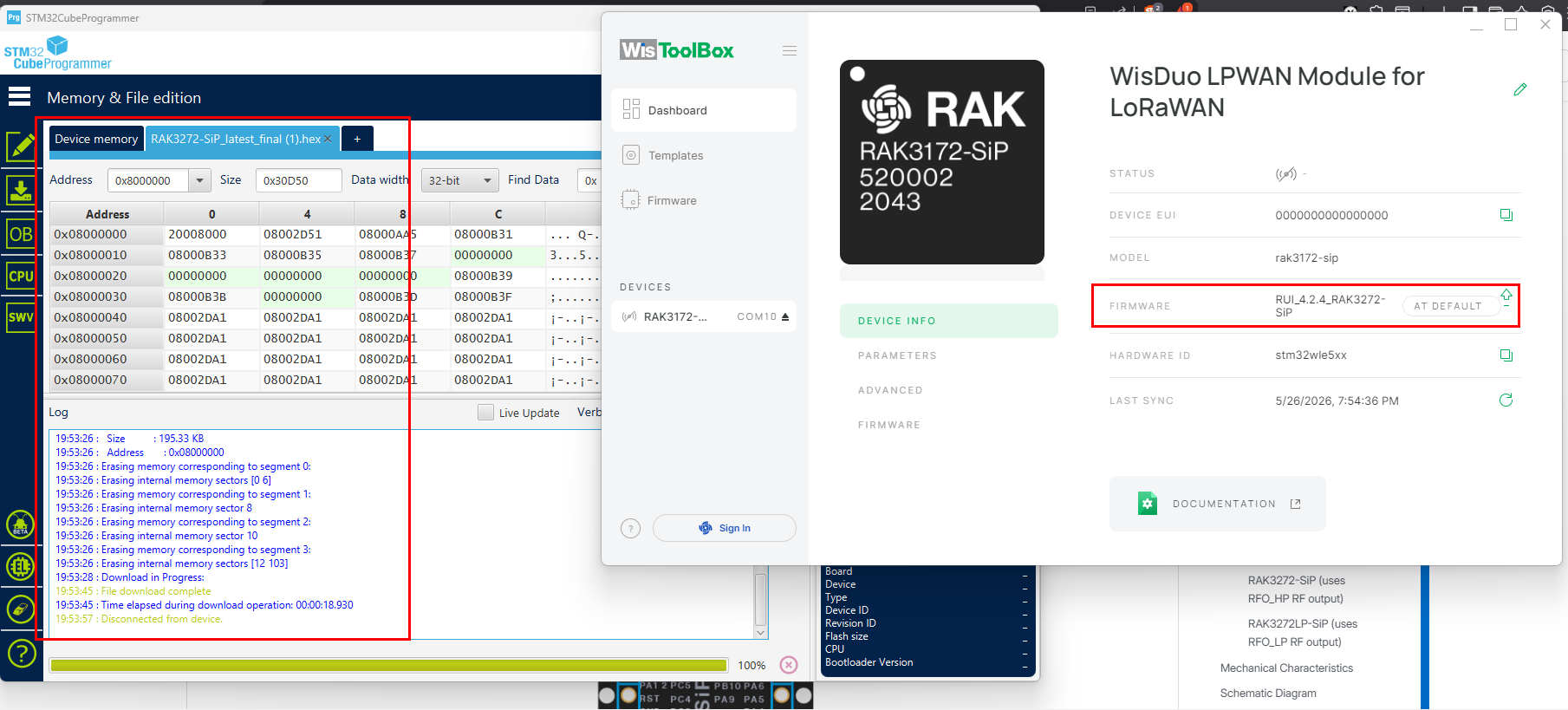
If you are sure that you have RAK3172-SiP and not RAK3172LP-SiP then uploaded the right FW, the chip has probably problems.
I never experience this before. Most of the time, if STM32CubeProgmammer can still detect the STM32WL chip, the module should still be ok. Unless of course there are mechanical or electrical stress the module been subjected to like ESD, etc.
What you can still try is use STM32CubeProgammer again but before uploading. Execute a chip erase first then reupload the hex file.
Otherwise, you can ask for RMA to [email protected] and mention that you already did investigation in RAK forum with Carl.
Thank you Carl! It worked, i erased the chip and it works now, also tested sending on TTN and worked. Thank you very much for your support!
Hey Carl, i have not used the device for 4 days and now i again had the same problem, i earesed the chip and now it gets recognized again with wistoolbox.
This topic was automatically closed 10 days after the last reply. New replies are no longer allowed.