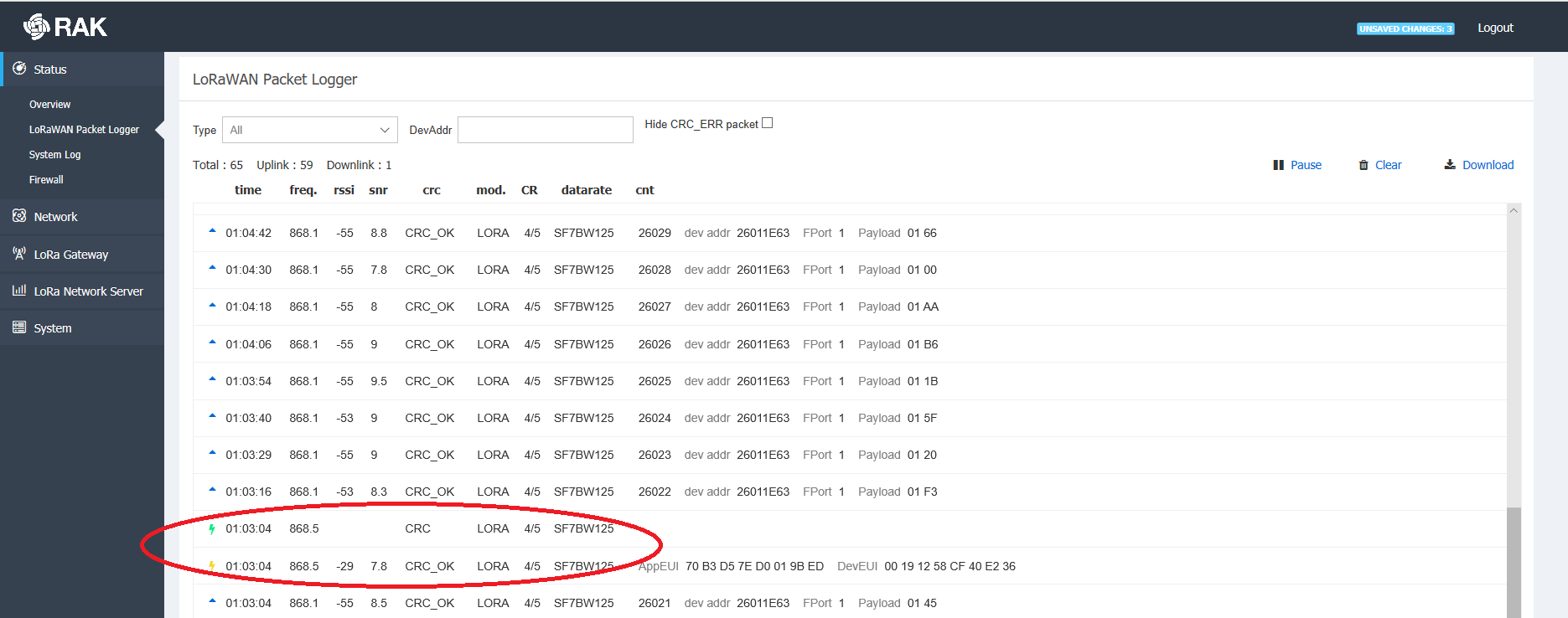
What about logs for the unsuccessful ones.
By the way have you verified all of the LoRa Server Setings, The gateway and device profiles. LoRaWAN 1.0.2, Class A, etc.
Can you post your configuration parameters for both the LoRa Server and Node in detail?
Thank you.
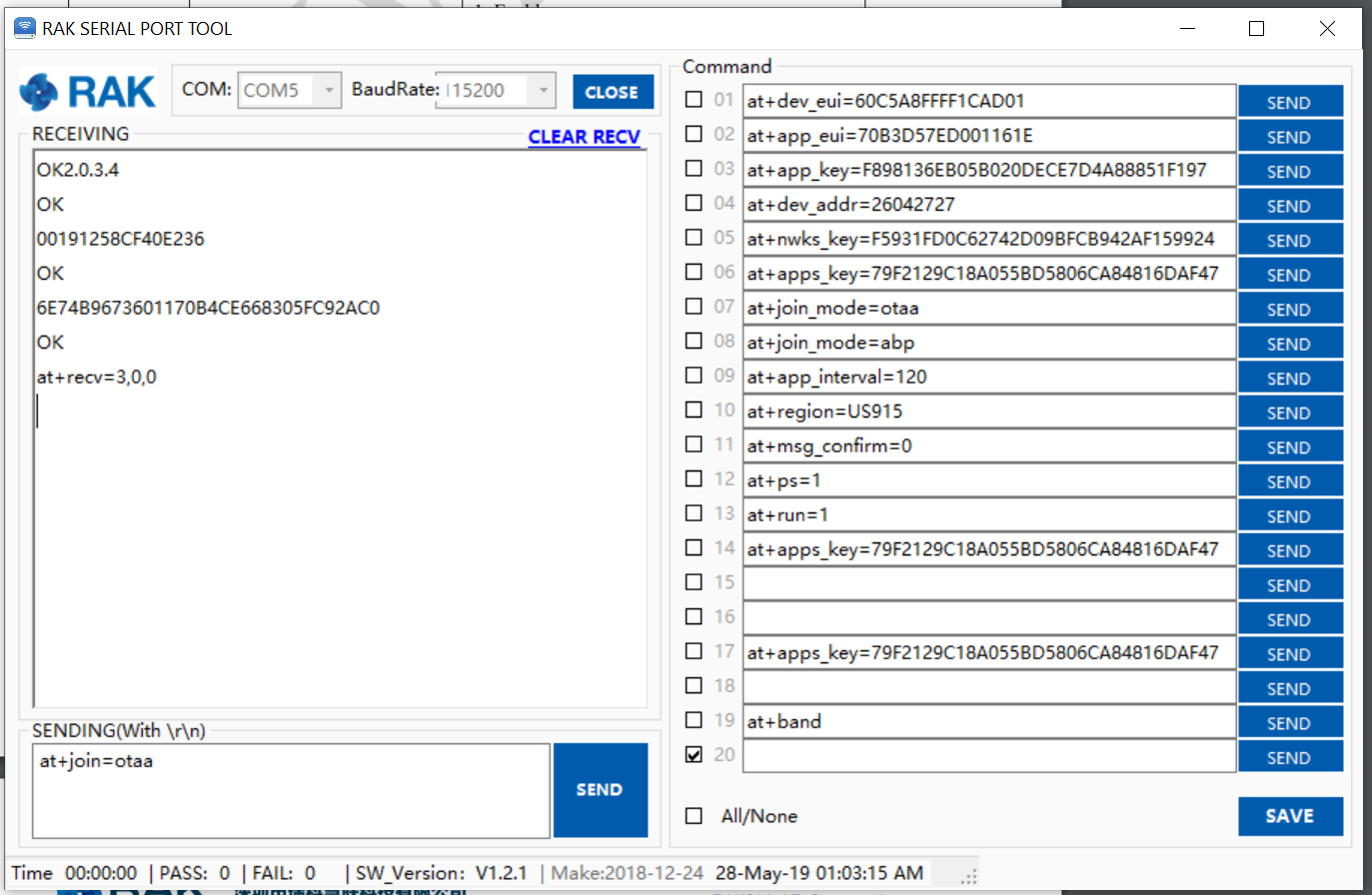
If you have modified the configuration as shown in the figure, and you can see from the logo that you have successfully connected, then do you try to send data through the node?
I have done minor modifications on the default configs of loraserver 3, but I just reverted all configs to defaults. Still the same problem, join request/accept loop.
Can someone at least confirm the firmware and Wisnode versions that are known to work? As I already wrote Wisnode is v1.2 and its loaded firmware: v2.0.3.4.
Should I try to load another firmware?
Is there some sort of delay I should add to the loraserver to make it work?
Is there any documentation at all on what a successful negotiation looks like? A sample log of the kit working properly?
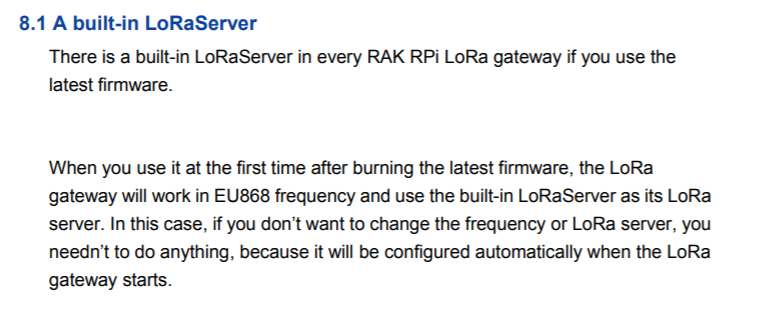
I can indeed confirm. I have tested both Wisnode RAK811 V1.1, V.2 since your opened the thread. Firmware v2.0.3.4 . I am able to join via OTAA, no problem, I see both the join and accpet, no repetitive requests. Also I am able to send packets afterwards, again no problems. I just did the following steps, and they worked right away. (Note no app_eui as it is not required for the LoRa Server Built-in the RAK7258 I am using)
I believe the issue might be with your configuration of the LoRa Server. As I said can you post the exact configuration settings for both the node and the LoRa Server (Gateway+Application/Device)
That’s very useful, thank you. Unfortunately, I do the same steps, but I never receive the last “at_recv=3,0,0”. As I said instead I get after a long time a timeout response: “at_recv=6,0,0”
Here are my configs:
I also included a packet forwarder log, where radio 1 seems to be disabled. Shouldn’t it be, like radio 0, also enabled?
You mentioned you have a RAK2245 Gateway. As there is no such thing in existence :), this being a concentrator can you tell me more about your setup. I am assuming you have it hooked to an RPi that you obtained separately and it is running the Raspbian based firmware from RAK. Can you tell me what the version is? Where is the LoRa server hosted.
I took a look at the files, seems the are extra channels enabled in the loraserver file. Did you do this on purpose, as the configuration file needs also have those set. There is a mismatch. This is one thing I noticed. However I will wait for your reply with the requested parameters and will reply to you upon further examination.
Why is the log file called TTN-gateway, you are using LoRa Server ??
I have the Raspberry Pi HAT Edition as you can see, which is part of the kit: https://bit.ly/2YFrY70. All hardware was exclusively included in the kit, so I was assuming it should work out of the box.
I downloaded the RAK wireless raspbian gateway OS (but I don’t remember the link).
# gateway-version
Gateway ID:B827XXXXXXXXXXXX
rakwireless gateway 2245 version 2.8R
In turn, I upgraded the loraserver to v3.x (but I had the same exact problems with v2.x) using repo:
deb https://artifacts.loraserver.io/packages/3.x/deb stable main
And here are my version:
# lora-gateway-bridge version
3.0.0
# lora-app-server version
3.0.0
# loraserver version
3.0.1
I just created the file manually, the log goes into /var/log/daemon.log through the syslog facility of the system. It corresponds to the ttn-gateway service of the customized OS which seems to start the packet forwarder and is called ttn-gateway (although I do use LoRa Server). Is that right, or this service shouldn’t be started at all in my case? (systemctl start ttn-gateway)
I commented out the extra channels. I think it may have been through my hundreds of trials they have been left in there. Same behavior.
I flashed a fresh sdcard with the 2.8R firmware again and booted. It worked at the beginning, the node connected ok and I could send it simple messages. Then after a while it went into the same join request / accept loop and the node cannot join again.
I have a feeling that this is a problem with the gateway. There are others with the same join problem it seems:
There are two RAK2245+RPi LoRa gateways in my office, and they have worked for 20 days without restarting, meanwhile, there are two RAK5205 LoRa node sending data continuously. The two gateways are both using 2.8R firmware which is same with your, and they work well by now.
So it is very strange about the issue you met.
I have no idea about it, but i’ll discuss with my team later.
I reflashed the firmware and did, 1 and only 1 modification: I just setup the RPI wifi as a client, so I can remote connect to it. I have not changed anything else as far as software goes. I added the rak811 node via the web server and used uart commands to set config the dev_eui/app_key.
When the distance between gateway and node (with line of sight) is less than 13 meters the device successfully receives the join ack and reports at+recv=3,0,0. I can at+send messages. If I move past 13 meters, or enter a room the messages do not arrive. I typically need to press the reset button on the node and start over.
Ok, two questions:
a) what distances should I expect to reach with the antennas included in the kit?
b) can it be that there is a hardware issue?
Also note that it is quite warm where I am, so the pi gets quite hot (without noticable problems though), for example:
/opt/vc/bin/vcgencmd measure_temp
temp=70.9'C
Is the concentrator known to behave properly at such temperatures, given the heatsink is burning hot on top of the pihat ?
Ok, I changed the node’s antenna (the one marked with 868 Mhz) that was included in the kit with an antenna from a wifi 2.4Ghz device that I had laying around just to test and the rak811 node sends and receives within the exact same range of 3-12meters without a problem.
So, could it be that the antenna initially included in the kit is just the wrong type?
Is there a way to verify, provided I don’t have other LoRa equipment?
You can check if the antennas are the right ones if you have a VSWR meter for example, however this is not something that is related to the problem I believe.
I will give you and example. I have personally tested a RAK811 Wisnode without the antenna even attacked to it being right next to the gateway and there is no issue.
If I remember correctly your issue was that you receive repetitive join request/accept messages. Thus you obviously have sufficient antenna gain to distinguish the packets.
Tomorrow I will do a range test with the RAK811, as right now I do not have a RAK2245 handy, and will report if I find this issue, however I am quite certain that if there is a range issue it would be kust that a range issue it would not cause repetitive join requests.
The problem you cited from another user is quite different I believe. He is talking about thousands of nodes sending join requests at the same time. Is this your scenario, you only have one node right. If so this should not be happening, as this is no real load for the gateway.
Can you try an ABP setup and see if going further causes a loss of packets.
Sorry for asking so many questions , just trying to understand the situation batter so I can think of a solution.
Have you tried joining when you are close and setting the node to transmit in lets say 5 sec intervals and going away to see if there will be an issue.
Thank you for taking the time to report the problem so we can clear the issue.
We will get to the bottom of it eventually.