Welcome to RAK forum @rami ,
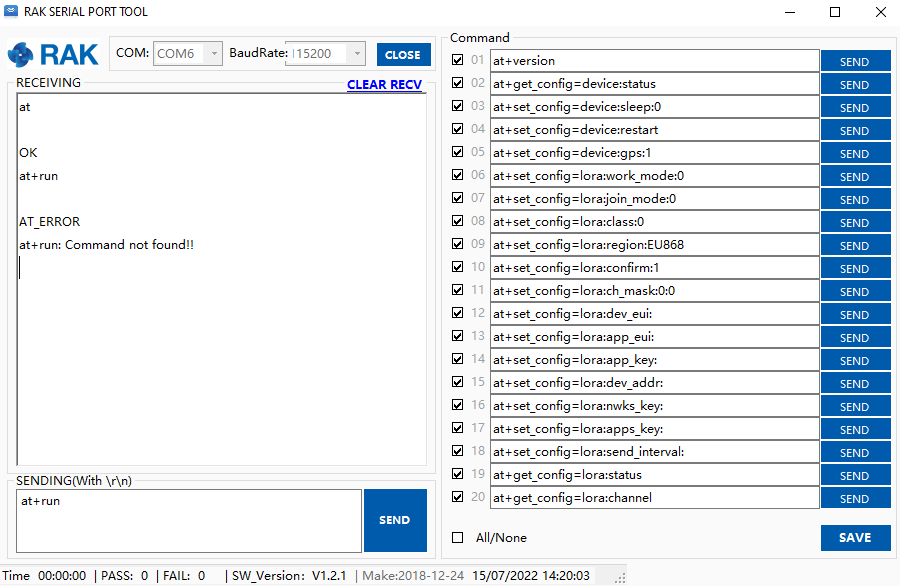
If nothing is responding to your AT commands, can you try to input at+run command?
Welcome to RAK forum @rami ,
If nothing is responding to your AT commands, can you try to input at+run command?
Hi Carl,
first of all thank you for your response.
actually the RAK serial Port tool do not responding to any comand even the run,
when i send the at commands the i got a message AT commands not supported .
any idea why ?
Hi @rami ,
I assume you are in boot mode that’s why I suggested at+run. But is seem you are not. If there is a reply to AT+VER=? can you share it to me?
Else, if nothing is still happening, can you try to upload the fresh .hex firmware and use STM32CubeProgrammer?
The hex file to upload is here - https://downloads.rakwireless.com/RUI/RUI3/Image/RAK3172-E_latest_final.hex
The guide on how to use STM32CubeProgrammer here - STM32CubeProgrammer Guide for RAK Modules | RAKwireless Documentation Center
i have done everything as you suggested.
using a jumper for the boot pin. and now i go this message.
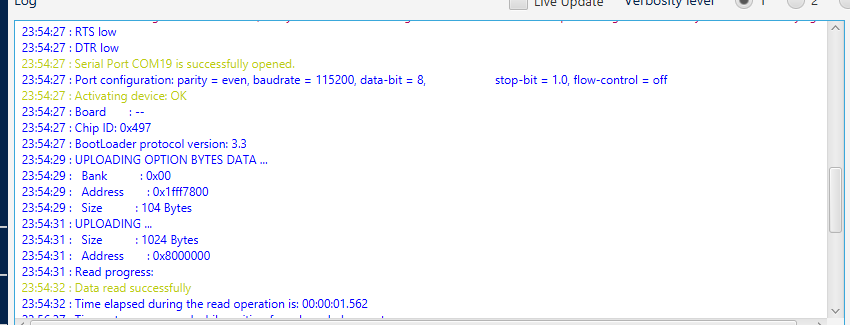
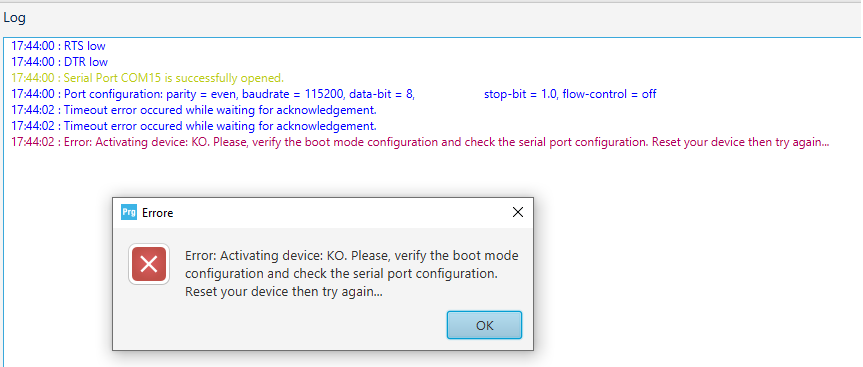
16:24:41 : Serial Port COM12 is successfully opened.
16:24:41 : Port configuration: parity = even, baudrate = 115200, data-bit = 8, stop-bit = 1.0, flow-control = off
16:24:42 : Timeout error occured while waiting for acknowledgement.
16:24:42 : Timeout error occured while waiting for acknowledgement.
16:24:42 : Error: Activating device: KO. Please, verify the boot mode configuration and check the serial port configuration. Reset your device then try again…
The STM32CubeProgrammer wasn’t able to detect the RAK3172.
Few things we can look at.
57600, 19200 then 9600.I hope after checking these items we can make you RAK3172 work again
Hi Carl,
i can confirm that all the steps have been controlled and its all okay but the RAK board still KO
i have 2 RAK 3272 and i got the same error
What USB-Serial converter are you using?
i got 2 USB-Serial converter
-RAK DAP (nanoDAP v2.3)
-DSD tech SH-V09C
and with both of them i got the same problem… !
Hi @rami ,
I am not sure what happened to your board but it seems to be damaged if you already followed the guides I shared in my previous post but still cant be detected - RAK 3272S reset problem - #5 by rami
Hi Carl,
i already followed the guide that you shared with me but i still cant connect to the stmCubeProgrammer.
if you assume that my board its damaged it should not communicate with RAK SerialPort Tool
some of the AT commands give a feedback.(correct me if i’m wrong).
by the way its not the only board that have this problem ive got 23 RAK 3172 and 2 RAK3272 and they all give me the same problem.
its impossible that all the 25 modules are broken or damaged.
I see. You are correct. That can’t be the case for 25 modules 
Hmm. Let’s troubleshoot more.
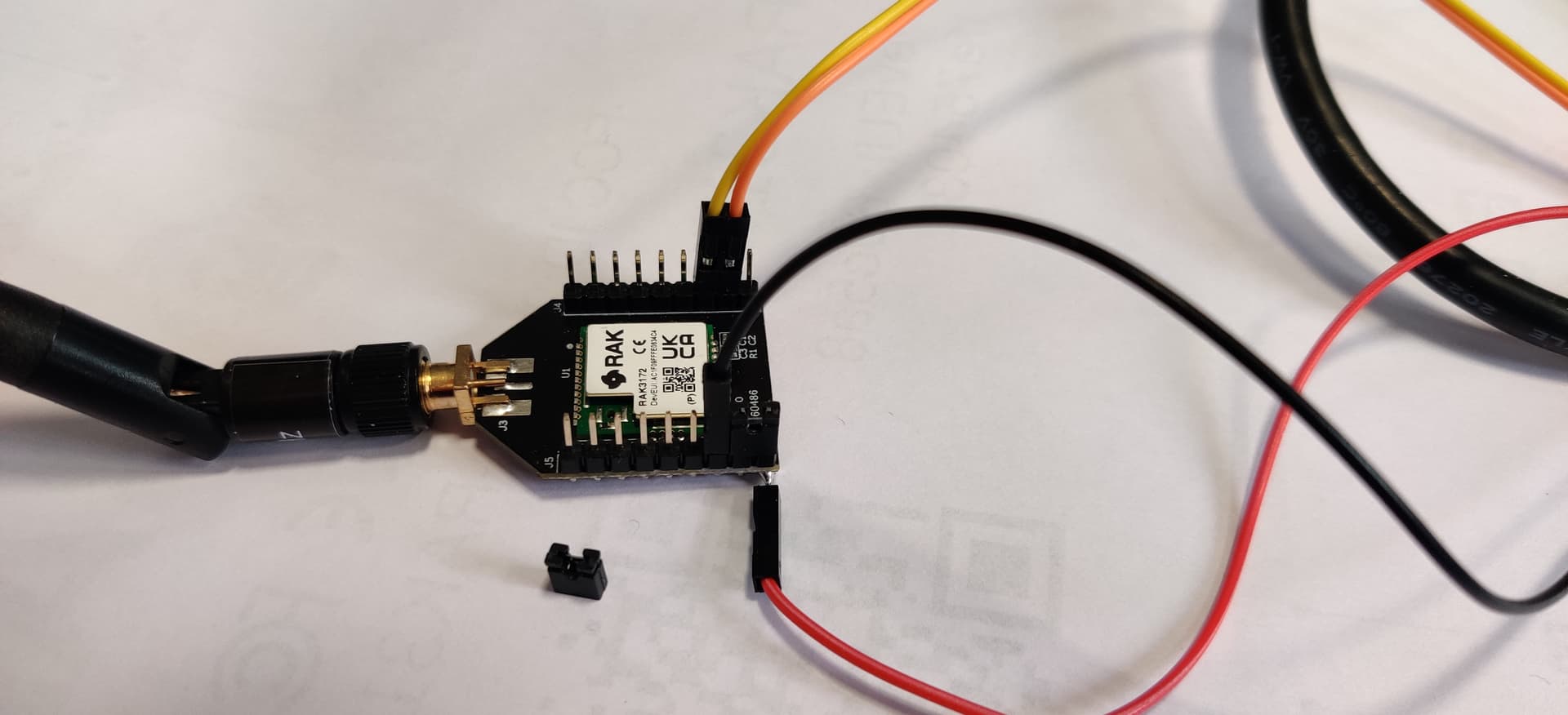
I see that your connections are correct in the image.
If all are happening in 25 modules, there is one problematic part that causes this problem. I already mentioned it above like the jumper wires, USB-Serial converter, USB port, PC driver, etc. But we could still be missing something in your current setup.
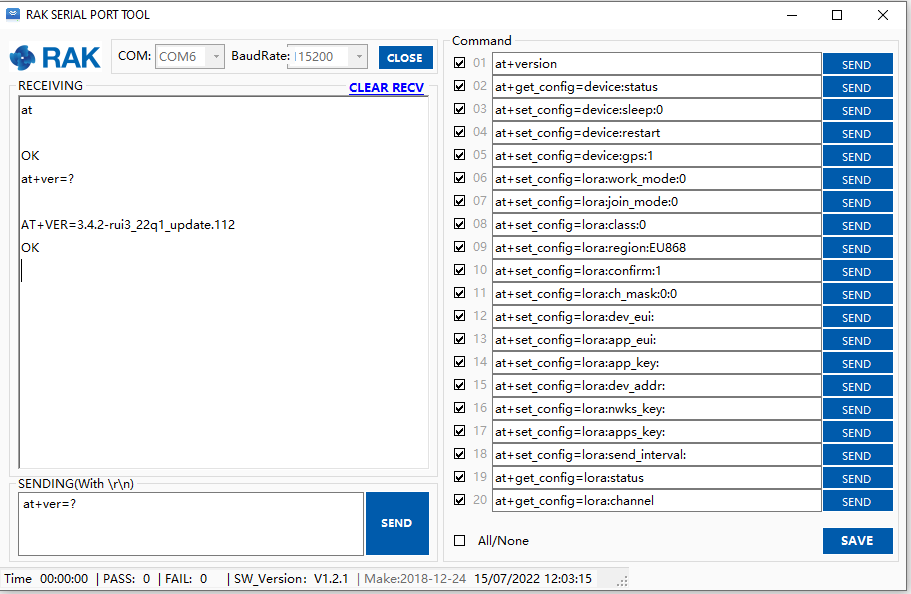
Do you see replies when you send AT and AT+VER=?
It looks good. Your UART connection seems ok. I think your module is ok now to work on some applications.
If there will be times that it wont respond to AT commands, please execute at+run command. It might be in boot mode that’s why it is not responding.
It will only be useable if the device is in boot mode. Your devices seems to be in ok condition so there is no need to do that. I see the OK reply on at 
Great,
we still have to resolve the connection problem with the stm cube programmer.
Hope we can do it 
Few things you can try regarding STM32CubeProgrammer via UART.
Welcome to RAK forum @AndresValera ,
Can you give more details about your issue? Do you issue on AT command, connecting to STM32CubeProgrammer, etc.?